




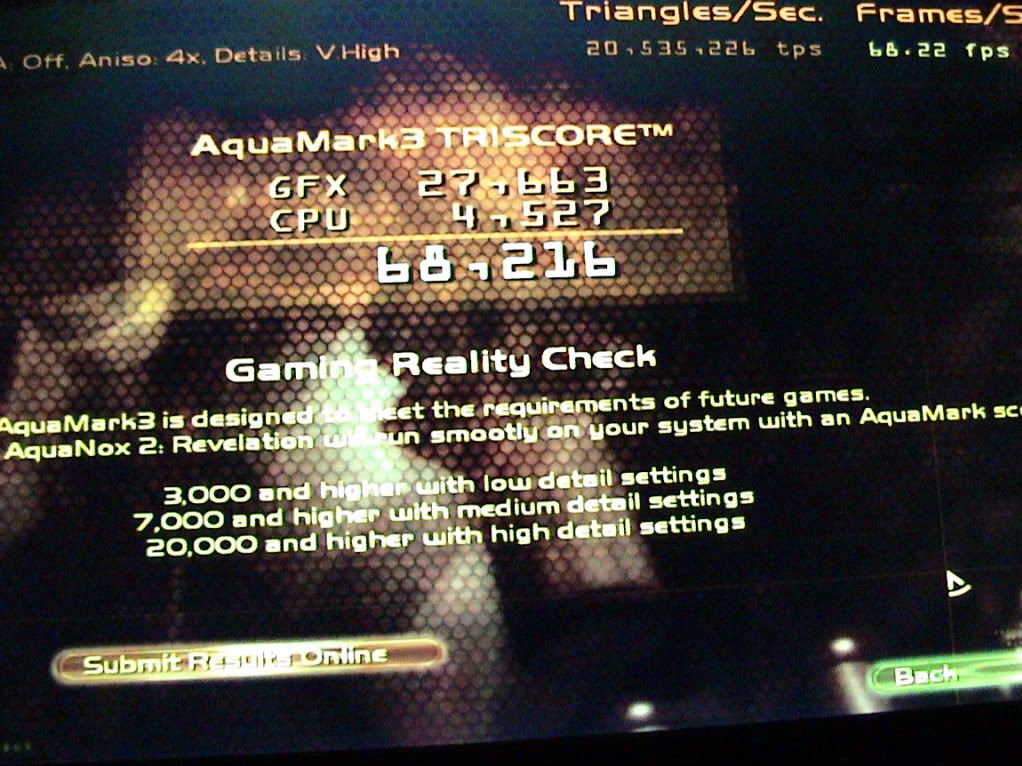
Ok I ran AquaMark3 today and it test fine but I can’t get a screen capture in order to add all the CPUz system info to a full screen shot. AquaMark runs in full screen and when I do a printscreen the paste into paint all I get is a black image. I’ve also tried Alt+printscreen and control+printscreen with the same results in paint a black image.
Do I need to buy the full bench test in order to capture a screen shot?
I finally just used a camera to take a picture of the screen which is posted below.
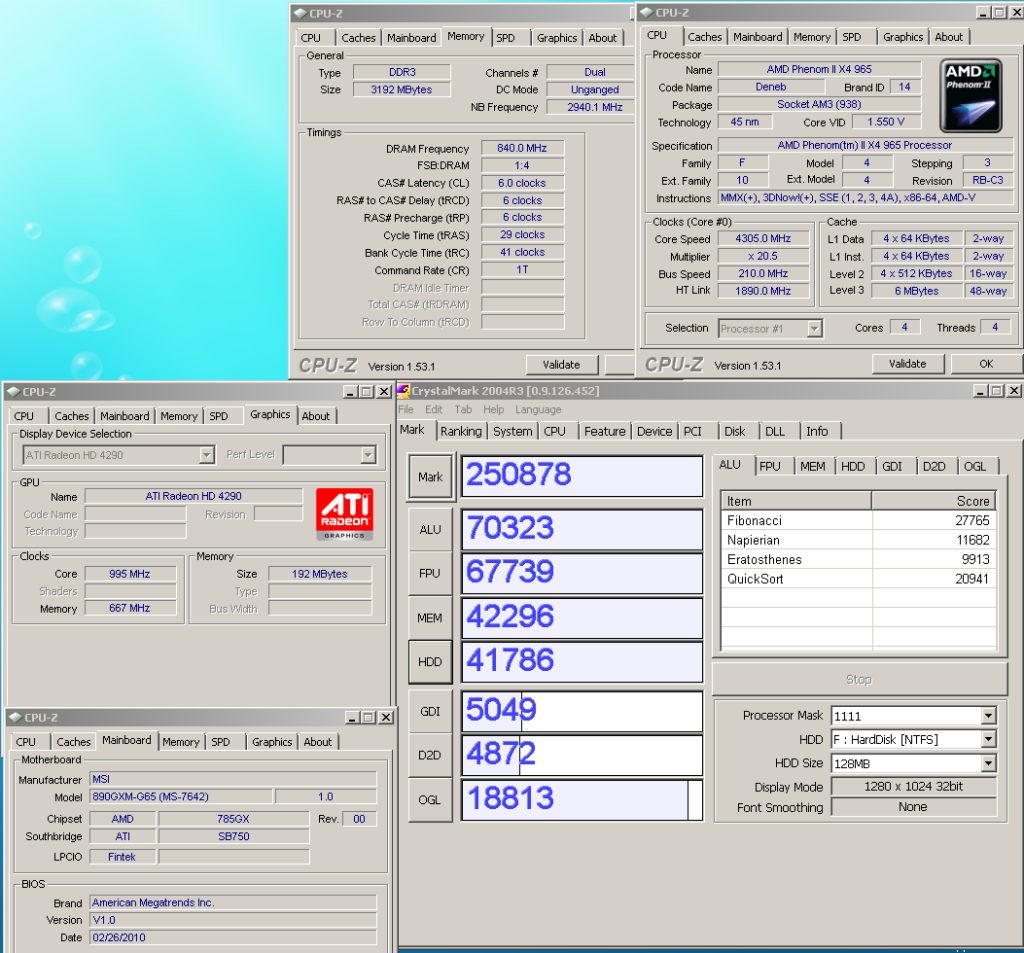
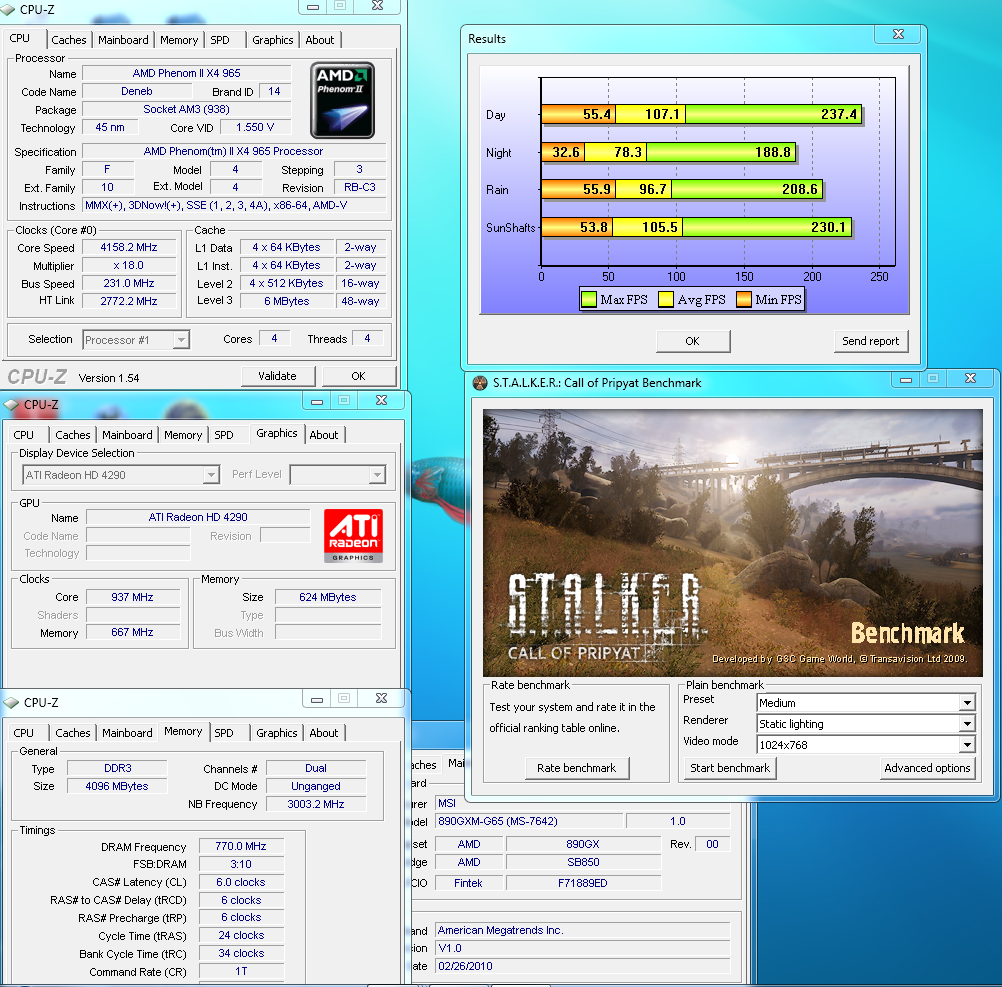
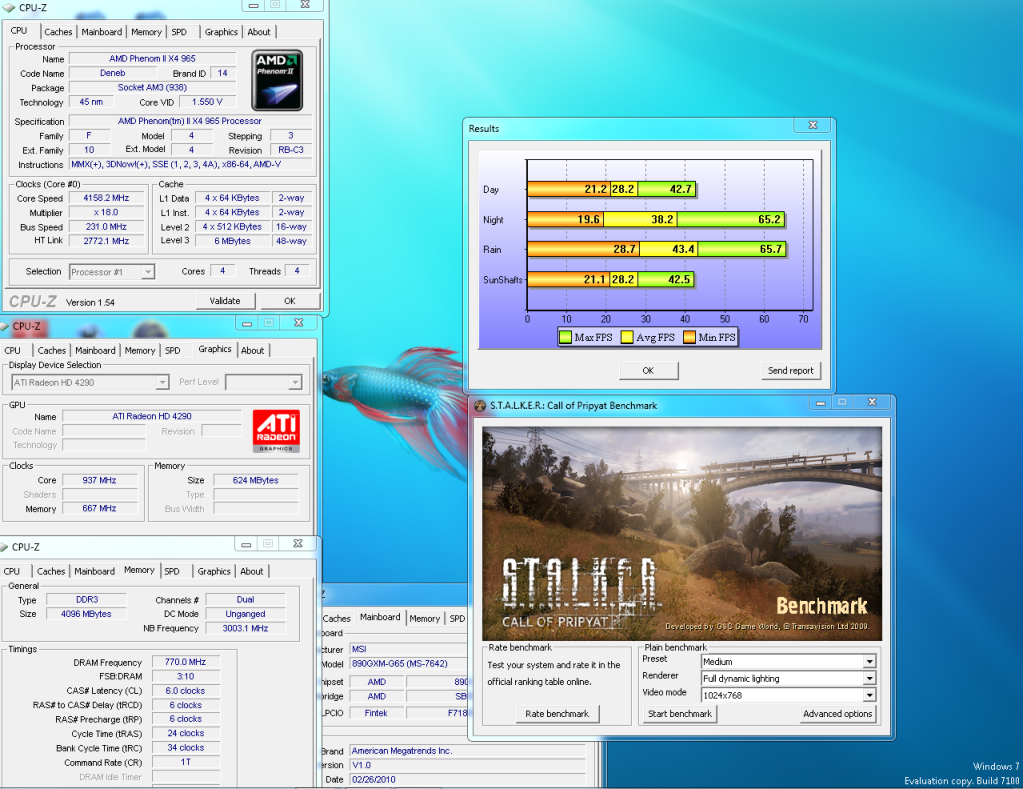
I ran some Stalker bench tests also plus I posted my best CrystalMark score so far on this MB. All these tests were on Windows 7 RC.
Stalker Static lighting
Stalker Full dynamic lighting
CrystalMark

 Reply With Quote


Bookmarks