




Goto http://www.ultimatebootcd.com/download.htmlOriginally Posted by Waxking1
download 4.1.1 iso from preferred source
create your UBCD from iso
copy your atiflash.exe and the 4870.bin to your c:\
(that's the root dir) just to make it easier when in dos
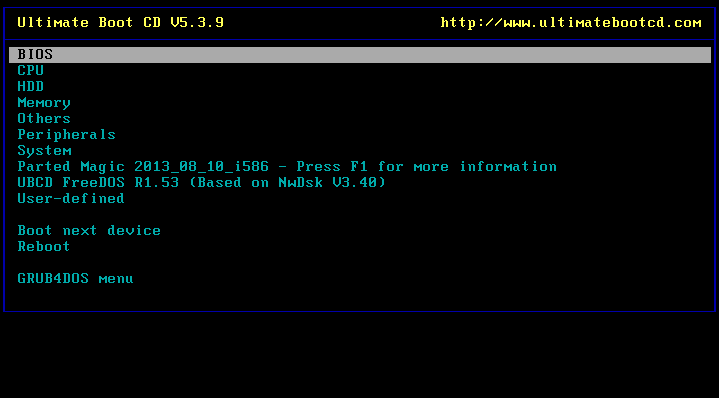
boot with your UBCD that you created
start edit:
WRONG --> choose *Boot First Hard Disk* This will actually boot you back into Vista
correct steps to boot ntfs drive(s)
choose
DOS/Linux Boot Disks
DOS Boot Disks
FreeDOS Boot Disk v3.40
now a series of dialogue boxes will pop up
keep pressing enter on each one but watch out for the NTFS dialogue box
you want to use your arrow keys to get to the checkbox and press spacebar to select it
press enter
you will get to dos and q:\
type c:
and press enter
if invalid drive try d e f etc
do a dir on each one to see which one has your flash files
(my c: drive was invalid and it came up as d: drive)
when you are in the drive and folder with your flash files
end edit:
type
atiflash -f -p ? -4870.bin
where ? is the pci-e slot with the 4870
example: atiflash -f -p 0 -4870.bin
to find out which pci-e slot your 4870 is in
type
atiflash -i
Well what are you waiting for??!?
Get to flashing already!
switch notes
-i Display information of ATI adapters in the system
-f Force flashing regardless of security checking BIOS file info check OR boot-up card
-p Identifies adapter(s) to flash


 Reply With Quote

Bookmarks