




My question is, how can I get it fixed/
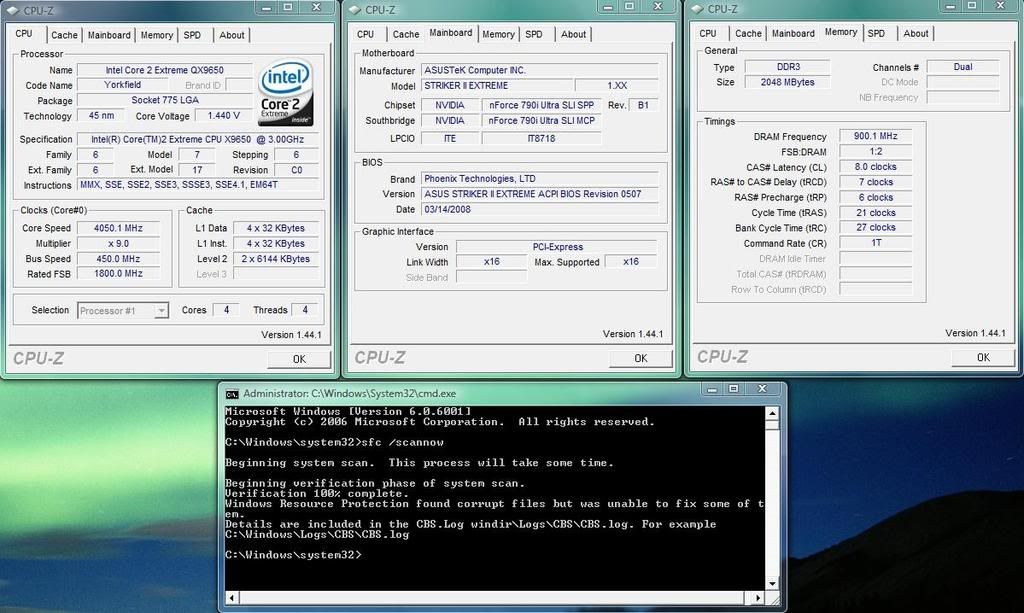
I have instant product replacement warranty at my store, and I want this motherboard replaced or fixed. How can I prove to these lamer techs that are going to look at my PC (They aren't very saavy with issues and these forums) that I have this issue? Should I tell them to format and reinstall 10x and see how it BSoDs? I'm getting multiple hangs that are very annoying, and sometimes a BSOD booting into windows during the splash screen.
Running vista x64 with 1600 mhz viper and qx9650 all stock

 Reply With Quote
 Originally Posted by saaya





 )
)



Bookmarks