

Look closer, both are 2005. Besides, do you really think Macci would be so stupid as to put his reputation on the line doing something like that?
You all need to put the pipe down and step back.




Look closer, both are 2005. Besides, do you really think Macci would be so stupid as to put his reputation on the line doing something like that?
You all need to put the pipe down and step back.
xtremespeakfreely.com
Semper Fi
man my eyes suck i can't tell which versions they are
gotta give the man benefit of the doubt heh
actually when it races through the bench it looks like '05 for both

Yeah I noticed that the second time I watched it.Originally Posted by dinos22

"To exist in this vast universe for a speck of time is the great gift of life. Our tiny sliver of time is our gift of life. It is our only life. The universe will go on, indifferent to our brief existence, but while we are here we touch not just part of that vastness, but also the lives around us. Life is the gift each of us has been given. Each life is our own and no one else's. It is precious beyond all counting. It is the greatest value we have. Cherish it for what it truly is."
Yea its 05 for both runs (of course!) =)
I dont think the CPU clock was visible in the 20k run... But feel free to check the ORB for 20k scores, the lowest CPU MHz to break 20k is 3150MHz right now (not saying it could not be done with lower clocks but that should give an idea about the requirements for 20k).theres no way thats 05. 20k 05 with a 3ghz phenom and 3870 crossfire?
that is a serious stretch to think they run 2 different 3dmark's...
also, that's almost a 50% score jump an unknown overclock that was done using the auto-overclock feature of Overdrive
makes you wonder what the overclock was
Athlon XP-M 2500+ 0343MPMW The King is Dead!
Phenom II X6 1090T 1025GPMW Long Live the King!
-------------------------------------------
I'm from the church of the operating room
Very exciting application!
I'm surprised you ever tested for stability, who does that?
good to see macci again, but damn, who made that videoclip? it really sucks, :P
the only good parts are when macci is talking and using the tool, all the "somewhere in a secret lab" and the car tuning stuff was painfull
about the tool, great looks, couldnt be better, great featureset, could hardly be better, the benchmark and stability test is great too... but the tool is slow and buggy... it should reset all msr values when you reboot which it doesnt, this is not only annoying but could be dangerous too.
if it would work faster and only load the different parts of code once you click on the tab of the bench or stability test for example, i think it would be faster and better to work with.
The CPU clock showed 3010mhz I think....
"To exist in this vast universe for a speck of time is the great gift of life. Our tiny sliver of time is our gift of life. It is our only life. The universe will go on, indifferent to our brief existence, but while we are here we touch not just part of that vastness, but also the lives around us. Life is the gift each of us has been given. Each life is our own and no one else's. It is precious beyond all counting. It is the greatest value we have. Cherish it for what it truly is."
Heh some old style bench from it
Yep can't do nothing in it , all i can is use system stability, general info on hardware and this benchmark.
Nice tool.
Phenom II x6 1055T | ASRock 880G Ex.3 | 560Ti FrozrII 1GB| Corsair Vengeance 1600 2x4GB | Win7 64 | M4 128GB
VR Box - i5 6600 | MSI Mortar | Gigabyte G1 GTX 1060 | Viper 16GB DDR4 2400 | 256 SSD | Oculus Rift CV1 + Touch
This app should be nice. It allows independent core clocking, so if you have one dud core, you can probably scale the other chips higher. So this should take out the equation of having to overclock 4 really good cores at one. But I do wonder if this will cause issues in programs where you have 4 cores running a different clock frequency on a a heavy multithreaded application.

Can I run that stability tester on my Intel system
...
if(CPU == Intel)
format drive:c

damn that application looks dead handy..
Evga X58 sli under cascade
http://www.xtremesystems.org/forums/...d.php?t=219788
Evga X58 Sli ultimate overclocking/ overview/ discussion thread
http://www.xtremesystems.org/forums/...d.php?t=221082
proud owner of E8600 Q822A435
You would get a performance rollercoaster in games when Windows changes the core a thread runs on now and then.
But ye, stability is a whole other issue aswell for any software timings.
Crunching for Comrades and the Common good of the People.
if (CPU == Intel)
return theBombHasBeenPlanted;
Intel? Core i5-4670K @ 4.3 GHz | ASRock Extreme6 Z87 | G.Skill Sniper 2x8GB @ DDR4-1866 CL9 | Gigabyte GTX 970 OC Windforce 3x | Super Flower Titanium 1000W | ViewSonic VX2268wm 120Hz LCD | Phanteks PH-TC14PE | Logitech MX-518 | Win 7 x64 Professional | Samsung 850 EVO & 840 Pro SSDs
If all people would share opinions in an objective manner, the world would be a friendlier place
There's a thing called CPU affinity... not that you didn't know, you just played dumb because of your agenda... the same agenda that lets you see the future and conclude that it will be a "performance rollercoaster".
And with CPU affinity...how do you run your multithreaded games again? By deselcting cores for...less overall performance? Also you cant control any spawned childprocesses in a game.
Perhaps you should do soem REALLY BASIC RESEARCH before spreeing out BS.
And currently I have been right, and you have been blatently wrong. So history aint exactly helping you there either.
Crunching for Comrades and the Common good of the People.
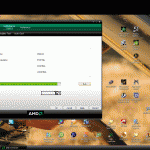
AMD Overdrive 2.10
The AMD OverDrive™ utility provides high-end users the ability to maximize the capability, flexibility, and adjustability of the platforms utilizing AMD processors, sockets, and chipsets. Hardware parameters may be controlled manually, or allow AMD OverDrive to automatically tune the system. Stability tests can be performed, once a system is modified, to verify the system and conduct a performance test to measure the impact of the modification.
supports the following chipsets only:
RS740(770)
RS780(780)
RD790(790X & 790FX)
Download>> http://www.techpowerup.com/downloads...rive_2.10.html

[Review] Core i7 920 & UD5 » Here!! « .....[Review] XFX GTX260 216SP Black Edition » Here!! «
[Review] ASUS HD4870X2 TOP » Here!! « .....[Review] EVGA 750i SLi FTW » Here!! «
[Review] BFG 9800GTX 512MB » Here!! « .....[Review] Geforce 9800GX2 1GB » Here!! «
[Review] EVGA GTX280 1GB GDDR3 » Here!! « .....[Review] Powercolor HD4870 512MB GDDR5 » Here!! «
I don't have enough background in multithreading yet, but it should be an issue of concern. Something tells me that in heavy multithreading application, the slower core will bottleneck the other cores.
Thanks for the clip, did you realize they used and Phenom FX (1:17min).
Seems they release an FX for AM2 and Socket F.
Other "source"
http://www.youtube.com/watch?v=1p-Vi...eature=related
But what fun is overclocking with a tool like this.
EDIT: Also not so cool if everyone runs his machine on an unacceptable speed vs. energy consumption level.
As i just crippled my AM2 mobo Asus (M2A-VM HDMI) with my first oc approches i preordered the low budget Asus M3A
for 66€. Hope a 9500 will ab available for ~200€ in Q1 08.
Last edited by justapost; 11-17-2007 at 05:59 PM.
waiting for macci LN2 run...
The best and most simple way to "calculate" the speedup from variable core OCs is to take the arithmetic mean of all frequencies of the cores.Yeah,it sounds simple and "dumb",but that's closest you will get when calculating the OC result in some multicore aware app.In monothread app. it depends on which core you run it,so you can bind it to the fastest core/OC and that way you will insure the best performance.
From available data,K10's perf. seems to be somewhat limited by ram bandwidth and Northbridge(L3) clock as well.The L3 runs at measly 1600Mhz/1800Mhz and we should see some decent OCs on L3 with retail Phenoms.I think tictac posted the way how ram speed is calculated and how Northbridge speed is calculated.
You cant actually calculate it so easily. It also depends how much serialized code is being run. And how the multithreading is done.
If we very roughly say Core0 and 1 is 2Ghz, Core2 and 3 is 3GHz. Then 3 bad rough examples could be:
1. When you game and Windows flips the main thread from core to core now and then. Then you could have 20FPS one minute and 30FPS the other.
2. Say you render, and the render hard assign (in code) affinity in 4 spawned subthreads. Then you would have 2 fast renderings and 2 slow. Still waiting for the slow.
3. Running programs that still do software timings like mentalray etc. Then it would basicly just mess up to say it mildly. But it already does with CnQ or speedstep anyway.
However for something like WCG/Folding etc it would give a permant speedboost.
Last edited by Shintai; 11-17-2007 at 05:23 PM.
Crunching for Comrades and the Common good of the People.
shintai, thats why every core has its own counter
none of the things your worried about can happen afaik, except for some threads on some cores running faster than others, but if a game or app is programmed well itll know this from the counters and clockspeed.
It's this a joke or are you being serious? lol
The point of overclocking just one core or two, is to get max performance for games\apps that don't use more then, guess what, one or two... lol
No one is going to have a core at 3.2ghz and the others at 2.0ghz to play games that use 4 cores, or would use that stupid scenario to
criticize this independent core overclocking feature...
And i don't even remember that i ever been wrong and you right, let alone lately... you're a joke.
So playing a game and never going over the 20fps the 2.0ghz would give you it's better how?we very roughly say Core0 and 1 is 2Ghz, Core2 and 3 is 3GHz. Then 3 bad rough examples could be:
1. When you game and Windows flips the main thread from core to core now and then. Then you could have 20FPS one minute and 30FPS the other.
And this is bad how? With all the cores at the same speed wouldn't you still have to wait for the "slowest"? lol2. Say you render, and the render hard assign (in code) affinity in 4 spawned subthreads. Then you would have 2 fast renderings and 2 slow. Still waiting for the slow.
Meh3. Running programs that still do software timings like mentalray etc. Then it would basicly just mess up to say it mildly. But it already does with CnQ or speedstep anyway.
Last edited by DoubleZero; 11-18-2007 at 05:08 AM.
 Posting Permissions



 Reply With Quote







Bookmarks