XtremeSystems Forums

Go Back   XtremeSystems Forums > Xtreme > Xtreme Bandwidth

Reply
 
Thread Tools Rate Thread Display Modes
Old 08-17-2007, 11:03 AM   #1
bachus_anonym
Corsair Engineering
 
bachus_anonym's Avatar
 
Join Date: Dec 2003
Location: San Francisco, CA
Posts: 5,124
Send a message via MSN to bachus_anonym
Corsair TWIN3X2048-1800C7DF --> Setup & OCing on P5K3-D, P35T-DQ6 and Blitz Extreme!!

Hi all,

The time has come and Corsair has introduced a full line of high performance and low-latency (as for 3rd generation DRAM, that is) of DDR3 memory products:

- TWIN3X2048-1600C7DHX G --> 2x1GB kit, DDR3-1600 7-7-7-20 @ 1.80v
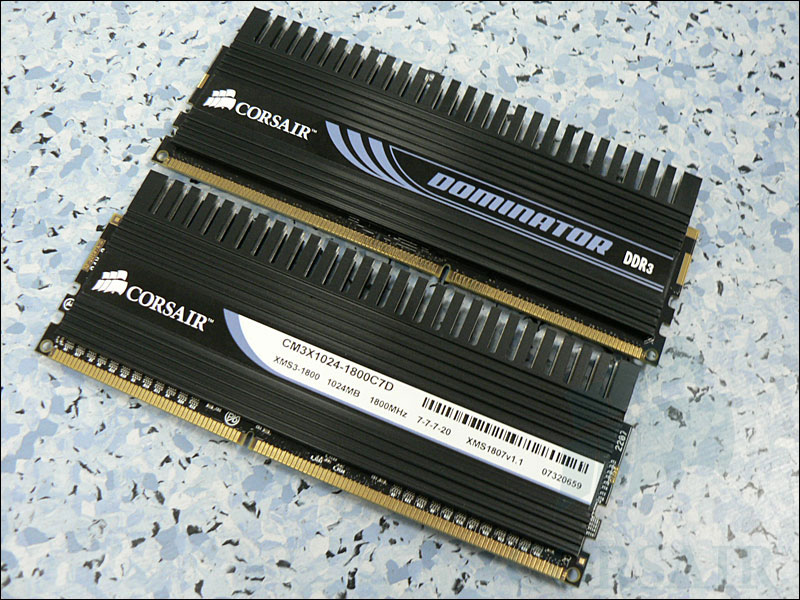
- TWIN3X2048-1800C7DF G "Dominator" --> 2x1GB kit, DDR3-1800 7-7-7-20 @ 2.00v
- TWIN3X4096-1600C7DHX G --> 2x2GB kit, DDR3-1600, 7-7-7-20 @ 1.90v

Some of you might have already had a chance to take a look at preview I posted two months ago of what Micron DDR3 DRAM has to offer. This time, I wanted to come back and share some of my experiences with our production memory - a part of Corsair's Dominator line of high performance memory - TWIN3X2048-1800C7DF G.

The black heatsink and sticker indicates that there is the Dominator in town


Now, I would like to provide those of you interested with some information as to what's up with all that "new Z9" buzz that reviewers and readers have been creating.
"Micron Z9" is not really some magic new DDR3 chip that Micron cooked up in their fabs. Those 2 letters have been around since 1st generation of Micron DDR DRAM in FGBA package and only indicate that chip is in ES stage. In other words, Z9xxx prefix tells us that we're dealing with Engineering Sample of FBGA DDR memory, be it DDR or DDR2 or DDR3. Those are usually sent to motherboard makers, OEMs and memory module manufacturers in the early stages of evaluation and validation process. Then comes Commercial Sample (CS), which FBGA code starts with D9xxx prefix. This is what would mostly end up on modules shipped to end-users.

To make things a bit clearer, below is the list of Micron 1GBit DDR3 speed grades with corresponding FBGA codes for ES and CS chips:

Code:
Micron 1Gbit DRAM, 128Mx8, 78nm, MT41J128M8BY
FBGA codes for Engineering (ES) and Commercial samples (CS)

Speed grade        | ES DRAM   | CS DRAM
----------------------------------------
-25E 800 5-5-5     | Z9HWW     | D9GTP
-25 800 6-6-6      | Z9HWV     | D9GTN
-187E 1066 7-7-7   | Z9HWQ     | D9GTR
-187 1066 8-8-8    | Z9HWT     | D9GTQ 
-15F 1333 8-8-8    | Z9HWS     | D9GTT
-15E 1333 9-9-9    | Z9HWR     | D9GTS
-15 1333 10-10-10  | Z9HZM     | D9HZL
... and a picture for your hungry eyes. Currently, all shipping 1600C7DHX G and 1800C7DF G are built with Micron D9GTR chips.


So, what's this tread is about. Well, good question! I wanted to share some of the "how-to" regarding configuring and overclocking this awesome set of memory on most popular DDR3 motherboards that are now available to enthusiasts. Currently, my list includes:

- Asus P5K3 Deluxe (Intel P35)
- Gigabyte P35T-DQ6 (Intel P35)
- Asus Blitz Extreme (Intel P35)


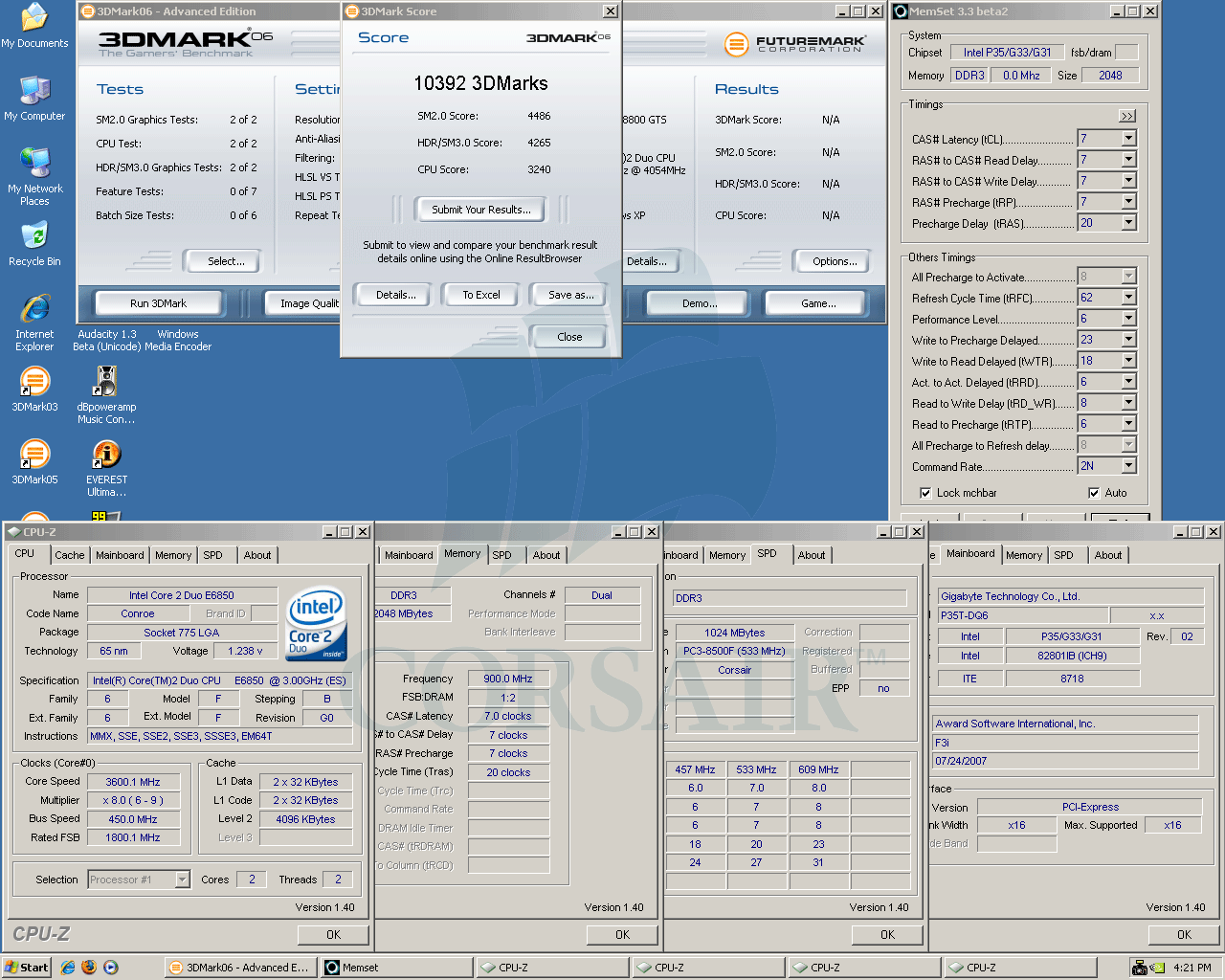
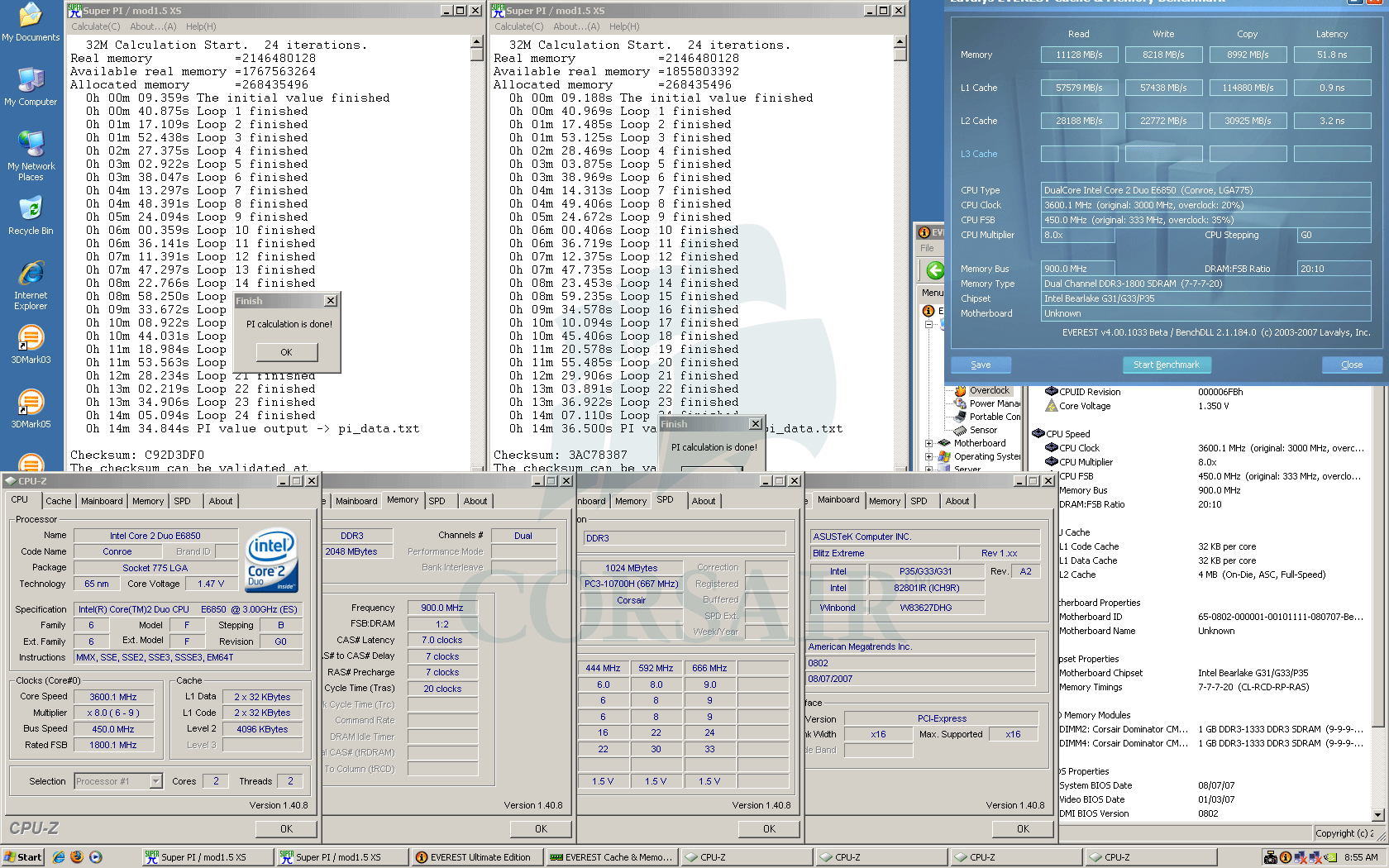
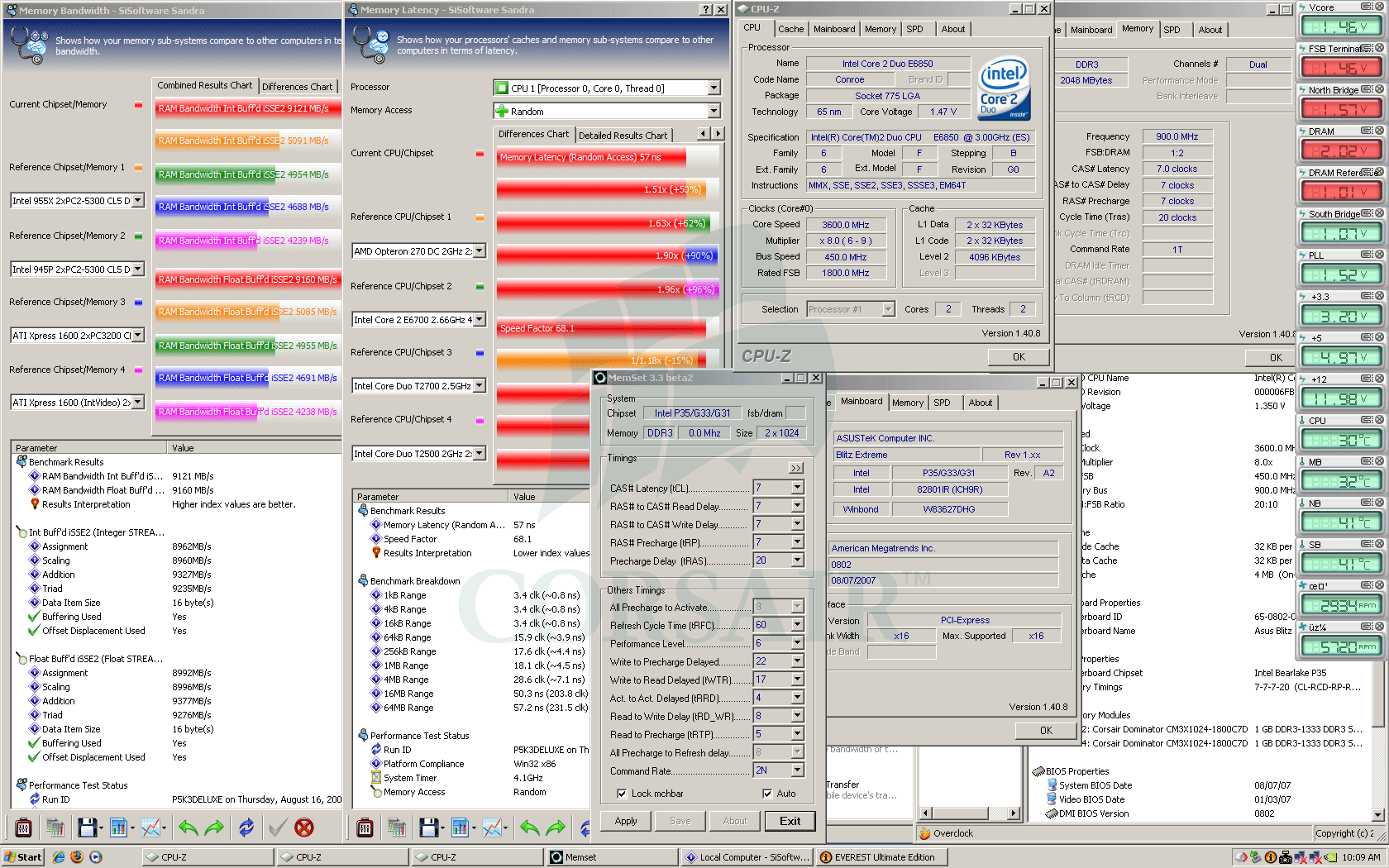
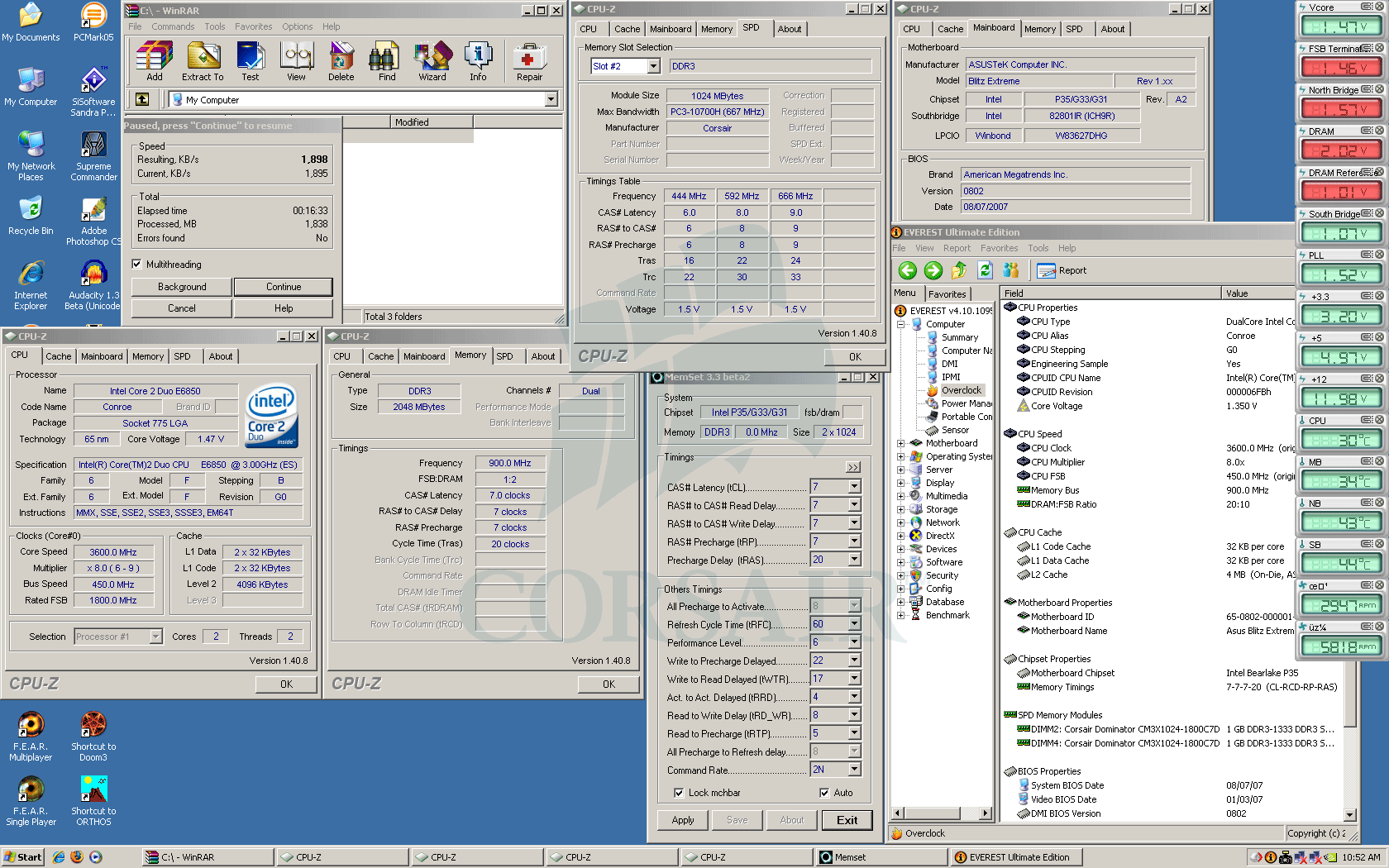
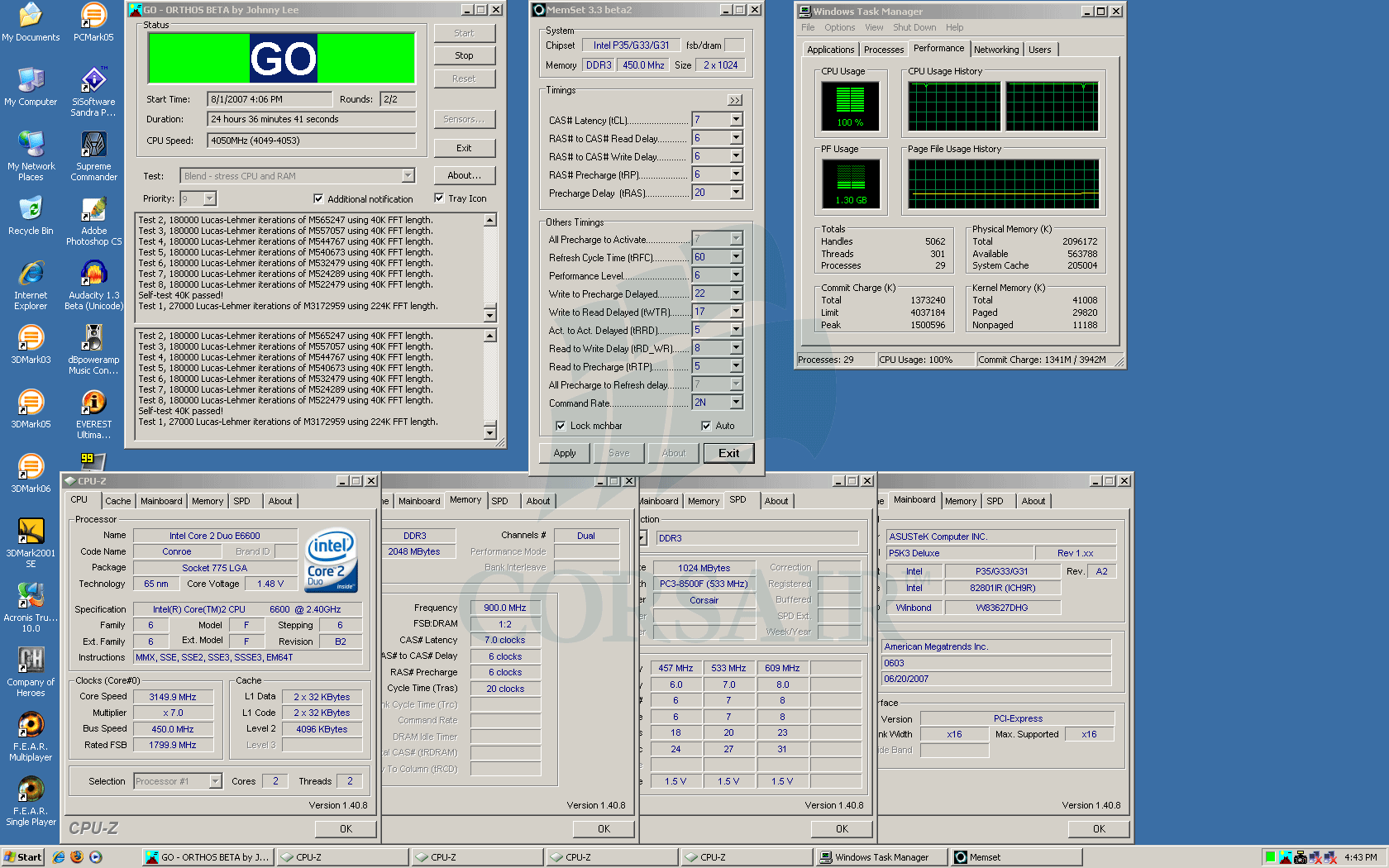
In quick summary, I took 3 motherboards and set them up in order to ensure proper and stable operation at 1800C7. Then our lab memory diagnostic tests were performed, with subsequent boot to Windows. There, setups were taken for a ride on 24hrs ORTHOS tour and several most popular among overclocking community benchmarks.

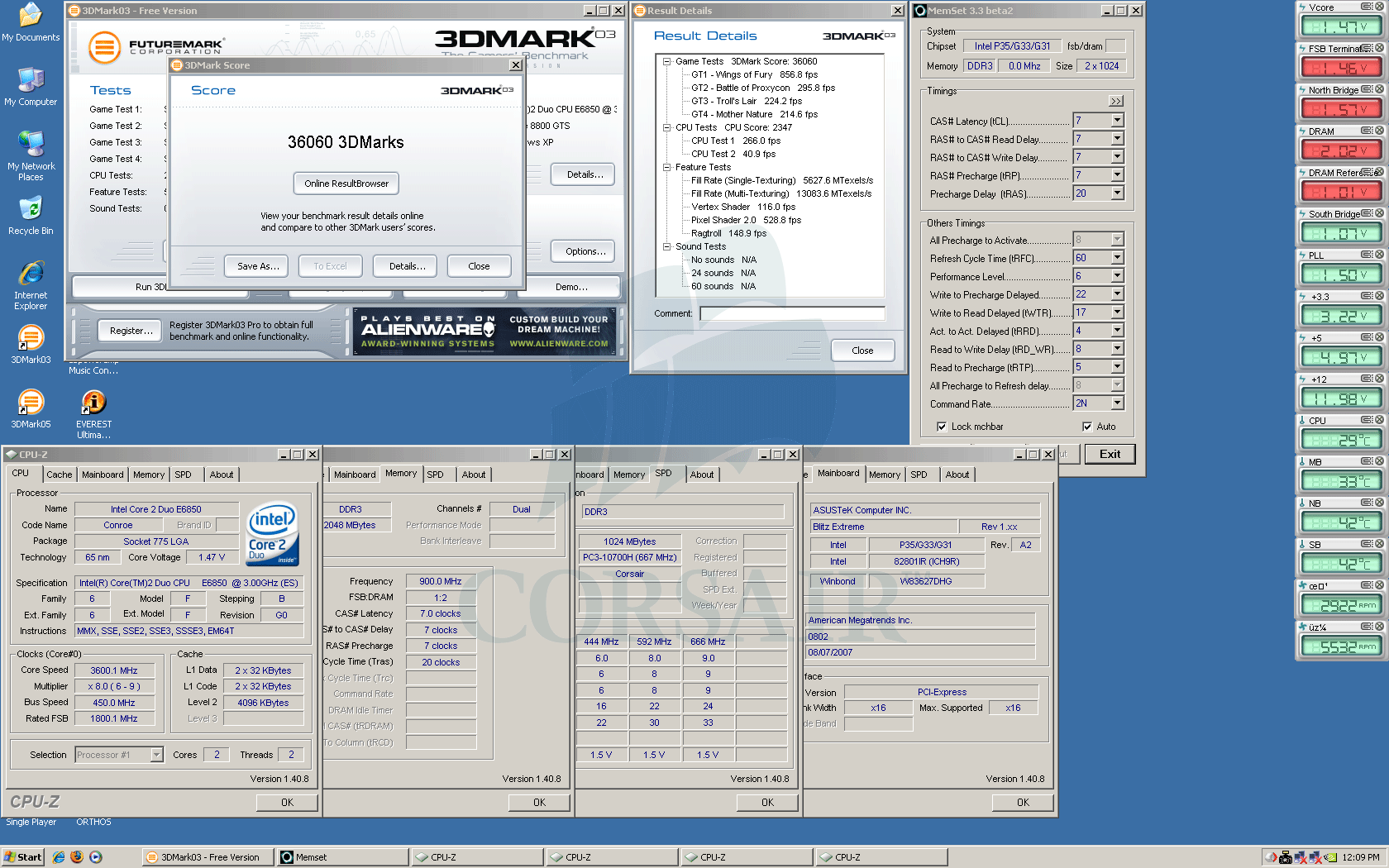
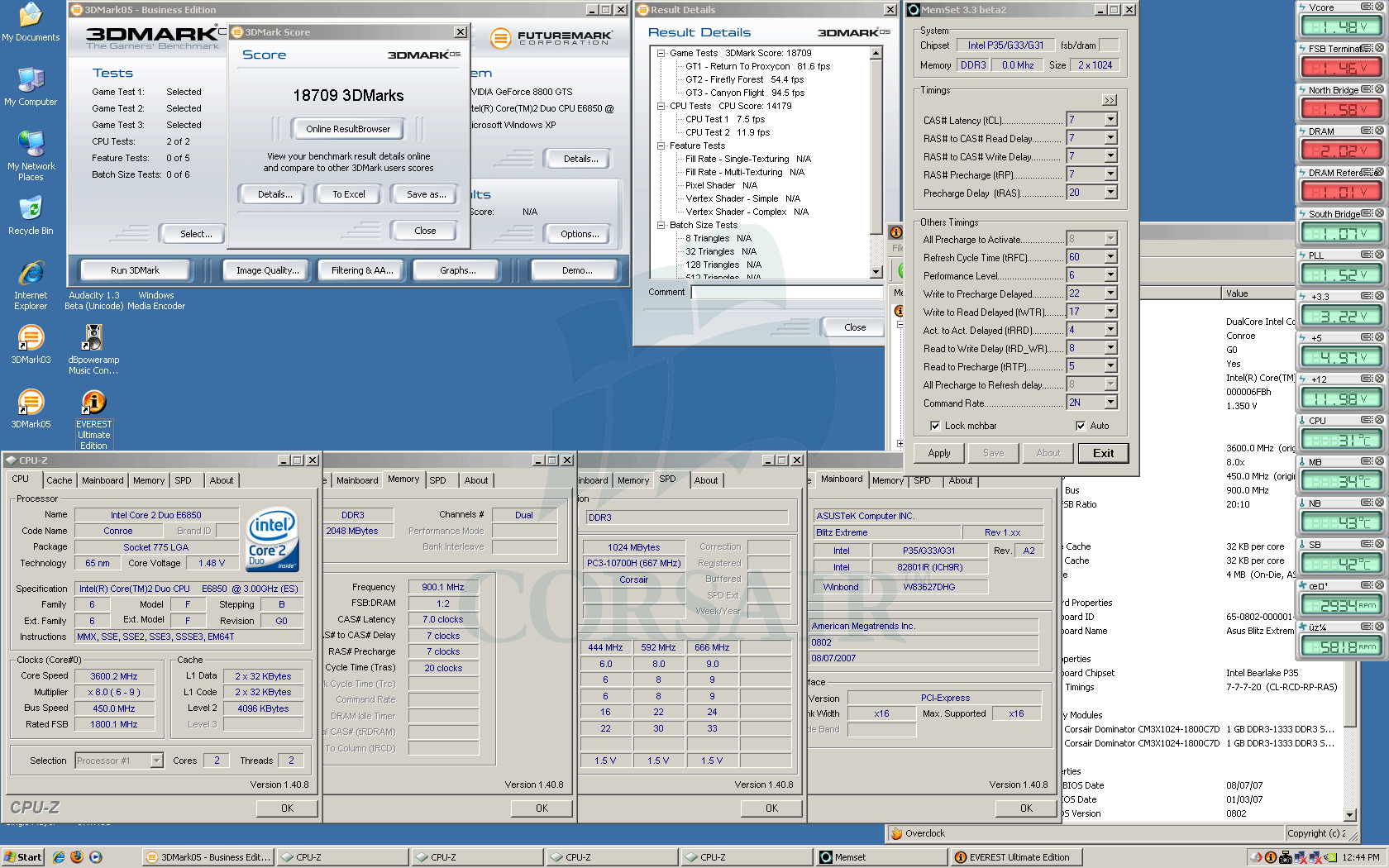
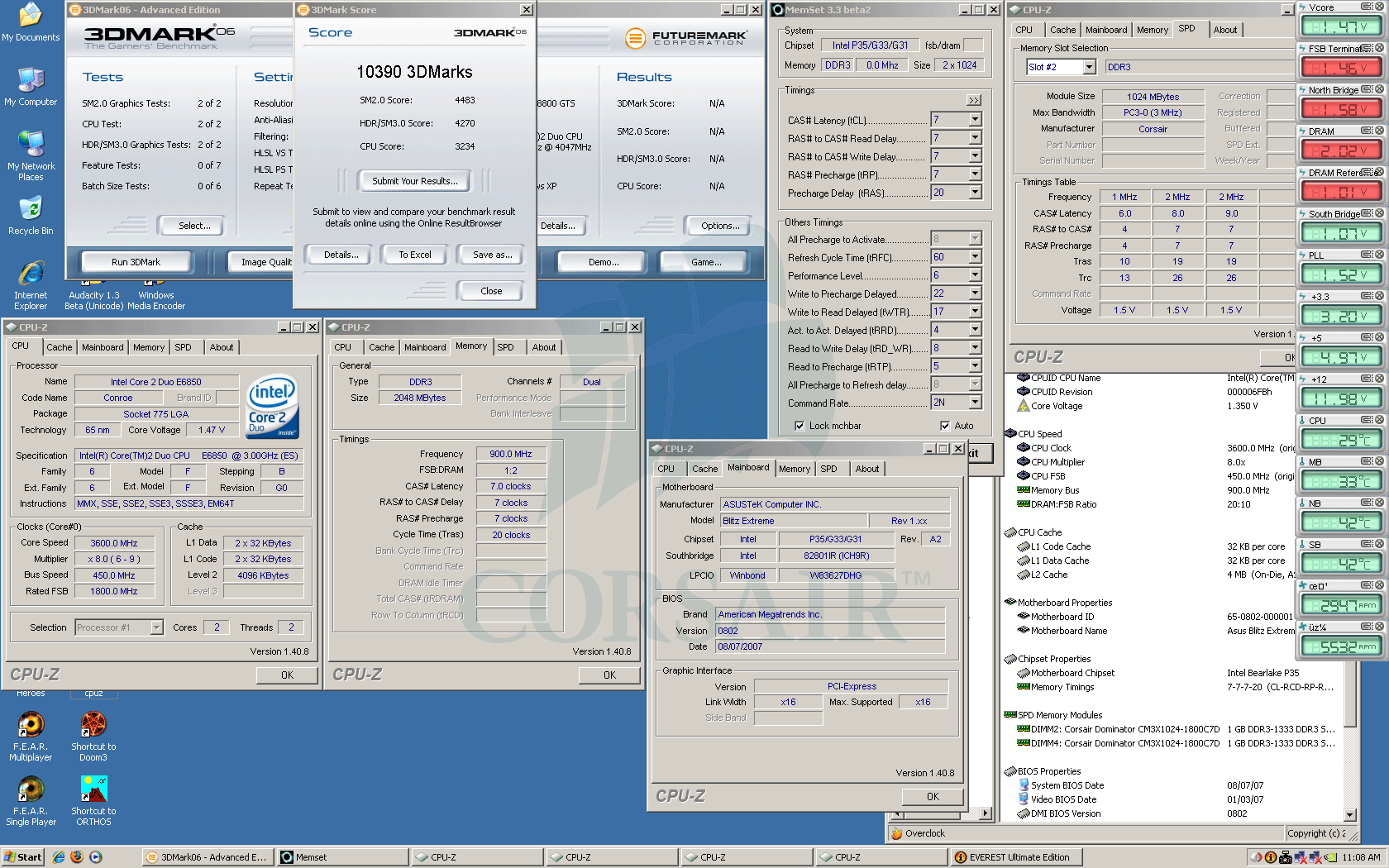
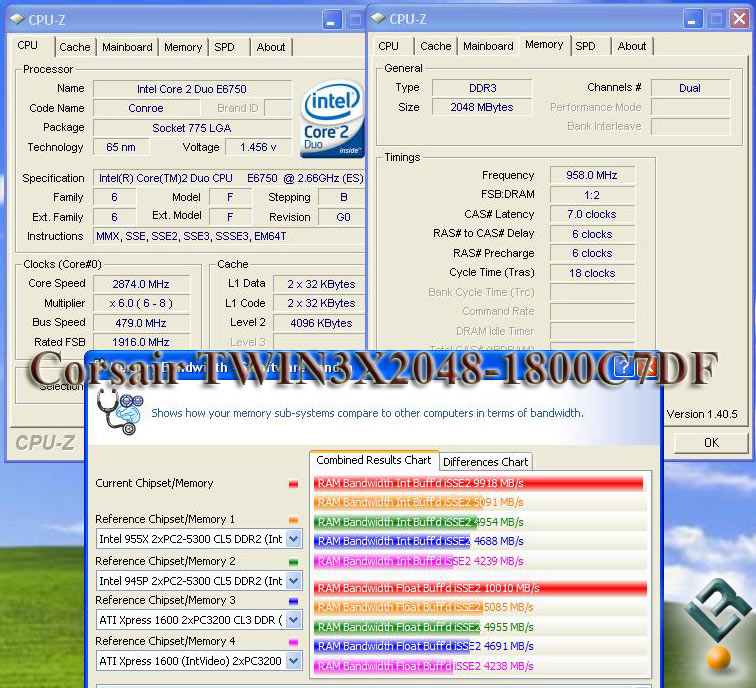
The fun side of this thread is that at the same time you will get to see how all those different motherboards stack up against each other in therms of performance at stock 1800C7. For the lazy-mouse-clickers below is the comparison chart breaking down benchmarks results achieved on all three motherboards:


... and for the patient types, here the whole nine yards, with clickable semi-thumbnails taking you to full-size screenshots


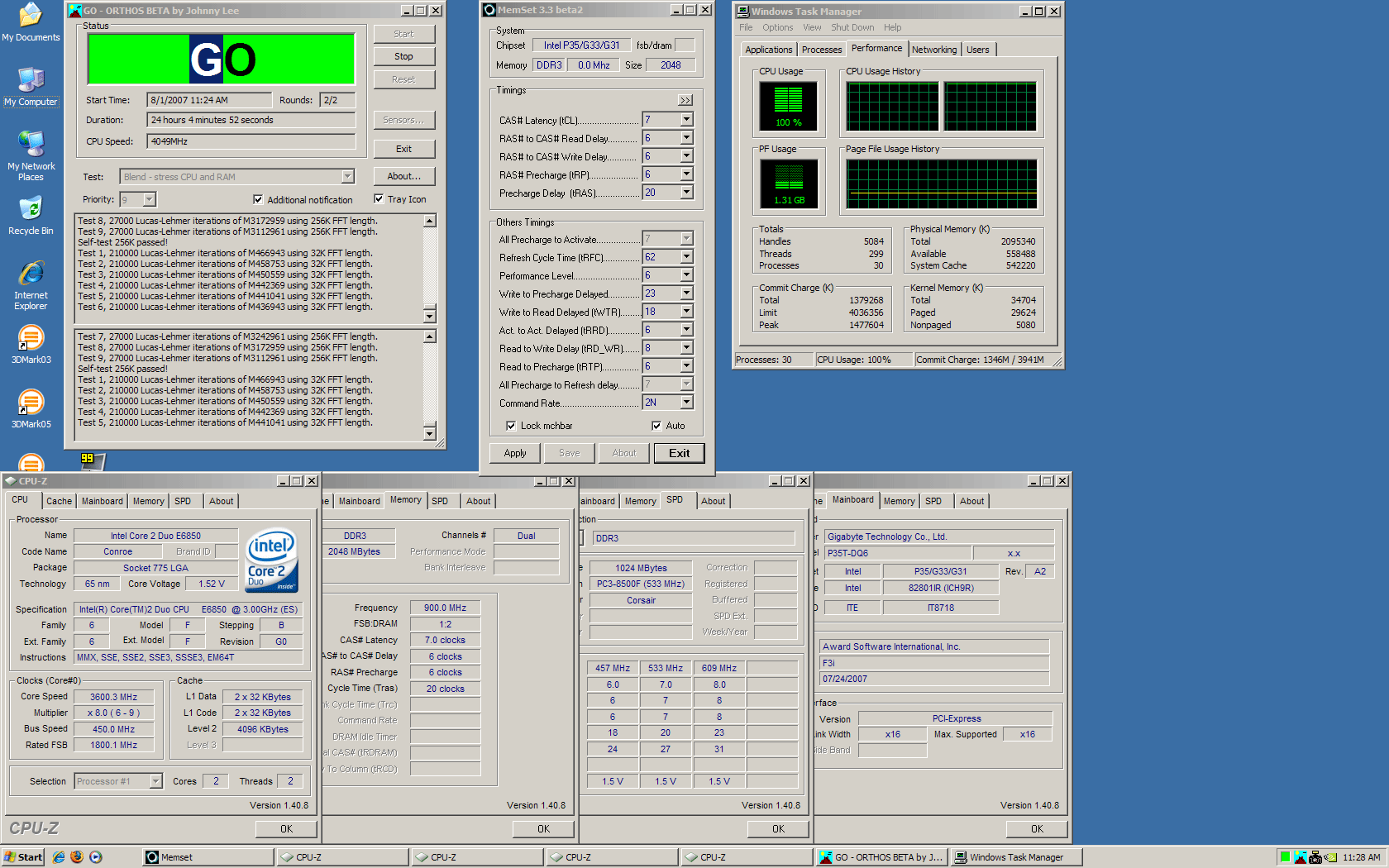
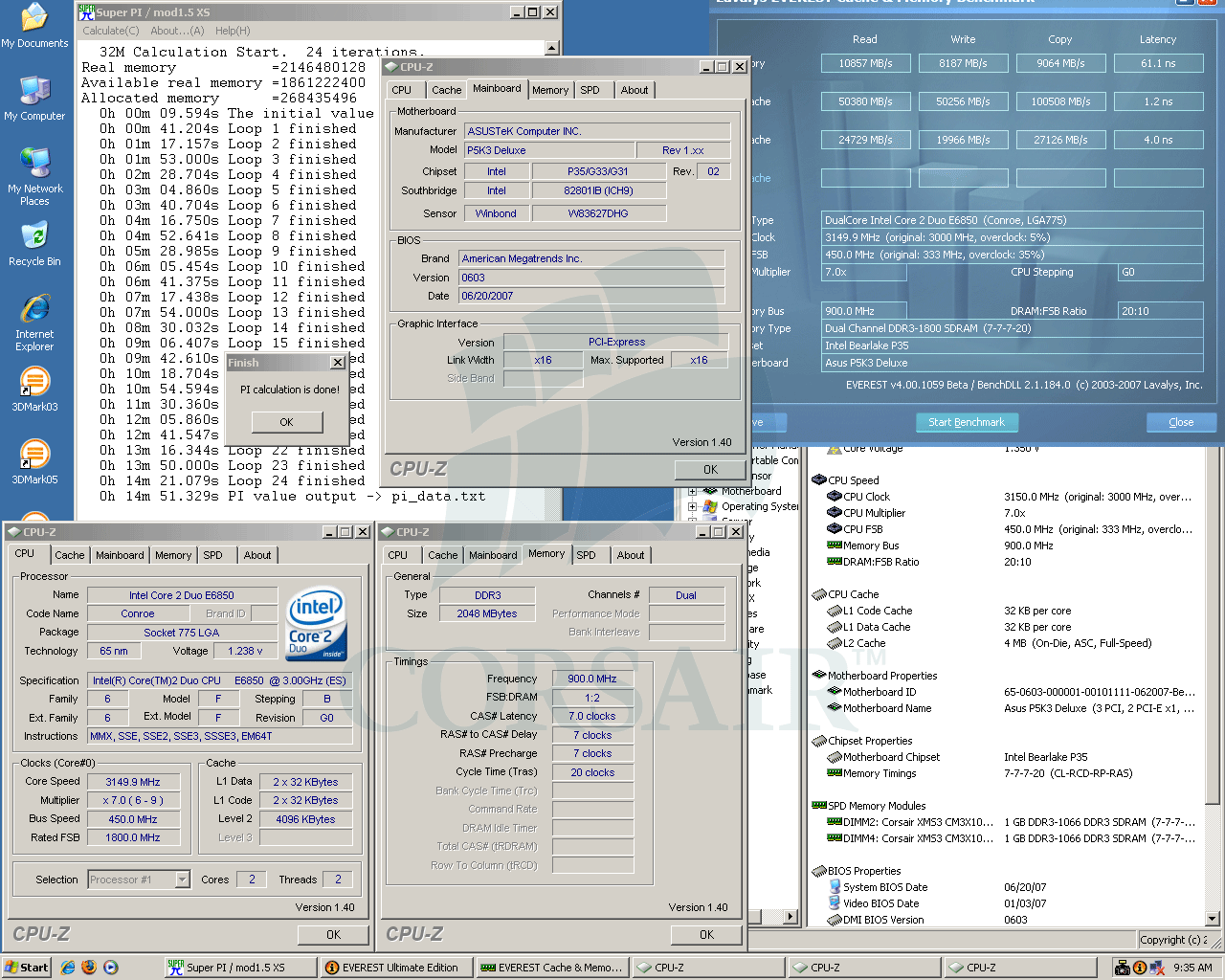
Asus P5K3 Deluxe


Asus P5K3 Deluxe (Intel P35), BIOS 0603
Core 2 Duo E6850, 3.0GHz, 4MB L2
Corsair TWIN3X2048-1800C7DF G, 7-7-7-20, 2.0v
eVGA 8800GTS, ForceWare 158.22
Corsair HX520 PSU
Western Digital Caviar SE16 WD2500KS


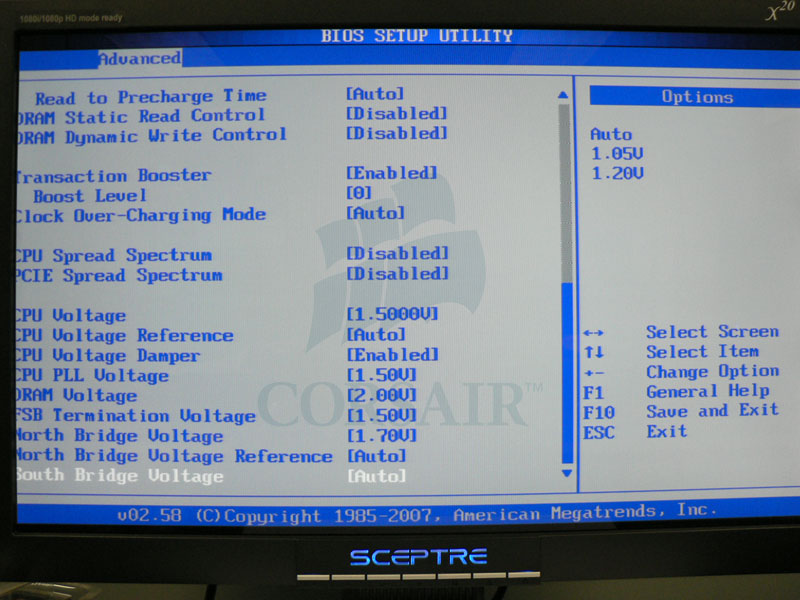
JumperFree Configuration 1 - DDR3-1800 7-7-7 -------- JumperFree Configuration 2 - DDR3-1800 7-7-7


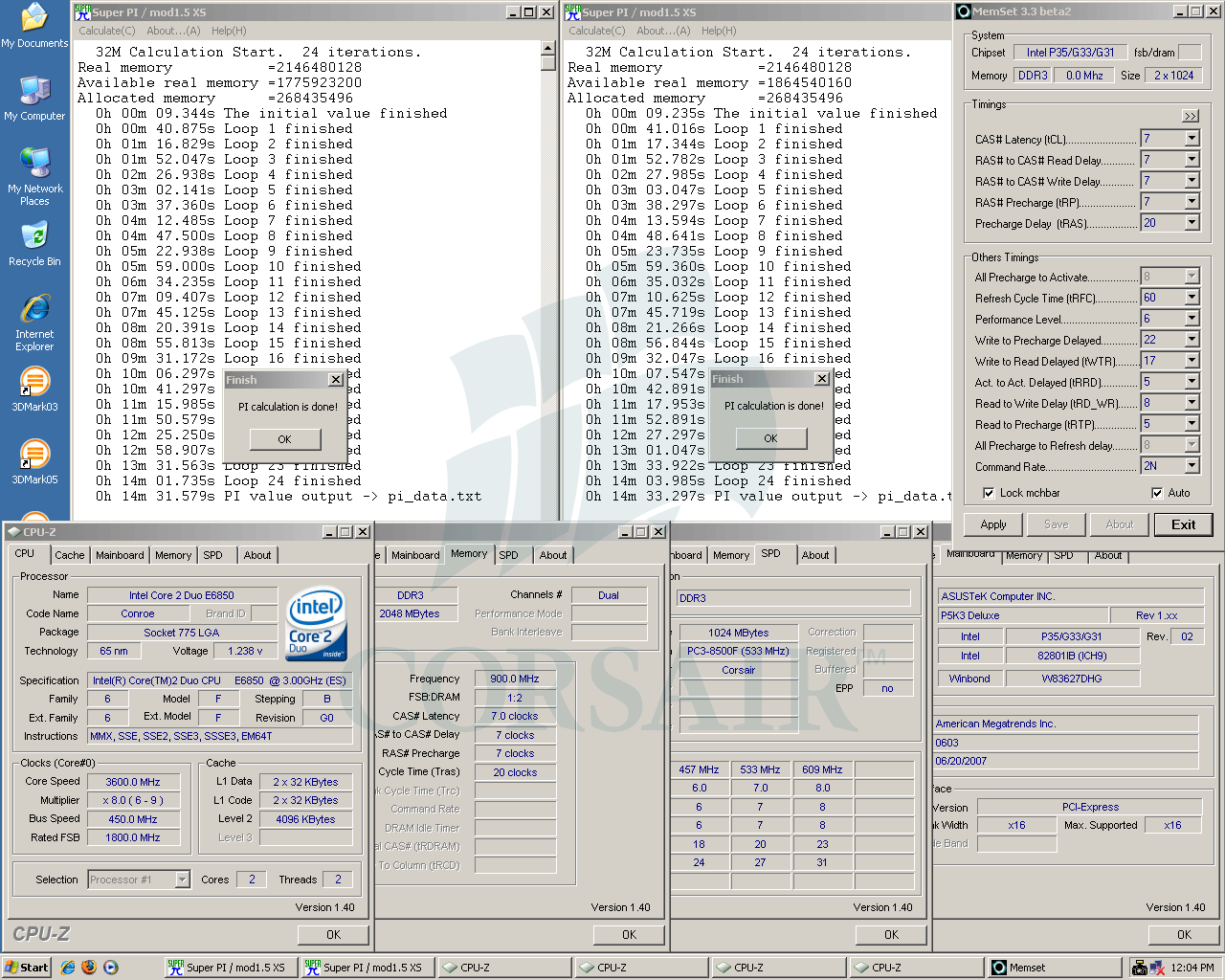
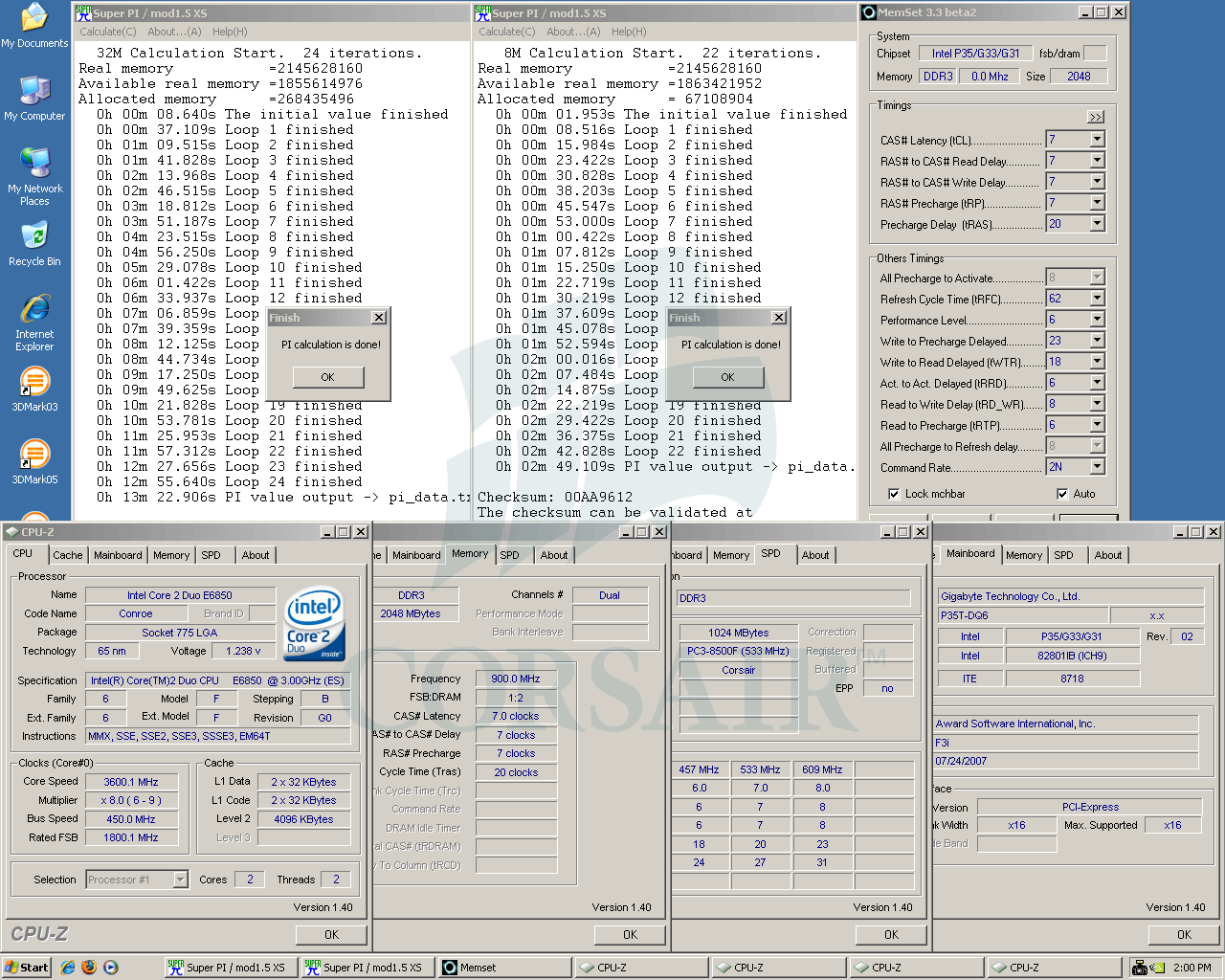
24hrs SP2004 - DDR3-1800 7-7-7 @ 2.00v -------------- Dual SPi32M - DDR3-1800 7-7-7 @ 2.00v


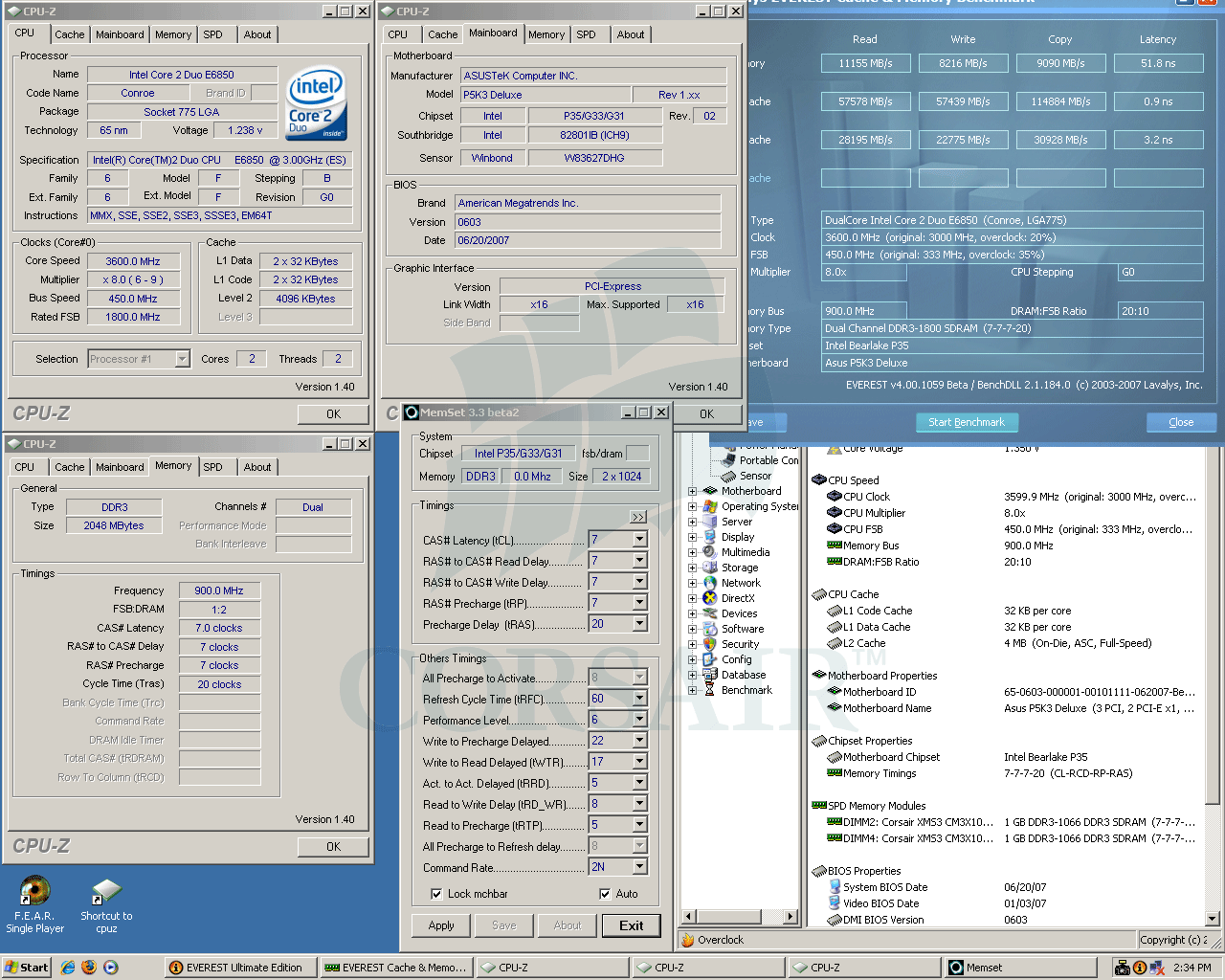
SPi32M - DDR3-1800 7-7-7 @ 2.00v -------------------- Everest Ultimate - DDR3-1800 7-7-7 @ 2.00v


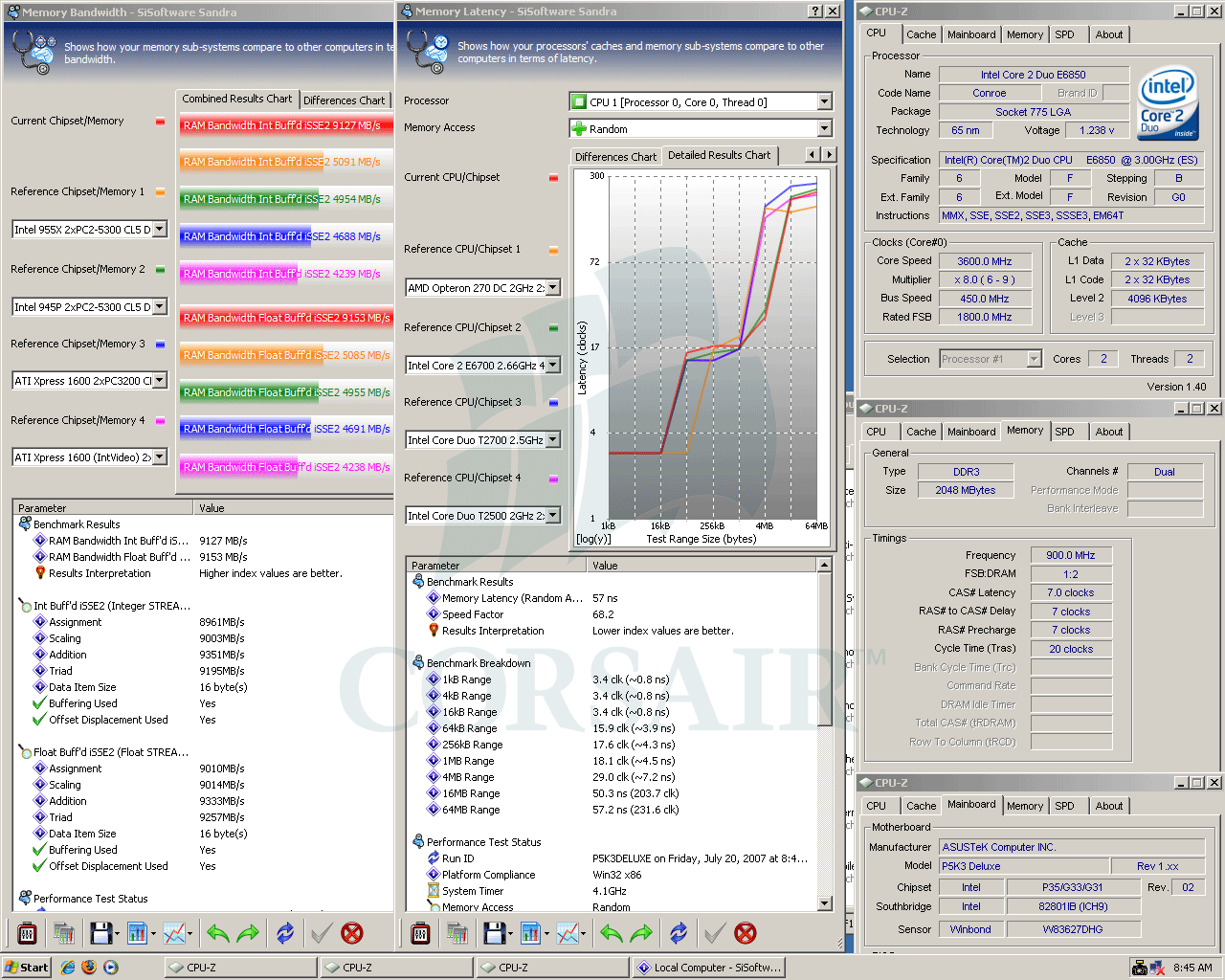
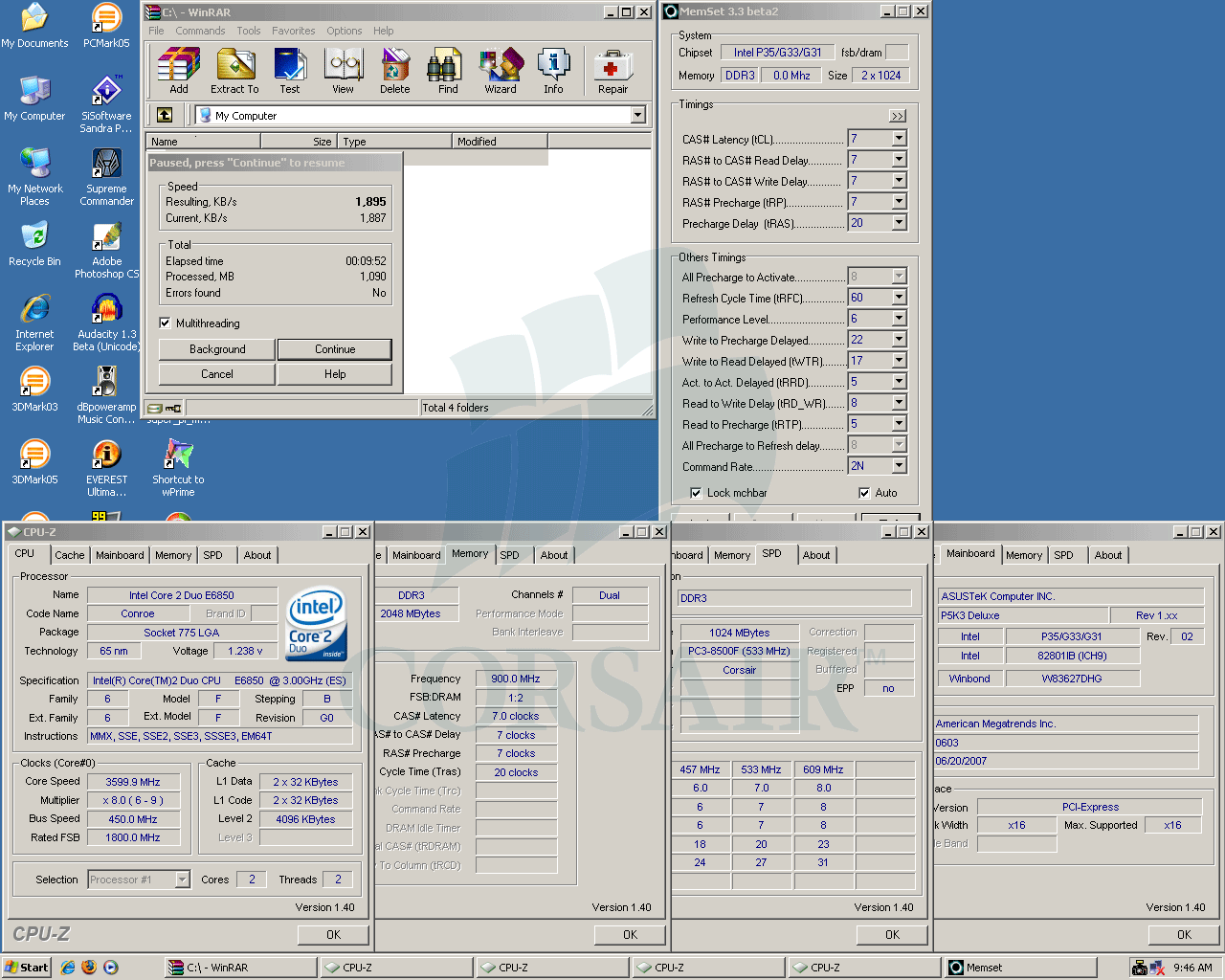
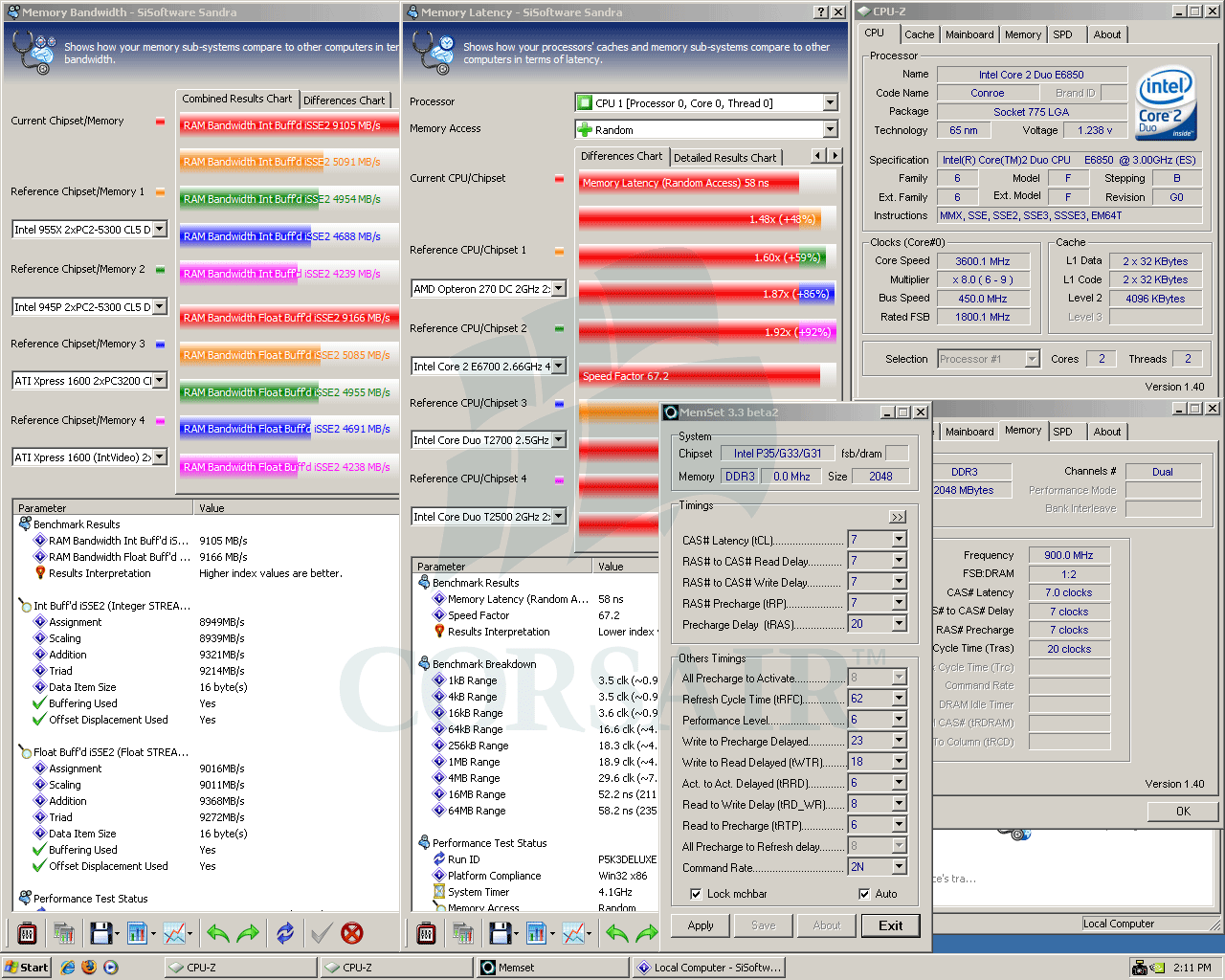
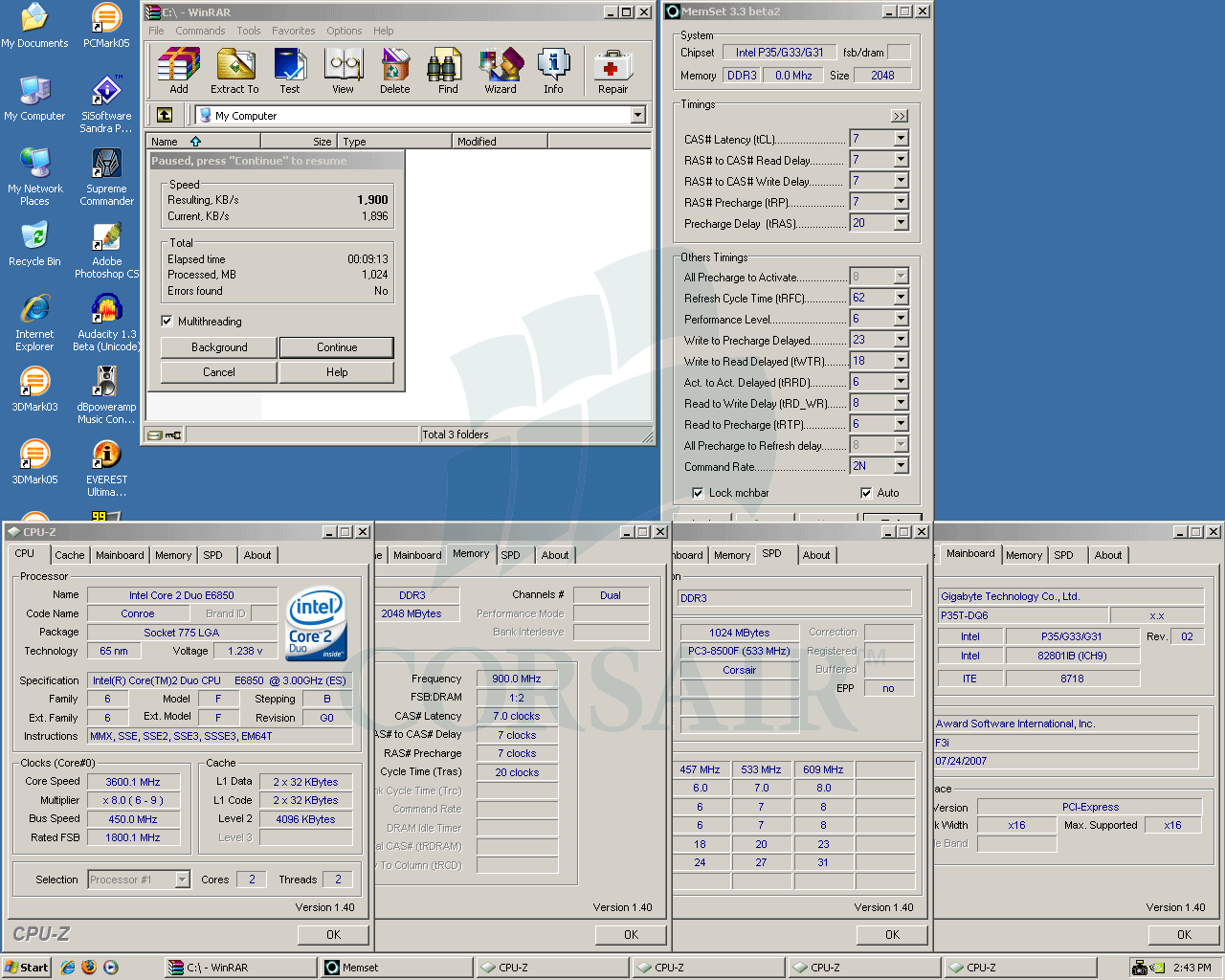
Sandra XI - DDR3-1800 7-7-7 @ 2.00v ------------------ WinRAR - DDR3-1800 7-7-7 @ 2.00v


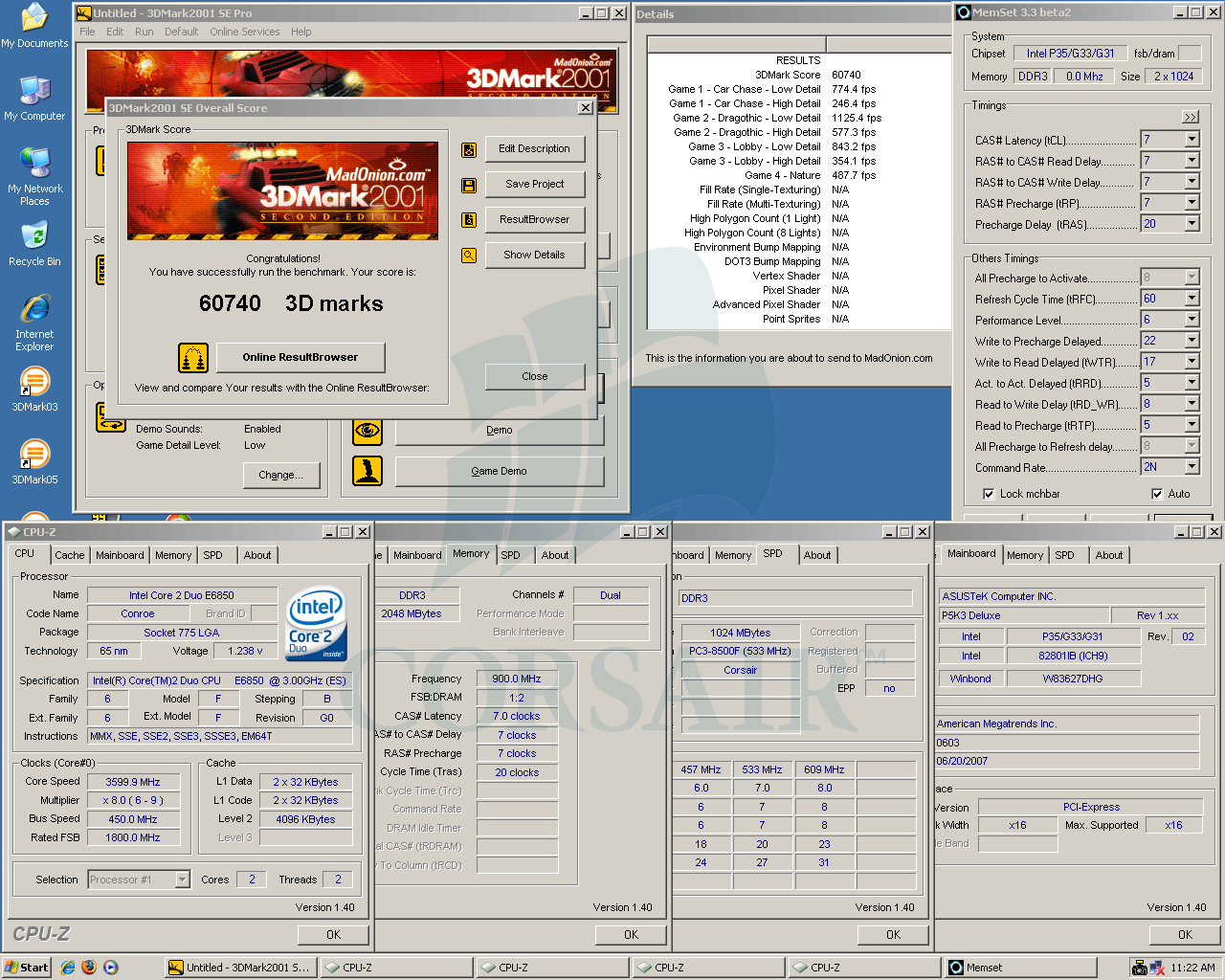
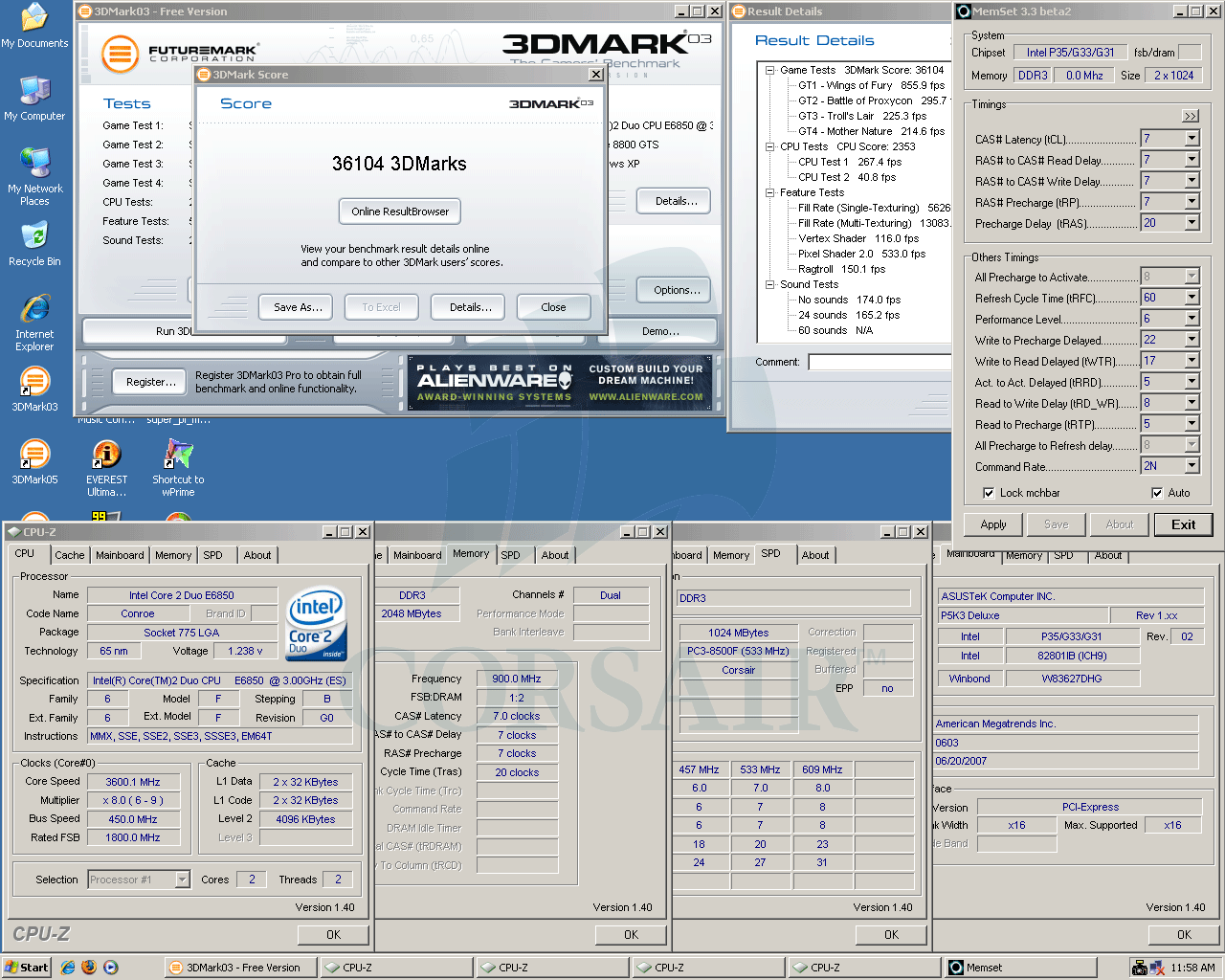
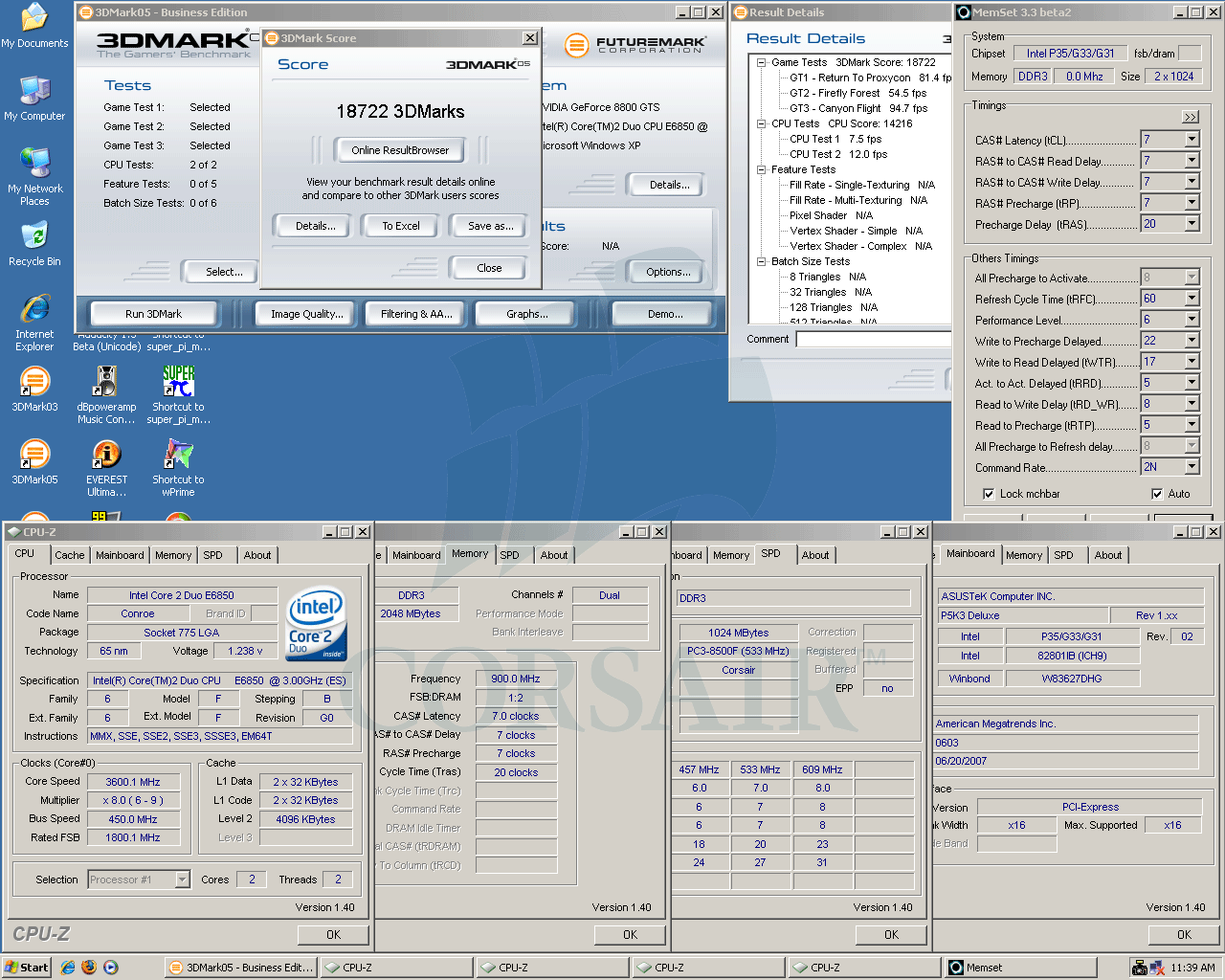
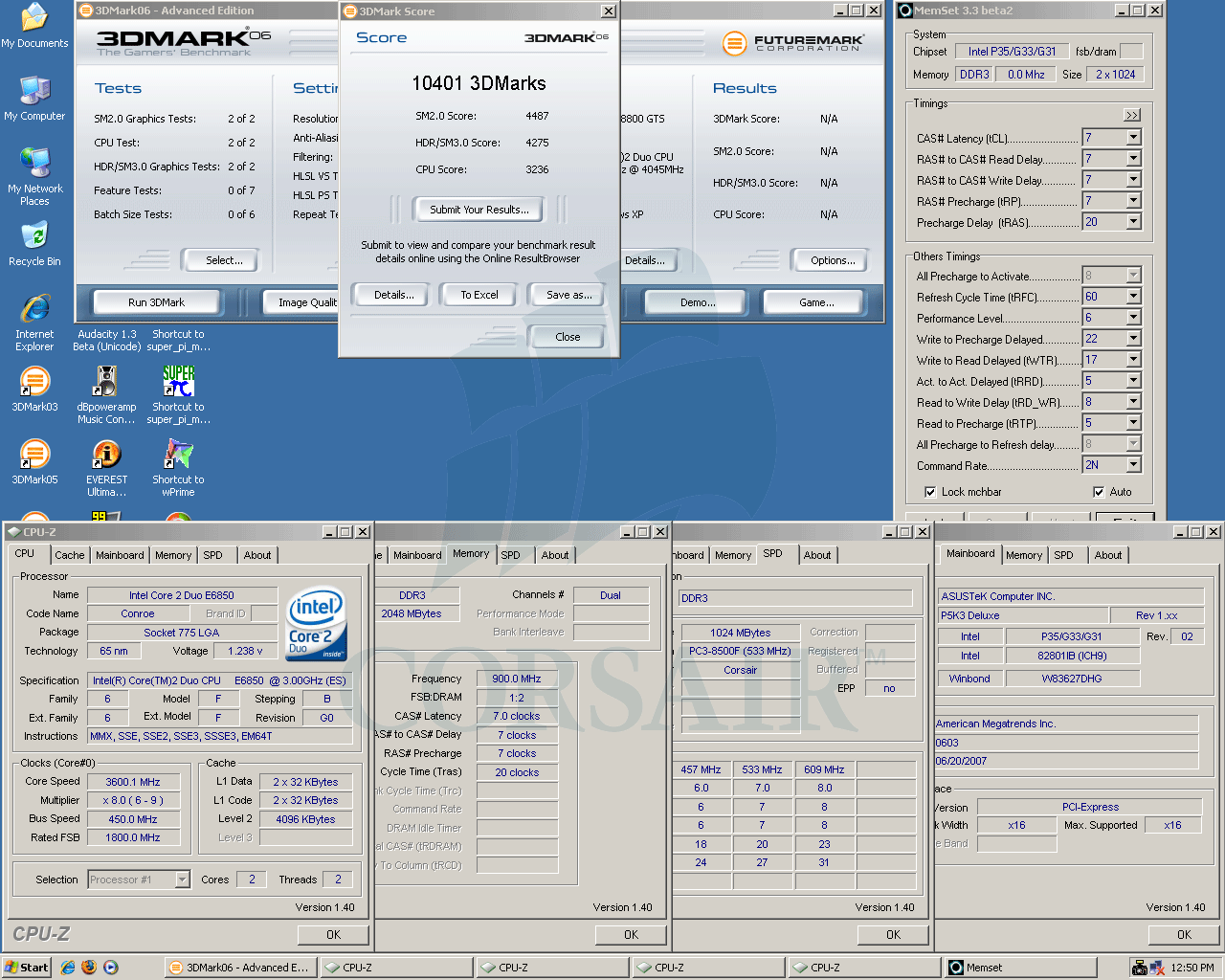
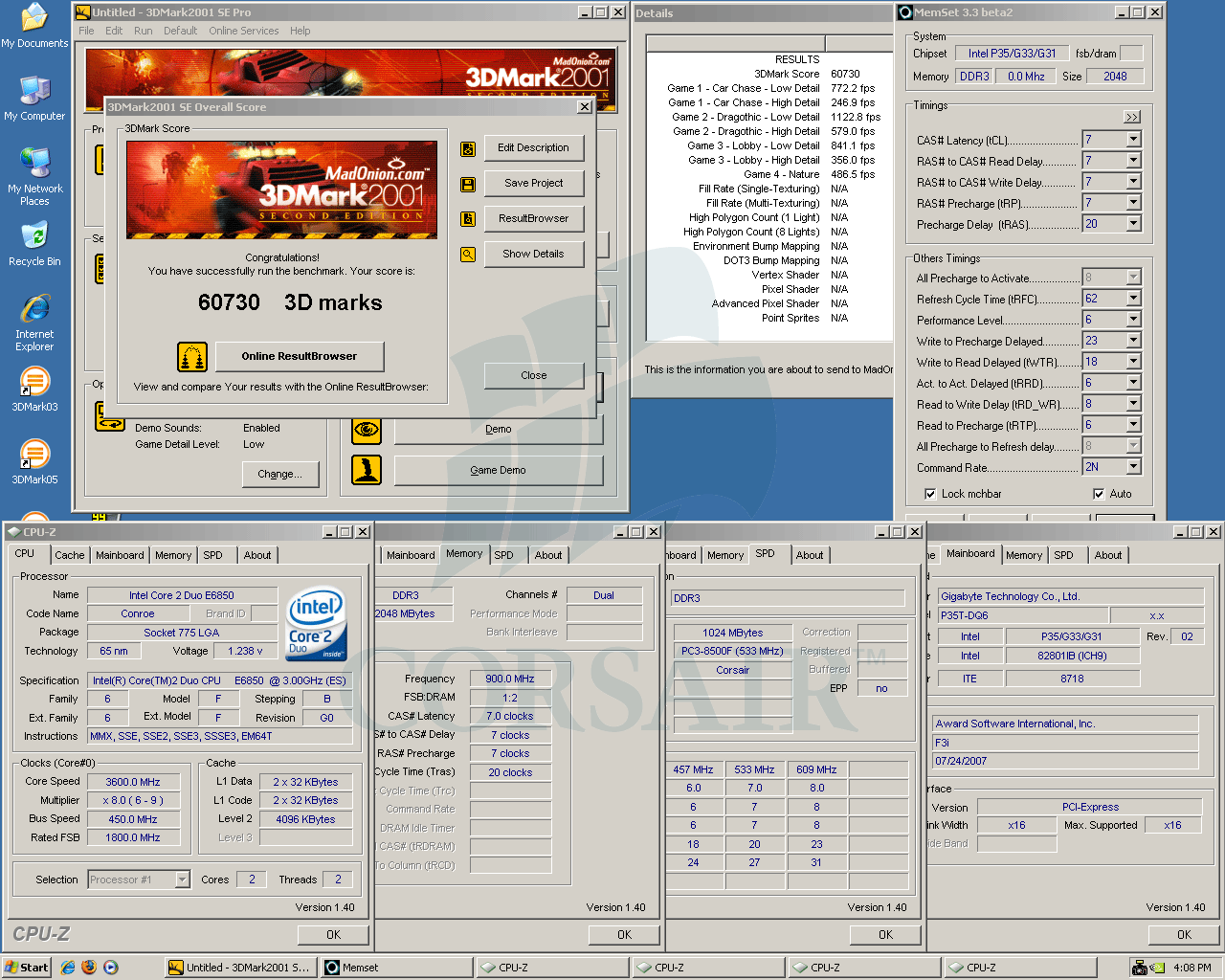
3DMark01 - DDR3-1800 7-7-7 @ 2.00v ----------------- 3DMark03 - DDR3-1800 7-7-7 @ 2.00v


3DMark05 - DDR3-1800 7-7-7 @ 2.00v ----------------- 3DMark06 - DDR3-1800 7-7-7 @ 2.00v


Gigabyte P35T-DQ6


Gigabyte GA-P35T-DQ6 (Intel P35), BIOS F3i
Core 2 Duo E6850, 3.0GHz, 4MB L2
Corsair TWIN3X2048-1800C7DF G, 7-7-7-20, 2.0v
eVGA 8800GTS, ForceWare 158.22
Corsair HX520 PSU
Western Digital Caviar SE16 WD2500KS


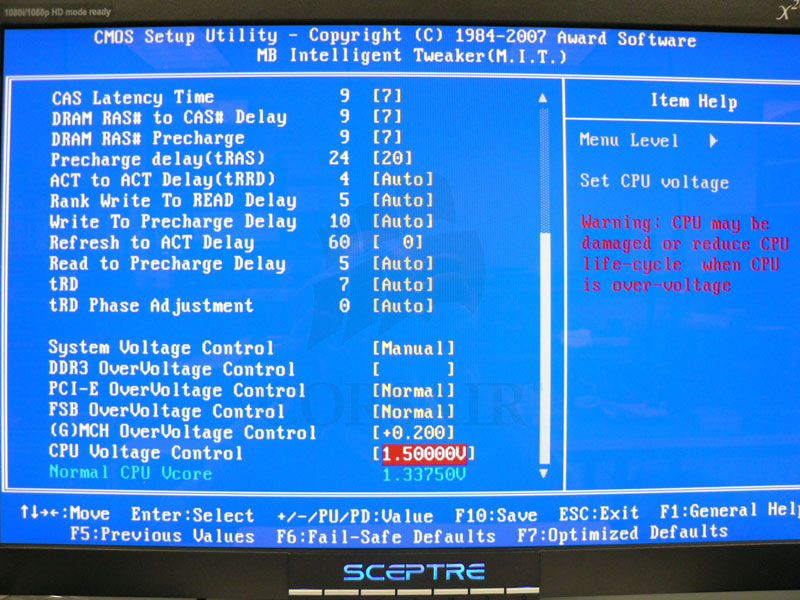
MB Intelligent Tweaker 1 - DDR3-1800 7-7-7 ----------- MB Intelligent Tweaker 2 - DDR3-1800 7-7-7


24hrs SP2004 - DDR3-1800 7-7-7 @ 2.00v ------------- Dual SPi32M - DDR3-1800 7-7-7 @ 2.00v


SPi32M - DDR3-1800 7-7-7 @ 2.00v -------------------- Everest Ultimate - DDR3-1800 7-7-7 @ 2.00v


Sandra XI - DDR3-1800 7-7-7 @ 2.00v ------------------ WinRAR - DDR3-1800 7-7-7 @ 2.00v


3DMark01 - DDR3-1800 7-7-7 @ 2.00v ----------------- 3DMark03 - DDR3-1800 7-7-7 @ 2.00v


3DMark05 - DDR3-1800 7-7-7 @ 2.00v ----------------- 3DMark06 - DDR3-1800 7-7-7 @ 2.00v


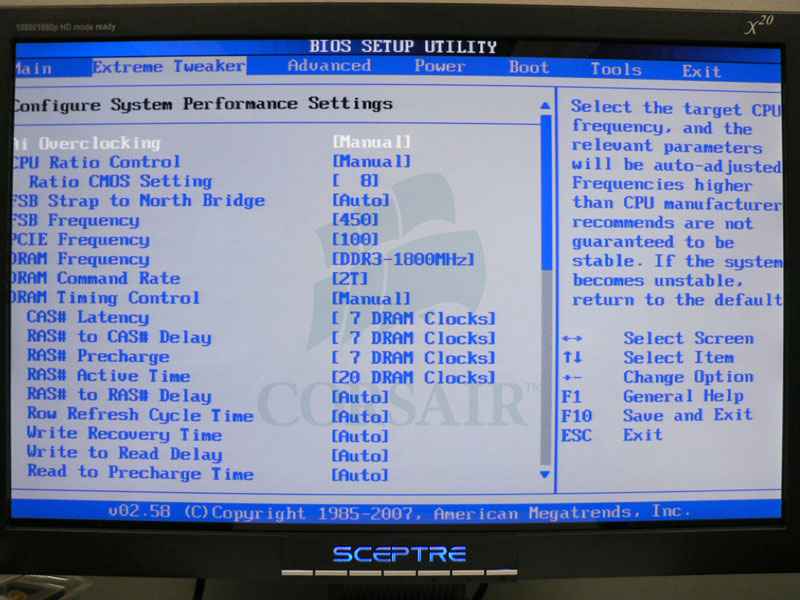
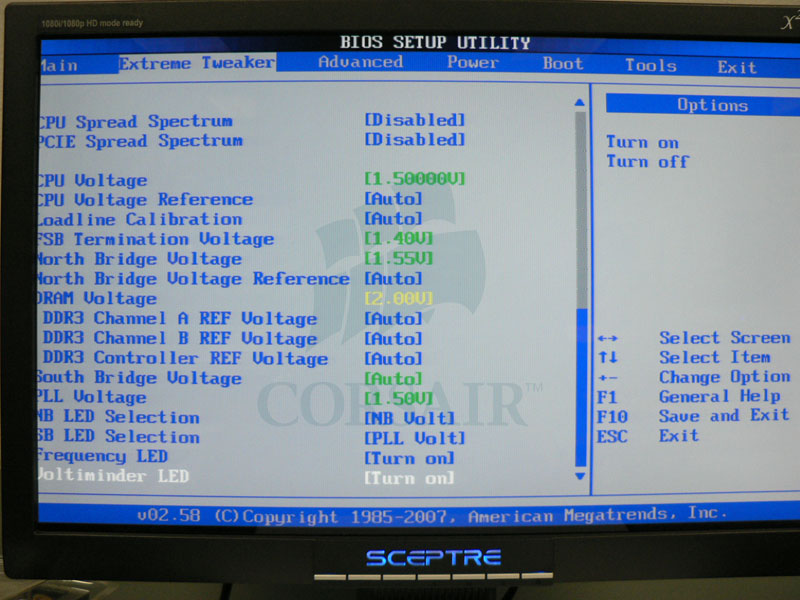
Asus Blitz Extreme


Asus Blitz Extreme (Intel P35), BIOS 0802
Core 2 Duo E6850, 3.0GHz, 4MB L2
Corsair TWIN3X2048-1800C7DF G, 7-7-7-20, 2.0v
eVGA 8800GTS, ForceWare 158.22
Corsair HX520 PSU
Western Digital Caviar SE16 WD2500KS


Extreme Tweaker 1 - DDR3-1800 7-7-7 ----------------- Extreme Tweaker 2 - DDR3-1800 7-7-7


Extreme Tweaker 3 - DDR3-1800 7-7-7 ---------------- 24hrs SP2004 - DDR3-1800 7-7-7 @ 2.00v


DualSPi32M & Everest - DDR3-1800 7-7-7 @ 2.00v ----- SPi32M - DDR3-1800 7-7-7 @ 2.00v


Sandra XI - DDR3-1800 7-7-7 @ 2.00v ------------------ WinRAR - DDR3-1800 7-7-7 @ 2.00v


3DMark01 - DDR3-1800 7-7-7 @ 2.00v ----------------- 3DMark03 - DDR3-1800 7-7-7 @ 2.00v


3DMark05 - DDR3-1800 7-7-7 @ 2.00v ----------------- 3DMark06 - DDR3-1800 7-7-7 @ 2.00v


Ufff, aren't you dizzy from clicking and looking at the screenshots yet?

I hope, that this will be helpful to those of you looking into adopting a DDR3 system along with a set of Corsair's fine high performance memory based on Micron 1GBit DDR3 chips.

Thank you for your attention and come back often! If you have any questions and/or requests then shoot me a line here and I will comply

__________________

3ch 3x2GB WR - Dominator 2000C7GT @ DDR3-2560 7-8-7-20

Last edited by bachus_anonym; 08-20-2007 at 11:10 AM.
bachus_anonym is offline   Reply With Quote
Old 08-17-2007, 11:03 AM   #2
bachus_anonym
Corsair Engineering
 
bachus_anonym's Avatar
 
Join Date: Dec 2003
Location: San Francisco, CA
Posts: 5,124
Send a message via MSN to bachus_anonym
--- Reserved for Overclocking results ---


Update 08/18/2007:

Vast majority of 1800C7DF kits should be capable of being fully stable at DDR3-1800 7-6-6-20 without raising voltage above rated 2.00v --> SP2004 screens in this post


Update 08/21/2007:

First batch of overclocking results on Asus P5K3 Deluxe --> Dual SPi32M and other benchmarks in this post
__________________

3ch 3x2GB WR - Dominator 2000C7GT @ DDR3-2560 7-8-7-20

Last edited by bachus_anonym; 08-21-2007 at 10:38 PM.
bachus_anonym is offline   Reply With Quote
Old 08-17-2007, 11:23 AM   #3
Houdini
Xtreme Member
 
Join Date: Apr 2006
Posts: 102
Good post indead!

Will grab E6850 and Asus P5K delux next week, but ddr3, hmm. Make prices more human bachus, and we're talking
__________________
Asus MAXIMUS Formula rev1.03 440x10 - E8600 @ 4.4ghz by Sunbeam Tuniq Tower120
4x1 Crucial Ballistix @ 1123mhz 5-5-5-15 2T
XFX8800GTX @ 615/1500/2100mhz - XFI Xtreme Gamer
4x1 1TB Samsung Spinpoint F1
Enermax Galaxy 1000W
CM Stacker830
22" Samsung SyncMaster 226BW
MS IE 3.0 - Qck Steel - Sennheiser PC165
Houdini is offline   Reply With Quote
Old 08-17-2007, 11:25 AM   #4
Exedy
Xtreme Enthusiast
 
Join Date: Jun 2006
Posts: 845
2x2Gb DDR3-1600 C7 !

Always the best memory review bachus congrats!

Nice "combo" with dominator and this beautifull mbs too
Exedy is offline   Reply With Quote
Old 08-17-2007, 11:31 AM   #5
guess2098
X.I.P
 
guess2098's Avatar
 
Join Date: Mar 2005
Posts: 2,028
nice job man
and one of your pic is not working.
always love to see your review
guess2098 is offline   Reply With Quote
Old 08-17-2007, 01:36 PM   #6
metro.cl
Xtreme X.I.P.
 
metro.cl's Avatar
 
Join Date: Aug 2004
Location: Chile
Posts: 4,231
Send a message via MSN to metro.cl
Great thread

I just can believe how good you P35T DQ6 did i have had nightmares with mine :P

Luckily i got a P5K3 Deluxe and all is solved
__________________
metro.cl is offline   Reply With Quote
Old 08-17-2007, 02:02 PM   #7
FUGGER
Xtreme Owner
 
FUGGER's Avatar
 
Join Date: Jun 2002
Location: Las Vegas
Posts: 11,144
Send a message via MSN to FUGGER
Nice write up.

My set arrived yesterday.

No teasers yet
__________________
Intel Core i5 661 @ 4.6Ghz
Gigabyte P55A - supports 32nm now
Gigabyte GTX 260 SOC
Corsair Dominator 8GB 2200C8
Intel SSD RAID 0
http://valid.canardpc.com/show_oc.php?id=925582
FUGGER is offline   Reply With Quote
Old 08-17-2007, 02:52 PM   #8
bachus_anonym
Corsair Engineering
 
bachus_anonym's Avatar
 
Join Date: Dec 2003
Location: San Francisco, CA
Posts: 5,124
Send a message via MSN to bachus_anonym
Quote:
Originally Posted by Houdini View Post
Will grab E6850 and Asus P5K delux next week, but ddr3, hmm. Make prices more human bachus, and we're talking
Well, that's not entirely up to us, as one has to deal with DRAM component prices. Just to give you an idea, Micron's 1Gbit DDR3 ICs are roughly 4 times more expensive than it's 1Gbit DDR2 counterpart. So, imagine how much wiggle room there is left...
Quote:
Originally Posted by OCFX View Post
2x2Gb DDR3-1600 C7 ! Always the best memory review bachus congrats! Nice "combo" with dominator and this beautifull mbs too
Yes, 2x2GB kit is part of the line as well and it performs quite well, with some very decent headroom left in there.
Quote:
Originally Posted by guess2098 View Post
nice job man and one of your pic is not working. always love to see your review
Thanks a lot, Denny! Always a pleasure! I'm working on that one image, I think I have mistakenly deleted it...
Quote:
Originally Posted by metro.cl View Post
Great thread. I just can believe how good you P35T DQ6 did i have had nightmares with mine :P Luckily i got a P5K3 Deluxe and all is solved
Heya! Well, P35T-DQ6 seem to really work very well as long as F3i BIOS is flashed. One important setting that seems to "make-or-break" this board at high frequences is "DRAM DLL Settings". It defaults to "Option 1" and has to be changed to "Option 2". Otherwise, at least from my experience, system would constantly lock-up during our hardware diagnostic tests.
Quote:
Originally Posted by FUGGER View Post
Nice write up. My set arrived yesterday. No teasers yet
Thanks Charles, it's been fun but I'm not finished just yet. I'm sure you will find playing with your kit as much enjoyable as I did
__________________

3ch 3x2GB WR - Dominator 2000C7GT @ DDR3-2560 7-8-7-20
bachus_anonym is offline   Reply With Quote
Old 08-17-2007, 05:45 PM   #9
JAG87
Xtreme Member
 
JAG87's Avatar
 
Join Date: Jul 2006
Location: Ontario, Canada
Posts: 220
Quote:
Originally Posted by bachus_anonym View Post
Yes, 2x2GB kit is part of the line as well and it performs quite well, with some very decent headroom left in there.

Oh man, I cant wait, I simply cant wait for the prices to come down. I am dying to get that kit. Good job corsair
Bachus can I ask a question? What kind of FSB speeds do we need to fully take advantage of 1600+ DDR3 memory?
__________________
The Gamer:
Intel Core i7 920 | EVGA Classified E759 | G.Skill 6GB DDR3-1600 | nVidia GTX 280 3-way SLI | WD VelociRaptor 300GB | Enermax Revolution 1050W | Dell UltraSharp 3007WFP-HC
The Server:
Supermicro X7SLA-H | Corsair 2GB DDR2-533 | Supermicro AOC-SASLP-MV8 | WD 2TB Green x 5 | Enermax Modu 82+ 425W
The Player:
Dell Latitude E6400 | nVidia Quadro NVS 160M DisplayPort | Pioneer Kuro PDP-5020FD
JAG87 is offline   Reply With Quote
Old 08-18-2007, 01:42 AM   #10
T_M
Xtreme Gigolo
 
T_M's Avatar
 
Join Date: Mar 2005
Location: Jakarta (ex-Australia, Singapore)
Posts: 2,150
Very comprehensive thread. :thumbup:
So reading that small table of IC's, would GTT be the bee's knee's?
__________________
Team.AU
T_M is offline   Reply With Quote
Old 08-18-2007, 05:12 AM   #11
Apoptosis
legitreviews
 
Apoptosis's Avatar
 
Join Date: Dec 2002
Posts: 72
Very nice thread... I got my kit in the other day and have spent a few hours overclocking them on the ASUS P5K3 Deluxe...

You can see some sandra benches here: http://forums.legitreviews.com/about11208.html

and I lost my title of 'Legit Reviews' -- I'm just a 'Registered Member' now?!?!

Last edited by Apoptosis; 08-18-2007 at 05:13 AM. Reason: My title is gone!
Apoptosis is offline   Reply With Quote
Old 08-18-2007, 01:17 PM   #12
bachus_anonym
Corsair Engineering
 
bachus_anonym's Avatar
 
Join Date: Dec 2003
Location: San Francisco, CA
Posts: 5,124
Send a message via MSN to bachus_anonym
Quote:
Originally Posted by JAG87 View Post
Oh man, I cant wait, I simply cant wait for the prices to come down. I am dying to get that kit. Good job corsair Bachus can I ask a question? What kind of FSB speeds do we need to fully take advantage of 1600+ DDR3 memory?
Thank you! Well, naturally 1600MHz FSB (400Mhz) is currently the lowest bus speed you can run DDR3-1600 memory at. It's not very easy to determine if higher bus speed gives an advantage when you're trying to stay at the same CPU speed. E.g. for DDR3-1600 you could run either 400MHz FSB at 1:2 ratio or 480Mhz FSB at 3:5 ratio. However there is no way you can keep the same CPU speed at those above mentioned FSB speeds - 400x9=3600MHz and 480x8=3880MHz or even 400x7=2400MHz and 480x6=2880Mhz. That makes apples-to-apples comparison not quite possible. But if one has a CPU that maxes out at 3600Mhz and DDR3 that pulls DDR3-1800, I would naturally prefer 450x8 at 1:2 (resulting in e.g DDR3-1800C7) rather than 400x9 at 1:2 (that is DDR3-1600C7).
Quote:
Originally Posted by T_M View Post
Very comprehensive thread. :thumbup:
So reading that small table of IC's, would GTT be the bee's knee's?
Well, time will tell if this will be a material for another "what's better - D9GMH or D9GKX" that some enthusiasts have been asking in regards of Micron DDR2 chips.
Quote:
Originally Posted by Apoptosis View Post
Very nice thread... I got my kit in the other day and have spent a few hours overclocking them on the ASUS P5K3 Deluxe... You can see some sandra benches here: http://forums.legitreviews.com/about11208.html

and I lost my title of 'Legit Reviews' -- I'm just a 'Registered Member' now?!?!
Looks pretty good to me... As for your title, I'd shoot a PM to one of the admins - e.g. njkid32. He'll be happy to help you!


*************


One thing I'd like to mention to those of you interested in playing with tRCD and tRP is that a vast majority of 1800C7DF and 1600C7DHX should allow to tighthen those timings to tRCD=6 and tRP=6 without a voltage bump. However we decided not to make it an official spec and leave up to you to mess around with it


Asus P5K3 Deluxe ------------------------------ Gigabyte P35T-DQ6
24hrs SP2004 - DDR3-1800 7-6-6 @ 2.00v ------------- 24hrs SP2004 - DDR3-1800 7-6-6 @ 2.00v


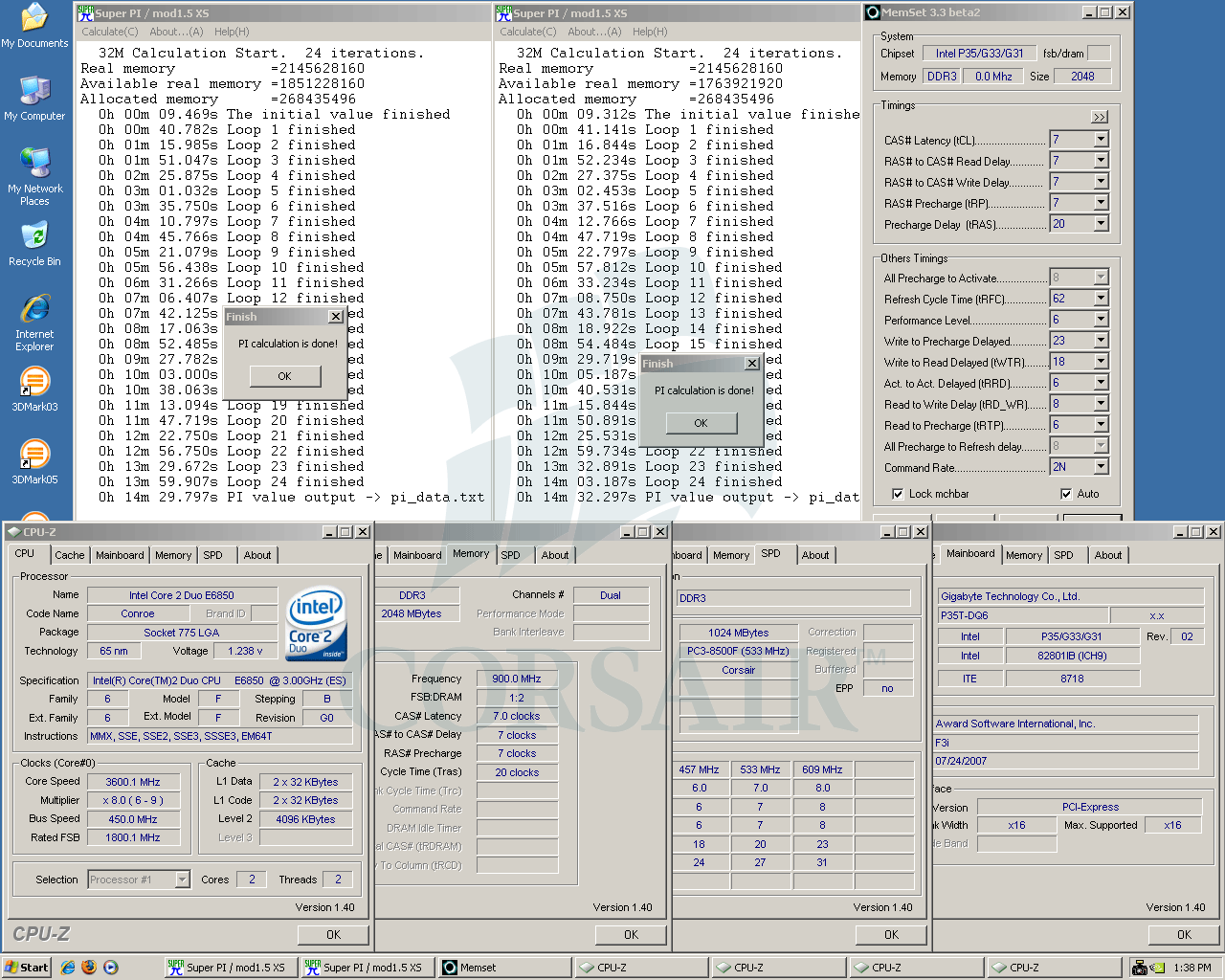
At those lower latencies there is a few seconds to gain in e.g. SuperPi 32M, which we all like to bench here. Below, side-by-side on P5K3 Deluxe. Just as above, no memory settings has been altered in Windows and Memset window is opened just to provide additional info.

SuperPi 32M - DDR3-1800 7-7-7 @ 2.00v ------------- SuperPi 32M - DDR3-1800 7-6-6 @ 2.00v
__________________

3ch 3x2GB WR - Dominator 2000C7GT @ DDR3-2560 7-8-7-20

Last edited by bachus_anonym; 08-18-2007 at 01:22 PM.
bachus_anonym is offline   Reply With Quote
Old 08-18-2007, 02:53 PM   #13
metro.cl
Xtreme X.I.P.
 
metro.cl's Avatar
 
Join Date: Aug 2004
Location: Chile
Posts: 4,231
Send a message via MSN to metro.cl
Bachus do you have any tips to get 2.0GHz on the RAM?
__________________
metro.cl is offline   Reply With Quote
Old 08-18-2007, 03:07 PM   #14
Infa
Xtreme Enthusiast
 
Infa's Avatar
 
Join Date: Apr 2007
Location: Sweden
Posts: 816
Send a message via MSN to Infa
I really wonders over the price though, it costs tooo much, even for an OC freak! Its over 6000kr in sweden for 2GB, thats about 870 dollars.

Im a "new" freak like to play with new stuff, I generally buy to much computer parts, but really those prices are hiigh! And i DO want it with my X38 , and i REALLY do hope the prices will fall dramatically.

Regards.
__________________
Intel i7 920@ ???| Inno3D 8800GT OC Edition | 3x1 Corsair 1600 DHX | DFI UT-X58 | TT ToughPower 850W

Watercooling: D-Tek FuZion V2, DDC Ultra Plexi top, PA120.3, MCW60, Ek's Res.
Infa is offline   Reply With Quote
Old 08-18-2007, 06:33 PM   #15
FUGGER
Xtreme Owner
 
FUGGER's Avatar
 
Join Date: Jun 2002
Location: Las Vegas
Posts: 11,144
Send a message via MSN to FUGGER
Jump over to 1T Bachus, lets see what you can do.

You are going to love the numbers I am hitting
__________________
Intel Core i5 661 @ 4.6Ghz
Gigabyte P55A - supports 32nm now
Gigabyte GTX 260 SOC
Corsair Dominator 8GB 2200C8
Intel SSD RAID 0
http://valid.canardpc.com/show_oc.php?id=925582
FUGGER is offline   Reply With Quote
Old 08-19-2007, 05:29 AM   #16
Apoptosis
legitreviews
 
Apoptosis's Avatar
 
Join Date: Dec 2002
Posts: 72
Fugger,

What board are you hitting 1T with? I am unable to hit it on the P5K3, but I haven't tried the 0804 BIOS on the ASUS Blitz yet.

Nate
Apoptosis is offline   Reply With Quote
Old 08-19-2007, 05:37 AM   #17
T_M
Xtreme Gigolo
 
T_M's Avatar
 
Join Date: Mar 2005
Location: Jakarta (ex-Australia, Singapore)
Posts: 2,150
Quote:
Originally Posted by Apoptosis View Post
What board are you hitting 1T with? I am unable to hit it on the P5K3
What is your 1T limit on P5K3?
__________________
Team.AU
T_M is offline   Reply With Quote
Old 08-19-2007, 05:42 AM   #18
FUGGER
Xtreme Owner
 
FUGGER's Avatar
 
Join Date: Jun 2002
Location: Las Vegas
Posts: 11,144
Send a message via MSN to FUGGER
P5K3-D bios 0604
__________________
Intel Core i5 661 @ 4.6Ghz
Gigabyte P55A - supports 32nm now
Gigabyte GTX 260 SOC
Corsair Dominator 8GB 2200C8
Intel SSD RAID 0
http://valid.canardpc.com/show_oc.php?id=925582
FUGGER is offline   Reply With Quote
Old 08-19-2007, 07:53 AM   #19
Apoptosis
legitreviews
 
Apoptosis's Avatar
 
Join Date: Dec 2002
Posts: 72


I've managed to get up to 1916MHz with 7-6-6-18 1T timings on the ASUS P5K3-D (BIOS 0604)
Apoptosis is offline   Reply With Quote
Old 08-19-2007, 08:07 AM   #20
Exedy
Xtreme Enthusiast
 
Join Date: Jun 2006
Posts: 845
OMG...I just can´t believe 2Ghz C7 1T will be possible soon
Exedy is offline   Reply With Quote
Old 08-19-2007, 11:16 AM   #21
EnJoY
XIP
 
EnJoY's Avatar
 
Join Date: Oct 2003
Location: Massachusetts, USA
Posts: 5,311
Send a message via ICQ to EnJoY Send a message via AIM to EnJoY Send a message via MSN to EnJoY Send a message via Skype™ to EnJoY
Excellent write up Bachus, your thorough presentation sets the standard for memory reviews.
EnJoY is offline   Reply With Quote
Old 08-19-2007, 01:30 PM   #22
ShoNuff
Liquid Enthusiast
 
ShoNuff's Avatar
 
Join Date: Feb 2004
Location: Thousand Oaks, CA
Posts: 585
Quote:
Originally Posted by FUGGER View Post
Jump over to 1T Bachus, lets see what you can do.

You are going to love the numbers I am hitting
Fugger...are you getting your results with the Quad Core in your sig? If so, I am looking forward to your results.
edit: I saw your results on the other thread. Question answered.


Bachus, very nice job! Gotta go with Corsair when I take the DDR3 plunge Do you have any plans to reproduce your results above with a Quad Core processor?
__________________
Intel Xeon 3520 | eVGA Classified E759, GTX-285 SSC Tri-SLI | Corsair Dominator GT 2000Mhz 7-8-7-20 | Auzentech X-Fi Prelude | Intel 160GB X25-MG2 x 2, WDC 1TB Green Storage | Watercool HK 3.0, GPU-X² GTX285, MO-RA 2 Pro | Mips Chipset Kühler | Dual Laing 18w DDC+ | Corsair HX1000 | murderMod TJ07 #007 | Dell 3008WFP | Windows 7 Ultimate x64 |

Last edited by ShoNuff; 08-19-2007 at 01:38 PM.
ShoNuff is offline   Reply With Quote
Old 08-19-2007, 06:27 PM   #23
JAG87
Xtreme Member
 
JAG87's Avatar
 
Join Date: Jul 2006
Location: Ontario, Canada
Posts: 220
I thought I would show you guys and throw a bucket of ice water on your boiling spirits.

http://www.ncix.com/products/index.p...acture=CORSAIR

maybe when its 1/3 of that price I will be able to afford them without having to fast for a week. and one more:

http://www.ncix.com/products/index.p...acture=CORSAIR

good job corsair!

at the prices!
__________________
The Gamer:
Intel Core i7 920 | EVGA Classified E759 | G.Skill 6GB DDR3-1600 | nVidia GTX 280 3-way SLI | WD VelociRaptor 300GB | Enermax Revolution 1050W | Dell UltraSharp 3007WFP-HC
The Server:
Supermicro X7SLA-H | Corsair 2GB DDR2-533 | Supermicro AOC-SASLP-MV8 | WD 2TB Green x 5 | Enermax Modu 82+ 425W
The Player:
Dell Latitude E6400 | nVidia Quadro NVS 160M DisplayPort | Pioneer Kuro PDP-5020FD
JAG87 is offline   Reply With Quote
Old 08-19-2007, 11:55 PM   #24
G H Z
Champion
 
G H Z's Avatar
 
Join Date: Jul 2003
Posts: 4,636
Excellent review bachus

After playing with these boards do you have a preference?
G H Z is offline   Reply With Quote
Old 08-20-2007, 12:16 AM   #25
dinos22
...you two characters
 
dinos22's Avatar
 
Join Date: Mar 2005
Location: Australia
Posts: 15,091
man you're having way too much fun there BA

F3i bios on Gigabyte hey?

interesting to see good results

i am hoping to get the gigabyte to test the 4GB kit
__________________
Team.AU

Got tube?

Quote:
Originally Posted by Gautam View Post
In the old days, LN2 benching was "cheating". Then LOD was "cheating". And so on and so forth...
dinos22 is offline   Reply With Quote
Reply

Thread Tools
Display Modes Rate This Thread
Rate This Thread:

Posting Rules
You may not post new threads
You may not post replies
You may not post attachments
You may not edit your posts

BB code is On
Smilies are On
[IMG] code is On
HTML code is Off
Forum Jump


All times are GMT -8. The time now is 09:52 AM.


Powered by vBulletin® Version 3.7.6
Copyright ©2000 - 2010, Jelsoft Enterprises Ltd.
XtremeSystems