


This is a PCI Express speed test that measure CPU to GPU bandwidth, and GPU to CPU bandwidth. It is very stressful on your system so do not be alarmed if your ATI Catalyst driver crashes and recovers to desktop. According to the AMD forums that is to be expected in most cases. Take your screen shot mid-run to get your results.
I started a discussion about this benchmark and the results in Tony's post about HT Link speeds. I'm hoping this program will help us diagnose some of our system problems and performance anomalies. Here is a link to that discussion: http://www.xtremesystems.org/forums/...=224502&page=5
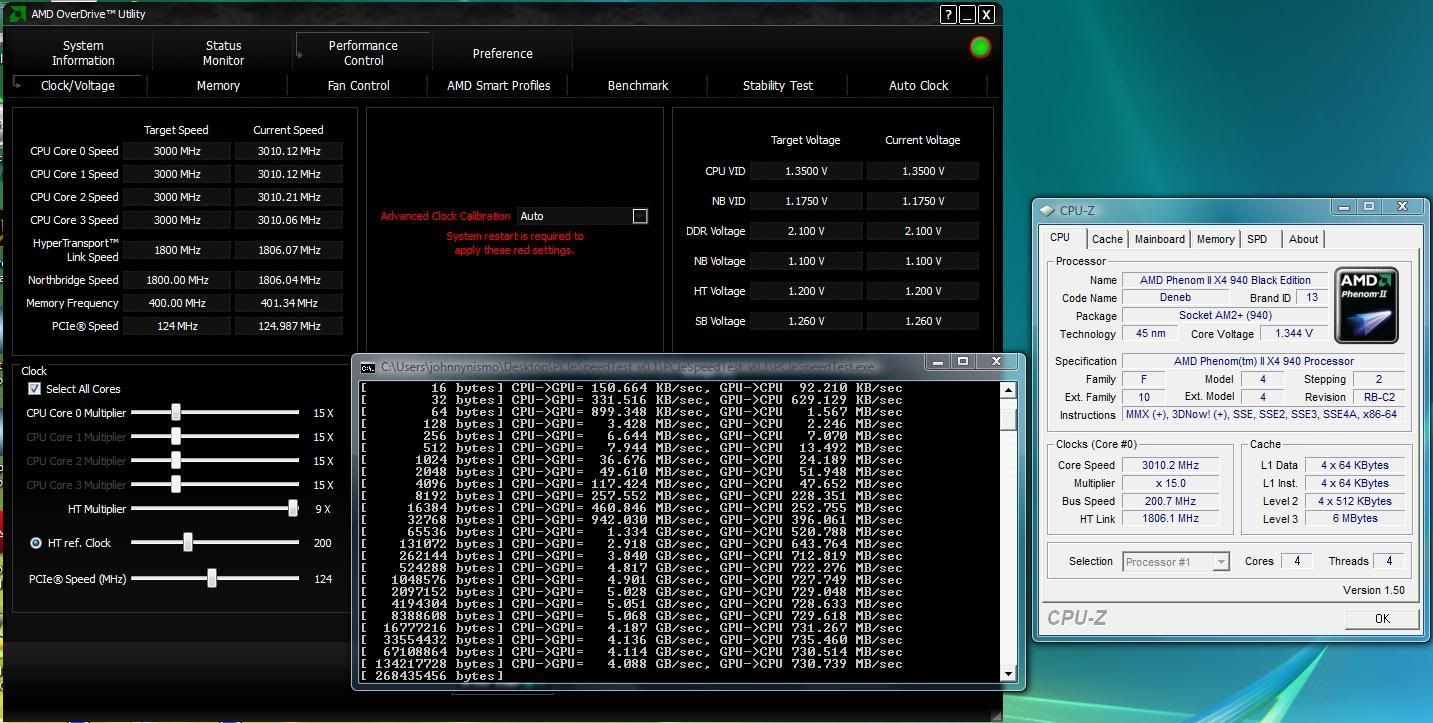
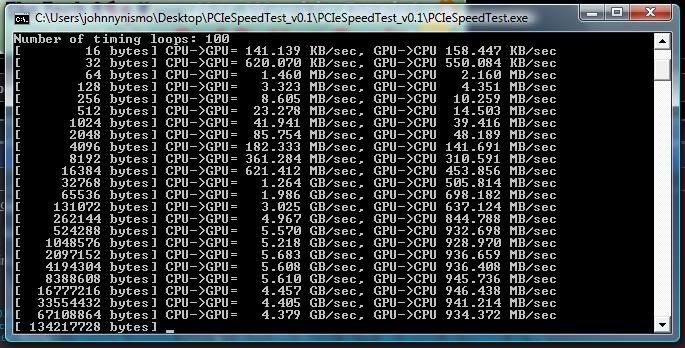
This is my output:
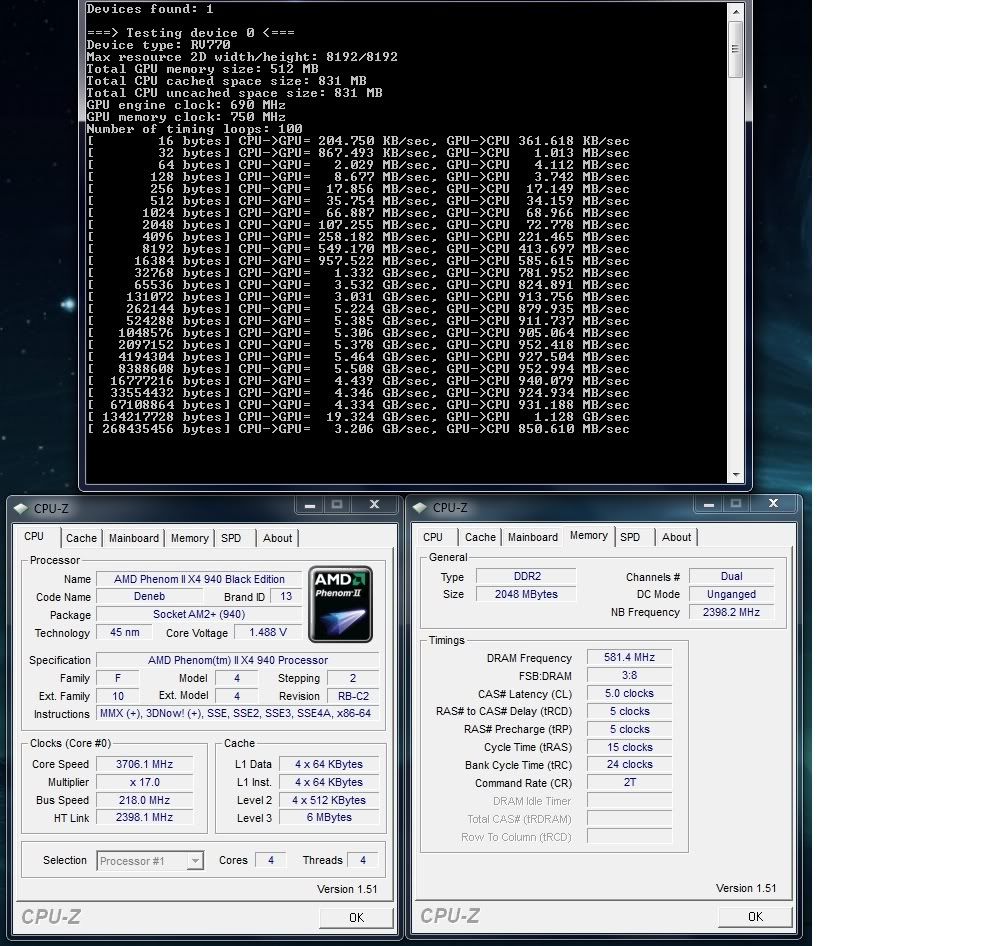
As you can see, I have a bandwidth problem in my GPU to CPU speed. It is far lower than Wex's by about FIVE times! I ran this on the system in my sig (M3A79T- Deluxe based), while he did his on a M4A79 and 4870x2.
Show us your results to compare!
EDIT: This test works far better from the CMD command line, as the window doesn't immediately close out if your system is incredible enough not to go into VPU Recovery due to the stress.
EDIT #2: Along with your results, please post the OS you are running as well. Over at the AMD Developer Forums where they are having the same discussion, they say this program will likely crash on x64 and Vista, but should be stable on XP x32. There is also other interesting info and test results to look at there as well. The program runs in linux too, so I will boot up my OpenSUSE 11.1 if I can get the drivers to work right and post some linux results.
 Originally Posted by phelan1777


 Reply With Quote


 .
.









Bookmarks