

Originally Posted by DiscoTech

sorry m8 im passing out can't explain you stuff now. just read about it lots of infos at anandtech or jzelectronic.



sorry m8 im passing out can't explain you stuff now. just read about it lots of infos at anandtech or jzelectronic.
more bandwidth ...
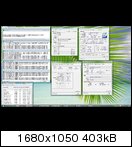
Hey Guys, have a look at this!!!
On Air-Cooling! IFX-14!!!
Q9550 | 4352MHz | 1.456V | FSB-512MHz | DDR2-512MHz | Gigabyte UD3P | Air-Cooling | L835A730 | T | 1,25v | emertX
Last edited by emertX; 11-13-2008 at 04:33 PM.

Very Nice. That must be Blend you are running. 55c at 1.45v. What are temps like with small fft or linpak? Or is the IFX-14 just that good? Better than TRUE?
Gigabyte Z68X UD7
Intel Core i7 2600K (testing)
16GB Mushkin Redline 17000 2133 1.65v
EK, 3x120 Rad 2xMCP655
Acer 1200w PSU
2-128GB Samsung SSD RAID 0
2-1TB Seagete 32mb RAID 0
1-1TB Western Digital
1- Plextor PX-B320SA Blue Ray
1- Plextor PX-880SA 24x DVD/RW
2- EVGA Nvidia GTX-480 SLI
LG 30", Hanns G 28"
@Viper & DiscoTech, and h/t to ElektroSadist, I did as Elektro suggested and just went into the BIOS and tried what he said. Here is what I did:
- go into BIOS
- set multi, FSB and mem strap & divider for what you want
- set *all* of the voltages to the same volts as default voltage shown to the left (not "Normal" or "Auto")
- then set vCore and DRAM voltage to what you want. notice that now some of the other settings under ">>>DRAM" heading are no longer at the default. This is good.
- set Vtt ("CPU Termination") to what you want. notice that now your CPU reference has changed and maybe some other settings as well
- set MCH Core -- same goes, maybe some of the other settings change to reflect your new MCH Core
F10 boot and open windows, ET6 just shows the default reference voltages for the ones you just saw in BIOS had changed automatically.
I don't know how Elektro knows that the BIOS is showing the correct voltages rather than ET6 but I think he knows more than I do.
THANKS very much MaximumPig, awesome step by step directions, Ill give this a shot tomm
2600K 3109C384
Modded Corsair H50
ASUS P8P67 WS Revolution
2x2GB Super Talent 2000
Evga GTX 480
Corsair 850 HX
CM Storm Sniper black ed.
Samsung F3 1TB
Windows 7 64
It is the combination between IFX-14, Antec 1200 and roomtemperature @ 19°C!
At small 8K the temps are like 58°C for real!
For those of you using the UD3R with a Q6600, can you post your voltages please? Especially CPU PLL, CPU Termination, MCH. If you can post a ET6 screenshot that would be helpful.
I'm having problems trying to hit 3.2g. I think the problem is I have PLL locked in at 1.5v and CPU Termination at 1.2v. I can hit 3.0g very easy at 1.24v Vcore and 1.3v MCH and it is very stable in both large and small Prime stress tests.
I don't need higher than 3.2g. Trying to keep this box cool and quiet.
Thanks
Last edited by Bobo The Bear; 11-14-2008 at 05:53 PM. Reason: typo
With my first UD3P i couldnt get stable at 500+ FSB unless i used elektros bios template concerning the gtl's. With this new one i could post and boot to windows no problem, but i cant pass prime or any stability test. I just now set all the reference settings to normal and it's lookn good. Just thought i'd share that. normal didnt work for me on my other UD3P.
Gigabyte Z68X UD7
Intel Core i7 2600K (testing)
16GB Mushkin Redline 17000 2133 1.65v
EK, 3x120 Rad 2xMCP655
Acer 1200w PSU
2-128GB Samsung SSD RAID 0
2-1TB Seagete 32mb RAID 0
1-1TB Western Digital
1- Plextor PX-B320SA Blue Ray
1- Plextor PX-880SA 24x DVD/RW
2- EVGA Nvidia GTX-480 SLI
LG 30", Hanns G 28"
Can anybody confirm or deny the existence of NB temp monitor on this board? Some people said the System temp in ET6 was NB. I've been running blend for 10 minutes and that reading has been at 36c. I just unplugged the fan that i have blowing on the NB and 5 it dropped to 35c. lol. I do not think that is the NB monitor. It just dropped to 34 and i'm pushin 1.55v to NB.

Last edited by nugzo; 11-14-2008 at 09:31 PM.
Gigabyte Z68X UD7
Intel Core i7 2600K (testing)
16GB Mushkin Redline 17000 2133 1.65v
EK, 3x120 Rad 2xMCP655
Acer 1200w PSU
2-128GB Samsung SSD RAID 0
2-1TB Seagete 32mb RAID 0
1-1TB Western Digital
1- Plextor PX-B320SA Blue Ray
1- Plextor PX-880SA 24x DVD/RW
2- EVGA Nvidia GTX-480 SLI
LG 30", Hanns G 28"
See post 280
GigaByte EP45-UD3P F7, Q9650 @ 4GHz 1.28125v, 4x1GB Crucial 8500, Dominator fans, CoolerMaster Pro 850W, 2x320GB in RAID0, EVGA 8800 Ultra, SATA Blu-Ray, Cooled by: Thermaltake, S-Flex, Swiftec, Laing & Tygon.

Hi Nugzo, thanks for your answer.
I haven't tested Prime95 for that long, I will. The Intel Burn test make my hardware scream. But in a normal use of my computer, games and games actualy, the CPU temp never goes over 75 °c and no errors or BSOD at all.
About the GTLs I've read again and again the Electrosadist post about voltages .. and for me there's no way to set my voltages as Electrosadist ones.. I can't set 0,881 v at all.. the value isn't in the voltage selection panel which is strange because I'm using the same voltages as his. I followed the GTLs Section of this forum and calculate my own values, but again no luck on those settings, only 'Auto' works for now.
I wish that Electrosadist could post a picture of his Bios voltage section.
Can't you post your exact values Nugzo ?
And finally I'm considering buying some new Ram sticks with some great features @ 500 Mhz FSB. BTW which ram kit 2x2 Go would you be best at this freq ? What's your advice ?
Thanks again folks
Please excuse my faulty english
Pierrandre: Didn't Electrosadist say somewhere that his readings were taken from ET6?
GigaByte EP45-UD3P F7, Q9650 @ 4GHz 1.28125v, 4x1GB Crucial 8500, Dominator fans, CoolerMaster Pro 850W, 2x320GB in RAID0, EVGA 8800 Ultra, SATA Blu-Ray, Cooled by: Thermaltake, S-Flex, Swiftec, Laing & Tygon.
can someone explain how I can keep my ram set at 800mhz. When I set the speed option off auto and put it at 400 I still keep getting it overclocked. I have tried the multiplier on every setting as well and cannot get it to stay at 800. I have an intel e6300 running at 430x7 and I know it can go higher but with my ram going with I have problems. I'm new to overclocking, so if this is simple question I apologize.
Motherboard - Gigabyte EP45-Ds3L
CPU - E8400 @ 3.69 GHz - 1.25v
HSF - OCZ CPU cooler
Power Supply - Corsair 650W
GPU - EVGA Nvidia GTX275
RAM - OCZ 4GB DDR2-820 5-6-6-18
HDs - Samsung 250GB and WD 640GB
Case - Antec 900
Monitor - Scepter Wide 24" 1920x1200


Great thread, will have an EP45-UD3R sometime next week. Will post my results with the board here after I dig into it a bit.
Volcanicstrad37, you will not be able to lock your RAM at 800MHz. (someone correct me if I'm wrong) but once you go over 400 fsb, you will raise the RAM clocks as well. There is no strap or divider that will allow keeping the RAM at lower clocks.
Cursed be the ground for our sake. Both thorns and thistles it shall bring forth for us. For out of the ground we are taken for the dust we are and to the dust we shall return
Heat
Ask Elektrosadist. He run on chilled water he said he got 12°c on nb on other forum when he start his pc. I dont know where he got that reading. ET6 or IR sensor? I am sceptic about this because there no sensor on nb unless it a p35 or p45 board like DFI UT or Maximus 2.
One cpu reference for quad is a joke. Things start to get flakey at high frequency and fsb and usually end up on one thread crapping in prime. :P
I read somewhere that they should have value of 63~66.67% of Vtt and might give a bit more stability & let drop vcore back a bit.

GIGABYTE Challenge - Dual Channel DDR2-1508 Record ~ WIN 1,500 US$ CASH !!!
Join the contest and submit your memory frequency results today.
Rules
1. All entries must use a GIGABYTE Ultra Durable 3 motherboard* to be eligible for participation.
2. All entries must achieve at least Dual Channel DDR2 1366 speed.
3. Each participant can submit multiple entries with the competition time frame Nov 7th ~ 2008 – Dec 30th 2008.
4. The top three memory speed scores that break DDR2 1508MHz will be awarded accordingly, 1st to 3rd place prizes.
5. All scores must submited via screen-shot image from the CPU-Z validation website
6. Each entry must provide motherboard serial number and assembly code information and provide the URL link of your validated results for further verification.
7. Only CPU and Memory modules purchased from retailers may be used.
* GIGABYTE Ultra Durable 3 motherboards eligible are GA-EP45-UD3P, GA-EP45-UD3R and GA-EP45-UD3 only.
GIGABYTE--Challenge Dual Channel DDR2 1508MHz Record--

Last edited by stasio; 11-16-2008 at 12:22 AM.
Need a Gigabyte latest BIOS?
Z370 AORUS Gaming 7,
GA-Z97X-SOC Force ,Core i7-4790K @ 4.9 GHz
GA-Z87X-UD3H ,Core i7-4770K @ 4.65 GHz
G.Skill F3-2933C12D-8GTXDG @ 3100 (12-15-14-35-CR1) @1.66V
2xSSD Corsair Force GS 128 (RAID 0), WD Caviar Black SATA3 1TB HDD,
Evga GTS 450 SC, Gigabyte Superb 720W
XSPC RayStorm D5 EX240 (Liquid Ultra)
NZXT Phantom 630 Ultra Tower
Win 7 SP1 x64;Win 10 x64
I bought the UD3R a few days ago and stuck the F4 bios on there. I have been experiencing weird bluescreens and restarts while stress testing with prime 95 and intelburntest. These programs dont stop and tell me they are unstable, they are just bluescreening my computer. I cant stop the restarts but I can make them take longer to occur. I can prime for around 2 hours on blend before it restarts and intelburntest, when it finishes, comes back stable but most of the time it restarts my comp. Vcore definitely isnt the issue because I get the same restarts from 1.25V to 1.5V. Here are my current settings, maybe you guys can point me in the right direction.
470x9
Performace: Turbo
MCH latch: 333
Memory Multi: 2.00B
Memory 5-5-5-18 @ 1.92V (These settings were stable on my IP35Pro up to 505)
LLC: Enabled
Vcore: 1.3375V
Cpu Termination 1.2V
PLL: Auto
CPU Reference: Auto (.74, .76 and auto all have similar stability, anything else and it bluescreens immediately)
MCH Core: 1.3V
MCH Reference: 0.72V (anything above .76 and I get bluescreens immediately)
MCH/DRAM Ref: Auto
ICH I/O: Auto
ICH Core: Auto
Any advice would be great!
Last edited by babalouj; 11-16-2008 at 10:31 PM.
**Georgia Tech Grad, I am an Electrical Engineer with a specialization in RF IC design and Analog circuits.**
Intel I7 3770K Delidded
Gigabyte Z77X-UD5H
2x4gb Gskill 7-8-7-16
EVGA GTX680 Signature OC
Crucial M4 256gb
Seasonic X-750
Watercooling Loop: Raystorm Acetal, EK GTX580 Full Cover, MCR420, MCR320, MCP35X2 & 7 x AP-15 Gentle Typhoons
Heatware: gte460z
I found the same problem like you when I have this board for a first time, Until
right now I feel it's hard to adjust the proper voltage for this board....
You may try to set MCH latch to 400 Strap 2.00 D Cpu PLL may be set 1.50 or below
may raise up CPU VTT to 1.24 with the same ratio of 0.70 MCH ref.
____________________________
Q9550 L845B822 @ 4.2 GHZ l EP45-UD3R REV 1.1 F12 BIOS l Crucial Ballistix 4GB 2x2GB(5-5-5-14) @2.0 V l GIGABYTE GTX 460 1024 MB
LIAN LI PC-8NWB l CPU COOLER TR 120 Extreme l ENERMAX 460 WATT
____________________________i7 2500K @ 4.80 GHZ l P67A UD3P F6A BIOS l G.Skill Ripjaw 4GB 2x2GB @1600 MHZ(9-9-9-24) @1.56 V l EVGA GTS 420
LIAN LI PC-7FW l TuniQ 120 Extreme l TR 600 W
____________________________
4.2 V!!! WTF??? I hope its a typo and you meant to say ???
BREAKING NEWS For Friday 26th June 2009: Casper the friendly ghost was molested in the early hours of this morning!
nope no typo and you should see the auto settings for cpu termination 1.500v....my board is rock stable though im runing prime blend as we speak no errors....i could watch vids on you tube and still run prime as soon as i even try to drop the the cpu termination down to even 4.000v it will crash before i can even open prime 95...any ideas?....if the chip degrades ill just put it out of its misery and send it to intel for an rma.....EDIT...it was a typo i meant say 1.420 for cpu termination
Last edited by VOID WARRANTY; 11-17-2008 at 08:23 AM.
@big poppa pump, i think void warranty means cpu vcore, not vtt
_________________________________________________
............................ImAcOmPuTeRsPoNgE............................
[SIGPIC][/SIGPIC]
MY HEATWARE 76-0-0
Dude that is wrong. CPU Termination only goes to 1.7v on my UD3P board. There is absolutely no way you are running 4volts lol. You would be sitting next to a pile of ash if you were. Please re-check. I run CPU termination at 1.6. I would also do as bugjae suggested and change to 400 2.00D for now. Also PLL to 1.4 1.5 or 1.6 instead of auto. In my case auto was 1.8.
Gigabyte Z68X UD7
Intel Core i7 2600K (testing)
16GB Mushkin Redline 17000 2133 1.65v
EK, 3x120 Rad 2xMCP655
Acer 1200w PSU
2-128GB Samsung SSD RAID 0
2-1TB Seagete 32mb RAID 0
1-1TB Western Digital
1- Plextor PX-B320SA Blue Ray
1- Plextor PX-880SA 24x DVD/RW
2- EVGA Nvidia GTX-480 SLI
LG 30", Hanns G 28"
Void put both ich voltage on default..it just a SB. Last time I put ich core on 1.2v it just mess with my usb hub.
no my v-core is at 1.3700v and my cpu termination is at 1.4200....what the hell is cpu termination?
I dont know what he's talking about. Vcore isnt at 4 volts either i can assure you. If he is running at 4volts, i'll give him my system.
Gigabyte Z68X UD7
Intel Core i7 2600K (testing)
16GB Mushkin Redline 17000 2133 1.65v
EK, 3x120 Rad 2xMCP655
Acer 1200w PSU
2-128GB Samsung SSD RAID 0
2-1TB Seagete 32mb RAID 0
1-1TB Western Digital
1- Plextor PX-B320SA Blue Ray
1- Plextor PX-880SA 24x DVD/RW
2- EVGA Nvidia GTX-480 SLI
LG 30", Hanns G 28"
 Posting Permissions




 Reply With Quote







Bookmarks