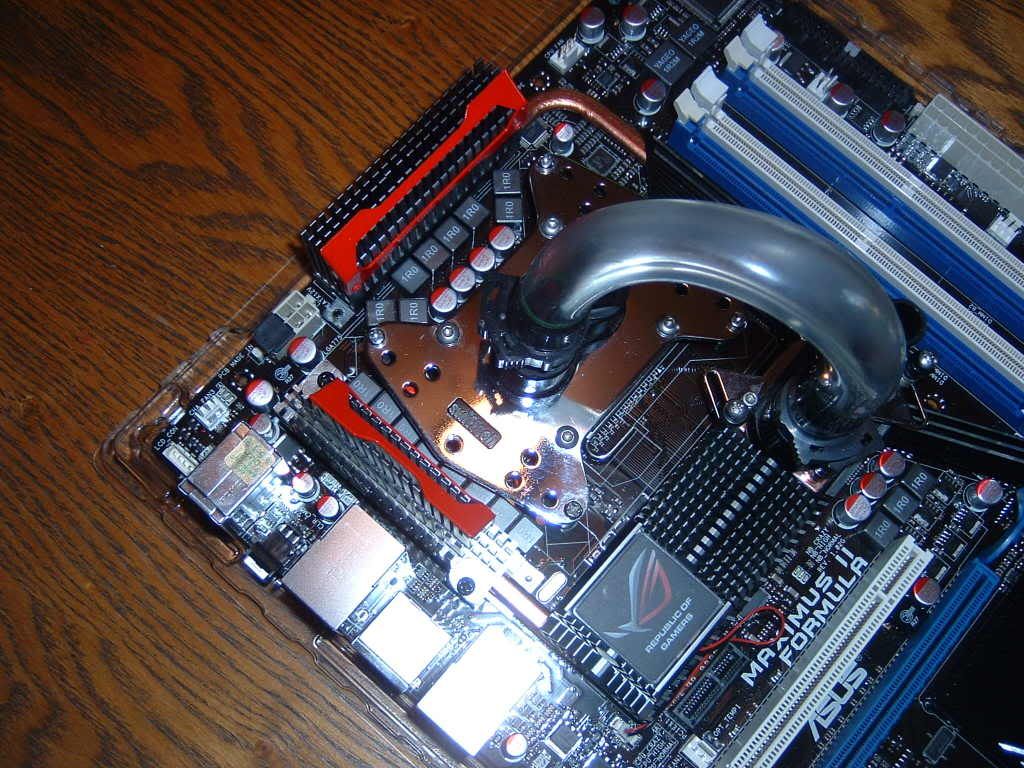
-
Hey, I was wondering if I could get some advice on what to tweak to get a stable 4+ GHz with this board and an e8600- I've looked through the thread and tried setups posted by cstkl1, BuGjAE, radaja, CryptiK, and others that have posted 4+ GHz dual core bios settings, and with all of them orthos invariably craps out with a rounding error within minutes (no pattern in which core fails that i could detect.).
Specs: MIIF 1306 bios w/ e8600 VID 1.25 watercooled
GSkill 2x2gb pc8800
pcp&c 750w
winxp64
I can get pretty decent memory bandwidth with the following settings (and I ran memtest for 5 complete rounds and 30 rounds of test 5 without errors), but again it fails orthos within minutes (usually seconds):
Ai Overclock Tuner: Manual
OC From CPU Level Up: Auto
Ratio CMOS Setting: 7
FSB Frequency: 572
CPU Clock Skew: Normal
NB Clock Skew: Normal
FSB Strap to North Bridge: 333
DRAM Frequency: DDR2-1142Mhz
DRAM CLK Skew on Channel A1: Auto (also tried advancing all these 250 to 300)
DRAM CLK Skew on Channel A2: Auto
DRAM CLK Skew on Channel B1: Auto
DRAM CLK Skew on Channel B2: Auto
DRAM Timing Control: Manual
1st Information:
CAS# Latency: 5 DRAM Clocks
DRAM RAS# to CAS# Delay: 5 DRAM Clocks
DRAM RAS# Precharge: 5 DRAM Clocks
DRAM RAS# Activate to Precharge: 18 DRAM Clocks
RAS# to RAS# Delay: Auto
Row Refresh Recycle Time: 65 DRAM Clocks
Write Recovery Time: Auto
Read to Precharge Time: Auto
2nd Information:
Read to Write Delay (S/D): Auto
Write to Read Delay (S): Auto
Write to Read Delay (D): Auto
Read to Read Delay (S): Auto
Read to Read Delay (D): Auto
Write to Write Delay (S): Auto
Write to Write Delay (D): Auto
3rd Information:
Write to PRE Delay: Auto
Read to PRE Delay: Auto
PRE to PRE Delay: Auto
All PRE to ACT Delay: Auto
All PRE to REF Delay: Auto
DRAM Static Read Control: Disabled
DRAM Read Training: Disabled
MEM. OC Charger: Auto
Ai Clock Twister: Moderate
Ai Transaction Booster: Manual
Common Performance Level: 10
Pull-in of CHA PH1: Disabled
Pull-in of CHA PH2: Disabled
Pull-in of CHA PH3: Disabled
Pull-in of CHB PH1: Disabled
Pull-in of CHB PH2: Disabled
Pull-in of CHB PH3: Disabled
PCIE Frequency: 101
CPU Voltage: tried 1.35 all the way up to 1.43
CPU PLL Voltage: 1.56625
FSB Termination Voltage: tried 1.22 to 1.27
DRAM Voltage: 2.00
North Bridge Voltage: tried 1.27 to 1.37
South Bridge 1.5 Voltage: 1.50
South Bridge 1.1 Voltage: 1.10
CPU GTL Reference (0): Auto
CPU GTL Reference (1): Tried auto and -40 to +40
CPU GTL Reference (2): Auto
CPU GTL Reference (3): Tried auto and -40 to +40
NB GTL Reference: Auto
DDR2 ChA Reference Voltage: Auto
DDR2 ChB Reference Voltage: Auto
North Bridge DDR Reference: Auto
CPU Configuration:
Ratio CMOS Setting: 7
C1E Support: Disabled
Max CPUID Value Limit: Disabled
Intel Virtualization Tech: Enabled
Execute Disable Bit: Enabled
Load-Line Calibration: Enabled
CPU Spread Spectrum: Disabled
PCIE Spread Spectrum: Disabled
Thanks for any suggestions. I was wondering if I just needed to bludgeon it with more vcore, or if it simply won't fly with this lofty of a fsb goal (but many of the other setups I've emulated employ a lower fsb in the upper 400's to lower 500's range, and I still can't get stability with them).
I did set everything to stock timings and volts and i ran an error free orthos session for 8hrs (I was hoping this would throw errors too so i could blame the equipment!!!)

EDIT: I just got home to see my system at 4.05 GHz (450x9) is still priming error free at 10 hrs! I know I've tried 450x9 before and failed; I did however flash to the 1307 bios, disable loadline calibration, and bump up vcore a bit (I think I'm at 1.42 in bios and 1.36 according to everest under load) this time compared with previous failures at this speed.
Last edited by drnick; 10-24-2008 at 01:38 PM.
Tags for this Thread
Posting Permissions
- You may not post new threads
- You may not post replies
- You may not post attachments
- You may not edit your posts
-
Forum Rules
Bookmarks