




The circle is irrelevant for any B3 model, including ,but not limited toOriginally Posted by Daveburt714

Phenom 9850BE.
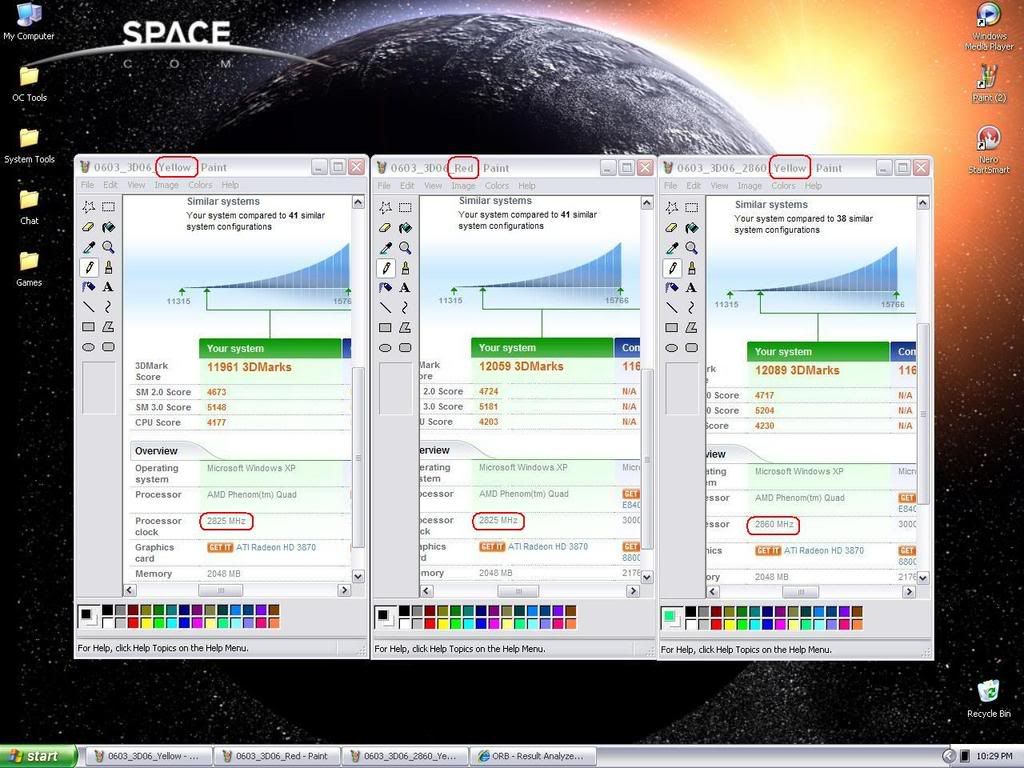
Green =TLB Patch ON(TLB caching off)=reduced (to put it mildly)memory/cache performance
Yellow=Recomended (for MSI K9A2) by KTE (I think)
Red=Max performance, TLB caching ON (TLB bug fix off)
Use green only if you're running "virtual machines" in windows
What it actually does? It changes register values for the (4) cpu cores.
BTW my K9A2 had a funny burning smell, then wouldn't boot and after
spending hours I noticed that 1 of the "little squares" (mosfet?) right under
"Circu Pipe" is fried.
The 1.4 BIOS where I set the Vcore to 1.400 was giving 1.678
to my "low power" X2 5000BE
I had a 9600be phenom in it before and when I put the X2 in it the HT multy
did not go down to x5 like it should.
It stayed @ Phenom values (up to 13?)
When I did have phenom it the so called HT multy (from above) was actually
NB multy, so setting that would change NB for the Phenom and not HT.
NBvid is actually NBcore (1.1v) default so setting it to 1.350 (for a
milld NB OC) might fry the NBcore (chipset).
Luckily I had a water cooler on the 5000BE so it's fine but the damn
board is in "coma"



 Reply With Quote

Bookmarks