

Originally Posted by TouGe

Mine have same issues, i cant stabilize my overclock because i cant go above 1,3v on northbridge, anyone knows anything about? bios? what is the cause?


Mine have same issues, i cant stabilize my overclock because i cant go above 1,3v on northbridge, anyone knows anything about? bios? what is the cause?
Chri$ch: what is your settings in bios? It's an amazing FSB you get. I've currently writing a review of this board, and have not so much more time to tweak and search for the best settings, so you would help me alot if you came with some tips.
I guys.
I Ricieved my P5Q Deluxe yesterday... everything on AIR
After several minutes, having connected board achieve this result
http://valid.x86-secret.com/show_oc.php?id=375519
Regards
Last edited by Crazy Inside; 06-14-2008 at 08:51 AM.
San Diego 3700+ @3171.96MHz / Opteron 148 @3363.3MHz / Q6600 G0 @4503.05MHz / E6700 @4701.35MHz / E6850 @4814.91MHz / Conroe E6600 @4911.04 MHz / E8500 @5516.74MHz

very very nice,can't wait till Monday
Great result, what settings in BIOS did you have?
I've come to the conclusion that I'm doing something wrong here . No matter what I try I cannot get a POST over 450 fsb , 450 runs prime fine and 460 , 475 , 500 = no POST . Using the same X3360 and a 780i I was getting into vista @ 3.992ghz but no higher and prime wouldn't even run , it ran at 3.88ghz prime stable for about 5 days before the board died . I'm using latest bios from Asus site , any help would be great .
Plz fill in the template and list all ya hardware plz
Last edited by Leeghoofd; 06-14-2008 at 03:32 PM.
Question : Why do some overclockers switch into d*ckmode when money is involved
Remark : They call me Pro AsusSaaya yupp, I agree
ASUS P5Q DLX Template :
JumperFree Configuration Settings
AI Overclock tuner: manual
CPU Ratio Setting: 8.5
FSB Strap to North Bridge: AUTO
FSB Frequency: 450
PCI-E Frequency: 100
DRAM Frequency: 900-1081
DRAM CLK Skew on Channel A1: AUTO
DRAM CLK Skew on Channel A2: AUTO
DRAM CLK Skew on Channel B1: AUTO
DRAM CLK Skew on Channel B2: AUTO
DRAM Timing Control: manual
1st Information :
CAS# Latency: 5
DRAM RAS# to CAS# Delay: 5
DRAM RAS# Precharge: 5
DRAM RAS# Activate to Precharge: 15
RAS# to RAS# Delay : AUTO
Row Refresh Cycle Time: AUTO
Write Recovery Time: AUTO
Read to Precharge Time: AUTO
2nd Information :
READ to WRITE Delay (S/D): AUTO
Write to Read Delay (S): AUTO
WRITE to READ Delay (D): AUTO
READ to READ Delay (S): AUTO
READ to READ Delay (D): AUTO
WRITE to WRITE Delay (S): AUTO
WRITE to WRITE Delay (D): AUTO
3rd Information :
WRITE to PRE Delay: AUTO
READ to PRE Delay: AUTO
PRE to PRE Delay: AUTO
ALL PRE to ACT Delay: AUTO
ALL PRE to REF Delay: AUTO
DRAM Static Read Control: Disabled
DRAM Read Training: AUTO
MEM. OC Charger: AUTO
AI Clock Twister: AUTO
AI Transaction Booster: AUTO
Common Performance Level AUTO
Pull-In of CHA PH1: DISABLED
Pull-In of CHA PH2: DISABLED
Pull-In of CHA PH3: DISABLED
Pull-In of CHA PH4: DISABLED
Pull-In of CHB PH1: DISABLED
Pull-In of CHB PH2: DISABLED
Pull-In of CHB PH3: DISABLED
Pull-In of CHB PH4: DISABLED
CPU Voltage: 1.36875-1.4
CPU GTL Voltage Reference (0/2): AUTO
CPU GTL Voltage Reference (1/3): AUTO
CPU PLL Voltage: 1.5-1.6
FSB Termination Voltage: 1.3-1.4
DRAM Voltage: 2.26
NB Voltage: 1.2-1.5
NB GTL Reference: AUTO
SBridge Voltage: 1.10
PCIE SATA Voltage: 1.5
Load Line Calibration: enabled
CPU Spread Spectrum: Disabled
PCIE Spread Spectrum: Disabled
CPU Clock Skew : Normal
NB Clock Skew : Normal
Advance CPU Settings
CPU Ratio Setting: Manual @ 8.5
CPU VID: Default (don't have this option )
C1E Suppport: Disabled
Max CPUID Value Limit: Disabled
Intel® Virtualization Tech: Disabled
Vanderpool Technology: Disabled ( don't have this one )
CPU TM Function: Enabled
Execute Disable Bit: Disabled
How are you guys getting your PL level in windows? I cannot get memset3.5 to work on this motherboard. I get a "NOT FOR THIS CHIPSET" error.
Does someone have a new version of memset or something?
As for my overclocks, this is much better than my P5K Premium or Maximus Formula.
P5K Premium has better PL levels and memory performance IMO.
Current overclock, completely stable (PRIME95, blend,small,large). I can get the same settings on both my P5K Premium and Maximus with lowest voltages on all three. The maximus however would not let me run my 4x1GB KingstonHyperX 8500 @ 1066, the P5K & P5Q not a problem. Also notice that I'm running at the lowest voltages for every section, I was in fact able to boot in Vista and run benches @ 550FSB with a voltage bump only on the RAM @ 1.9.
8400@4G
JumperFree Configuration Settings
AI Overclock tuner: manual
CPU Ratio Setting: AUTO
FSB Strap to North Bridge: 333
FSB Frequency: 444
PCI-E Frequency: 100
DRAM Frequency: 1067
DRAM CLK Skew on Channel A1: AUTO
DRAM CLK Skew on Channel A2: AUTO
DRAM CLK Skew on Channel B1: AUTO
DRAM CLK Skew on Channel B2: AUTO
DRAM Timing Control: AUTO
DRAM Static Read Control: AUTO
DRAM Read Training: AUTO
MEM. OC Charger: AUTO
AI Clock Twister: AUTO
AI Transaction Booster: MANUAL
Common Performance Level 08
Pull-In of CHA PH1: DISABLED
Pull-In of CHA PH2: DISABLED
Pull-In of CHA PH3: DISABLED
Pull-In of CHA PH4: DISABLED
Pull-In of CHB PH1: DISABLED
Pull-In of CHB PH2: DISABLED
Pull-In of CHB PH3: DISABLED
Pull-In of CHB PH4: DISABLED
CPU Voltage: 1.3375
CPU GTL Voltage Reference (0/2): AUTO
CPU GTL Voltage Reference (1/3): AUTO
CPU PLL Voltage: 1.50
FSB Termination Voltage: 1.10
DRAM Voltage: 1.80
NB Voltage: 1.10
NB GTL Reference: AUTO
SBridge Voltage: 1.10
PCIE SATA Voltage: 1.50
Load Line Calibration: AUTO
CPU Spread Spectrum: enabled
PCIE Spread Spectrum: enabled
CPU Clock Skew : AUTO
NB Clock Skew : AUTO
Advance CPU Settings
CPU Ratio Setting: AUTO
C1E Suppport: ENABLED
Max CPUID Value Limit: DISABLED
Intel® Virtualization Tech: ENABLED
Vanderpool Technology: ENABLED
CPU TM Function: ENABLED
Execute Disable Bit: ENABLED
Version 3.5 works fine here on XP PRO and XP PRO 64, you on Vista ?
Pm Hellcamino
Last edited by Leeghoofd; 06-14-2008 at 03:41 PM.
Question : Why do some overclockers switch into d*ckmode when money is involved
Remark : They call me Pro Asus
![Send a message via MSN to ]siNNer[](images/misc/im_msn.gif)
Memtest 3.5 is working fine in vista 32b.
This chipset is awesome, 500fsb with mems 5:6 1200 @ only 1.16vNB, blend stable. Still cant get to 600fsb but i've found my 24/7 settings
This is stable??
can you test a 450fsb and diferent frequency of 900mhz for me???

E6750 G0 @ 3.6ghz with Noctua NH-U9B/NT-H1 @ P5Q DeluXe >>>>>>>>> Pics
2x1gb crucial ballistiX tracer 800mhz @ 901mhz 5-5-5-15
Seagate 250gb sata II 7200rpm 8mb cache buffer
8800gts G92 512mb PNY @ 750/1756/2104 @ Lcd samsung 19" 932b plus
g-5 modded / speedy 2mb / dvd-rw LG h54n / Powered by Corsair VX550W
You are on 0702 Bios I hope
Last edited by Leeghoofd; 06-14-2008 at 03:33 PM.
Question : Why do some overclockers switch into d*ckmode when money is involved
Remark : They call me Pro Asus
Alpha bios causes puckering of back door...How close to full build are they ? Do they appear to be reliable and stable ?
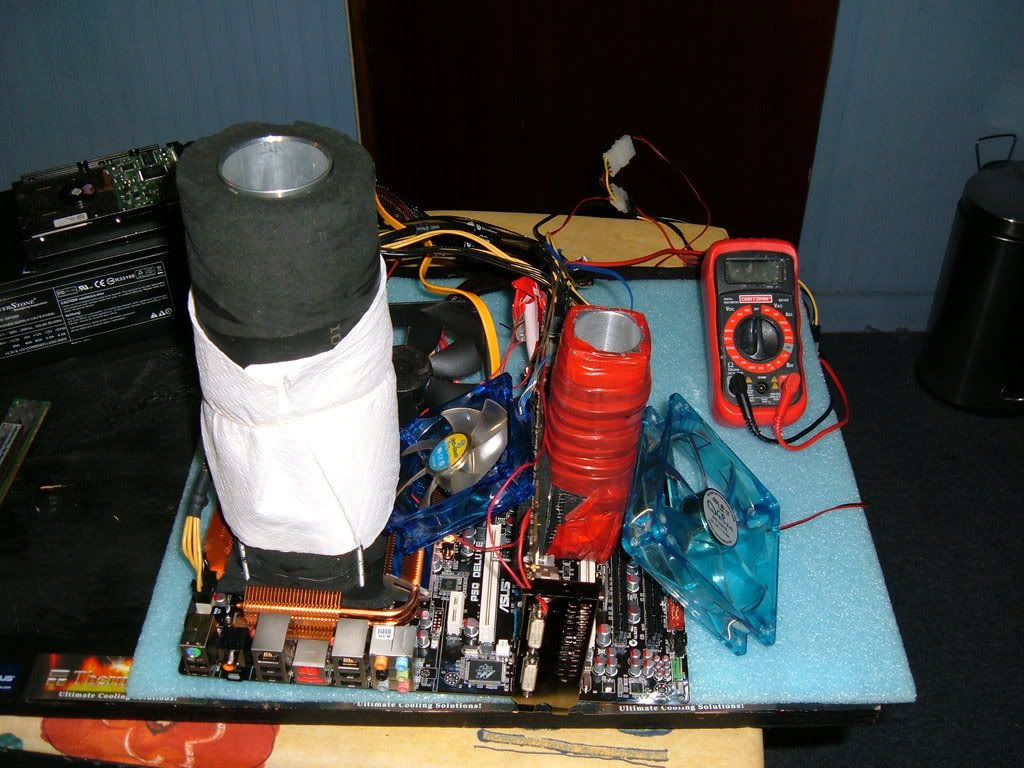
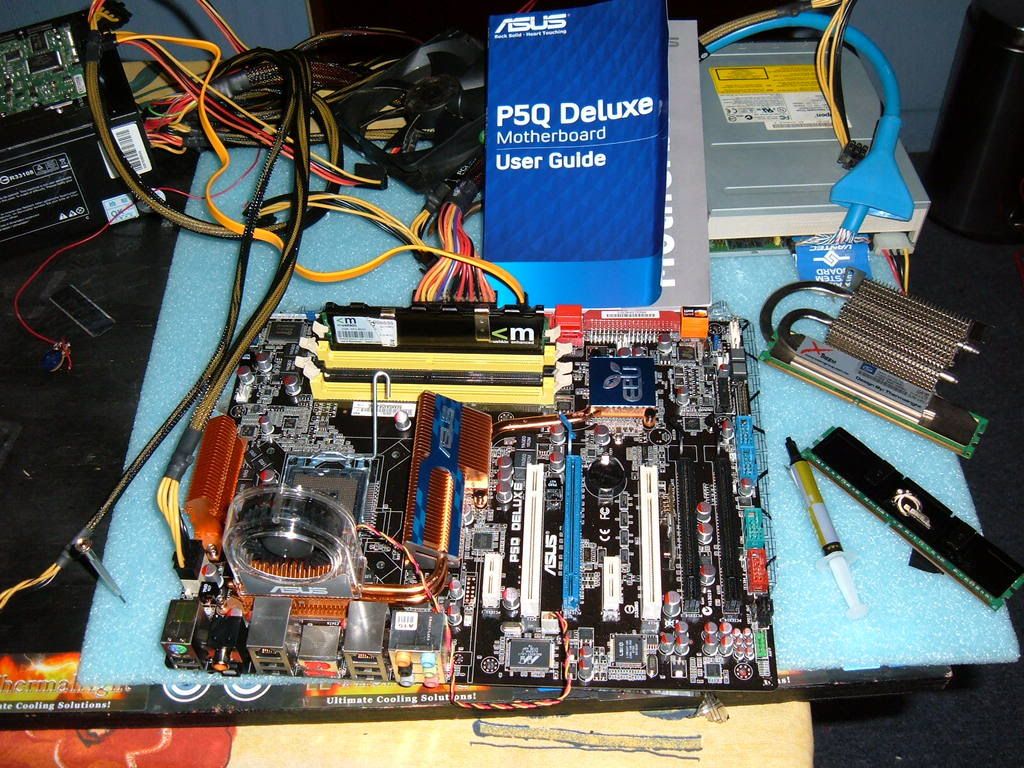
I received mine yesterday and its dead today, i was trying very hard for max fsb for validation and a quick aquamark bench E8400 under Dice at 602 FSB and 8800Ultra Under Dice 902/2248Mhz , then bum it crashed and never posted again , back to RMA on monday asap.
Last Pictures taken of the casualty of subsero temps
R.I.P............................................. .................................................. .................................................. ......................
1:1 is stuck to pretty high PL, it's better to use other dividers...
I did the testing a few pages before will sum it up again :
400FSB and Ram at 800Mhz -- Bios sets 13 perf level at AUTO setting -- Lowest manual is 9 (8 doesn't post)
400FSB and Ram at 1003Mhz -- Bios sets 10 perf level at AUTO setting -- Lowest manual is 7
400FSB and Ram at 1066Mhz -- Bios sets 9 perf level at AUTO setting -- Lowest manual is 7
450FSB and Ram at 900Mhz -- Bios sets 13 perf level at AUTO setting -- Lowest manual is 10
450FSB and Ram at 1081Mhz -- Bios sets 10 perf level at AUTO setting -- Lowest manual is 8
500FSB and Ram at 1200Mhz -- Bios sets 13 Perf level at AUTO setting -- Lowest manual is 10
600FSB and ram at 1200Mhz -- Bios sets 13 perf level at AUTO setting -- Lowest manual is 11 (though RAM not stable at all)
At the moment this board needs some higher PL than P35 and X38/48 to remain stable... Don't forget the board is only a few weeks old and future biosses will hopefully bring some more performance and ram compatability...
Last edited by Leeghoofd; 06-15-2008 at 01:38 AM.
Question : Why do some overclockers switch into d*ckmode when money is involved
Remark : They call me Pro Asus
I went ahead and ran prime blend over night while I was at work using the following settings:
CPU Ratio: 7.0
FSB: 425MHz
PCI-e: 101
FSB Strap: 400
DRAM Freq: DDR2-1133MHz
5-5-5-15-3-40 (The rest AUTO)
DRAM Static Rd: Enabled
DRAM Rd Training: AUTO
Mem OC Charger: Auto
Ai Clock Twister: Moderate
Performance Lvl: 7
Pull-ins: Disabled
CPU Voltage: Auto
CPU GTL (0/2): 0.63
CPU GTL (1/3): 0.63
CPU PLL: 1.50V
FSB Term: 1.16V
DRAM Voltage: 2.14V
NB Voltage: 1.26V
NB GTL: 0.67
SB Voltage: 1.10V
PCIE SATA: 1.50V
Load Line: Auto
NB/CPU Clock Skew: Auto
and it passed 12 hours and was still running until I turned it off. I am terribly confused because in order for me to do the same with my Maximus Formula it took an nbv of 1.58-1.61V while here it only takes 1.26V? Huh.... I understand that the NB is now 65nm and that they also added better power regulation to the P45 but I wasn't expecting this much of a gain. Huh, again...
So I went ahead and shut the computer down for about 30 minutes and then rebooted, entered BIOS, exited BIOS and there was no issues whatsoever. It seems to be stable but as soon as I try 1.30V it fails to boot as well as at 1.34V. Huh again, I guess.....All is well
QX 9650 | Maximus II Formula | G.SKILL 4GB (2 x 2GB) PC2 8500 | Sapphire 4850 X2 2GB| Auzen X-Fi Prelude 7.1 | 3x's WD 150GB Raptors & 2x's 1TB Seagate 7200.11 | Silverstone OP1200 | SilverStone TJ07 | Dell 2707WFP
EK-RES 250 --> Swiftech MCP655 --> Apogee GTZ --> Enzotech Sapphire NB --> Feser X-Changer 360
I've reached the same conclusion, 1:1 only brings trouble, best to stick to other divider when possible.
In my setup I can use PL 8 with those settings and 1.16vNB as I said before. Here's my settings:
JumperFree Configuration Settings
AI Overclock tuner: manual
CPU Ratio Setting: 9
FSB Strap to North Bridge: Auto
FSB Frequency: 500
PCI-E Frequency: 101
DRAM Frequency: 1200
DRAM CLK Skew on Channel A1: AUTO
DRAM CLK Skew on Channel A2: AUTO
DRAM CLK Skew on Channel B1: AUTO
DRAM CLK Skew on Channel B2: AUTO
DRAM Timing Control: Manual
1st Information :
CAS# Latency: 5
DRAM RAS# to CAS# Delay: 5
DRAM RAS# Precharge: 5
DRAM RAS# Activate to Precharge: 15
RAS# to RAS# Delay : 5
Row Refresh Cycle Time: AUTO
Write Recovery Time: AUTO
Read to Precharge Time: AUTO
2nd Information :
READ to WRITE Delay (S/D): AUTO
Write to Read Delay (S): AUTO
WRITE to READ Delay (D): AUTO
READ to READ Delay (S): AUTO
READ to READ Delay (D): AUTO
WRITE to WRITE Delay (S): AUTO
WRITE to WRITE Delay (D): AUTO
3rd Information :
WRITE to PRE Delay: AUTO
READ to PRE Delay: AUTO
PRE to PRE Delay: AUTO
ALL PRE to ACT Delay: AUTO
ALL PRE to REF Delay: AUTO
DRAM Static Read Control: Disabled
DRAM Read Training: Disable
MEM. OC Charger: Enable
AI Clock Twister: AUTO
AI Transaction Booster: Manual
Common Performance Level [8]
Pull-In of CHA PH1: DISABLED
Pull-In of CHA PH2: DISABLED
Pull-In of CHA PH3: DISABLED
Pull-In of CHA PH4: DISABLED
Pull-In of CHB PH1: DISABLED
Pull-In of CHB PH2: DISABLED
Pull-In of CHB PH3: DISABLED
Pull-In of CHB PH4: DISABLED
CPU Voltage: 1.44375
CPU GTL Voltage Reference (0/2): AUTO
CPU GTL Voltage Reference (1/3): AUTO
CPU PLL Voltage: 1.5
FSB Termination Voltage: 1.1
DRAM Voltage: 2.1
NB Voltage: 1.16
NB GTL Reference: AUTO
SBridge Voltage: AUTO
PCIE SATA Voltage: AUTO
Load Line Calibration: Enabled
CPU Spread Spectrum: Disabled
PCIE Spread Spectrum: Disabled
CPU Clock Skew : Auto
NB Clock Skew : Auto
Advance CPU Setting
CPU Ratio Setting: Auto
C1E Suppport: Disabled
Max CPUID Value Limit: Disabled
Intel® Virtualization Tech: Disabled
Vanderpool Technology: Disabled
CPU TM Function: Disabled
Execute Disable Bit: Disabled
Sinner can you run Everest cache and memory benchmark at those settings please?
Friends shouldn't let friends use Windows 7 until Microsoft fixes Windows Explorer (link)

Sure

I can boot too but it's nowhere stable here , can't even complete a SuperPI 32Mb at PL 8... Small FFT's no issue, but I need PL 10 to be fully blend stable...
Question : Why do some overclockers switch into d*ckmode when money is involved
Remark : They call me Pro Asus
Thanks
Friends shouldn't let friends use Windows 7 until Microsoft fixes Windows Explorer (link)
Could those of you who have already received their P5Q Deluxe please post their revision (and possibly, if their board was made in China or in Taiwan)?
So far, I'm only aware of 1.03G, maybe there are others?
It would be great if this information could also be put into the first post, to makle this thread a proper resource of information...
HI again ppl
http://valid.x86-secret.com/show_oc.php?id=375799
Regards
San Diego 3700+ @3171.96MHz / Opteron 148 @3363.3MHz / Q6600 G0 @4503.05MHz / E6700 @4701.35MHz / E6850 @4814.91MHz / Conroe E6600 @4911.04 MHz / E8500 @5516.74MHz
lol
Congrat


 Reply With Quote




Bookmarks