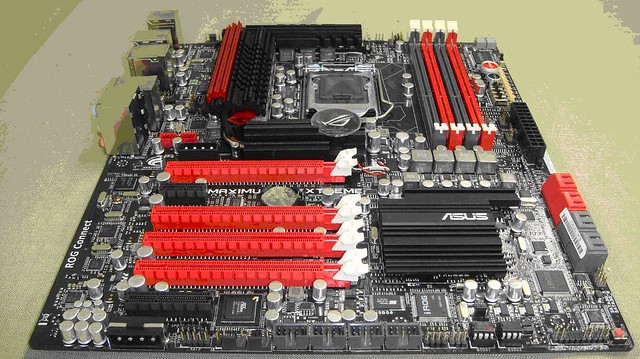
Not really man, check the Volterra solution if you want to find a multi-phase VRM with serial connection between each phase. Also, the maximum current each phase can take may also vary with respect to the parts used. And yes, the increase in conductivity and things are just talking about component specs, just like what was talked about in sin0822's thread. (I do my research too, just couldn't be bothered spending the time to write them all out. After all, Asus only gave me a board to play with, and nothing more.)breetai72: Multi-phase VRMs have never been "serial" systems. Additional phases are always in parallel so that each additional phase can supply additional current. Each phase is current limited based on the choice of FET and choke. The max current that a phase can support is about 25-30A with very good parts that are properly tuned. This design uses IR direct FETs which have excellent thermal dissipation properties, so I can see a 30% improvement in thermals, but nothing here would increase conductivity. The PWM drivers aren't anything new either. All in all, a good VR design, but nothing new.
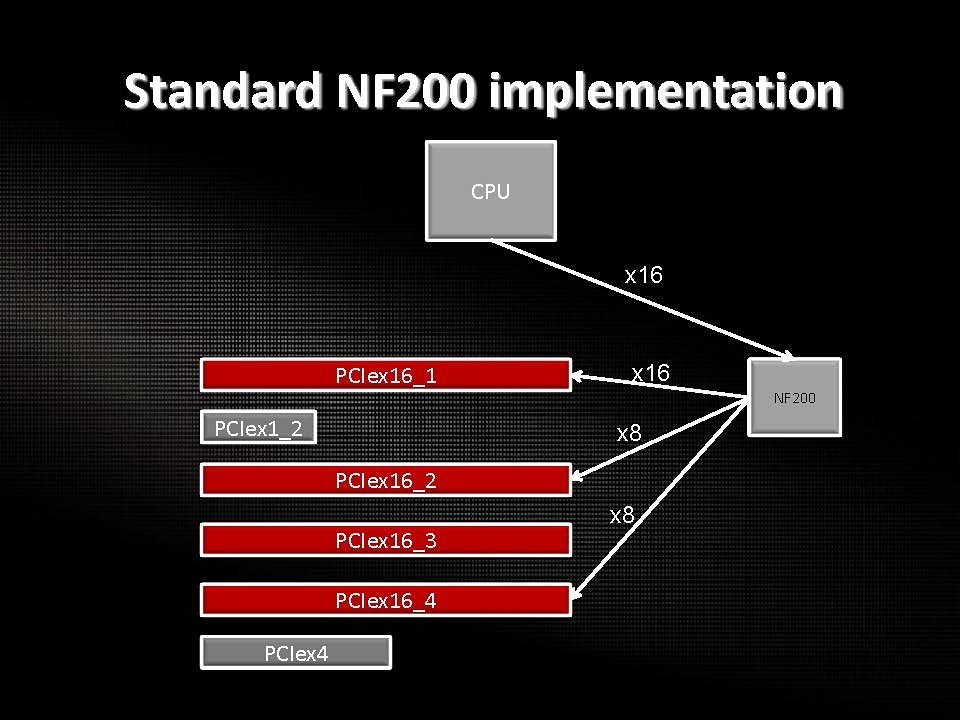
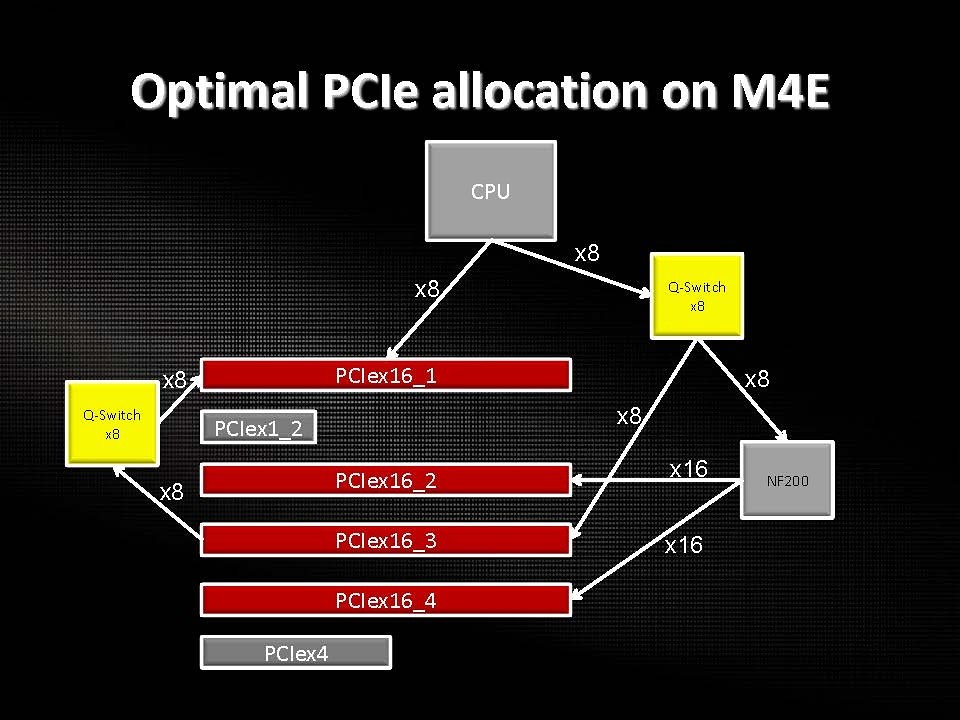
Switches doesn’t add latency, Bridge does and that is the nf200. So routing to Passover nf200 when not needed is what is done here so you get pure native performance. If switches add latency, ALL X58 motherboards suffer then look at the PCIE lane switches on the Motherboards, yes even X58.breetai72: Nothing here helps latency. The best latency would be a single connection from the CPU to the x16 slot. Adding any switches or muxes adds latency. Even when the primary mux is set to route the CPU x8 to the primary slot (for a single x16) it adds additional latency.
Anything that you want to use. Just remember that as the DRAM frequency is tight up with the BCLK, you will need to balance the DRAM frequency with your BCLK to find the best performance scenrio. i.e. (BCLK/100)*(2133 or 1600 or 1333)Etihtsarom: What would be the recommended RAM speed to buy for OCing SB? Is the GSkill 1600 set enough?
That's because under most cases the motherboard vendors handled the rest for you with their BIOS. In Sandybridge OC you can only play with the CPU Turbo Ratio and BCLK and various voltages anyway.Durzel: But the guide doesn't talk about clock speed, just this turbo multiplier thing? (and vcore, etc)
Turbo mode refers merely to Core ratio above the ‘stock’. Whenever you do that on i7/i5/i3, Turbo mode is enabled -> whether the BIOS of various vendors show it to be enabled or not.sin0822: believe me as you don't need to use turbo, i don't and not many do.


Reply With Quote
Bookmarks