MMM
Results 1 to 25 of 815

Thread: New Multi-Threaded Pi Program - Faster than SuperPi and PiFast

Hybrid View

  1. #1
    Xtreme Addict
    Join Date
    Apr 2007
    Posts
    2,128
    It should be possible to get the CPU info without any assembly. At least by reading /proc/cpuinfo and parsing the data from there. It should include everything you'd be interested in.

    I would guess the NTFS support isn't greates on Linux, it used to be very experimental few years ago. I would suggest formatting one of the drives to use ext4 filesystem, it seems to be the fastest all-around filesystem currently, but since there are lots of candidates(xfs, ext2, ext3, reiserfs etc) it could be that there is more suitable filesystem for the work yc does.

    Using -O2 and cherrypicking the best optimizations(if any) from that -O3 enables should result in the best outcome. Also trying to disable some -O2 enabled optimizations could help too, though it's most probably not worth the effort.

    Have you tried any -march/-mtune (they're actually the same as far as I know) switches?
    Last edited by Calmatory; 08-26-2010 at 04:09 PM.

  2. #2
    Xtreme Enthusiast
    Join Date
    Mar 2009
    Location
    Bay Area, California
    Posts
    705
    Quote Originally Posted by Calmatory View Post
    It should be possible to get the CPU info without any assembly. At least by reading /proc/cpuinfo and parsing the data from there. It should include everything you'd be interested in.

    I would guess the NTFS support isn't greates on Linux, it used to be very experimental few years ago. I would suggest formatting one of the drives to use ext4 filesystem, it seems to be the fastest all-around filesystem currently, but since there are lots of candidates(xfs, ext2, ext3, reiserfs etc) it could be that there is more suitable filesystem for the work yc does.

    Using -O2 and cherrypicking the best optimizations(if any) from that -O3 enables should result in the best outcome. Also trying to disable some -O2 enabled optimizations could help too, though it's most probably not worth the effort.

    Have you tried any -march/-mtune (they're actually the same as far as I know) switches?
    So it says -O3 includes:

    -finline-functions
    -funswitch-loops
    -fpredictive-commoning
    -fgcse-after-reload
    -ftree-vectorize

    I looked at each of those, and it looks -finline-functions is the only one that will affect performance-critical code. And since most of the stuff that is worth inlining are already inlined (by abusing macros)... probably explains why it backfires.

    The list of other optimizations in GCC is huge... I haven't looked at all of them yet. One that seems interesting is -funsafe-math-optimizations, but I'm not sure if it's able to optimize around messy SSE instructions that mix stuff like addsubpd and haddpd/hsubpd into the normal addpd/subpd instructions.
    I'll try this later once I'm through with the raw I/O stuff.

    EDIT:
    I'm actually pretty surprised at how many "unsafe" optimizations I can turn on and still keep the program working... but none of them seem to produce any noticeable speedup.


    I'm not a fan of compiler tuning/profiling since it tends to give inconsistent speeds between different versions of the program...
    Last edited by poke349; 08-26-2010 at 08:16 PM.
    Main Machine:
    AMD FX8350 @ stock --- 16 GB DDR3 @ 1333 MHz --- Asus M5A99FX Pro R2.0 --- 2.0 TB Seagate

    Miscellaneous Workstations for Code-Testing:
    Intel Core i7 4770K @ 4.0 GHz --- 32 GB DDR3 @ 1866 MHz --- Asus Z87-Plus --- 1.5 TB (boot) --- 4 x 1 TB + 4 x 2 TB (swap)

  3. #3
    Registered User
    Join Date
    Dec 2008
    Posts
    67
    a little pic, that helps a lot


    btw, why not just use tmpfs (it's almost like RAMdisk), put there 50gig file and test your RAW I/O from there?
    I think there is no need to run the computational part and create same 50gig PI file over and over again...

    tmpfs hint:
    add one line to your /etc/fstab
    something like:
    tmpfs /testdir tmpfs size=50G,mode=0775,uid=YOURUSERNAME,gid=YOURGROUP 0 0

    edit yourusername and yourgroup to match your's
    (or just set mode to 0777 and make that directory writeable for everyone)
    be sure not to delete the other lines in fstab

    and then run "mount -a"

    btw, do you use ncurses for colored output?

    with ntfs I recomend ntfs-3g, it's userspace implementation, and works very well, (last time I used it was about a year ago and it was flawless)
    in Ubuntu search with aptitude for ntfs3g or ntfs-3g (not sure how it's called there...)

    PS:
    You are not OCing, you are not Xtreme
    EDIT: ok, just noticed you are OCing your i7, good boy
    Last edited by Havis; 09-07-2010 at 02:31 AM.
    Core2 Q9550 | P5Q Deluxe | 4x 2GB Corsair Dominator 1066MHz | TT Frio | AMD Radeon HD6970 | 4x 1TB Samsung Spinpoint F1


  4. #4
    Xtreme Enthusiast
    Join Date
    Mar 2009
    Location
    Bay Area, California
    Posts
    705
    Quote Originally Posted by Havis View Post
    a little pic, that helps a lot
    Thx

    btw, why not just use tmpfs (it's almost like RAMdisk), put there 50gig file and test your RAW I/O from there?
    I think there is no need to run the computational part and create same 50gig PI file over and over again...

    tmpfs hint:
    add one line to your /etc/fstab
    something like:
    tmpfs /testdir tmpfs size=50G,mode=0775,uid=YOURUSERNAME,gid=YOURGROUP 0 0

    edit yourusername and yourgroup to match your's
    (or just set mode to 0777 and make that directory writeable for everyone)
    be sure not to delete the other lines in fstab

    and then run "mount -a"
    Ram disks are only good for correctness testing.
    It doesn't help much when I'm actually trying to measure the performance of something on actual hard drives.

    Also, I do in fact test the I/O parts by themselves to narrow down the possibilities.
    But there are some parts that involve doing I/O in parallel with computation - for those I need to see how the computation threads will interfere with the I/O threads.
    In Windows, I have to set the I/O threads to a higher priority than the computation threads to keep the I/O threads from being starved by the computation threads.
    In Linux, I'm still trying to figure out what's going on... though I won't be able to do much anyway since OpenMP lacks priority control.

    btw, do you use ncurses for colored output?
    Nah... It seemed easy enough when I found that you can do it by printing "\033[01;31m".
    So all I needed was to add a linux version to each of my color changing functions and all was good. Too easy...

    with ntfs I recomend ntfs-3g, it's userspace implementation, and works very well, (last time I used it was about a year ago and it was flawless)
    in Ubuntu search with aptitude for ntfs3g or ntfs-3g (not sure how it's called there...)
    I tested ext4 today. (Formatted all 8 drives to ext4 for this.)
    Yes, Linux does not like NTFS at all. 30 - 60% faster I/O speeds on ext4 than NTFS. But for some reason it still doesn't like the raw I/Os - which, in contrast, worked really well on Windows...

    PS:
    You are not OCing, your are not Xtreme
    EDIT: ok, just noticed you are OCing your i7, good boy
    Hey!!! I guarantee you that 95% of OCers who are called "Xtreme" do not have 18.5 TB of disk and 64 GB of ram in one machine... And still be able to close the case...
    Not just that... this baby has had that 64 GB of ram since January 2009.

    Also, this board won't OC... I tried SetFSB... doesn't seem to work at all on this board.
    Main Machine:
    AMD FX8350 @ stock --- 16 GB DDR3 @ 1333 MHz --- Asus M5A99FX Pro R2.0 --- 2.0 TB Seagate

    Miscellaneous Workstations for Code-Testing:
    Intel Core i7 4770K @ 4.0 GHz --- 32 GB DDR3 @ 1866 MHz --- Asus Z87-Plus --- 1.5 TB (boot) --- 4 x 1 TB + 4 x 2 TB (swap)

  5. #5
    Registered User
    Join Date
    Dec 2008
    Posts
    67
    18 disks thats a lot p.rn

    btw, you might look at I/O schedulers that you are using for your drives.
    if you want CFQ(this is default) just:
    echo "cfq" > /sys/block/sdX/queue/scheduler (where sdX is your drive...)
    other schedulers are deadline(which I am using) and noop.

    other things you might want to look at are these:
    /proc/sys/vm/dirty_expire_centisecs
    /proc/sys/vm/dirty_ratio
    /proc/sys/vm/dirty_background_ratio
    /proc/sys/vm/dirty_bytes
    /proc/sys/vm/dirty_background_bytes

    just google them around
    Core2 Q9550 | P5Q Deluxe | 4x 2GB Corsair Dominator 1066MHz | TT Frio | AMD Radeon HD6970 | 4x 1TB Samsung Spinpoint F1


  6. #6
    Xtreme Enthusiast
    Join Date
    Mar 2009
    Location
    Bay Area, California
    Posts
    705
    Quote Originally Posted by Havis View Post
    18 disks thats a lot p.rn

    btw, you might look at I/O schedulers that you are using for your drives.
    if you want CFQ(this is default) just:
    echo "cfq" > /sys/block/sdX/queue/scheduler (where sdX is your drive...)
    other schedulers are deadline(which I am using) and noop.

    other things you might want to look at are these:
    /proc/sys/vm/dirty_expire_centisecs
    /proc/sys/vm/dirty_ratio
    /proc/sys/vm/dirty_background_ratio
    /proc/sys/vm/dirty_bytes
    /proc/sys/vm/dirty_background_bytes

    just google them around
    That sounds more like a tuning thing that's independent of the program... So I'll leave it to the users.
    Whenever I get the time to do the pthread implementation... then I'll try to force some priorities. But that's later.

    Also... it's only 10 HDs...
    64GB SSD + 1.5 TB + 1.0 TB + 8 x 2 TB


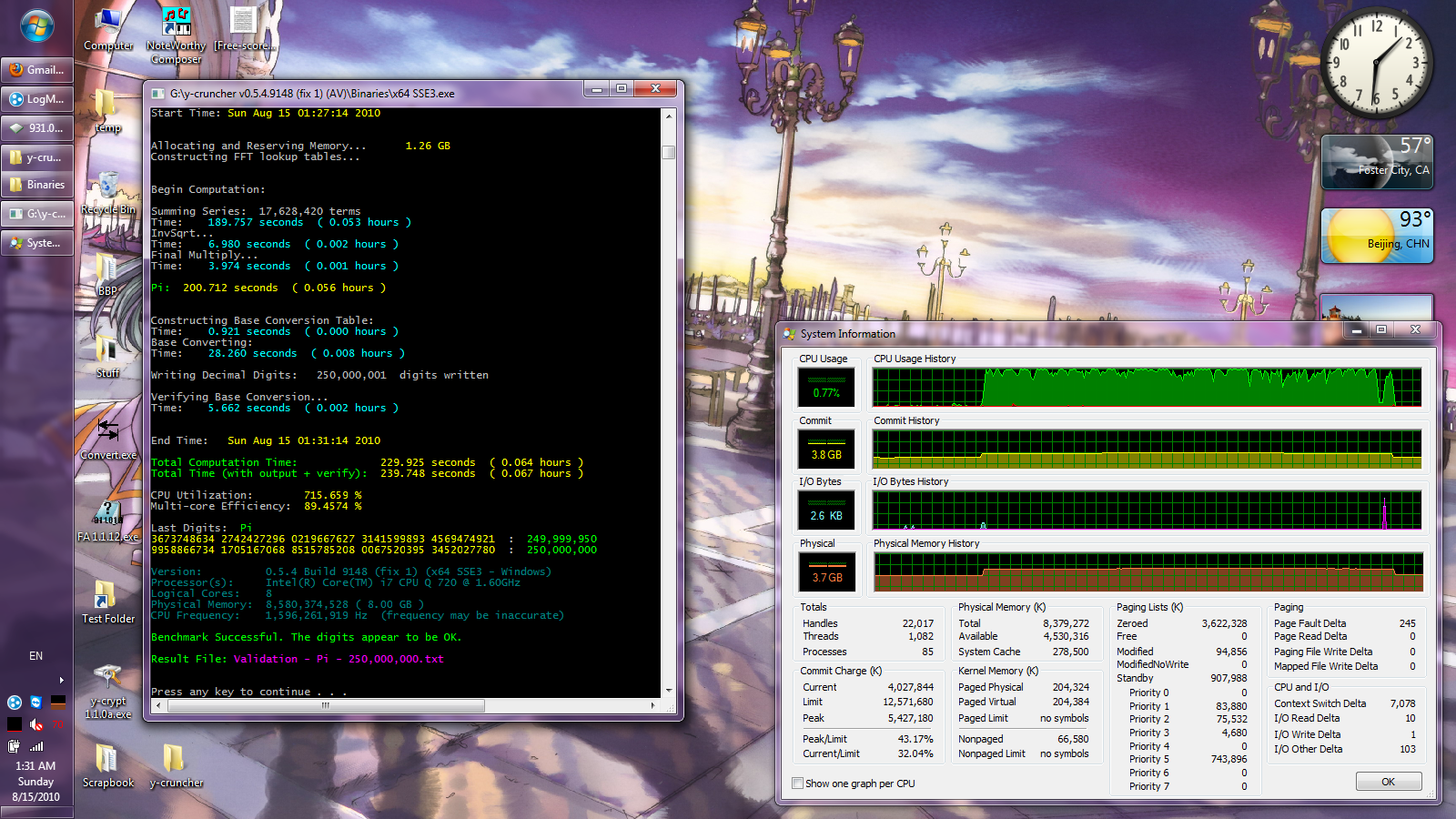
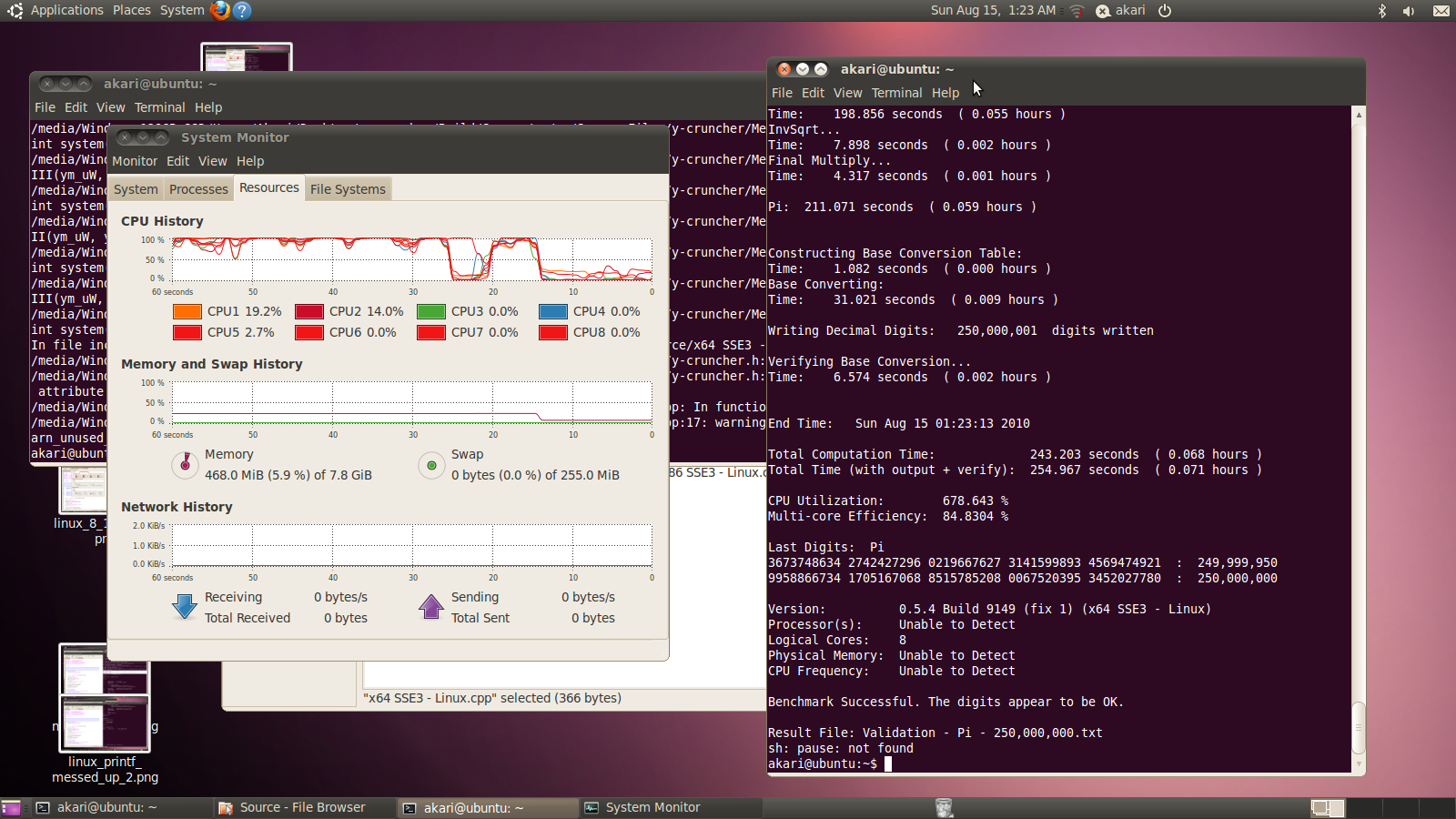
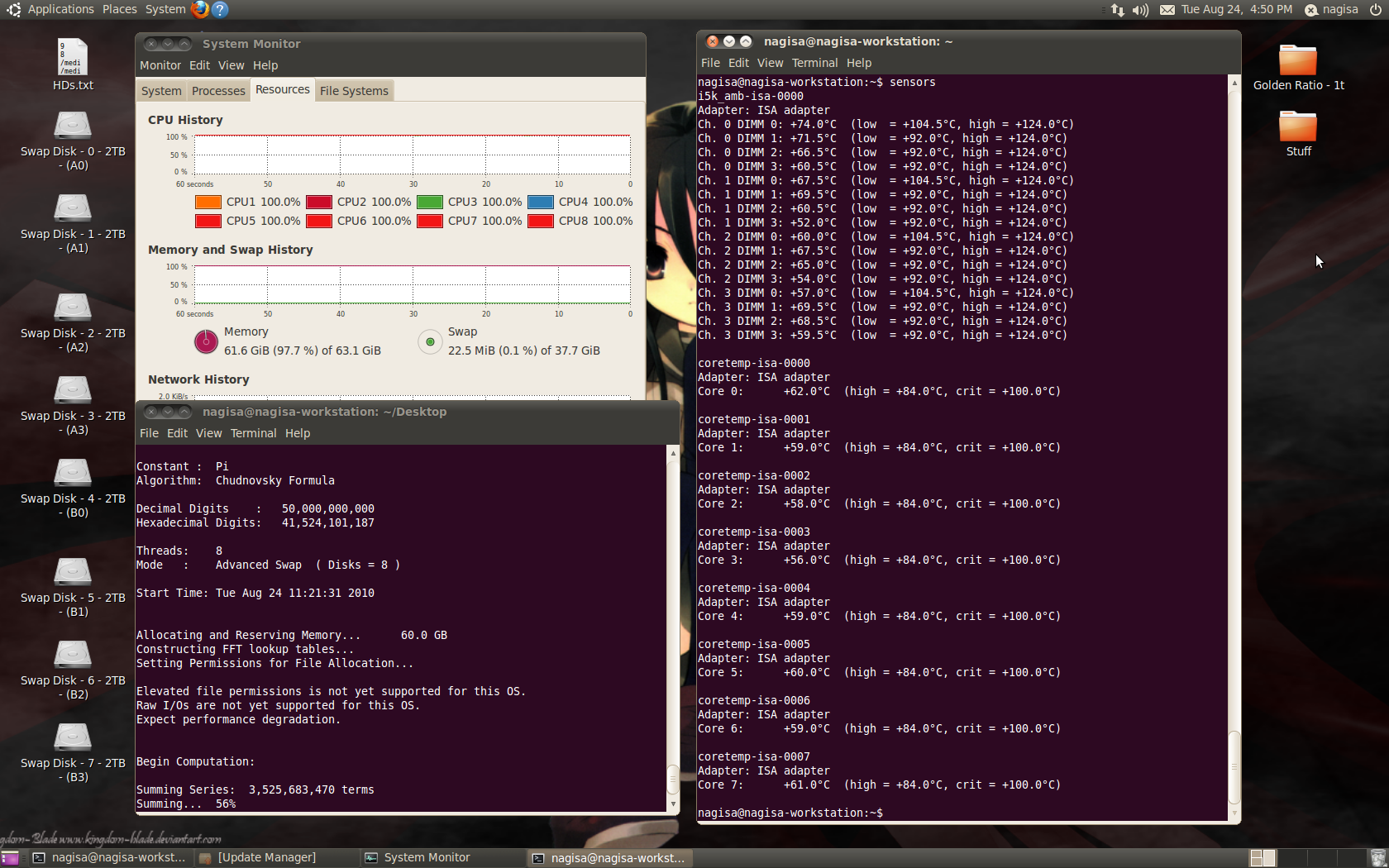
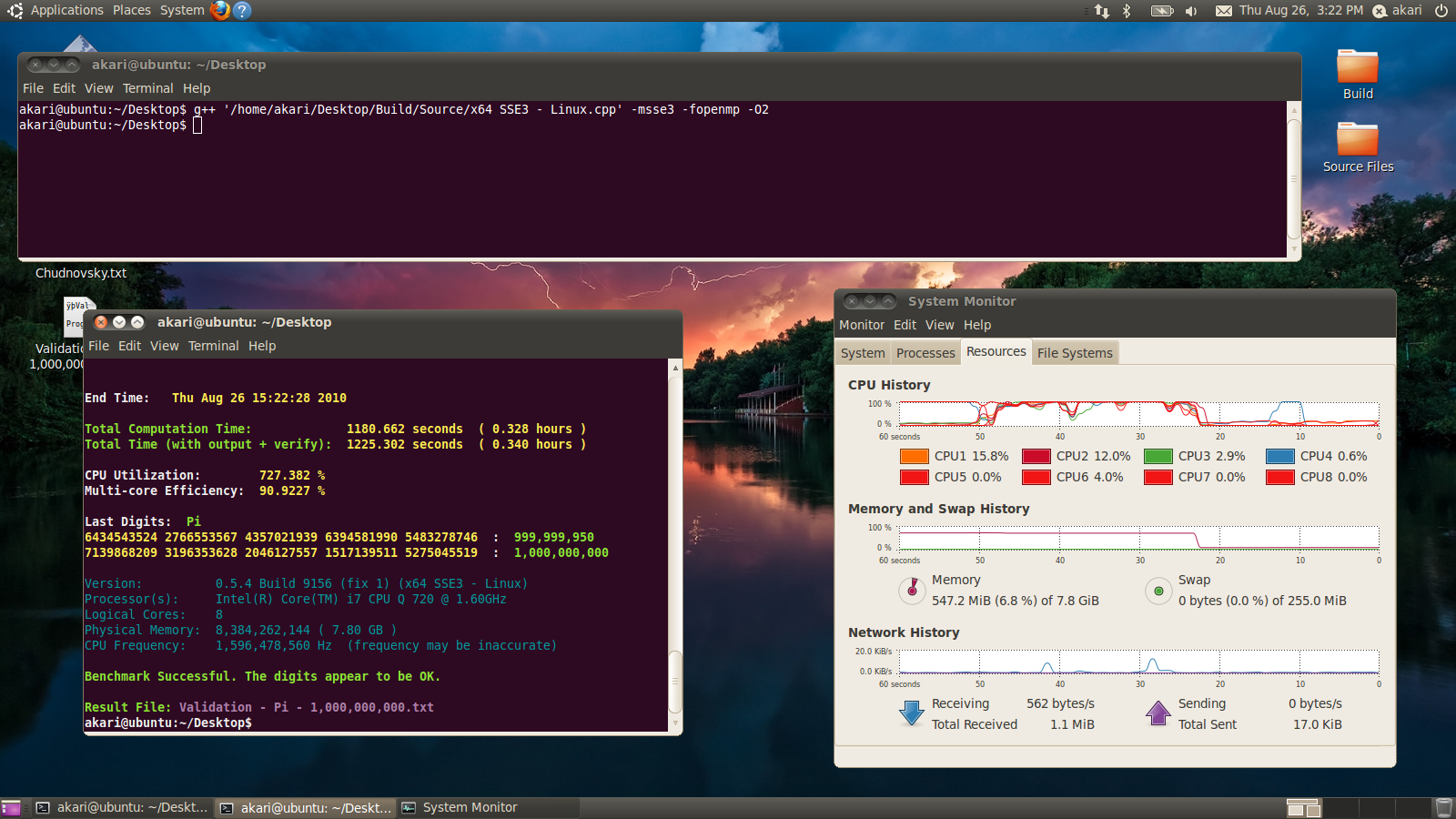
    So far, it looks like the un-tuned Linux version isn't too far behind the fully tuned Windows version now.
    After all, this is SSE3 (default) vs. SSE4.1 ~ Nagisa.
    Aside from that, the I/O does look to be a bit slower in Linux - possibly due to CPU starvation or improper buffering (since I'm not using raw I/Os in Linux).

    The Windows version is compiled using:
    icl "x64 SSE4.1 - Windows ~ Nagisa.cpp" /O3 /Qipo /Qprec-div- /fp:fast /Qms2 /Qvc9 /MP /FAs /arch:SSE4.1 advapi32.lib

    The Linux version is compiled using:
    g++ 'x64 SSE3 - Linux.cpp' -msse3 -fopenmp -O2 -ffast-math

    Same machine:
    Windows - NTFS for all 8 drives
    Linux - ext4 for all 8 drives

    Windows: (click to enlarge)


    Linux: (click to enlarge)


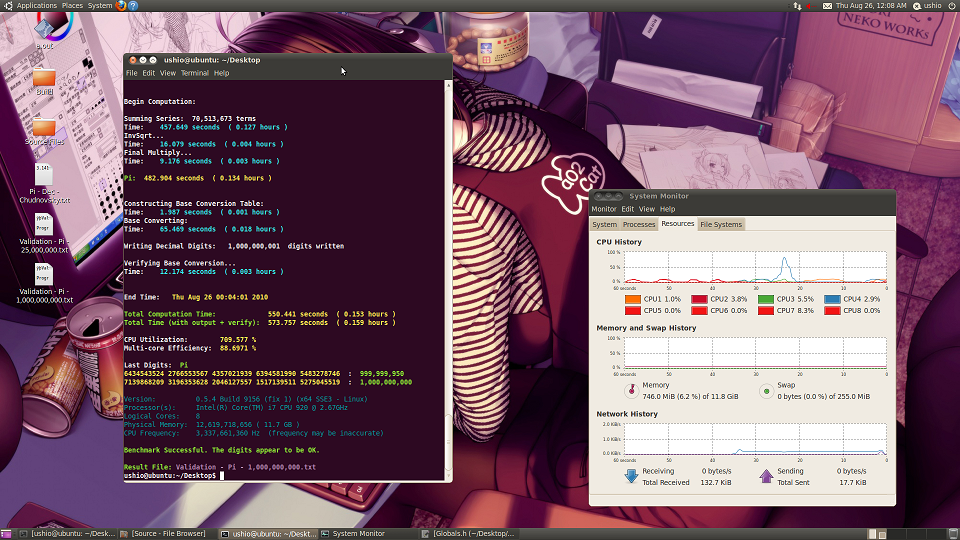
    I'll have results on my i7 rig tomorrow - including a picture of how I managed to cram 5 HDs into a micro-atx case.
    Last edited by poke349; 08-28-2010 at 10:10 AM.
    Main Machine:
    AMD FX8350 @ stock --- 16 GB DDR3 @ 1333 MHz --- Asus M5A99FX Pro R2.0 --- 2.0 TB Seagate

    Miscellaneous Workstations for Code-Testing:
    Intel Core i7 4770K @ 4.0 GHz --- 32 GB DDR3 @ 1866 MHz --- Asus Z87-Plus --- 1.5 TB (boot) --- 4 x 1 TB + 4 x 2 TB (swap)

  7. #7
    Registered User
    Join Date
    Dec 2008
    Posts
    67
    How much continuous I/O does your program create? (KB/sec, ... or better to say IO operations/sec).
    Are the computational threads starwed by the IO?


    And yes, the things in /proc are tuning of the kernel, but if you do good tuning,
    you can gain a lot, so why bother with direct I/O if you can fine tune kernel for async IO?
    Things like /proc/sys/vm/dirty_background_ratio have default insane settins
    - 10%, which is a lot (~cca~800MB) on my 8GB machine, not to mention your 64Gig workstation.
    Last edited by Havis; 08-28-2010 at 01:25 PM.
    Core2 Q9550 | P5Q Deluxe | 4x 2GB Corsair Dominator 1066MHz | TT Frio | AMD Radeon HD6970 | 4x 1TB Samsung Spinpoint F1


Tags for this Thread

Bookmarks

Bookmarks

Posting Permissions

  • You may not post new threads
  • You may not post replies
  • You may not post attachments
  • You may not edit your posts
  •