MMM
Page 22 of 28 FirstFirst ... 1219202122232425 ... LastLast
Results 526 to 550 of 695

Thread: ASUS RAMPAGE II GENE (Retail) : ROG. X58 m-ATX preview

  1. #526
    Xtreme Addict
    Join Date
    May 2007
    Location
    Europe/Slovenia/Ljubljana
    Posts
    1,540
    Quote Originally Posted by Necetra View Post
    That's a sexy NB heatsink change.
    I'm confused about the X-Fi thing though. Specs say it's an AD2000B and not a Creative X-Fi based chip? Am I missing something here?
    It's using a software version of X-Fi. The audio chip is indeed from Analog Devices AD2000B, but the software on top of it is from Creative Labs, providing EAX 4.0, Crystalizer and CMSS-3D functionality. All these features are run on CPU and not X-Fi chip. We can directly compare this to X-F Xtreme Audio soundcard. It's the same thing really. It's not great but in general far better than most of integrated soundcards. You can also use default BlackHawk panel that has few nice effects to boost sound clarity or bass in a similar way as Crystalizer.

    Quote Originally Posted by Mjhieu View Post
    This board is making for HTPC, it's so small to compare to big brother 2 extreme, and also cheaper alot.
    Small and cheaper, but from what i hear no less powerful than it's bigger sister when it comes to overclocking.
    Intel Core i7 920 4 GHz | 18 GB DDR3 1600 MHz | ASUS Rampage II Gene | GIGABYTE HD7950 3GB WindForce 3X | WD Caviar Black 2TB | Creative Sound Blaster Z | Altec Lansing MX5021 | Corsair HX750 | Lian Li PC-V354
    Super silent cooling powered by (((Noiseblocker)))

  2. #527
    Xtreme Addict
    Join Date
    May 2007
    Location
    Europe/Slovenia/Ljubljana
    Posts
    1,540
    Why i can't update my BIOS. When i try to update it through EZ Update in BIOS it says "Boot block invalid" and that's it.
    I've downloaded it from ASUS page, the 1033 update. And i just can't update it. Wtf!?
    Intel Core i7 920 4 GHz | 18 GB DDR3 1600 MHz | ASUS Rampage II Gene | GIGABYTE HD7950 3GB WindForce 3X | WD Caviar Black 2TB | Creative Sound Blaster Z | Altec Lansing MX5021 | Corsair HX750 | Lian Li PC-V354
    Super silent cooling powered by (((Noiseblocker)))

  3. #528
    Registered User
    Join Date
    Mar 2008
    Location
    Vietnam, Hochiminh city, Dist3
    Posts
    56

    Talking

    I do agree with you, but how I put a tiny board into a big case as my raven rv01. . It's look so ridiculous

    Quote Originally Posted by RejZoR View Post
    Small and cheaper, but from what i hear no less powerful than it's bigger sister when it comes to overclocking.

  4. #529
    Xtreme Enthusiast
    Join Date
    Jun 2007
    Location
    Long Beach, CA
    Posts
    972
    Hey guys I had a problem with my system where it was not starting. I thought it was one of my 4890 cards was dead and it turned out it was not the cards. So I thought it was the motherboard PCI slot went out and I was tearing apart my DD Tech Station to RMA the board and I found that the problem was in the main 24-pin connector had a surge it looks like. It melted one of the pins from my Corsair HX 1000 PSU pictures show where it melted. My question is was this a motherboard problem or was it a PSU problem? I can fix the PSU and replace the 4-pin attachment and put it back together but not sure where to start. Some of the PSU pin got burned into motherboard slot, so I assume the board is a RMA there.

    Thanks
    Attached Images Attached Images
    Last edited by Lu(ky; 01-20-2010 at 07:27 PM.
    CPU: Intel Core i7-4770K 4.8GHz
    MOBO: GIGABYTE GA-G1.Sniper M5 MATX 1150
    MEMORY: G.SKILL Trident X 8GB 2400MHz 9-11-11-31 1T
    GPU: 2 x eVGA GTX 780 SC
    SOUND KRK Rokit 5 Limited Edition White Studio Monitors
    SSD: 4 x Samsung 128GB Pro's Raid 0
    PSU: SeaSonic Platinum 1000W
    COOLING: 2 x Alphacool NexXxoS UT60 Full Copper 420mm 6 x Swiftech Helix 140mm Fans
    CASE: Lian Li PC-C32B TECH STATION MOD build log coming soon
    MONITOR: ASUS VG278HE Black 27" 149Hz
    O.S: Windows 7 Pro x64

  5. #530
    Xtreme Member
    Join Date
    Jun 2004
    Posts
    262
    Quote Originally Posted by VoRtAn_MaDgE View Post
    Today finally went to the shop and grabbed this badass fan


    The good of using this fan on the Gene is that considering that the mb is MATX the fan almost cover the entire board

    Check my temps idle in windows
    Cpu is a C0 cooled by the good old 1st tuniq with stock fan
    Default nb e sb coolers


    I've got a Noctua U6 but dunno if i needed it in this case
    Can you tell me what was exactly your ambient temp (I mean room temp) at that time. MB and CPU temps are great with stock fan and that fan.

    Thanks,
    Arthur
    Extreme ways I know will part the colors of my sea, perfect color me | Arthur's WC Worklog with Lian Li PC-9

  6. #531
    Xtreme Addict
    Join Date
    May 2007
    Location
    Europe/Slovenia/Ljubljana
    Posts
    1,540
    I guess the last BIOS update 1033 was really messed up, thank god i haven't forced it in any way. Tried latest 1104 BISO and it flashed it without any problems.
    Works fine and i also noticed few small but nice changes in BIOS. Slightly better designed menus and stuff.
    Intel Core i7 920 4 GHz | 18 GB DDR3 1600 MHz | ASUS Rampage II Gene | GIGABYTE HD7950 3GB WindForce 3X | WD Caviar Black 2TB | Creative Sound Blaster Z | Altec Lansing MX5021 | Corsair HX750 | Lian Li PC-V354
    Super silent cooling powered by (((Noiseblocker)))

  7. #532
    Xtreme Enthusiast
    Join Date
    Jun 2007
    Location
    Long Beach, CA
    Posts
    972
    Will this board run a Intel Xeon W3520? Also have a new board replacement cross shipping to me as we speak from problem above.

    Thanks
    CPU: Intel Core i7-4770K 4.8GHz
    MOBO: GIGABYTE GA-G1.Sniper M5 MATX 1150
    MEMORY: G.SKILL Trident X 8GB 2400MHz 9-11-11-31 1T
    GPU: 2 x eVGA GTX 780 SC
    SOUND KRK Rokit 5 Limited Edition White Studio Monitors
    SSD: 4 x Samsung 128GB Pro's Raid 0
    PSU: SeaSonic Platinum 1000W
    COOLING: 2 x Alphacool NexXxoS UT60 Full Copper 420mm 6 x Swiftech Helix 140mm Fans
    CASE: Lian Li PC-C32B TECH STATION MOD build log coming soon
    MONITOR: ASUS VG278HE Black 27" 149Hz
    O.S: Windows 7 Pro x64

  8. #533
    Xtreme Member
    Join Date
    Feb 2005
    Posts
    261
    a couple questions ...

    everyone seems to be talking about BIOS and which one is best ... have we come to a conclusion as to which one, at this time, is the best?

    2nd question ... where are you all ordering your Noctua U6 from? i can only find it at 2 places ... moddersmart and xoxide ... are you all getting it anywhere else? just wondering because im trying to get a fuzion v2 1366 bracket also and would like to get them shipped together so i dont have to pay outrageous shipping prices for each on their own ..

  9. #534
    Xtreme Member
    Join Date
    Feb 2005
    Posts
    261
    laggy double post delete this ...
    Last edited by Copenhagen69; 01-24-2010 at 05:12 PM.

  10. #535
    Xtreme Member
    Join Date
    Oct 2008
    Posts
    355
    Quote Originally Posted by Lu(ky View Post
    Hey guys I had a problem with my system where it was not starting. I thought it was one of my 4890 cards was dead and it turned out it was not the cards. So I thought it was the motherboard PCI slot went out and I was tearing apart my DD Tech Station to RMA the board and I found that the problem was in the main 24-pin connector had a surge it looks like. It melted one of the pins from my Corsair HX 1000 PSU pictures show where it melted. My question is was this a motherboard problem or was it a PSU problem? I can fix the PSU and replace the 4-pin attachment and put it back together but not sure where to start. Some of the PSU pin got burned into motherboard slot, so I assume the board is a RMA there.

    Thanks
    That's difficult problem to analyze. At first thought it could be the PSU over-loading, but on the other hand it could have been the motherboard drawing too much power? I'm unsure. Good luck with the new board though, I've never saw that type of problem before.

    Quote Originally Posted by Copenhagen69 View Post
    a couple questions ...

    everyone seems to be talking about BIOS and which one is best ... have we come to a conclusion as to which one, at this time, is the best?

    2nd question ... where are you all ordering your Noctua U6 from? i can only find it at 2 places ... moddersmart and xoxide ... are you all getting it anywhere else? just wondering because im trying to get a fuzion v2 1366 bracket also and would like to get them shipped together so i dont have to pay outrageous shipping prices for each on their own ..
    Well so far 0904 is stable and solid for me, running at 4.2 GHz here. I did try 1033 and it was a disaster, so I managed to downgrade to 0904. I notice 1104 is out but I haven't tried it. I'll be scanning the forums for feedback on this BIOS revision before I take the plunge.

  11. #536
    Xtreme Enthusiast
    Join Date
    Jul 2004
    Location
    London
    Posts
    577
    Can anyone confirm whether the Xigmatek Porter fits the GENE, and if anyone has it installed, care to post some pics?

    The U6 doesnt seem to be available in the UK
    i7 920@4.34 | Rampage II GENE | 6GB OCZ Reaper 1866 | 8800GT (zzz) | Corsair AX750 | Xonar Essence ST w/ 3x LME49720 | HiFiMAN EF2 Amplifier | Shure SRH840 | EK Supreme HF | Thermochill PA 120.3 | MCP355 | XSPC Reservoir | 3/8" ID Tubing

    Phenom 9950BE @ 3400/2000 (CPU/NB) | Gigabyte MA790GP-DS4H | HD4850 | 4GB Corsair DHX @850 | Corsair TX650W | T.R.U.E Push-Pull

    E2160 @3.06 | ASUS P5K-Pro | BFG 8800GT | 4GB G.Skill @ 1040 | 600W Tt PP

    A64 3000+ @2.87 | DFI-NF4 | 7800 GTX | Patriot 1GB DDR @610 | 550W FSP

  12. #537
    Xtreme Member
    Join Date
    Jan 2009
    Location
    Marseille, France
    Posts
    143
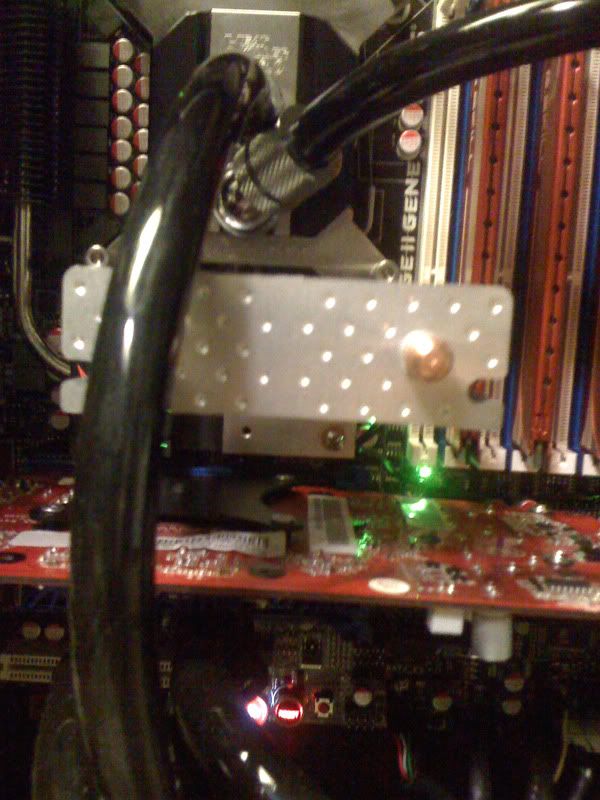
    Yes it fits perfectly:


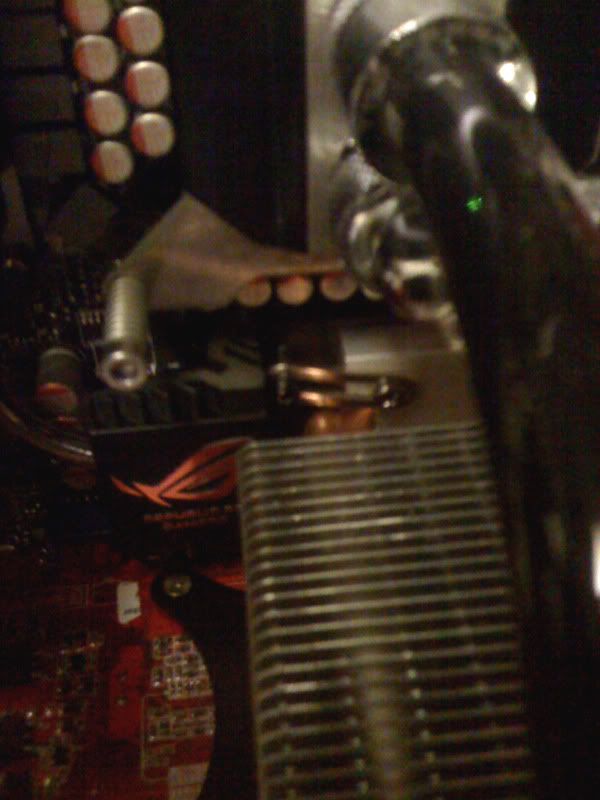
    In this picture you can see how to fix the other side:


    In terms of performance with some airflow you can expect about 10C-13C better temperature. In my case from 62C to 49C as reported by the LCD poster.

    Sorry about the bad picture quality.

  13. #538
    Xtreme Member
    Join Date
    Feb 2005
    Posts
    261
    does anyone know if the thermalright HR-05 series will fit on this board?

  14. #539
    Xtreme Member
    Join Date
    Oct 2008
    Location
    Fortaleza
    Posts
    109
    here is my RII Gene Rev.2 bios 0904 pretty solid


  15. #540
    Xtreme Enthusiast
    Join Date
    Jun 2007
    Location
    Long Beach, CA
    Posts
    972
    Well update for me I got a Advanced RMA through Asus and got a new board. And my RMAed Corsair came back with a NEW in box HX1000 psu. LOL I sent in the PSU only and got back this. WOW... I plan on trying new 1104 bios because I keep getting errors and missing OS not reading my Intel SSD G2 drive. 1033 seems like a flaky BIOS 0904 was rock solid for me, the only reason why I tried it was I using my Kingston Hypers X but found out I had bad memory.. So I will try 1104, if bad I will go back to 0904..
    CPU: Intel Core i7-4770K 4.8GHz
    MOBO: GIGABYTE GA-G1.Sniper M5 MATX 1150
    MEMORY: G.SKILL Trident X 8GB 2400MHz 9-11-11-31 1T
    GPU: 2 x eVGA GTX 780 SC
    SOUND KRK Rokit 5 Limited Edition White Studio Monitors
    SSD: 4 x Samsung 128GB Pro's Raid 0
    PSU: SeaSonic Platinum 1000W
    COOLING: 2 x Alphacool NexXxoS UT60 Full Copper 420mm 6 x Swiftech Helix 140mm Fans
    CASE: Lian Li PC-C32B TECH STATION MOD build log coming soon
    MONITOR: ASUS VG278HE Black 27" 149Hz
    O.S: Windows 7 Pro x64

  16. #541
    Xtreme Member
    Join Date
    Feb 2005
    Posts
    261
    Quote Originally Posted by Copenhagen69 View Post
    does anyone know if the thermalright HR-05 series will fit on this board?
    anyone used it ... or are you all going with the N-U6?

  17. #542
    Xtreme Member
    Join Date
    Mar 2007
    Location
    Silicon Valley, CA, USA
    Posts
    473
    I was reffering to ThermalRight HR-05 SLI/IFX, I missed the note about the U-6. my bad

    Yes it does both versions fit, just depends on how big your CPU cooler is and the possitioning as well as the card in 2nd PCIE slot. both SLI versions fit great under 2nd PCIE card as well as under the big ThermalRight Ultra 120's but is limited to fan sized used and if using PCIE 1 slot with the SLI version. standard versions fir if rotating large cooler (Ultra 120) with fans in-line. I myself use the HR-05 SLI/IFX on the SB and a Nexus (like regular HR-05) on NB but turned Ultra 120 90 degrees right.

    I hope this helps
    Last edited by Nuckin_Futs; 02-06-2010 at 06:47 PM. Reason: correction
    4.250GHz (1.331v) @ 212 x 21 @ 2:8 DDR1600 @ 6-7-6-18 (1.657) ASUS RAMPAGE EXTRENE w/ Q6600 @ 3.8Ghz daily

    ASUS RAMPAGE II EXTREME, X58 w/ ICH10R
    Intel Core i7 930, rev. DO, batch #3951A824
    Mushkin Redline 998691 PC3-12800
    ASUS ENGTX460 GTX-460 DirectCu 1G
    Creative X-Fi Titanium Fatal!ty Champion
    SilverStone Strider ST80F 800W Quad 12v
    WD Raptor 74GB, 10K x4
    Danger Dan WaterBox Plus
    Windows 7 Enterprise x64
    Swiftech Apogee XT Copper Top w/ AS#5 (lapped to CPU)

  18. #543
    Registered User
    Join Date
    Feb 2008
    Posts
    64
    Anyone here gone past ~220bclck with a R2G? Mine can post at 21*220, but it doesn't even get to desktop before a BSOD occurs. Booting into Windows at a lower bclck is no help either, as TurboV can't change it past exactly 217.8.

    Higher voltages/lower multipliers are no help either.
    | A hunk of molten metal, plastic and wires |

  19. #544
    Xtreme Member
    Join Date
    Feb 2005
    Posts
    261
    Quote Originally Posted by Nuckin_Futs View Post
    Yes it does both versions fit, just depends on how big your CPU cooler is and the possitioning as well as the card in 2nd PCIE slot. both SLI versions fit great under 2nd PCIE card as well as under the big ThermalRight Ultra 120's but is limited to fan sized used and if using PCIE 1 slot with the SLI version. standard versions fir if rotating large cooler (Ultra 120) with fans in-line. I myself use the HR-05 SLI/IFX on the SB and a Nexus (like regular HR-05) on NB but turned Ultra 120 90 degrees right.

    I hope this helps
    yes it does very much so!!! ty

    i was thinking of using the HR-05 IFX for the NB since it is straight up ... i am water cooling my system so i should have plenty of room (to the CPU side) i would think

  20. #545
    Xtreme Member
    Join Date
    Mar 2007
    Location
    Silicon Valley, CA, USA
    Posts
    473

    Thumbs up

    Quote Originally Posted by Copenhagen69 View Post
    yes it does very much so!!! ty

    i was thinking of using the HR-05 IFX for the NB since it is straight up ... i am water cooling my system so i should have plenty of room (to the CPU side) i would think
    Oh yes, for that for sure, it fits great and you can fit a nice size quiet 80mm fan on either side you pick.
    4.250GHz (1.331v) @ 212 x 21 @ 2:8 DDR1600 @ 6-7-6-18 (1.657) ASUS RAMPAGE EXTRENE w/ Q6600 @ 3.8Ghz daily

    ASUS RAMPAGE II EXTREME, X58 w/ ICH10R
    Intel Core i7 930, rev. DO, batch #3951A824
    Mushkin Redline 998691 PC3-12800
    ASUS ENGTX460 GTX-460 DirectCu 1G
    Creative X-Fi Titanium Fatal!ty Champion
    SilverStone Strider ST80F 800W Quad 12v
    WD Raptor 74GB, 10K x4
    Danger Dan WaterBox Plus
    Windows 7 Enterprise x64
    Swiftech Apogee XT Copper Top w/ AS#5 (lapped to CPU)

  21. #546
    Xtreme Member
    Join Date
    Feb 2005
    Posts
    261
    Quote Originally Posted by Nuckin_Futs View Post
    Oh yes, for that for sure, it fits great and you can fit a nice size quiet 80mm fan on either side you pick.
    awesome! thanks for the info

    also will i need something like ...

    http://www.jab-tech.com/Thermalright...3-pr-4034.html
    for the top left section?
    Last edited by Copenhagen69; 02-06-2010 at 11:10 AM.

  22. #547
    Xtreme Member
    Join Date
    Mar 2007
    Location
    Silicon Valley, CA, USA
    Posts
    473
    Any of you experiencing issues with S3 failure at certain bclk and DRAM settings closer DDR1600 and bclk of 200? S4 will work sometimes. It enters S3 sleep but will either "lock" at resume or if it does make it to Windows the keyboard wil not be active but USB mouse might sometimes. But ;ately it is entering either S3 or S4 it fails to enter and returns to log in. Here the only changes I made during my 4GHz stabilitytesting was upping NB/SB cores to 1.176v and fixing uclk to 3200 (for use @ DDR1600)
    Last edited by Nuckin_Futs; 02-08-2010 at 10:20 PM.
    4.250GHz (1.331v) @ 212 x 21 @ 2:8 DDR1600 @ 6-7-6-18 (1.657) ASUS RAMPAGE EXTRENE w/ Q6600 @ 3.8Ghz daily

    ASUS RAMPAGE II EXTREME, X58 w/ ICH10R
    Intel Core i7 930, rev. DO, batch #3951A824
    Mushkin Redline 998691 PC3-12800
    ASUS ENGTX460 GTX-460 DirectCu 1G
    Creative X-Fi Titanium Fatal!ty Champion
    SilverStone Strider ST80F 800W Quad 12v
    WD Raptor 74GB, 10K x4
    Danger Dan WaterBox Plus
    Windows 7 Enterprise x64
    Swiftech Apogee XT Copper Top w/ AS#5 (lapped to CPU)

  23. #548
    Xtreme Mentor
    Join Date
    May 2005
    Location
    Westlake Village, West Hills
    Posts
    3,046
    Quote Originally Posted by Nuckin_Futs View Post
    Any of you experiencing issues with S3 failure at certain bclk and DRAM settings closer DDR1600 and bclk of 200? S4 will work sometimes. It enters S3 sleep but will either "lock" at resume or if it does make it to Windows the keyboard wil not be active but USB mouse might sometimes. But ;ately it is entering either S3 or S4 it fails to enter and returns to log in. Here the only changes I made during my 4GHz stabilitytesting was upping NB/SB cores to 1.176v and fixing uclk to 3200 (for use @ DDR1600)
    There's a thread about the cold boot issue, enable video s3 fixes it. Or is it disabling it... basically change the default value to the other value... I haven't had one cold boot issue since.
    PC Lab Qmicra V2 Case SFFi7 950 4.4GHz 200 x 22 1.36 volts
    Cooled by Swiftech GTZ - CPX-Pro - MCR420+MCR320+MCR220 | Completely Silent loads at 62c
    GTX 470 EVGA SuperClocked Plain stock
    12 Gigs OCZ Reaper DDR3 1600MHz) 8-8-8-24
    ASUS Rampage Gene II |Four OCZ Vertex 2 in RAID-0(60Gig x 4) | WD 2000Gig Storage


    Theater ::: Panasonic G20 50" Plasma | Onkyo SC5508 Processor | Emotiva XPA-5 and XPA-2 | CSi A6 Center| 2 x Polk RTi A9 Front Towers| 2 x Klipsch RW-12d
    Lian-LI HTPC | Panasonic Blu Ray 655k| APC AV J10BLK Conditioner |

  24. #549
    Xtreme Member
    Join Date
    Mar 2007
    Location
    Silicon Valley, CA, USA
    Posts
    473
    Quote Originally Posted by Nanometer View Post
    There's a thread about the cold boot issue, enable video s3 fixes it. Or is it disabling it... basically change the default value to the other value... I haven't had one cold boot issue since.
    Now it enters and resumes but the issues is it will not stay in eithe S3/S4 modes anymore, it cycles right back up and to log in. I have to use shut down now which is a pain for daily use and in order to get it sort of working I have to go back to some near stock settings and only move RAM bk up.
    4.250GHz (1.331v) @ 212 x 21 @ 2:8 DDR1600 @ 6-7-6-18 (1.657) ASUS RAMPAGE EXTRENE w/ Q6600 @ 3.8Ghz daily

    ASUS RAMPAGE II EXTREME, X58 w/ ICH10R
    Intel Core i7 930, rev. DO, batch #3951A824
    Mushkin Redline 998691 PC3-12800
    ASUS ENGTX460 GTX-460 DirectCu 1G
    Creative X-Fi Titanium Fatal!ty Champion
    SilverStone Strider ST80F 800W Quad 12v
    WD Raptor 74GB, 10K x4
    Danger Dan WaterBox Plus
    Windows 7 Enterprise x64
    Swiftech Apogee XT Copper Top w/ AS#5 (lapped to CPU)

  25. #550
    Xtreme Member
    Join Date
    Jul 2006
    Location
    Singapore
    Posts
    459
    Quote Originally Posted by Nanometer View Post
    There's a thread about the cold boot issue, enable video s3 fixes it. Or is it disabling it... basically change the default value to the other value... I haven't had one cold boot issue since.
    I tried the recommended setting, but still facing the cold boot problem.

    Phil

Page 22 of 28 FirstFirst ... 1219202122232425 ... LastLast

Bookmarks

Bookmarks

Posting Permissions

  • You may not post new threads
  • You may not post replies
  • You may not post attachments
  • You may not edit your posts
  •