

as much as it sucks to say it, try taking the case out of the equation....could be an issue of the case shorting out something....
--j


as much as it sucks to say it, try taking the case out of the equation....could be an issue of the case shorting out something....
--j
yeah, it sounds more like a short between the case and the motherboard more than the motherboard and the power supply. As you said, the PSU is still working fine so its either that or the screws for the motherboard blocks are contacting somewhere or you forgot to put a thermalpad somewhere..
Oh well, good luck
Before RMAing, plug in your LCD poster and see what it says when it hangs.Originally Posted by HazChem

1.) Clear CMOS. Easily done by pushing the swirly arrow button on the IO ports.
2.) Unplug monitor from DVI/VGA Connection. Replug. Reboot.
Keep us posted and good luck.
[SIGPIC][/SIGPIC]
Now Playing
black freighter: i7 920 | evga classified | mm extended ascension pedestal | 2 x 300gb vraps
dead men tell no tales build: q9770 | asus striker 2 extreme | 2x4gb ddr3 ocz reaper | 2 x gtx 280 oc2 | 2x 300gb vraps | mm ufo-cyo | pcp&c 1200W
Hope it all works out mate.
I had once the same kinda sh**t reaction of the board with faulty memory sticks, but you said it all worked before modding, huh?! weird...
might sounds stupid, but do you have a fan connected on the CPU fan on the board? my BloodRage wouldn't start at first until I did it (then modified the bios settings, but had to start with a fan plugged!)
if all the cables for your CPU and MB are connected right outta your PSU, I don't see what else (georges ?) could it be?....hmm sorry 'bout that one
doctor pepper's desk
EVGA P55 FTW | i5 650 @ 4GHz | 4Gb Corsair Dominator DDR3-1600 XMS3 | XFX 4870 1Gb | Corsair X32 | Samsung SpinPoint F1 - 320Go | Fractal Design Newton R2 650W | Samsung P2450H | Microsoft Laser Desktop 7000 | JBL Spyro Black
AirCooling: Prolimatech Mega Shadow | Xigmatek Bifrost | Fractal Design SATA Cluster Box | Fractal Design 2x120mm, 2x140mm and 1x92mm
Cosmos-S
Foxconn BloodRage Rev1.1 Bios P07 | i7 920 D0 @ 4,629GHz max & 4,3GHz stable | 6Gb Corsair Dominator DDR3-1600 | XFX 5870 | Sonar X-Fi | Intel X25-M 80 Go PostVille | Samsung SpinPoint F1 - 1To | Corsair HX620W | CoolerMaster Cosmos S | Samsung T240 | Logitech MX-5500 & Z-2300
Watercooling: Laing DDC + plexi top and tank | CPU - HK 1366 rev 3.0 LT | GPU - EK Water Blocks EK FC5870 V2 - Acétal Nickel | MB - Foxconn's original | HDD - HK SilentStar HD-Single rev 2.0 | radiator - 3x120mm | tubing - High Flex 10/16mm | red PrimoChill ICE coolant

I'll double and triple checked all the thermal pad placements but I'll check again. I'll take the mobo out of the case and try it again.
I did clear the CMOS and tried all different combinations of unplugging components. I even had it where only the power supply was connected to the mobo and the pump was connected externally.
I'll give it shot like you mentioned but with the mobo outside of the case.
Thanks, me too!
That was one of the first things I tried. I even connected the Intel heatsink/fan since that is my only 4-pin fan. Nada, didn't work.
Thanks for the suggestions guys, I do appreciate it. I'll try them out tonight before I try to RMA it later this week. I have another pc and Mac in the house so there is no rush on my part...
Might not be a rush on your part, but there is on mine, Dam! I want to see this all come together.
If all else fails champ and you need to RMA, I hope there isn't any challenges with that and you get a new one back as soon as.
Mr Postman!, Double time!!!or it's time to

I'm back in business!!
I tried your guys' suggestions but that didn't work. So...
I called Asus Technical Support and they actually helped. They said it was either the mobo or the power supply (more to blaming the power supply). I was convinced it wasn't that since it is able to power my other pc. Anyway, they suggested I return it to the condition when it last worked. I removed all the watercooling blocks and reinstalled the Intel fan and the Asus NB/SB/Mosfets block. I powered it up and BAM, it turned on! I never thought the sound of the Intel fan would delight me so much!! I then installed the video card, a hard drive and connected a monitor and Windows loaded. Success!
This week I'll install each block one at a time and test the mobo to find out what was the cause of the short.
kgtiger - It looks like we shall have done in 2009 after all!! Thanks for hanging with me!
Last edited by HazChem; 12-14-2009 at 07:00 PM.
great to hear! hope the final solution is something easily remedied
--j
good thing nothing was permanently harmed !!
doctor pepper's desk
EVGA P55 FTW | i5 650 @ 4GHz | 4Gb Corsair Dominator DDR3-1600 XMS3 | XFX 4870 1Gb | Corsair X32 | Samsung SpinPoint F1 - 320Go | Fractal Design Newton R2 650W | Samsung P2450H | Microsoft Laser Desktop 7000 | JBL Spyro Black
AirCooling: Prolimatech Mega Shadow | Xigmatek Bifrost | Fractal Design SATA Cluster Box | Fractal Design 2x120mm, 2x140mm and 1x92mm
Cosmos-S
Foxconn BloodRage Rev1.1 Bios P07 | i7 920 D0 @ 4,629GHz max & 4,3GHz stable | 6Gb Corsair Dominator DDR3-1600 | XFX 5870 | Sonar X-Fi | Intel X25-M 80 Go PostVille | Samsung SpinPoint F1 - 1To | Corsair HX620W | CoolerMaster Cosmos S | Samsung T240 | Logitech MX-5500 & Z-2300
Watercooling: Laing DDC + plexi top and tank | CPU - HK 1366 rev 3.0 LT | GPU - EK Water Blocks EK FC5870 V2 - Acétal Nickel | MB - Foxconn's original | HDD - HK SilentStar HD-Single rev 2.0 | radiator - 3x120mm | tubing - High Flex 10/16mm | red PrimoChill ICE coolant
It all started a little like this.
Then
Then
Then
Then
Then a bit more
Then
Then
All of a sudden
Man I bet that fan was sweet to hear,
Then it was likeafter a few
maybe a little
Or
As I not sure how old you are
But now it's all
Take your time putting all the block back on and you should be able to see where the short was, with a little luck it will all be sweet again.
Hang in there champ!
Sounds like a good result then!
lol kgtiger. Epic iconography.
After piecing back your rig back from near RMA, I'm curious to know which component may have been the issue.
Sweetness on POSTing again, matey!
[SIGPIC][/SIGPIC]
Now Playing
black freighter: i7 920 | evga classified | mm extended ascension pedestal | 2 x 300gb vraps
dead men tell no tales build: q9770 | asus striker 2 extreme | 2x4gb ddr3 ocz reaper | 2 x gtx 280 oc2 | 2x 300gb vraps | mm ufo-cyo | pcp&c 1200W
Yah, that takes talent to be able to use so many emoticons in one posting!!!
It is the Bitspower NB/SB waterblock that was/is causing the short. I mounted it with the mobo laying horizontally outside the case and got it to post but as soon as I mounted the mobo in the case vertically, the short came back. Hmph...
I think tonight, I'll remove the waterblock and put thermal pads where I think the short is happening which is near the QPI DRAM block.
Frustrating...
especially when you know how much these things cost!
doctor pepper's desk
EVGA P55 FTW | i5 650 @ 4GHz | 4Gb Corsair Dominator DDR3-1600 XMS3 | XFX 4870 1Gb | Corsair X32 | Samsung SpinPoint F1 - 320Go | Fractal Design Newton R2 650W | Samsung P2450H | Microsoft Laser Desktop 7000 | JBL Spyro Black
AirCooling: Prolimatech Mega Shadow | Xigmatek Bifrost | Fractal Design SATA Cluster Box | Fractal Design 2x120mm, 2x140mm and 1x92mm
Cosmos-S
Foxconn BloodRage Rev1.1 Bios P07 | i7 920 D0 @ 4,629GHz max & 4,3GHz stable | 6Gb Corsair Dominator DDR3-1600 | XFX 5870 | Sonar X-Fi | Intel X25-M 80 Go PostVille | Samsung SpinPoint F1 - 1To | Corsair HX620W | CoolerMaster Cosmos S | Samsung T240 | Logitech MX-5500 & Z-2300
Watercooling: Laing DDC + plexi top and tank | CPU - HK 1366 rev 3.0 LT | GPU - EK Water Blocks EK FC5870 V2 - Acétal Nickel | MB - Foxconn's original | HDD - HK SilentStar HD-Single rev 2.0 | radiator - 3x120mm | tubing - High Flex 10/16mm | red PrimoChill ICE coolant
Absolutely josk1!
The mobo decided that it had enough of me and crapped out for good. I will give props to Asus customer service. They sent me a replacement mobo on Tuesday without me having to send mine back first.
All the waterblocks have been installed, mobo mounted and everything works!!
I've been running it for the last 4 hours and no leaks so far. Woohoo!!
Next on the list is to use up the rest of the sleeving. I will be placing another order from Nils since it wasn't nearly enough!
Also, I am probably going to get some BP 45 connectors and shrouds for the fans.
WoW! That is Excellent to hear HazChem.
Really happy to hear you back up and running again.
Fantastic customer service from Asus, really makes you glad that you have the backing and understanding of a company like this, nice work Asus.
good news! that was a nice Xmas present
doctor pepper's desk
EVGA P55 FTW | i5 650 @ 4GHz | 4Gb Corsair Dominator DDR3-1600 XMS3 | XFX 4870 1Gb | Corsair X32 | Samsung SpinPoint F1 - 320Go | Fractal Design Newton R2 650W | Samsung P2450H | Microsoft Laser Desktop 7000 | JBL Spyro Black
AirCooling: Prolimatech Mega Shadow | Xigmatek Bifrost | Fractal Design SATA Cluster Box | Fractal Design 2x120mm, 2x140mm and 1x92mm
Cosmos-S
Foxconn BloodRage Rev1.1 Bios P07 | i7 920 D0 @ 4,629GHz max & 4,3GHz stable | 6Gb Corsair Dominator DDR3-1600 | XFX 5870 | Sonar X-Fi | Intel X25-M 80 Go PostVille | Samsung SpinPoint F1 - 1To | Corsair HX620W | CoolerMaster Cosmos S | Samsung T240 | Logitech MX-5500 & Z-2300
Watercooling: Laing DDC + plexi top and tank | CPU - HK 1366 rev 3.0 LT | GPU - EK Water Blocks EK FC5870 V2 - Acétal Nickel | MB - Foxconn's original | HDD - HK SilentStar HD-Single rev 2.0 | radiator - 3x120mm | tubing - High Flex 10/16mm | red PrimoChill ICE coolant
Phase I of my project is complete!
I want to thank all of you for your valuable comments. I have learned a lot throughout this process, most of all patience!! My skills still don't hold a candle to a lot of you who have mad skills and create serious works of art!!!Still, thanks for inspiring me!!
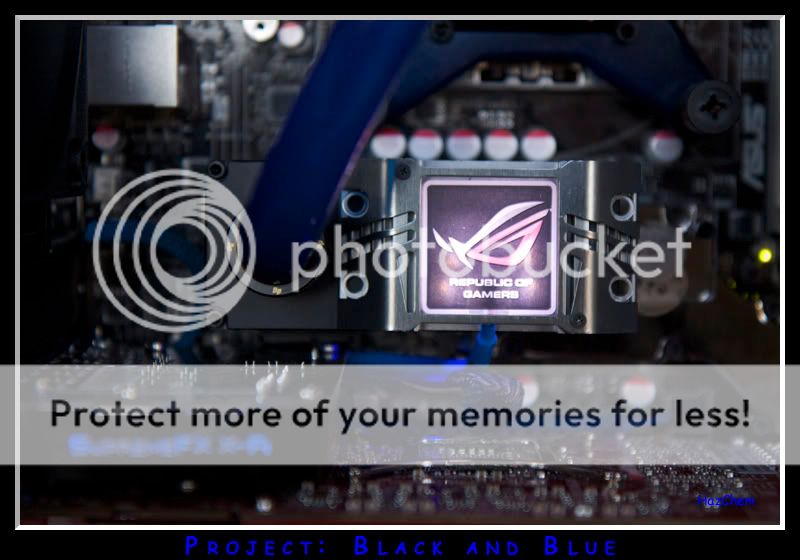
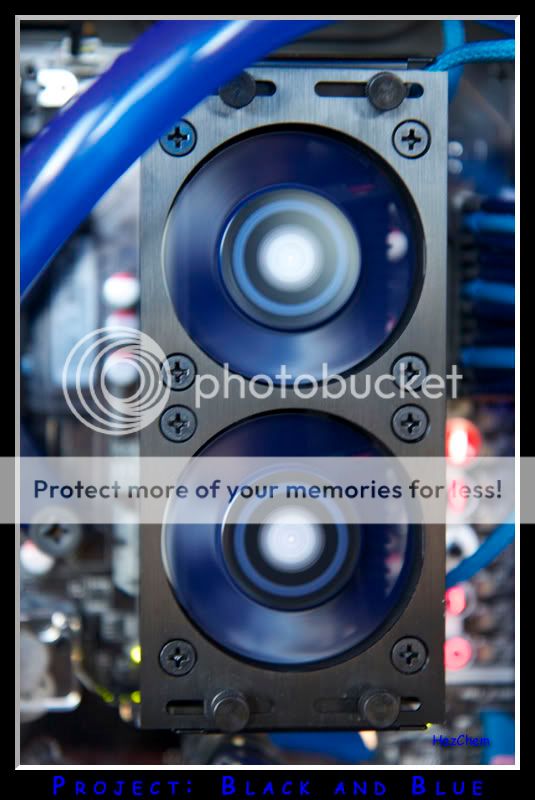
Anywho, enjoy the last of the Phase I pics!
These RAM fans are loud at full speed!! I throttled them back to 40% and it is much much quieter!
Observant Xtremers will notice that the CPU power cable is not sleeved.I miscalculated how much sleeving this beast required! No worries, there's a package from Nils on its way!! This will be fixed in Phase II. :p
Speaking of Phase II, it will for sure involve more Bitspower fittings and accessories (like people say, they are like crack!).
Some things that I'm considering in Phase II:
- Moving the pump. I don't like how it's hidden!
- Repositioning some of the tubing for a cleaner look. Specifically from the rad to the CPU and in and out of the reservoir.
- Cleaning up the cabling on the backside.
- Possibly adding watercooling to the 4890. The red clashes with the theme!!
- Possibly adding a 120.2 Rad.
- Fan shrouds
- Lighting
Other suggestions or ideas?
In the mean time, it's time to sit back for a bit and enjoy my other hobby: Drink plenty of Guinness!

Top Job mate! You should be VERY proud!
I'll emphasise one point in phase II -
"- Possibly adding watercooling to the 4890. The red clashes with the theme!!"
That is a MUST
I agree with Dingdong, it turned out fantastic. While the red GPU doesn't do your project any justice the whole build is so clean it doesn't even matter.
Well done mate
GAH RED!!!!! doesnt really fit but dude amazing job with all the other stuff... right down to the o rings on the fittings and the cpu block mounting. It looks great man!
Amazing build and amazing photos... thats a winning combination in my books!
Current System:
Coolermaster HAF 932
XFX 680i LT SLI Motherboard
Intel Core 2 Quad Q6600 @ 2.99 GHz
4 Gb (2x 2Gb) OCZ SLI-Ready RAM
2x XFX 8800gt XXX edition @ 690/975
1x 300GB Western Digital Caviar HDD
I'll be very original.... : take out the red and you'll have it perfect !!!
doctor pepper's desk
EVGA P55 FTW | i5 650 @ 4GHz | 4Gb Corsair Dominator DDR3-1600 XMS3 | XFX 4870 1Gb | Corsair X32 | Samsung SpinPoint F1 - 320Go | Fractal Design Newton R2 650W | Samsung P2450H | Microsoft Laser Desktop 7000 | JBL Spyro Black
AirCooling: Prolimatech Mega Shadow | Xigmatek Bifrost | Fractal Design SATA Cluster Box | Fractal Design 2x120mm, 2x140mm and 1x92mm
Cosmos-S
Foxconn BloodRage Rev1.1 Bios P07 | i7 920 D0 @ 4,629GHz max & 4,3GHz stable | 6Gb Corsair Dominator DDR3-1600 | XFX 5870 | Sonar X-Fi | Intel X25-M 80 Go PostVille | Samsung SpinPoint F1 - 1To | Corsair HX620W | CoolerMaster Cosmos S | Samsung T240 | Logitech MX-5500 & Z-2300
Watercooling: Laing DDC + plexi top and tank | CPU - HK 1366 rev 3.0 LT | GPU - EK Water Blocks EK FC5870 V2 - Acétal Nickel | MB - Foxconn's original | HDD - HK SilentStar HD-Single rev 2.0 | radiator - 3x120mm | tubing - High Flex 10/16mm | red PrimoChill ICE coolant
No sense settling for a "superb build" when I can turn it into "a freaking awesome build"!!!
Thanks!
Thanks callen_1. I also agree with Dingdong!
You also noticed the red!
Thanks josk1. You really think the red doesn't fit in?
So be it, the red will be gone!
This build is taking a lot longer than I anticipated. The wife keeps asking me when I'll be done. Not anytime soon that's for sure!!
At the moment, I'm trying to get a hold of some matte black fittings from Bitspower. Stay tuned!
Looking very good, but just one minor point, have you thought about removing the red gfx card cooler
Good work tho indeed!
 Posting Permissions


 Reply With Quote







Bookmarks