

Eh, they don't do much for me... it's a great first attempt though (assuming those are your first attempt). They look a little blurry though. Did you take them handheld?


Eh, they don't do much for me... it's a great first attempt though (assuming those are your first attempt). They look a little blurry though. Did you take them handheld?
My 2nd attempt

Last edited by Kosior; 05-26-2008 at 05:17 AM.

Guys,
While single tonemapped images can be neat, they are not true High Dynamic Range. What it means to create an HDR image is to properly expose all areas of a scene by taking multiple shots at different exposures. This is done using Aperture Priority and varying the shutter speed, ideally by using the camera's bracketing feature. This captures a much greater range of detail than a single exposure is capable of, since cameras aim for a middle-grey exposure as a compromise by design. Single images cannot hope to create this detail as the data simply is not there.
Unfortunately this means that true HDR images must be still-only. Taking three or more pictures means every image has to be virtually identical in composition and movement, thus HDR cannot be used for action shots. A great example of a true High Dynamic Range image is shown below:
This image is credited to herc182 @ DCResource.
System
ASUS Z170-Pro
Skylake i7-6700K @ 4600 Mhz
MSI GTX 1070 Armor OC
32 GB G.Skill Ripjaws V
Samsung 850 EVO (2)
EVGA SuperNOVA 650 G2
Corsair Hydro H90
NZXT S340
You're right, you can do that. However, you aren't creating any new data, only manipulating what you have. What really needs to happen is for the dynamic range to be captured optically at the scene through different exposures. Anything else is technically fake-HDR.
The biggest reason is, you can't bring back blown highlights and you can't bring back lost shadow details in software, it had to be captured in the exposures or the data simply isn't there to work with.
System
ASUS Z170-Pro
Skylake i7-6700K @ 4600 Mhz
MSI GTX 1070 Armor OC
32 GB G.Skill Ripjaws V
Samsung 850 EVO (2)
EVGA SuperNOVA 650 G2
Corsair Hydro H90
NZXT S340
The exposure control in RAW is unrelated to the camera exposure.Originally Posted by Magnj

Exposure is how long the shutter stays open which in turns regulates how much light is let in. The Exposure in raw its more like a brightness and contrast in photoshop. It doesn't create any new data.
For example; if you take a 2 shots of the sky on a bright cloudy day, 1 at a lower exposure and one at a normal exposure, you will see the lower exposed picture will show the detail in the sky while the normal will wash it out. Now if you plug it into camera raw and adjust the exposure, you will see the detail of the clouds isn't recaptured.
What im saying is, exposure isn't a post processing thing. The raw function doesn't capture the exposure details across the entire exposure spectrum.
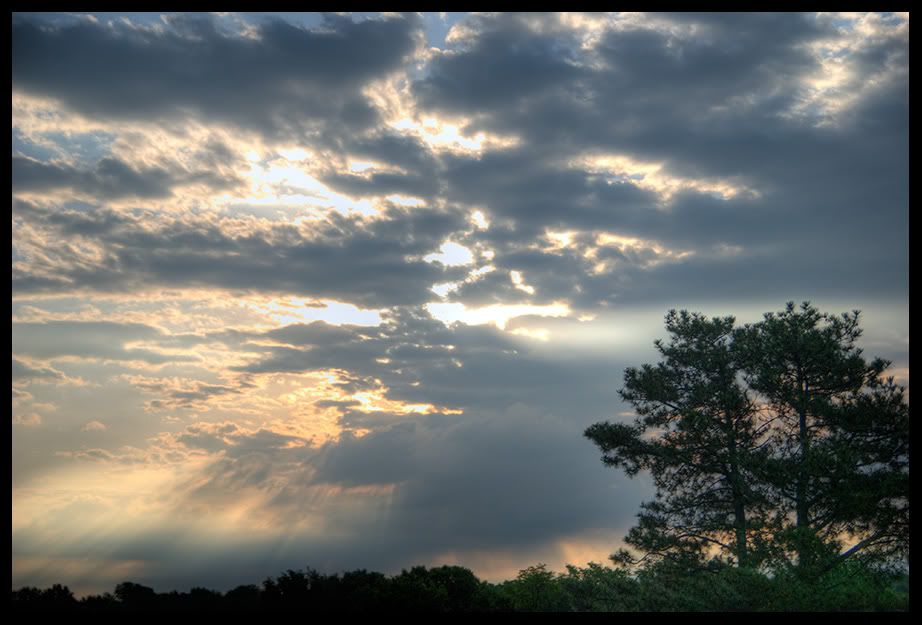
This is a quick half-assed HDR...not really sure if I like it. This was taken as the sun was coming up after the storms last night and this morning.
B&W for something different:

System
ASUS Z170-Pro
Skylake i7-6700K @ 4600 Mhz
MSI GTX 1070 Armor OC
32 GB G.Skill Ripjaws V
Samsung 850 EVO (2)
EVGA SuperNOVA 650 G2
Corsair Hydro H90
NZXT S340
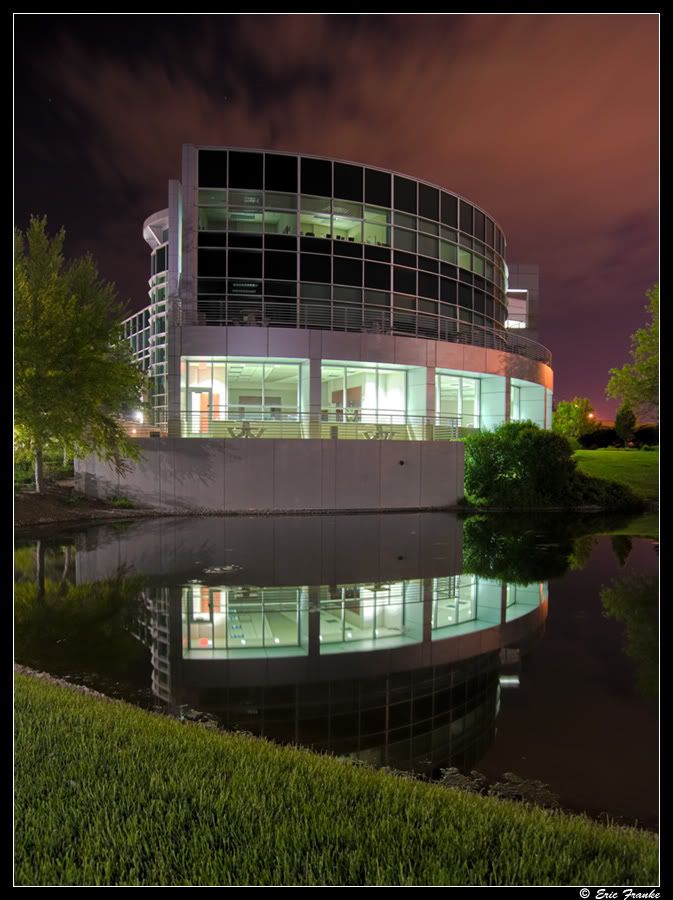
I'm getting better results from Photoshop CS3 than Photomatix.
System
ASUS Z170-Pro
Skylake i7-6700K @ 4600 Mhz
MSI GTX 1070 Armor OC
32 GB G.Skill Ripjaws V
Samsung 850 EVO (2)
EVGA SuperNOVA 650 G2
Corsair Hydro H90
NZXT S340
Photoshop CS3 is giving me better results in creating realistic looking HDR images. Here are my thoughts:
1. Similar results can be had from both programs, however there is more adjustability in Photomatix if you want a surreal look. PS CS3 has better adjustability for realism - you can adjust the tone curve which Photomatix can't do at all.
2. When adjusting images to be nearly identical, the Photomatix result has less contrast and a light gray haze. Blacks are better from the CS3 result. Post-processing can close the gap but they still aren't the same. Color is similar when you don't overcook the saturation.
3. CS3 HDR Merge yields lower noise. Photomatix seems to amplify noise, even when using maximum light smoothing and 0 strength.
4. When done merging in CS3, I am still in Photoshop so I can continue my work. When working in another program such as Photomatix, I have to export to do any further editing which adds a step to the workflow. I really like being able to work straight from Bridge. I load all of my exposures into Adobe Camera Raw, adjust the white balance, color, defringing, slight sharpening and noise reduction and sometimes miscellaneous other things. I load the images into Photoshop and merge to HDR from there - it is all seamless and there is no saving, exporting, importing into another program, exporting back, etc.
5. PS CS3 aligns images much better than Photomatix, which has problems with this.
On the downside, Photoshop is slower and consumes your system of all of its memory. On a 2GB system I actually started getting errors though I run a lot of programs at once...4GB is on the way for this kind of work.
With that said...I don't have a use for Photomatix anymore. CS3 just gives me better aligned images, with a much cleaner merge and better realism, with the proper exposure taken from each image and applied into one without any strings attached or ugly surprises. It gives me images that look like they should when considering what HDR merging is actually trying to achieve, and not overcooked images that I see so often called HDR (sorry guys). Next I will compare this rounds winner with Paintshop Pro X2 which I hear is very good as well.
Last edited by Soulburner; 06-02-2008 at 07:23 PM.
System
ASUS Z170-Pro
Skylake i7-6700K @ 4600 Mhz
MSI GTX 1070 Armor OC
32 GB G.Skill Ripjaws V
Samsung 850 EVO (2)
EVGA SuperNOVA 650 G2
Corsair Hydro H90
NZXT S340


so many awsome pics in this thread, suck my house was broken into and my $3500 inb gear stolen!
40D coming in JUne...
so those of you who have posted, tell us your technique,........... software? settings
[EDIT]
okay FAR too many pics to multiquote..
can any / most of you post your pics with high res? like 1600 x + or higher? just tooss your name / sig on it , make some awsome wallpapers, some serious talent in here.
once i have my 40D and if i can get all the gear i want, should see some awsome macro HDR stuff(mmm mp-e)
Last edited by Mr.Guvernment; 06-02-2008 at 08:17 PM.
|Rig|Sold my monster, stuck on a Q8200 and 9500Gt with 4G of ram.
Originally Posted by jimmyz

I think I'm going to try this soon. I just got a Cannon Rebel XT (stock lens) for my birthday and my brother just got a Nikon D40 (stock lens) for his Bar Mitzvah
Of the hundreds I have to go through...here is the first one I'll post.
How about a little handheld HDR. 3 shot bracket, processed in Photoshop CS3 with a touch of "Clarify" from Paintshop Pro X2 added at the end. The alignment is nothing short of magic.
This is in Downtown Denver, CO.
Original +0 EV image:
http://i90.photobucket.com/albums/k2...isc/Church.jpg
I spent so much time looking at it while working on it, that the original just looks horrible now.
System
ASUS Z170-Pro
Skylake i7-6700K @ 4600 Mhz
MSI GTX 1070 Armor OC
32 GB G.Skill Ripjaws V
Samsung 850 EVO (2)
EVGA SuperNOVA 650 G2
Corsair Hydro H90
NZXT S340
I love that sunrise one, Soul.
In body processed HDR levels - so only 1 photo taken hehe
No post-processing, straight out of camera into Lightroom for export as 80% JPEG -> resize for thumbnails and larger 1200px width copy - keeping EXIF info intact.
Click thumbnail for larger version:
- Camera Make: PENTAX Corporation
- Camera Model: PENTAX K200D
- Image Date: 2008:06:20 13:56:40
- Flash Used: No
- Focal Length: 40.0mm (35mm equivalent: 60mm)
- Exposure Time: 0.013 s (1/80)
- Aperture: f/6.3
- ISO equiv: 125
- White Balance: Manual
- Metering Mode: Matrix
- Exposure: Manual
- Exposure Mode: Manual
originals and HDR level 1 vs 2 vs 3 http://www.xtremesystems.org/forums/...d.php?t=191789
---
That isn't HDR eva.
This is the best of my first attempts this afternoon. What do you guys think? -1, 0 and +1 EV, my camera can't go lower and higher (Nikon P5000).
still a newb. LOL
tried -/+ 0.3EV CS HDR merge and got this
and
guess need more practice and use -/+ 2EV ??
Last edited by eva2000; 06-20-2008 at 10:49 PM.
---
If you do it in photoshop you can always use the photomatix tonemapping plugin for photoshop.
Last edited by Cold Fussion; 06-20-2008 at 03:19 PM.
What slider are you referring to?
System
ASUS Z170-Pro
Skylake i7-6700K @ 4600 Mhz
MSI GTX 1070 Armor OC
32 GB G.Skill Ripjaws V
Samsung 850 EVO (2)
EVGA SuperNOVA 650 G2
Corsair Hydro H90
NZXT S340
Compared to the rubbish originals, I get much more life-like shots with HDR.
System
ASUS Z170-Pro
Skylake i7-6700K @ 4600 Mhz
MSI GTX 1070 Armor OC
32 GB G.Skill Ripjaws V
Samsung 850 EVO (2)
EVGA SuperNOVA 650 G2
Corsair Hydro H90
NZXT S340


 Reply With Quote




Bookmarks