MMM
Results 1 to 25 of 5113

Thread: ASUS P5B-Deluxe; Problems & Fixes

Hybrid View

  1. #1
    Xtreme Member
    Join Date
    Dec 2007
    Posts
    332
    Quote Originally Posted by Metro View Post
    I was to late
    I never have updated the BIOS that way. I will tray at night.
    I hope it fixes my problems.

    Make any difference that my board is the P5B Deluxe and not the P5B Deluxe AP/Wifi?

    Can you confirm that the BIOS I have downloaded is not corrupt?

    Thank you.
    i sent you the one I used

    is this your ram cuz it shows 2.0~2.1 Volts

    also this is the mem tim im running 5-5-5-15-5-35 and didnt move the others

  2. #2
    Xtreme Member
    Join Date
    May 2003
    Location
    Portugal
    Posts
    100
    Quote Originally Posted by Dom7184 View Post
    i sent you the one I used

    is this your ram cuz it shows 2.0~2.1 Volts

    also this is the mem tim im running 5-5-5-15-5-35 and didnt move the others
    I have 3 2X2GB Kits with me. That one from Gskill, one from Corsair and one from Team Group. The one I'm using right now is from Team group that have a voltage of 1,8-1,9. But you are correct about the Gskill. I have used with it 2,1V but the random crash is the same.
    CoolerMaster Stacker l OCZ 550W l Asus P5B Dlx l Q9450 l 2X2GB Gskill l WD Raptor 74GB l 6600 GT
    Proud Portugal@Folding member

  3. #3
    Xtreme Member
    Join Date
    Dec 2007
    Posts
    332
    Quote Originally Posted by Metro View Post
    I have 3 2X2GB Kits with me. That one from Gskill, one from Corsair and one from Team Group. The one I'm using right now is from Team group that have a voltage of 1,8-1,9. But you are correct about the Gskill. I have used with it 2,1V but the random crash is the same.
    okay :P but what about the mem tim ?

    have you ran the boot disc with memtest ?

  4. #4
    Xtreme Member
    Join Date
    May 2003
    Location
    Portugal
    Posts
    100
    Quote Originally Posted by Dom7184 View Post
    okay :P but what about the mem tim ?

    have you ran the boot disc with memtest ?
    Yes I have run memtest on all the kits. This Gskill KITT is the second I have to test. The first had a problem.
    I can't relate the probelms with the mems. I have tried multiple settings, run with SPD enabled also.
    Lets hope that the new BIOS will improve this. If not I will change board. For 3.2Ghz (mems will be 1:1 without OC on it) I'm thinking P5K or P5E. I want to have 4X 2GB on the board and will have full load all the time so I don't want a big OC.

    Quote Originally Posted by [XC] Hicks121 View Post
    Yes, but you are using a Yorkie, has lower VID & runs cooler. If we are talking a 65nm, they tend to not run as good on the p5bd.
    This one is 45nm. I really think my problems become from the board with this setup. This same board have run a Q6600@3.0Ghz 24h full load for at least 6 months

    Quote Originally Posted by [XC] Hicks121 View Post
    If you want to see how stable your rig really is, run WCG 24/7 & see how it handles it. Running Pi 1m doesnt show anything about stability unless your going for max oc.
    That is wath I need
    I have no trouble running 1M Super Pi.
    Last edited by Metro; 04-15-2008 at 10:49 AM.
    CoolerMaster Stacker l OCZ 550W l Asus P5B Dlx l Q9450 l 2X2GB Gskill l WD Raptor 74GB l 6600 GT
    Proud Portugal@Folding member

  5. #5
    Xtreme Member
    Join Date
    Dec 2007
    Posts
    332
    Quote Originally Posted by Metro View Post
    Yes I have run memtest on all the kits. This Gskill KITT is the second I have to test. The first had a problem.
    I can't relate the probelms with the mems. I have tried multiple settings, run with SPD enabled also.
    Lets hope that the new BIOS will improve this. If not I will change board. For 3.2Ghz (mems will be 1:1 without OC on it) I'm thinking P5K or P5E. I want to have 4X 2GB on the board and will have full load all the time so I don't want a big OC.
    so your looking at just getting 3.2Ghz ?

  6. #6
    Xtreme Member
    Join Date
    Dec 2007
    Posts
    332
    right now im primeing at 3.2GHz small fft Im going to let it run all day if it can

    also the vdoop mod is easy you should do it, im going to redo mine as this Q makes it drop on load cuz my dual core didnt, and + I did it like in 9-2007

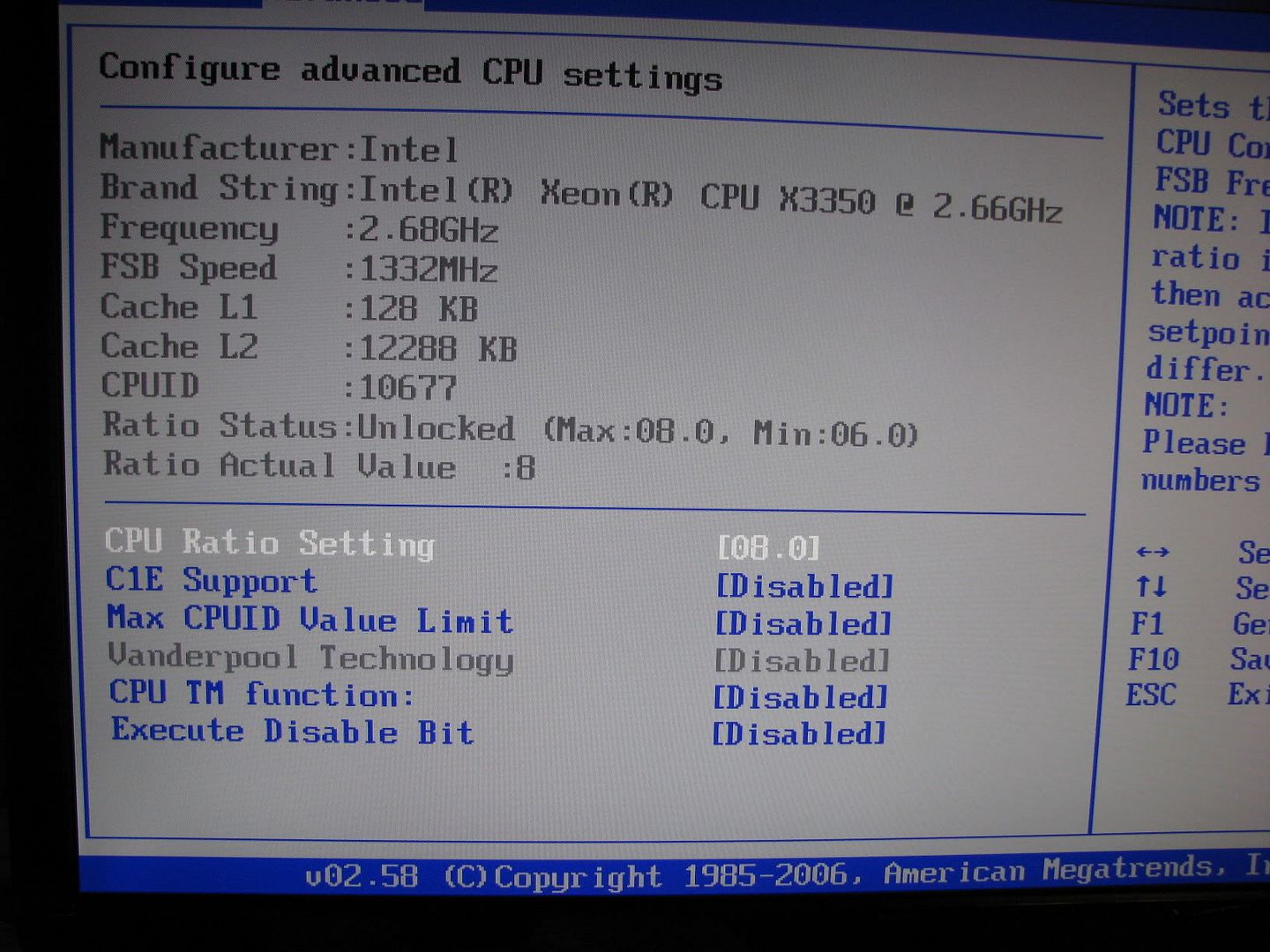
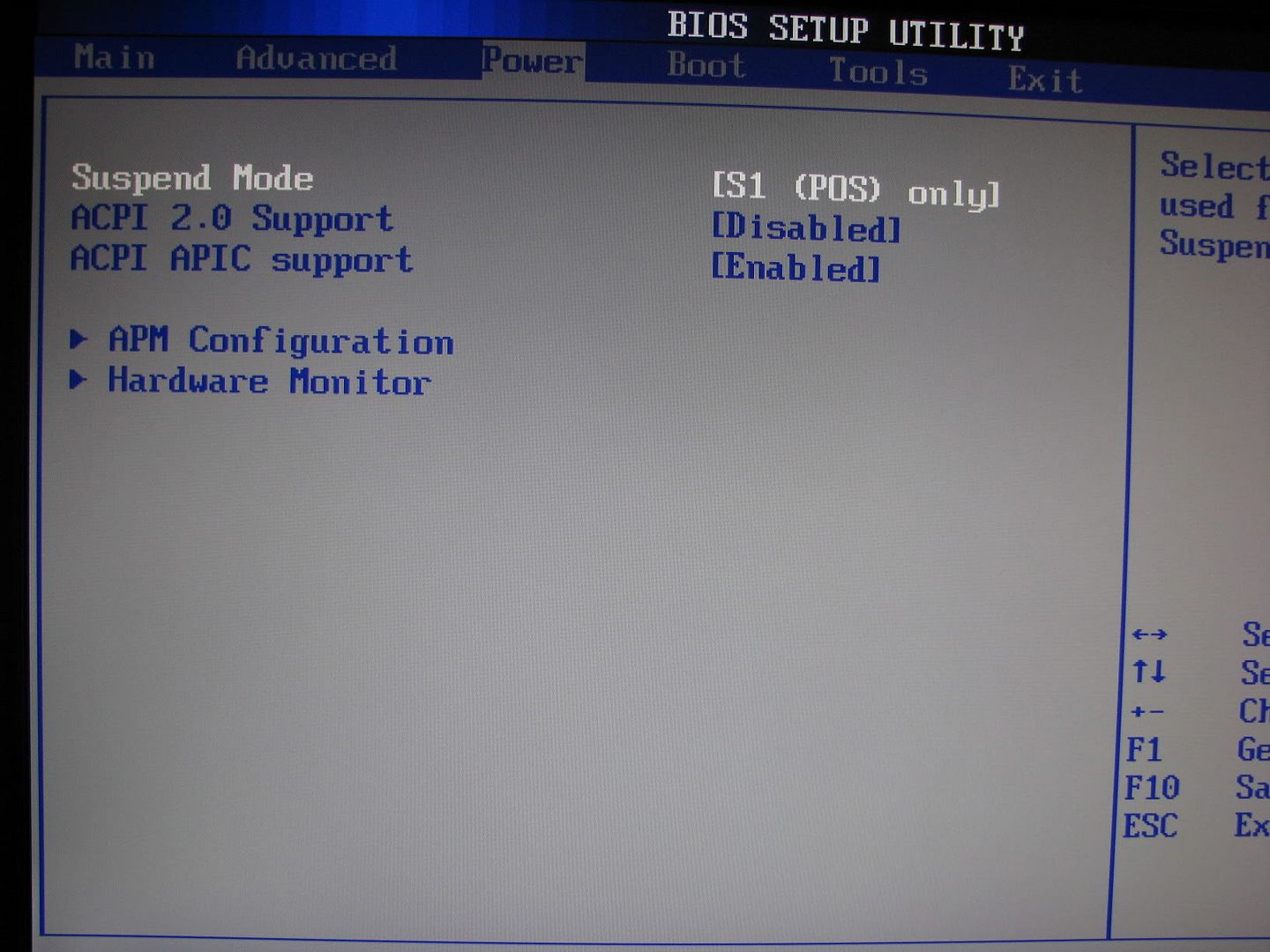
    i'll post all my bios settings so you can try

  7. #7
    Xtreme Member
    Join Date
    May 2003
    Location
    Portugal
    Posts
    100
    Quote Originally Posted by Dom7184 View Post
    so your looking at just getting 3.2Ghz ?
    Yes. 4 cores at 3,2 for folding 24H. In Portugal the summer is hot so with air cooling I want a save margin. I need most is stability.

    Quote Originally Posted by Dom7184 View Post
    right now im primeing at 3.2GHz small fft Im going to let it run all day if it can

    also the vdoop mod is easy you should do it, im going to redo mine as this Q makes it drop on load cuz my dual core didnt, and + I did it like in 9-2007

    i'll post all my bios settings so you can try
    Thanks. But me big question remains. Your CPU is different from mine. The problem is the cpu.
    But put your screens because if a few hours I will be at home and I will change the BIOS and test if all works. I really hope so
    CoolerMaster Stacker l OCZ 550W l Asus P5B Dlx l Q9450 l 2X2GB Gskill l WD Raptor 74GB l 6600 GT
    Proud Portugal@Folding member

  8. #8
    Xtreme Member
    Join Date
    Dec 2007
    Posts
    332
    Quote Originally Posted by Metro View Post
    Yes. 4 cores at 3,2 for folding 24H. In Portugal the summer is hot so with air cooling I want a save margin. I need most is stability.
    well I understand dont want to kill it I dont want to also

    Quote Originally Posted by Metro View Post
    Thanks. But me big question remains. Your CPU is different from mine. The problem is the cpu.
    But put your screens because if a few hours I will be at home and I will change the BIOS and test if all works. I really hope so
    LOL why do you say there different there the same just mines a Xeon and c1 thats the only thing different I might need less volts but thats about it

    Quote Originally Posted by Metro View Post
    I colud not resist and have put the CPU 3.2Ghz with the FSB 400. That is my goal. It is running OCCT. Lets hope it will work ok.

    One problem that I have and need your advice is about the voltage of the 12V, 5V and 3.3. The BIOS displays one information, the OCCT. With the multimeter I have diferent values.
    In my OCZ 550W I can regulate the lines but wath should I take to guide me?
    The last question is were do I measure the 3,3V with the multimeter.
    well whats showing in windows, what are you using to read the volts ? and I have to look to see which wires you need to read the 12v, 5v, 3.3

    oh yeah its still running at 1.160v full load 3.2GHz on 4hrs
    Last edited by DOM.; 04-15-2008 at 04:40 PM.

  9. #9
    Registered User
    Join Date
    Jul 2007
    Posts
    18
    Hey, I got my P5B running above 400 FSB, but now I've run into more problems. I had pushed it to 425x8 (3.4), but 438x8 (3.5) is proving more difficult. In the process of getting 3.5 stable, I upped the memory timings from 5-5-5-15 to 6-6-6-18. The system froze on the boot screen... upon restart, everything powers up and the fans run, but nothing happens: no beeps, no video, no HDD activity.

    This has happened once before, when I restarted the comp while Windows XP was still in the process of booting. I unplugged the system and let it sit overnight.. in the morning, it booted up just fine. Hopefully it will work the same way this time.

    Assuming the same problem is going on again, what could be at fault for this wierd behavior? Any ideas are appreciated
    [CPU] E6600 @ 3.0 Ghz
    [GPU] 8800GTS 320 MB(EVGA)
    [RAM] 2GB DDR2-800, 5-5-5-15 @ 1000 Mhz (Patriot)
    [Sound] Creative X-Fi Platinum
    [Mobo] ASUS P5B Deluxe
    [Case] Antec P182
    [Cooling] H2O (Danger Den/Swiftech/Thermochill)

  10. #10
    Xtreme Member
    Join Date
    Jan 2007
    Posts
    433
    Quote Originally Posted by blufire View Post
    Hey, I got my P5B running above 400 FSB, but now I've run into more problems. I had pushed it to 425x8 (3.4), but 438x8 (3.5) is proving more difficult. In the process of getting 3.5 stable, I upped the memory timings from 5-5-5-15 to 6-6-6-18. The system froze on the boot screen... upon restart, everything powers up and the fans run, but nothing happens: no beeps, no video, no HDD activity.

    This has happened once before, when I restarted the comp while Windows XP was still in the process of booting. I unplugged the system and let it sit overnight.. in the morning, it booted up just fine. Hopefully it will work the same way this time.

    Assuming the same problem is going on again, what could be at fault for this wierd behavior? Any ideas are appreciated
    unplug, hit the restart button one time, take the battery out for a few, should clear the bios and work
    Intel Core i7 LGA1366 - 3.60GHz (20x 180 BCLK) / 4 Cores / 8 Threads / 1.26v / UCLK 3067MHz / QPI 6.47 GTs
    Crucial, Micron D9JNM ICs, 12GB DDR3 - 1440MHz, 8-8-8-20 1T, 1.6v, Tri-Channel
    Palit NVIDA GeForce GTX 460 1GB DDR5 16x 2.0 - GPU 750MHz / Shader 1500Hz / DDR5 3625MHz
    2x Intel X25-M G2, 80GB SSD, ICH10R RAID 0 / Windows 7 Professional 64-bit
    ....... System Runs 24/7....... system_01

  11. #11
    Registered User
    Join Date
    Jul 2007
    Posts
    18
    Quote Originally Posted by chuckbam View Post
    unplug, hit the restart button one time, take the battery out for a few, should clear the bios and work
    Already tried clearing the CMOS. Whats with the hitting the restart button before taking the battery out? I've never heard of it for this motherboard before, and it doesn't say anything about it in the manual.
    [CPU] E6600 @ 3.0 Ghz
    [GPU] 8800GTS 320 MB(EVGA)
    [RAM] 2GB DDR2-800, 5-5-5-15 @ 1000 Mhz (Patriot)
    [Sound] Creative X-Fi Platinum
    [Mobo] ASUS P5B Deluxe
    [Case] Antec P182
    [Cooling] H2O (Danger Den/Swiftech/Thermochill)

  12. #12
    Xtreme Member
    Join Date
    Jan 2007
    Posts
    433
    Quote Originally Posted by blufire View Post
    Already tried clearing the CMOS. Whats with the hitting the restart button before taking the battery out? I've never heard of it for this motherboard before, and it doesn't say anything about it in the manual.
    Hitting the reset button discharges the PS. Taking the battery out does a sold clear. MB 101
    Intel Core i7 LGA1366 - 3.60GHz (20x 180 BCLK) / 4 Cores / 8 Threads / 1.26v / UCLK 3067MHz / QPI 6.47 GTs
    Crucial, Micron D9JNM ICs, 12GB DDR3 - 1440MHz, 8-8-8-20 1T, 1.6v, Tri-Channel
    Palit NVIDA GeForce GTX 460 1GB DDR5 16x 2.0 - GPU 750MHz / Shader 1500Hz / DDR5 3625MHz
    2x Intel X25-M G2, 80GB SSD, ICH10R RAID 0 / Windows 7 Professional 64-bit
    ....... System Runs 24/7....... system_01

Bookmarks

Bookmarks

Posting Permissions

  • You may not post new threads
  • You may not post replies
  • You may not post attachments
  • You may not edit your posts
  •