

Yes it is, thats the highest I have ever been. If I could get some volts the memory I think I could get it over 970, and if I could get more than 1.35 to the gpus I think I could get a little more than 940...Originally Posted by ZenEffect




Yes it is, thats the highest I have ever been. If I could get some volts the memory I think I could get it over 970, and if I could get more than 1.35 to the gpus I think I could get a little more than 940...
speaking from personal experience, the main graphics card *the one the monitor is plugged into, ie card 0* is the more important of the 2 and card 1 runs cooler, so just a quick tweak with atitool and you can do the volts for both mem and gpu on card 0. just set it the regular way in bios for card 1... you have about a 80% chance it wont crash out on you. i just wish i could get over 850 on my gpu's
*edit*
ALSO
ive found that they hynx 1.1 memory bios version is more stable. used to crash all the time now no crash at all... i thought 2900pro's were supposed to have hynx 1.0's but i guess i got 1.1's so if you have flashed from a pro to xt, and are on 1.0 try the 1.1's to get a bit higher memory clock. im running the mem at 990 with stock voltages.
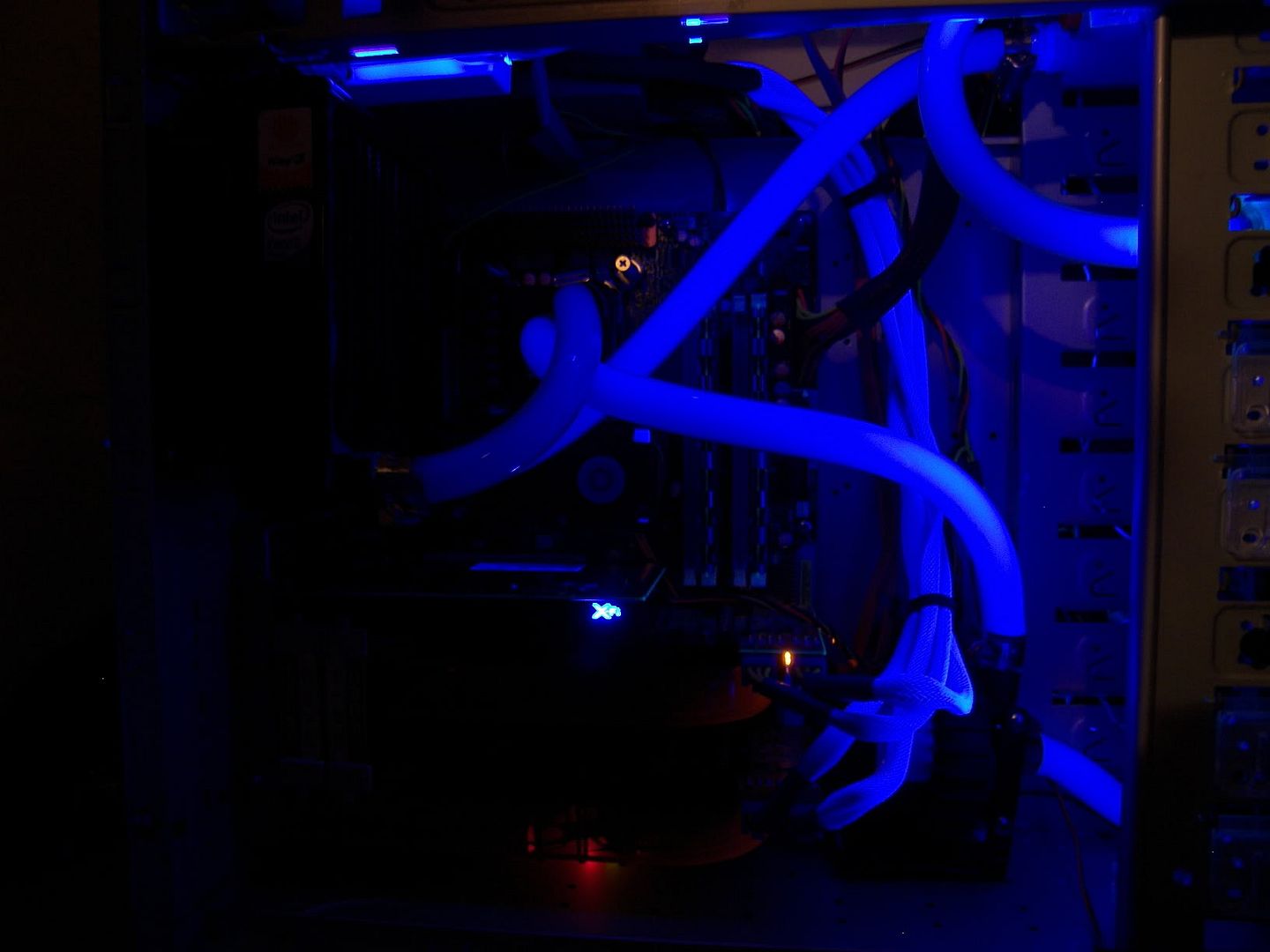
here is my rig


Last edited by ZenEffect; 02-17-2008 at 11:06 PM.
Current Status - Testing & Research
No I have not flashed the pro card to xt, I am running a pro card in the 2nd slot and xt card in the main slot. Where do you get these 1.1 bios and how do I identify which bios I have 1.1 or 1.0 or are you talking about the chips on the card?
techpowerup vga bios database has them labeled as hynx 1.0 or 1.1
the 1.0 and 1.1 are refrences to the chips on board... i.e. the type of memory on board
Last edited by ZenEffect; 02-18-2008 at 09:42 AM.
Current Status - Testing & Research
ok so i ordered a bunch of parts... + 48 ramsinks *i will dremel the ones that end up being too tall*
question is, is 48 enough for 2 cards? i.e. ram, vrms... everything that should be sinked?
Last edited by ZenEffect; 02-18-2008 at 05:08 PM.
Current Status - Testing & Research
I flashed the pro to xt and OCed the cards individually, I pulled a card and used one at a time. I got 980/1070 out of the pro (flashed), the xt card I can not go over 940/970 or it freezes in 06 when the monster goes under the boat, the same place every time. As far as the RAM sinks I put EnzoTech BMR-C1 Pure Forged Copper Ramsinks on the memory chips (16 ea. card) and 4 Swiftech MC21s to go on the voltage regulators or what ever there called...
Edit: Before I flashed the pro I tried to run 06 and it gave me a message saying to use 03 or 05 because that card did not support the pixel shaders or something...
Last edited by road-runner; 02-18-2008 at 05:46 PM.
im going a very similar route it seems but im probably going to put a few more sinks on other things as well. as for your mem not going over 970 its seems like the same problem i had. perhaps you got a 1.0 hynix bios when you probably have 1.1 like i do.
try modding these bios'
http://www.techpowerup.com/vgabios/9...12.070405.html
http://www.techpowerup.com/vgabios/9...12.070518.html
one of those 2 will allow you to clock your mems above 970. i would try the club3d one first *lower one* as i suspect you would have a higher chance of success
seeing these gpu clock speeds makes me anxious about the parts that are coming in
Current Status - Testing & Research
My turn! For whoever said that you won't get 10k with an x2 processor under 3ghz, yesterday I finally beat my old best of 97xx, with a new score of 10,1xx, check out the sig (Vista 64 I might add). Clocks are 875/900 3dmark06 stable right now @ 1.25v, and max temp is only 60c, so I've decided that I want to go for 1.35v. By the way this is a Sapphire 512mb 512bit pro card, I changed out the tp for MX-2, siliconed 2-80mm fans onto the back side and ducted an 80mm from the front of my pc case directly into the stock cooler.
Here's the problem, ever since I flashed to the new bios, nothing shows up on my monitor until Vista loads, so I can't reflash. The only other change I made to the bios were really low 2d clocks, so I wonder if that might be the problem? If worst comes to worst I'll put in an old pci vga card to re-flash, but any other suggestions? (I followed all the steps, re-installed the drivers, and did the inf fix)
I have a DFI motherboard, do I need to do this algorithm fix thing?
I've heard this go so many ways, XT or Pro bios? Looks like 'yall are sayin to go with the Hynix 1.1 bios (I can't remember what kind of vram I have, though), but from the looks of it, that's a Pro bios.
Also thanks for all the work to everyone so far, I can't believe the kind of results I'm seeing from this little mod.
m5a97 evo, 8350 @ 4.625, 2250/2700
8gb ddr3 @ 1500 7-8-7 1t
momentus xt 750gb
r9 270 @ 1200/1500
antec 1100v2, custom loop cpu+gpu
d5, 200x45mm+240x30mm+120x60mm
Well I am using the original bios for both cards, I did look at the chips on the xt and they say 1.1 on them. I thought the same thing this morning so I tried a random xt bios from the net and had the same problem. I will try the ones you posted though in the morning, its worth a try....
Edit: Hey a friend of mine has a 2900 pro 512/256 and he says after he saves the bios from the card the editor will not open it, you know anything about that? Its the 256 bit 512 memory....
crap. so i tried to blind flash (i'm assuming that's what it's called when you don't have any video) using the 1.1 hynix bios with the voltage changed to 1.35 and i wasn't sure if i was choosing the right options, well eventually it worked and booted into vista and everything seemed to be working. i tried setting the fan speed in riva tuner to like a safe 50% while i was messing around and when it went to detect the card, bam, no more video. i tried restarting over and over, using my dvi to hdmi, using the dvi to vga, using the pip with both at the same time...nothing! i thought i had a pci video card, but it's agp...anyone have any idea what i should do? i don't see why i cant see anything before windows loads (and now nothing even after vista loads). seems to me like this is directly related with the video bios.
my motherboard has two pci-e slots, and i have an 8800gt, could i put them both in at the same time and then reflash the ati card while on that? maybe i just gotta find a bios that likes my card.
help!
m5a97 evo, 8350 @ 4.625, 2250/2700
8gb ddr3 @ 1500 7-8-7 1t
momentus xt 750gb
r9 270 @ 1200/1500
antec 1100v2, custom loop cpu+gpu
d5, 200x45mm+240x30mm+120x60mm
You need two video cards, to flash the main Pcie slot is atiflash -f -p 0 xxx.bin to do the secondary slot use atiflash -f -p 1 xxx.bin
Has anyone tried this editor?
Download link
Found some 2900 pro 512s for $163.90 picked one up for a spare...
http://www.laptops4me.com/product_in...ducts_id/11382
Last edited by road-runner; 02-18-2008 at 10:46 PM.
Excellent deal, have to say. =)
I'm also interested of that RBE. If anyone have tried it to HD2900, please let us know! Hope it's better than quantum force, I haven't got that working properly for my cards.
@madmanmarz
You have nothing worry about. Just use your GT (no matter what PCI-E slot you want to use. Then set that 8800GT PCI-E slot to boot first (from mobo bios).
Then flash with atiflash and use command -0 if 2900 is in first slot, or -1 if its in the second slot like road-runner told.
btw. I once had weird problem when OC'ing my cards. I played some game which freezed (after corrupted image) and then when I reset my pc, screen stayed black. I saw hd's were working but no picture. I tried everything -even removed motherboard battery overnight. Nothing helped until I plugged my monitor off the wall socket and yes; problem solved! Very weird. It happened once again and then I checked that vga worked fine and DVI was black. Wonder why it isn't enough if I turn off my monitor but I had to pull the socket before I got it to work again???
sounds like you have the motherboard bios set to init display pci, agp, or onboard first instead of pcie. try resettnig the cmos. THEN reflash your video cards. also driver 7.12 and up does not like 900+ mem when you have a 8pin pcie and 6 pin pcie power cables installed. switch to 6 and 6 to see if it helps.
Last edited by ZenEffect; 02-19-2008 at 01:30 PM.
Current Status - Testing & Research
No luck with either....
put that card in slot 0 then use atitool to bump your voltages
Current Status - Testing & Research
Its in slot 0 already, I guess that is what I will have to do. I guess it is just not near as good a card as the pro as it is an original xt....
thanks so much everyone, i'm gonna pop in that gt and check my motherboard bios to make sure pci-e boots first. i'm gonna try that other editor you guys put up because i like how it allows you to mess with the voltage for all the clock states, it also has a boot option, so i'm gonna be sure to leave that stock. lots of great suggestions, thanks again.
ps no way i'm clearing the cmos, lol i can't remember what my latest oc settings are. btw i'm running 2 6 pin w/ rivatuner. strangely ati tool works without the driver issue in vista 64 last time i checked, but the card doesn't go into 3d when the rendering box thing pops up anyway.
my memory doesn't like going over 900 right now, but maybe that hynix bios may change that...we'll see.
m5a97 evo, 8350 @ 4.625, 2250/2700
8gb ddr3 @ 1500 7-8-7 1t
momentus xt 750gb
r9 270 @ 1200/1500
antec 1100v2, custom loop cpu+gpu
d5, 200x45mm+240x30mm+120x60mm
dont bother, its a driver related issue. there is an inf fix for it though.
http://www.xtremesystems.org/forums/...165389&page=10
Current Status - Testing & Research
Someone else posted in this thread to just use 2-6 pin connectors and it disables CCC. I tired it and it works for me with memory over 900...
okay well the rbe editor worked. i used the 2900 pro hynix 1.1 bios file and the only things i changed were both 3d settings to 1.35, so bios/startup shows up now. only thing i want to mention is that i had to use adapter 0, because i guess atiflash doesn't recognize the 8800gt at all.
Last edited by madmanmarz; 02-20-2008 at 08:14 PM. Reason: usless info
m5a97 evo, 8350 @ 4.625, 2250/2700
8gb ddr3 @ 1500 7-8-7 1t
momentus xt 750gb
r9 270 @ 1200/1500
antec 1100v2, custom loop cpu+gpu
d5, 200x45mm+240x30mm+120x60mm
8.2 drivers have the "HKR,, PP_ForceReportOverdrive4" line in there already. i checked it against the link put up for the 8.1's & vista 64 and in that, they are the same...i noticed that the line isn't in the same place as in xp (after all the fleshtone stuff). so it appears 8.2 are already fixed.
well, after 1.35v, max o/c was ~900mhz. sapphire 2900 pro 1.1 hynix bios works great, i was able to run 1050mhz without artifacts in rthdribl, but 3dmark stopped me just under 1000mhz.3d mark=12,200. max temps were about 66c after several 3dmark06 runs, but the fan speed was then @ 100%.
i did another bios, boot=default, 2d=.9v 375/415, 3d=1.2v & default clocks, uvd=default. i was able to get 876/950 stable after several 3dmark06 runs, which scores 12,100. idle temp is about 39-40c, load temps are 60c max.
so it look like my chip just sucks, but i'm very happy with my clocks @ 1.2v. btw, anyone see any noteworthy increases with higher memory clocks?
Last edited by madmanmarz; 02-20-2008 at 08:30 PM.
m5a97 evo, 8350 @ 4.625, 2250/2700
8gb ddr3 @ 1500 7-8-7 1t
momentus xt 750gb
r9 270 @ 1200/1500
antec 1100v2, custom loop cpu+gpu
d5, 200x45mm+240x30mm+120x60mm
vrm seems to be getting hot... im afraid of even playing games! wtf?
touches 100c in 3dmark06
i guess i have to try something else, or re-do the thermal adhesive. *have a 120mm fan blowing right on them!*
what is the typical "safe" range of the vrm?
Current Status - Testing & Research
I had same problem when tried my old zalman vga waterblock. I even left that "red cooling sandwitch" to cool mem and vrm's but vrm temps get 100C and mem got pretty hot too. I had 120mm fan but didn't help much. So I went back to standard coolers.
Now I have 2 MCW60's ready to install, I'm waiting another pump, rad, mosfet heatsinks and 32(!) ramsinks to arrive. Hopefully I get my temps down!
btw, 1950pro had problems with vrm temps even with standard cooler and my VRM temps hit about 110C. I used that card about 8 months without problems. Althought those vrm's were colored white when I checked before I sold it!
 Posting Permissions




Bookmarks