


While others struggle with the board, its actually not a bad board, OC'ing quads is a little harder than dualies, it requires alot of tweaking its very fussy on settings, too much or too little and it will spit in your face while laughing at you.Originally Posted by LennyRhys

If the bios ever matures the board will truely shine, comparing an X38 Maximus and a X48 Rampage the board hangs in ther very well....Lotta UD3P fanbois out there, yeah it oc's quads very well but it comes with a price
I've tested 4 chips ( all quads) and have 2 Maximus II Formula boards all chips and both boards will do 500FSB
We have same board same chip your ram is different but the timings are the same, start with 4GBs and try this...it should help point you in the right direction
Extreme Tweaker
Ai Overclock Tuner : Manual
OC From CPU Level Up : AUTO
CPU Ratio Control : Manual
- Ratio CMOS Setting : 9
FSB Frequency : 467
CPU Clock Skew : Delay 100ps
North Bridge Clock Skew : Delay 100ps
FSB Strap to North Bridge : 333
DRAM Frequency: DDR2-1121
Dram Clock Skew CH1 A1 : Normal
DRAM Clock Skew CH1 A2 : Normal
Dram Clock Skew CH1 B1 : Normal
Dram Clock Skew CH1 B2 : Normal
DRAM Timing Control: Manual
CAS# Latency : 5
RAS# to CAS# Delay : 5
RAS# Precharge : 5
RAS# ActivateTime : 15
RAS# to RAS# Delay : 3
Row Refresh Cycle Time : 55
Write Recovery Time : 6
Read to Precharge Time : 3
Read to Write Delay (S/D) : 8
Write to Read Delay (S) : 3
Write to Read Delay (D) : 5
Read to Read Delay (S) : 4
Read to Read Delay (D) : 6
Write to Write Delay (S) : 4
Write to Write Delay (D) : 6
Write to PRE Delay : 14
Read to PRE Delay : 5
PRE to PRE Delay : 1
ALL PRE to ACT Delay : 5
ALL PRE to REF Delay : 5
DRAM Static Read Control: Enabled
Dram Read Training : Disabled
MEM OC Charger : Enabled
Ai Clock Twister : Stronger
Transaction Booster : Manual
Common Performance Level [8]
Pull-In of CHA PH1 Disabled
Pull-In of CHA PH2 Disabled
Pull-In of CHA PH3 Disabled
Pull-In of CHA PH4 Disabled
Pull-In of CHA PH5 Disabled
Pull-In of CHB PH1 Disabled
Pull-In of CHB PH2 Disabled
Pull-In of CHB PH3 Disabled
Pull-In of CHB PH4 Disabled
Pull-In of CHB PH5 Disabled
PCIE Frequency : 103
CPU Voltage : 1.325
CPU PLL Voltage : 1.59275
FSBT : 1.37825
DRAM Voltage : 1.9
North Bridge Voltage : 1.4108
South Bridge Voltage 1.5 : 1.55300
South Bridge Voltage 1.1 : 1.20600
CPU GTL Reference 0 : Auto
CPU GTL Reference 1 : -45mv
CPU GTL Reference 2 : Auto
CPU GTL Reference 3 : -45mv
North Bridge GTL Reference : AUTO
DDR2 Channel A REF Voltage : AUTO
DDR2 Channel B REF Voltage : AUTO
North Bridge DDR Reference : AUTO
Load Line Calabration : Enabled
CPU Sread Spectrum : Disabled
PCIE Spread Spectrum : Disabled
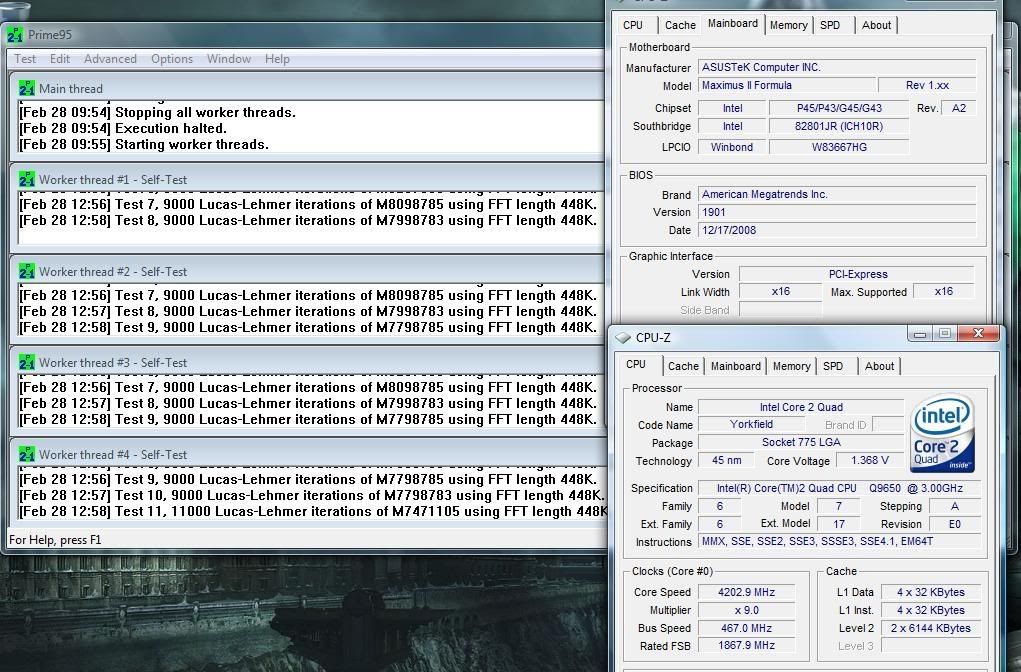
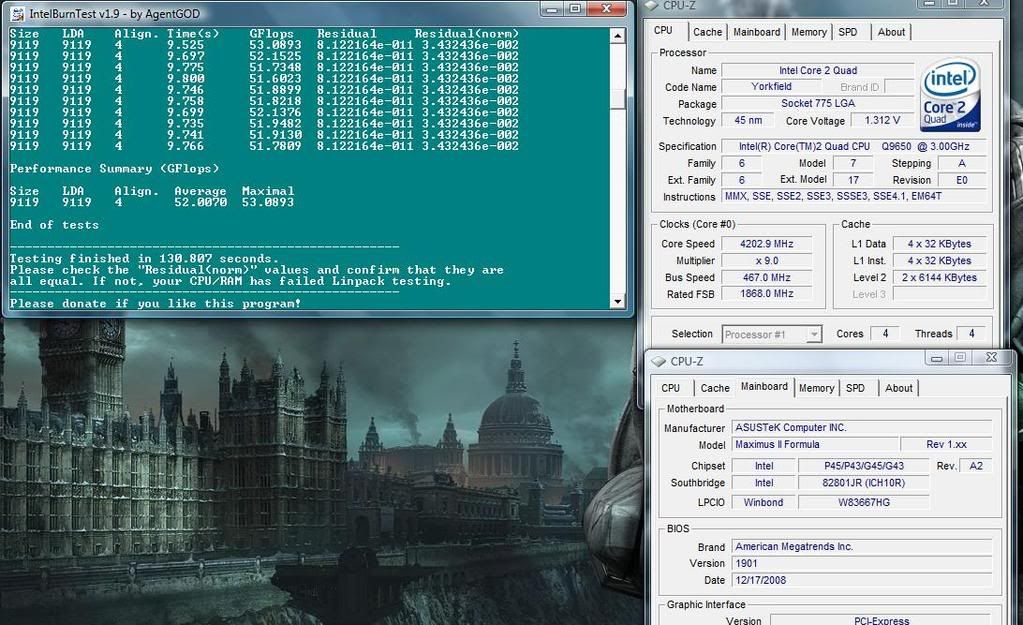
 don't get important voltages like DIMM, NB, SB, VTT


 Reply With Quote


Bookmarks