Results 1 to 14 of 14

Thread: How to HOTROD your STOCK HeatSink....8800GTS/GTX/Ultra....

  1. #1
    Xtreme Addict
    Join Date
    Jul 2007
    Posts
    2,103

    Arrow How to HOTROD your STOCK HeatSink....8800GTS/GTX/Ultra....

    8800GTS/GTX/Ultra.......Thermal Paste MX-2 MOD......90nm-80cfm or 120nm-110 Fan MOD........Also a nice Lap and polish job for watercooling like Temps and performance on AIRCOOLING This install used a 120nm-93.5cfm for all results....


    All of us know how bad the stock cooling is on the 8800GTS/GTX/ULTRA . We also know that these cards have great overClocking potential too! Well like most people out there ,I wanted to keep my card cool and not spend money on another cooling solution. So after seeing that my card idled @69c Stock, I set the fan to 100% using Rivatuner . I still had plenty of Heat and wanting a nice overclock 24/7 drove me too make this thread....Besides who really wants to spend $150.00 on cooling when you can MOD for almost free!

    The 1st Mods include adding NYLON WASHERS to the card so you can use MX-2 paste on the GPU ,,the Shader and the Memory. Also you will be using the old thermal pads for the PWM's only.

    The 2nd Mods will be too Polish/Lap the Shader Pad on the heatsink along with the copper base for the GPU. You can also lap the GPU ,but i think it will Void your warranty

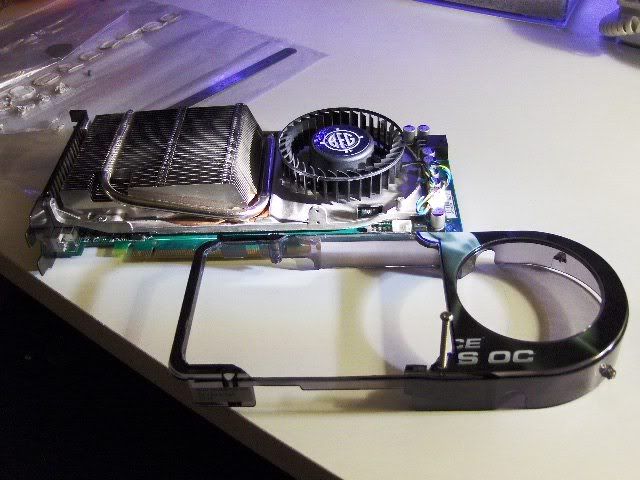
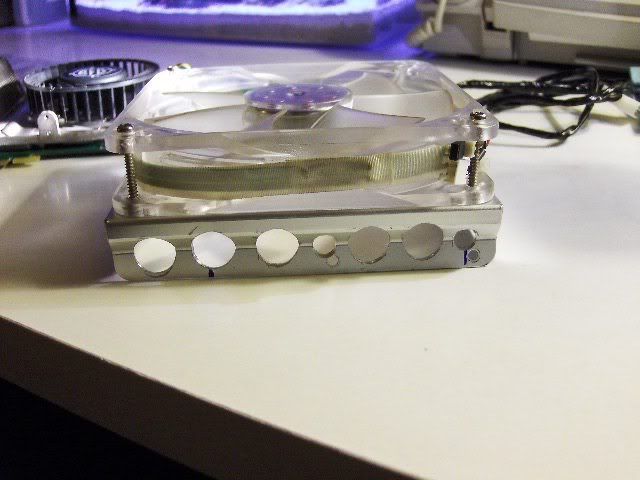
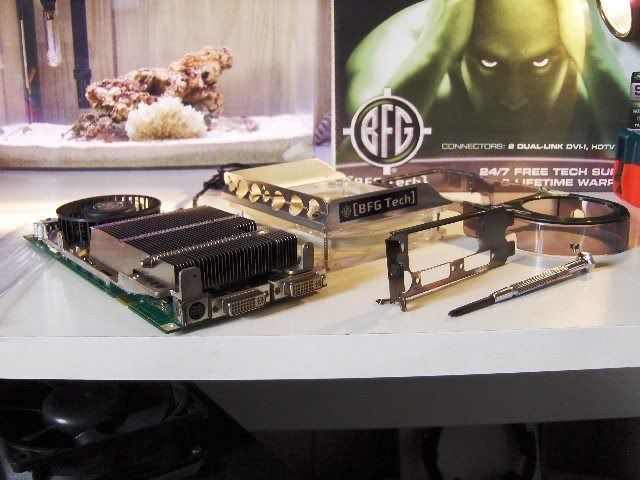
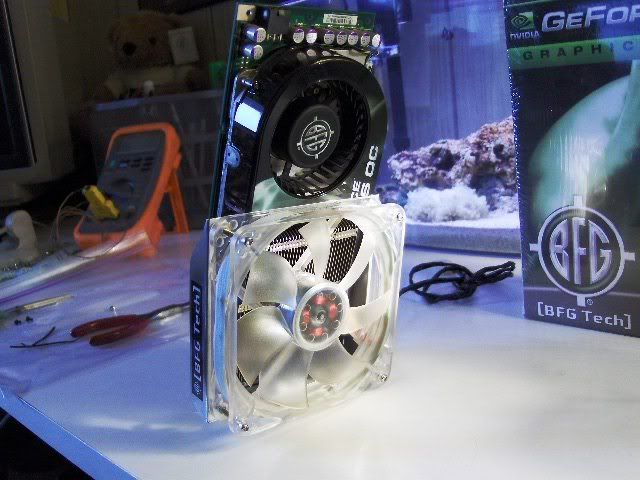
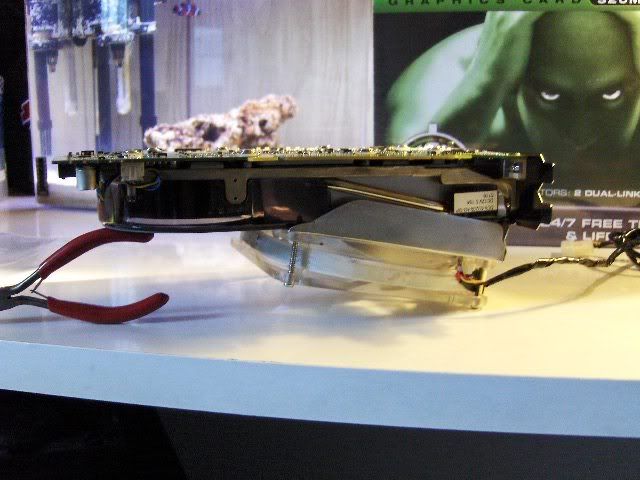
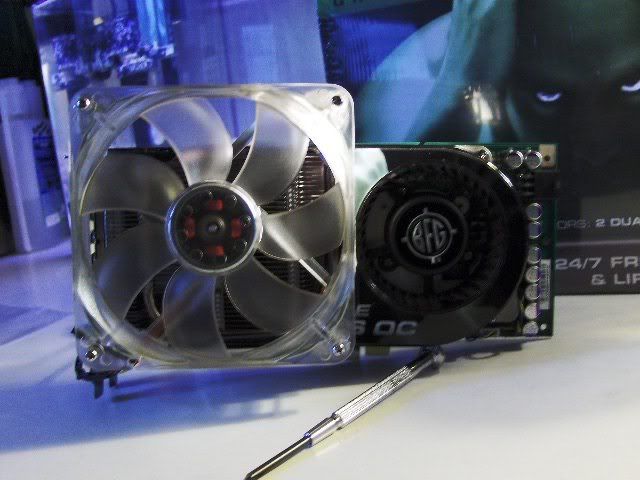
    The 3rd Mod I will be installing a 110cfm fan and cutting the Fan Shroud. Also the stock fan will still be used , it cools the PWM's as well as the front half of the memory. You could use a 90cfm fan instead of a 110cfm . The 90cfm is exactly the same width as the 8800, but dosnt offer as much extra cooling. I personally like the 110cfm ,because when the fan is done correctly it will overhang the card allowing cool fresh AIR to blow up to the top of your case,elimanating any hotair dead spots above the card!


    Lets get MODDING

    1st step remove the (4 small )fan shroud screws . Two of these screws will be under the sticker on the shroud. Next you will remove the heatsink screws. There will be (2 screws) in the rear of the card and (8 to 12) BIG SCREWS that hold the heatsink on. Do not remove the (8 really small)screws that are in the center of the card!
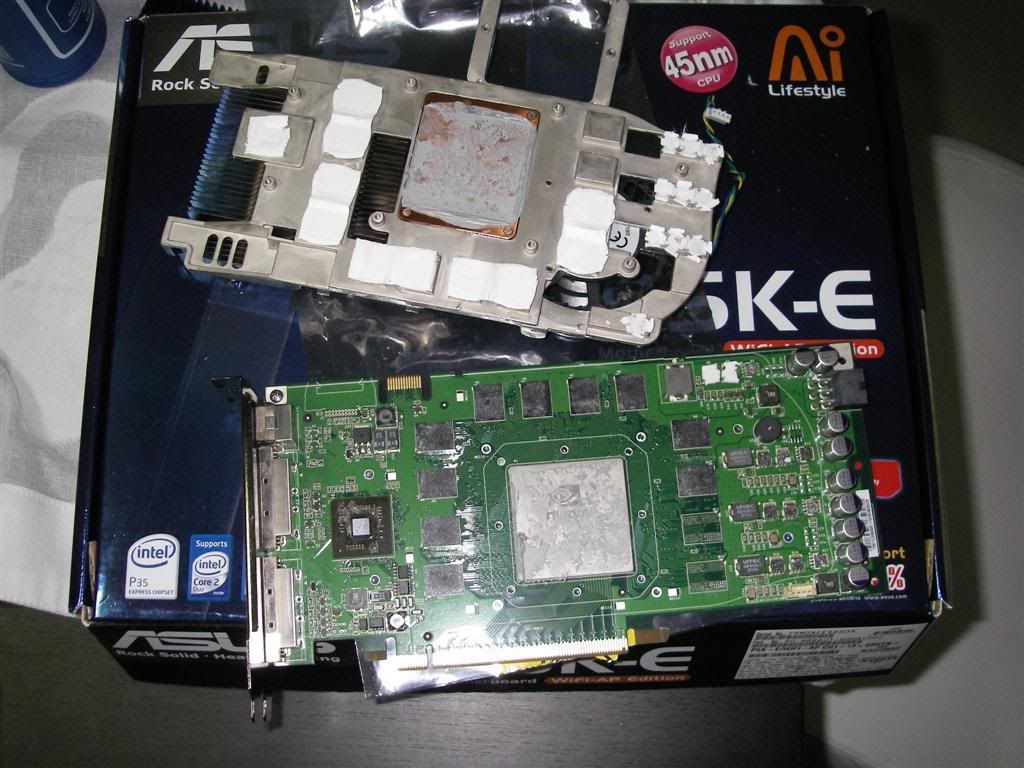
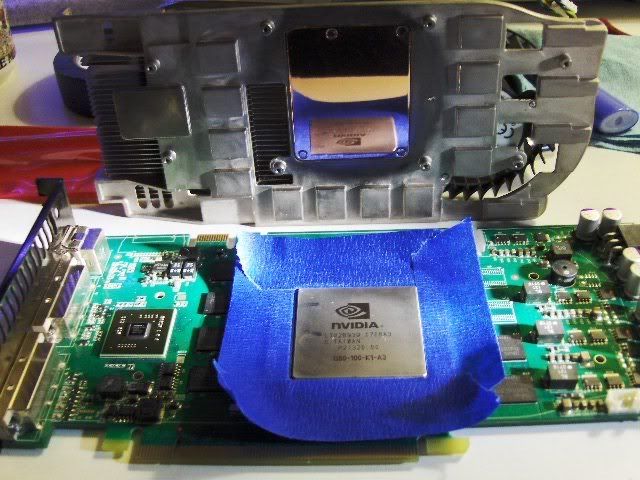
    If you wish you can use a blow dryer to heat the card ,this softens the paste a lil bit. Now gently remove the heatsink by lightly twisting left to right, DO NOT USE FORCE ,Once its off give a real good cleaning with some denatured alchohal or sumthing. Make shure you save some of the old thermal tape. It will be used later on the PWM's!


    2nd Step Ok this is where you need the nylon washers. In the picture below im using white nylon washers . They are 2/32nd thick and will be placed under the factory screws . These washers will take up th slack in the springs and create more down force on GPU . They also close the gap between the memory and the SHADER. The washer allows you to use MX-2 Thermal Paste . Do not use AS5 artic silverit is not conductivly safe!


    3rd Step Now that the heatsink and card have been cleaned ,you will need to DRY fit the heatsink with NYLON Wahers installed under the SPRING SCREWS Check the gap between the memory and shader when after its tightened down.
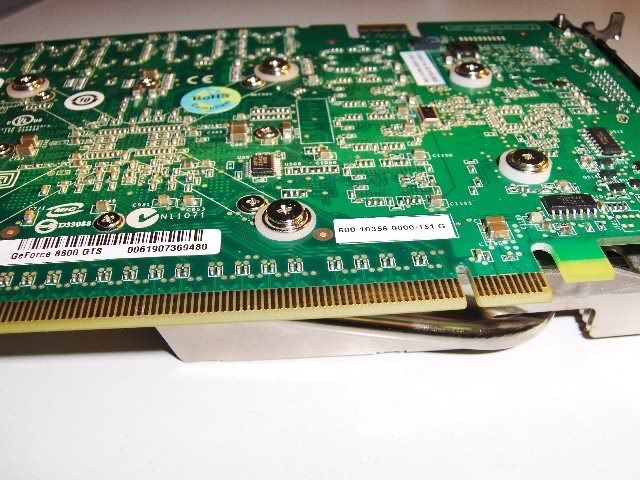
    ALWAYS tighten the spring screws starting with the GPU, tighten them in a criss cross patern and then the end screws last. When you tighten the screws you will need to push down the spring to start them. Tighten the screws till they are fully compressed ,you will feel them stop!The ideal thickness is a lil less or more than a buiseness card. Now remove the heatsink and lets get to the fun stuff! see how the SPRING SCREWS are full seated below


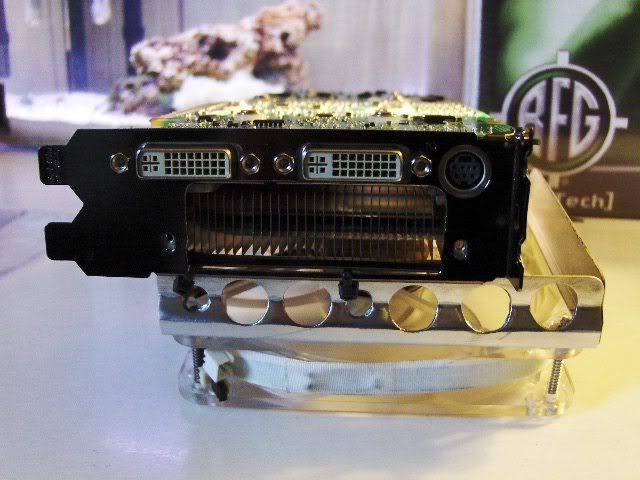
    4th Step Mod the fan shroud. You will only cut out the vents and leave the sides and front portion of shroud intact! Use your 90nm-80cfm or 120nm-110cfm as your template and dont cut too much away, you can not replace what you cut out! I used two zip ties to hold rear of fan to the exaust vent on the back of the 8800 and then threaded 1 screw to the top of the shroud.


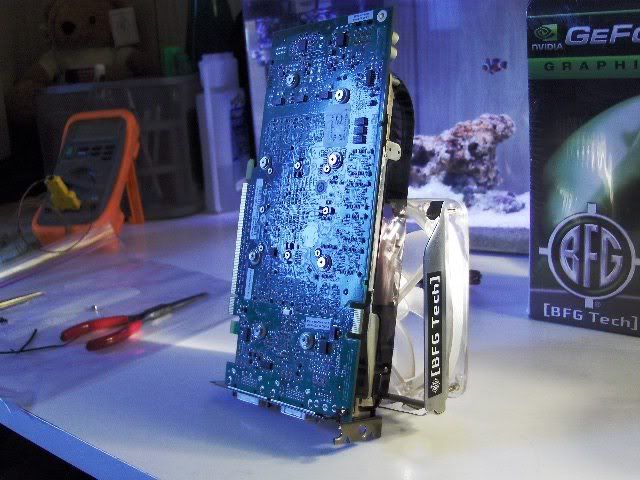
    5th Step I had a Big typhoon laying around in which i stole the fan a 120nm @93.5cfm and the aluminum fan mount . I then drilled and cut the aluminum fan shroud to fit. i wanted a fan that would hang over my card . This way i could use it to push cool air up in my case as well as out the rear!


    6th Step I recomend this to everyone ! If you dont add a fan and just do the thermal paste Mod , cut the rear exuaste vent out and then remove the metal tab that goes between the two slots in your case. This will increase your stock air flow by 75%! can you imagine the flow of a 110cfm For these results my 120nm was rated @93.5cfm..


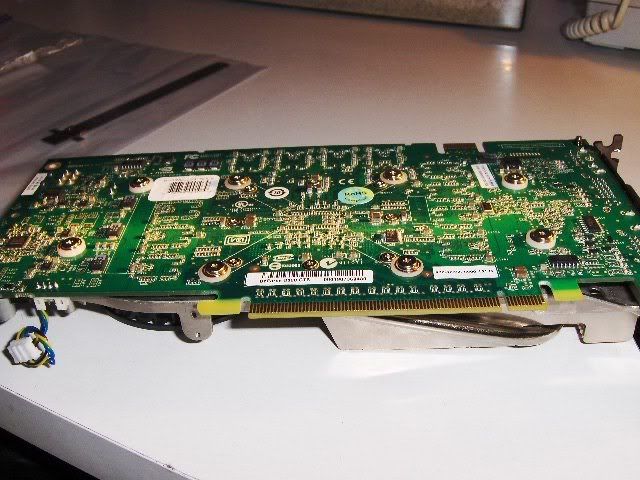
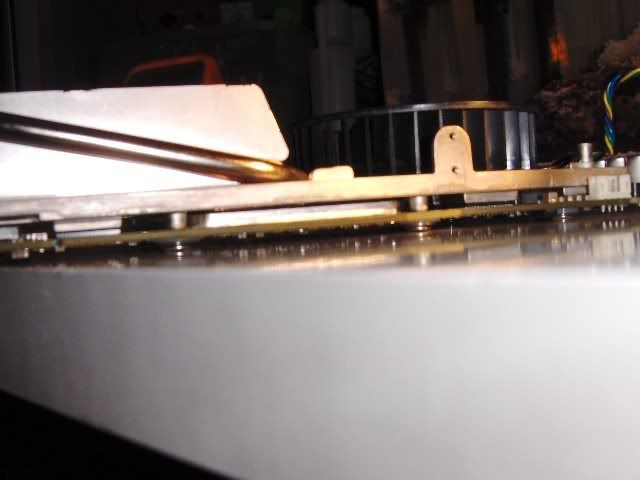
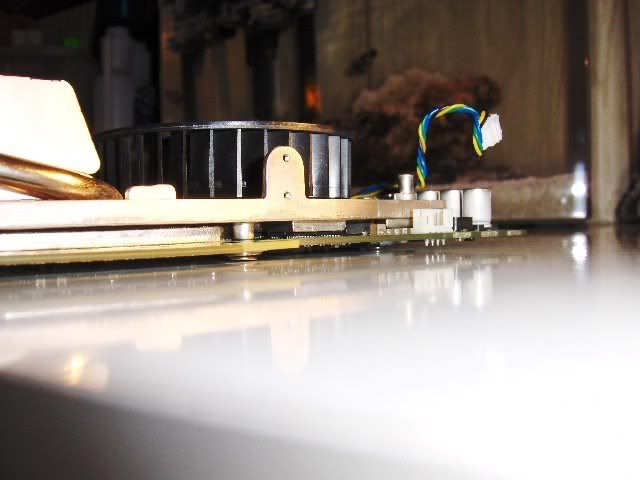
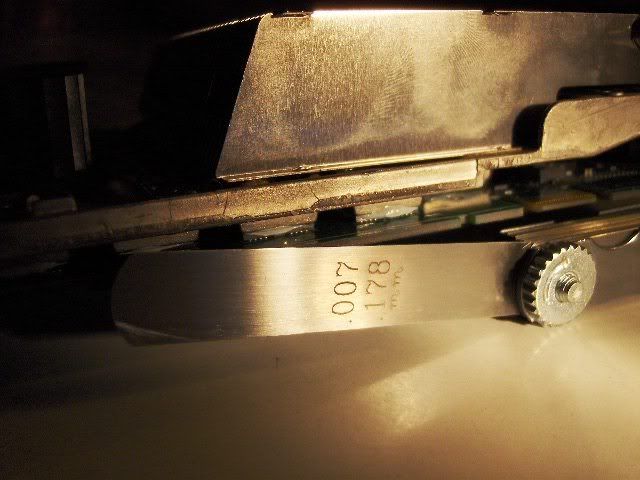
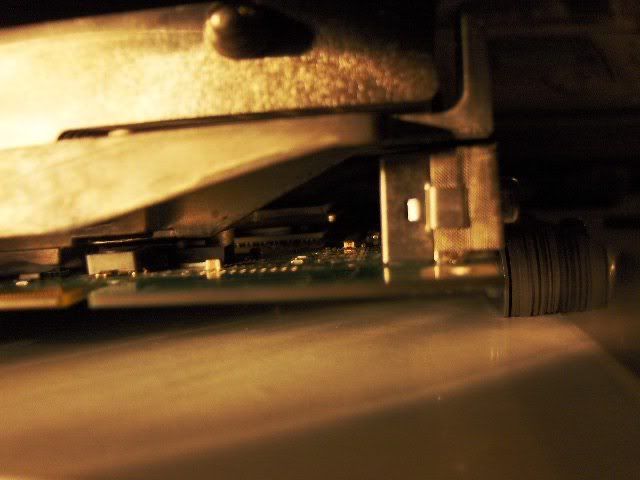
    Ok LOOK CLOSE at these next two pictures. See the barely visiable gap between the memory and how well the card is snuggled up with the SPRING SCREW MOD This was my dry run before i lapped everything


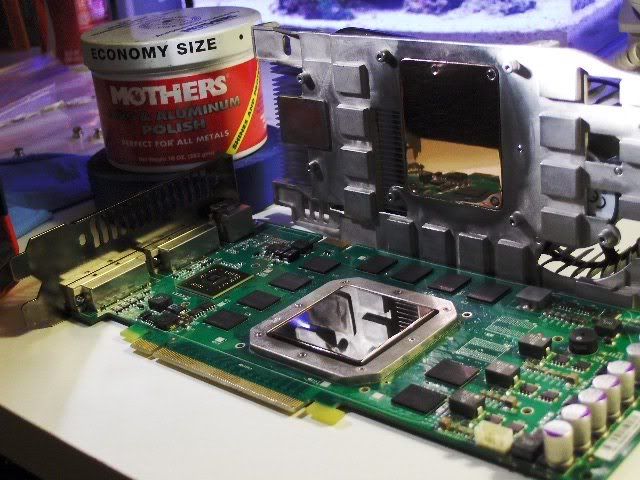
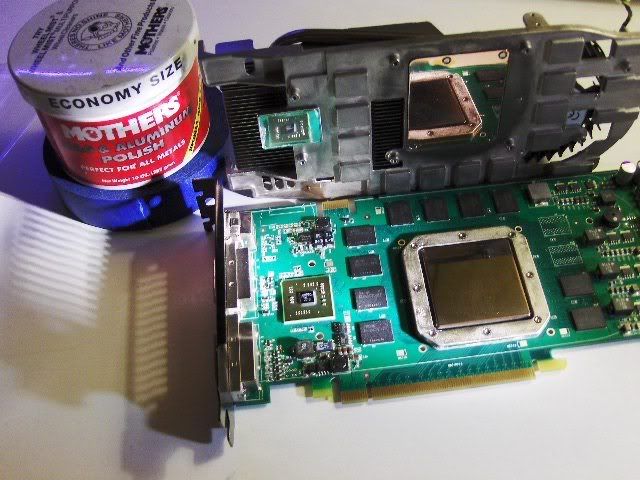
    This is my favorite part the 7th Step The next three pictures are of lapping/polishing ,1st Heatsink 2nd GPU 3rd the Shader mount on heatsink You will need to take your time while doing this. You can bump things real easy while sanding or polishing and must take great care to not do so! i used 2000 grit wet/dry sand paper and did not use water,JUST LOTS OF TIME I then polished the surfaces by hand ,DO NOT USE A DREMAL! Cleaned with alchohal when done. I use only MOTHERS ALUMINUM WHEEL POLISH . Brasso does not work as good trust me. Once your happy with the Lap job , the next step is too apply the MX-2 and cut strips of thermal pad from the OLD STUFF you saved which will go on the PWM's


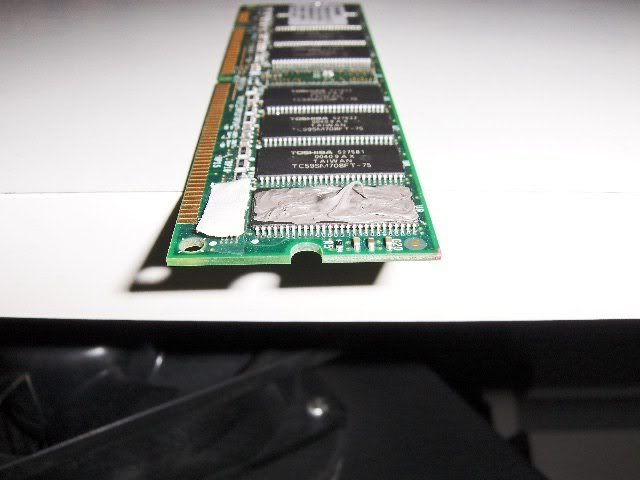
    8th Step MX-2 must be used! do not use as5 Artic silver for this , it is not conductively safe... Ok the picture below shows how much paste to put on the Memory chips , the GPU and the Shader ... For the GPU cover the whole chip with paste put a BB size dot in the middle.. for the memory apply even on all chips with just a lil dot of paste in center to top it off. Exactly how it is shown in the picture on the stick of ram! Also cut four strips of thermal tape that was saved from earlier and use those on the 4 rows of PWM's. last put a BB size ball of MX-2 on the center of the shader chip.


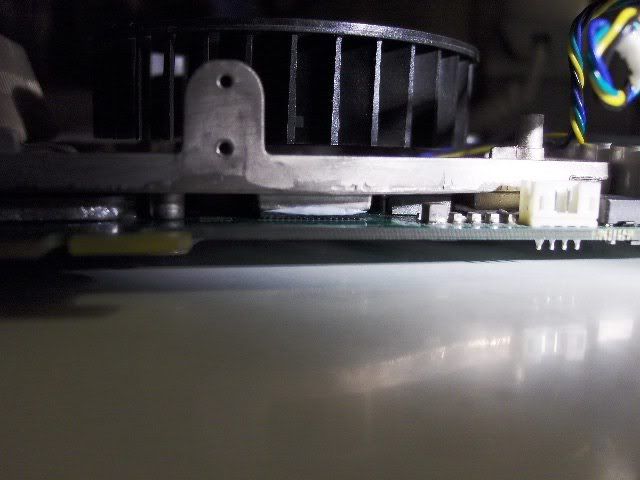
    9th inning strech This is the hardest part to do! PLEASE TAKE YOUR TIME Now that the PWM's are covered with thermal tape and the Shader ,GPU and memory have MX-2 installed you have to gently and evenly set the heat sink on the card. Thise means the card facing UP, this also means you will set the heatsink down on it making shure the thermal tape dosnt come off the PWM's!!.. Once the Heatsink is resting on card you need to wiggle it left to right ,only about a degree each way . this will set the paste and help the heat sink stick. Now CAREFULLY FLIP the card over while holding the heasink tighly against the card . Once you have it upside down you will install the (4 GPU spring screws with the nylon washer and tighten in a criss cross partern untill fully tight). Now install the end spring screws and nylon washers slowly tightening each a lil at a time untill fully tight. Do NOt CRANK DOWN on the spring screws . You will feel them stop with out much force. The springs will be fully compressed! It should look like the pictures below when done correctly.


    [IMG]http://i168.photobucket.com/albums/u192/darrellsierra/HPIM0229.jpg[/IMG


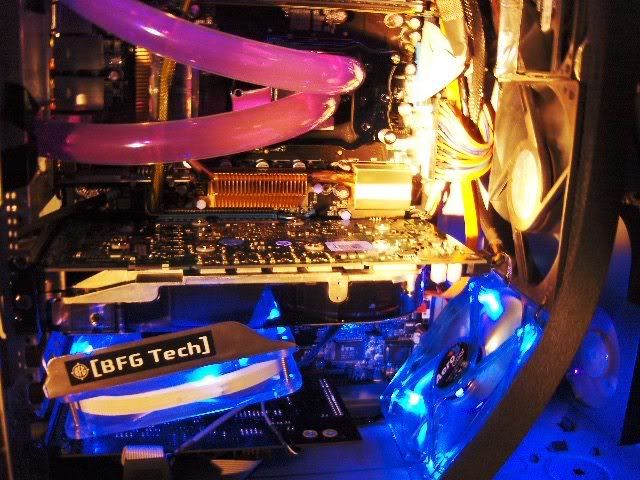
    All right the tuff stuff is over lets party!!!!! If every thing looks good ,procede to installing your fan shroud fan and get that baby humming Below are a few shots of the finished card


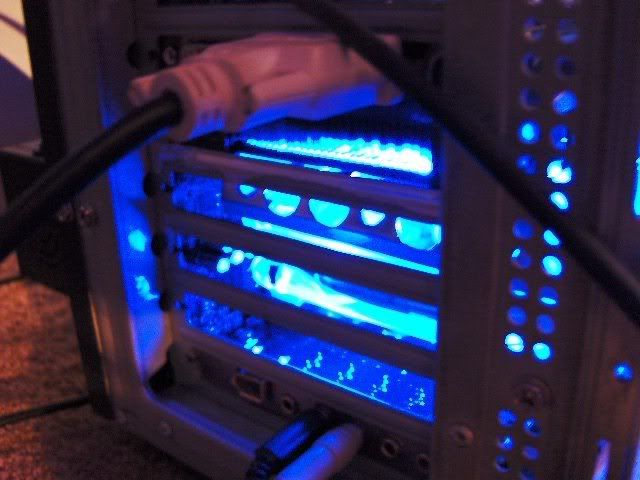
    See the vent Mod, this will get the air out


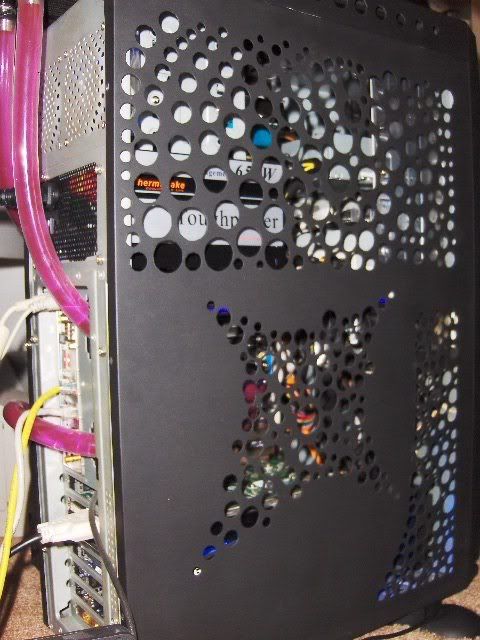
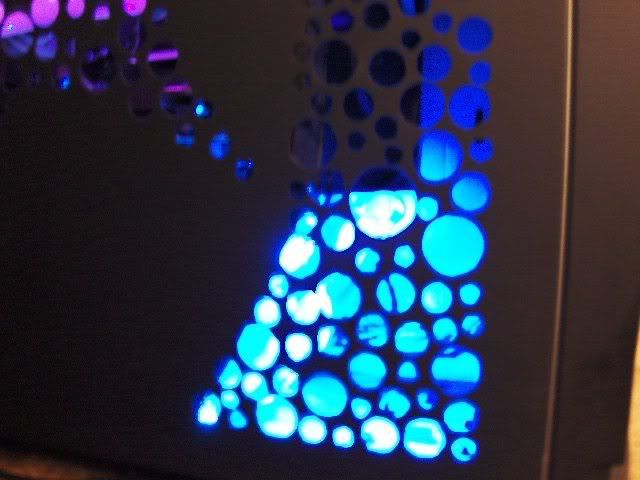
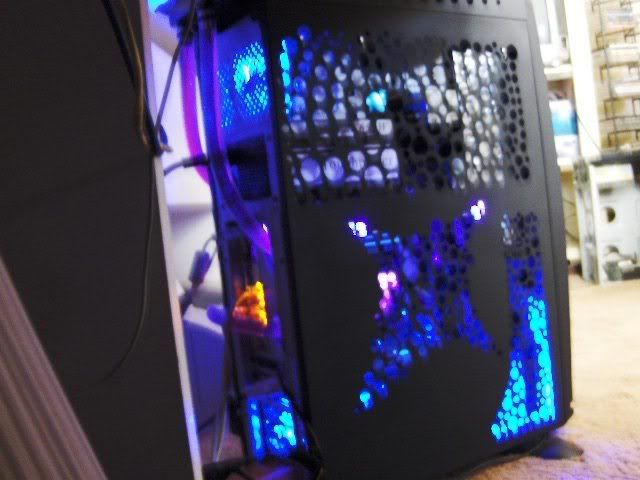
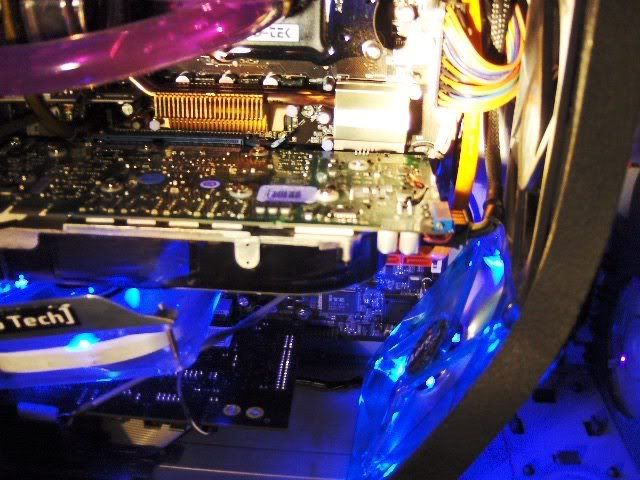
    Well here is the happy home my card rest in...Its a 1996 ANTEC TOWER CASE I painted it ,drilled it ,water cooled it, All last week because i sold my other case! This is the sytem in my SIG


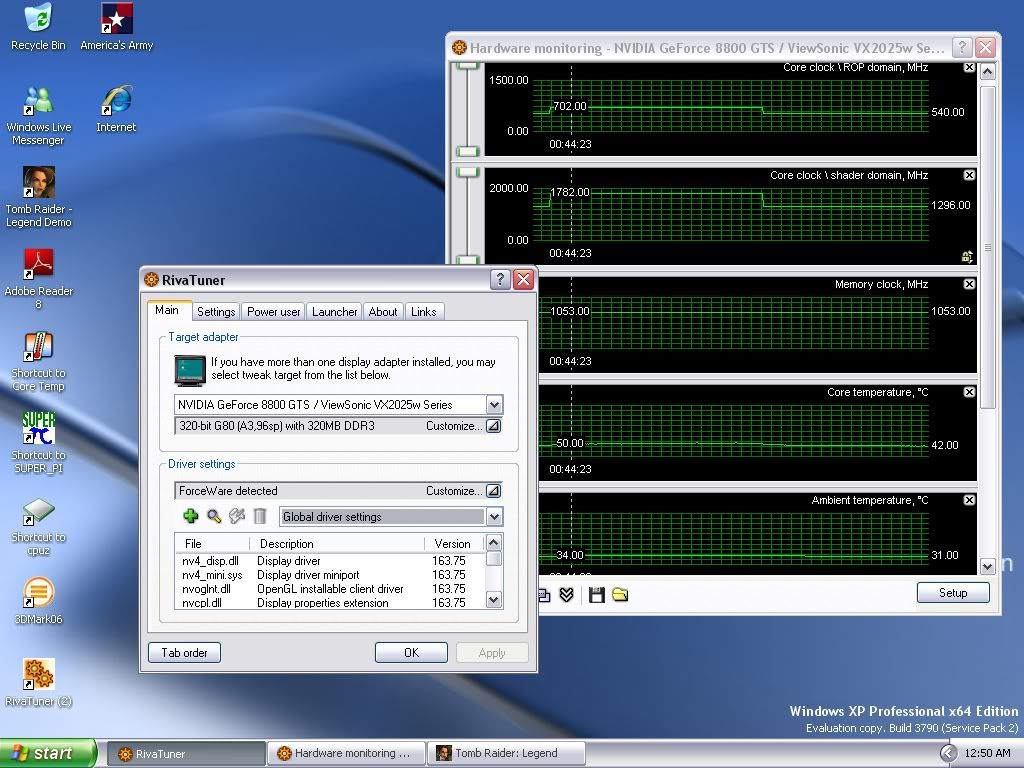
    Ok not bad for being 69c@ idle and 81c load Before the MODS Just think i almost put a water block on the thing!


    P.S TicTac hope you like the mods for my card on 100%AIR I fully disasembled my card during the week just so you Extremers could have full pics of the Mods, again Thanks for waiting .
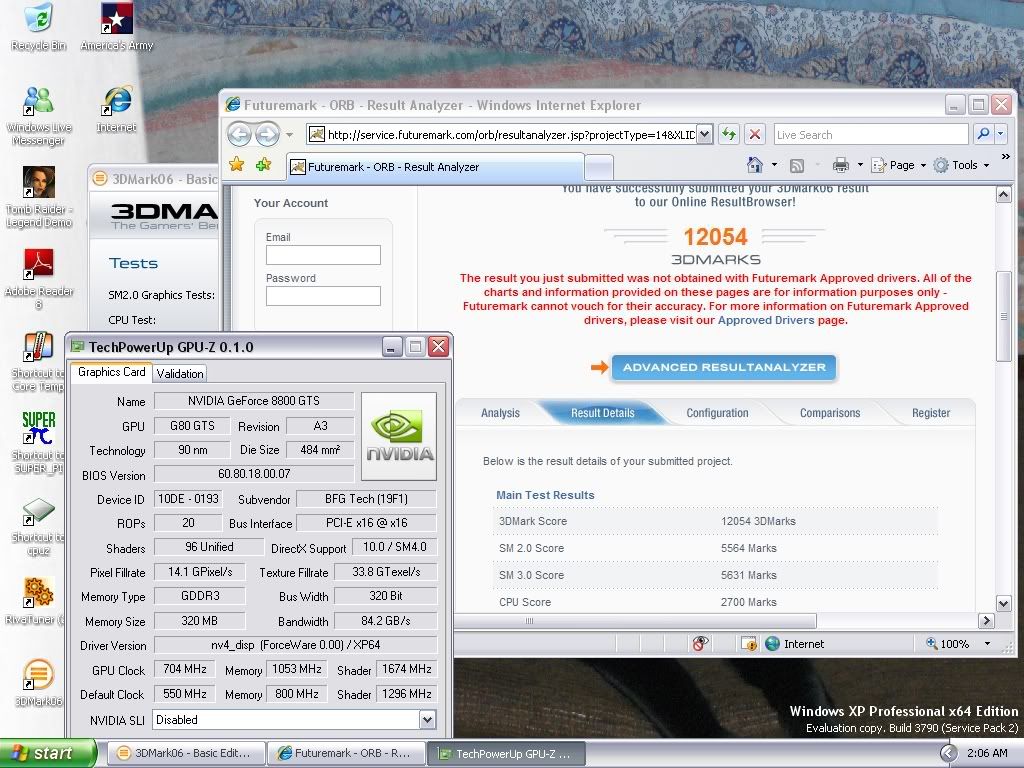
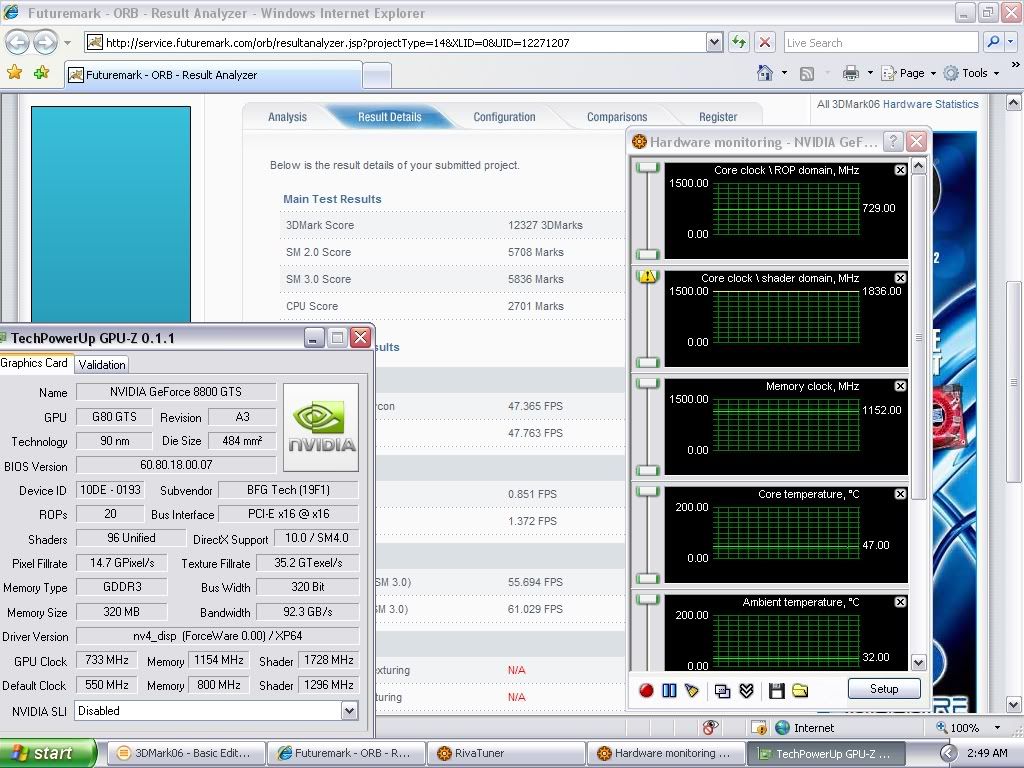
    This 3dmark is the very first run i did after putting my card back together from its lil photoshoot, I am now shooting for 13000+ with this lil 8800GTS 320 on Air with my X2Ill keep em coming and by the way ,I still havnt done any Volt Mods to this yet
    Last edited by gOtVoltage; 12-03-2007 at 02:28 AM.
    "AMD...Like the perfect Storm,...Everything needs to be just right"
    X555x4SuperCore@4450mhz@1.64v..........

    RYZEN 7 1800x/ ASUS ROG STRIX VEGA64/ =EK NICKEL WB, Feser THC 2x360 1x480
    X470 Gigabyte Aorus7, Patriot 3400mhz 16gb dual2x8
    SSD Samsung 970pro,,860EVO

  2. #2
    Xtreme Member
    Join Date
    Oct 2005
    Location
    Milton Keynes, UK
    Posts
    319

    Thumbs down

    Whoa! Amazing effort bro!

    Looks like a good interesting weekend ahead for me
    My work and bench rig:

    i7 920 D0 3939B303 @ 4.2Ghz + ASUS P6T Deluxe V2 w/ 0006 BIOS + 6GB Corsair Dominators CL7 @ DDR3-1600 7-7-7-20-1T + Intel X25-M 80GB SSD G2 + Powercolor HD5870 1GB @ 900/1300 + Dell U2410 H-IPS 24" Screen (pics and more)

    My review site: Erodov

  3. #3
    Xtreme Mentor
    Join Date
    Feb 2007
    Location
    West hartford, CT
    Posts
    2,804
    great work gotvoltage!! nice job
    FX-8350(1249PGT) @ 4.7ghz 1.452v, Swiftech H220x
    Asus Crosshair Formula 5 Am3+ bios v1703
    G.skill Trident X (2x4gb) ~1200mhz @ 10-12-12-31-46-2T @ 1.66v
    MSI 7950 TwinFrozr *1100/1500* Cat.14.9
    OCZ ZX 850w psu
    Lian-Li Lancool K62
    Samsung 830 128g
    2 x 1TB Samsung SpinpointF3, 2T Samsung
    Win7 Home 64bit
    My Rig

  4. #4
    Xtreme Enthusiast
    Join Date
    Feb 2006
    Location
    Australia
    Posts
    590
    very interesting read, good work! i may start with replacing the thermal paste, maybe lap the sink too.

    btw thats an awesome core clock on default voltage - do you know what the vgpu is?

  5. #5
    Xtreme Enthusiast
    Join Date
    Feb 2007
    Location
    Norway
    Posts
    704
    Nice job gOtVoltage, looking forward for your results with volt mods!

  6. #6
    Xtreme Mentor
    Join Date
    Nov 2005
    Location
    Devon
    Posts
    3,437
    Great GUIDE and amaizing improvement after modding!

    PS. Nice case
    RiG1: Ryzen 7 1700 @4.0GHz 1.39V, Asus X370 Prime, G.Skill RipJaws 2x8GB 3200MHz CL14 Samsung B-die, TuL Vega 56 Stock, Samsung SS805 100GB SLC SDD (OS Drive) + 512GB Evo 850 SSD (2nd OS Drive) + 3TB Seagate + 1TB Seagate, BeQuiet PowerZone 1000W

    RiG2: HTPC AMD A10-7850K APU, 2x8GB Kingstone HyperX 2400C12, AsRock FM2A88M Extreme4+, 128GB SSD + 640GB Samsung 7200, LG Blu-ray Recorder, Thermaltake BACH, Hiper 4M880 880W PSU

    SmartPhone Samsung Galaxy S7 EDGE
    XBONE paired with 55'' Samsung LED 3D TV

  7. #7
    Xtreme Enthusiast
    Join Date
    Jul 2007
    Posts
    516
    Amazing effort there, good end result... but i feel its time to upgrade you GPU soon as i think you have squeezed most you can out of it unless you do volt mods etc but then cards changed beyond recognition and hard to sell as a consequence... Perhaps a 8800GT and you would have to change cooler on that one!!

    But none the less job well done
    CPU: Intel Q6600 @ 3600Mhz 24/7
    GFX: eVGA 8800GTS SSC 512MB
    RAM: 4GB Corsair Dominator PC2-8500
    MB: DFI LP LT X48-T2R
    HDD:150GB WD Raptor X
    PSU: Thermaltake Toughpower 1000W
    Screen: Dell 2407WFP

  8. #8
    Xtreme Addict
    Join Date
    Sep 2006
    Location
    California
    Posts
    1,917
    you have a very clean aquarium. i had an aquarium once and decided it was too much work, so i killed all my fish and sold it.
    My Videos
    GRID Demolition Derby * GRID Camaro vs. Mustang * Audiosurf - Speed Racer
    I Shot the Hosties * Slightly Stupid * Dump Truck


    Intel Haswell 4770K * 2x8GB Mushkin Redline DDR3 1866 CL9 * Asus Maximus VI Gene * Sapphire 7870 GHz Edition
    500GB Samsung 840 Series SSD + 2TB WD Raid Edition 3 magnetic * SilverStone Temjin case * Corsair TX750 PSU * Corsair H60 water cooler * Win7 Pro x64

  9. #9
    Xtreme Addict
    Join Date
    Jul 2007
    Posts
    2,103
    Quote Originally Posted by Psycho_eddie View Post
    Amazing effort there, good end result... but i feel its time to upgrade you GPU soon as i think you have squeezed most you can out of it unless you do volt mods etc but then cards changed beyond recognition and hard to sell as a consequence... Perhaps a 8800GT and you would have to change cooler on that one!!

    But none the less job well done

    GPU @704mhz //Shader@1782mhz //Memory@2304mhz
    Im scared to try Volt Modding i may set a Record

    Look at my Bandwidth, also Gpu-Z dosnt register my Shader Overclocks past 1674mhz Im using Rivatuner 2.06 with updates and it says Im@1782mhz on the Shader...When i lower the Shader to 1674mhz in Rivatuner i lose 300 points in 3Dmark 06, So i believe im @1782mhz, if i try to run the Shader @1836mhz which is the next step ,it will crash in Test #2 even if i lower the memory! So for now i really cant complain . I mean i am on AIR with NO VOLT MODS Oh when i get my new pump for my 6000+ i can run it @3.6mhz again, For now all my 3Dmark06 Scores from 10600+ and higher have all been on the card with my CPU@3.48ghz . This means my CPU score will only go up From the current 2700 score that i always have.....Only when the Card stops going higher i will then play with the CPU,Im working on Just SM 2.0 and SM 3.0 Scores which is the Cards performance.
    This lil 8800 runs faster than the EnerGiZer Bunny wiggles its lil _$$


    The lil Nemo my CLOWN Fish is my late night overclocking GurU,haha Once in while i feed him SoutherComfort when hes good, When hes bad i tell the lil guy hell be dinner for the fish in the BIG TANK!
    Last edited by gOtVoltage; 11-17-2007 at 02:57 AM.
    "AMD...Like the perfect Storm,...Everything needs to be just right"
    X555x4SuperCore@4450mhz@1.64v..........

    RYZEN 7 1800x/ ASUS ROG STRIX VEGA64/ =EK NICKEL WB, Feser THC 2x360 1x480
    X470 Gigabyte Aorus7, Patriot 3400mhz 16gb dual2x8
    SSD Samsung 970pro,,860EVO

  10. #10
    Registered User
    Join Date
    Aug 2007
    Posts
    61
    Great stuff got!! as always!!
    Intel™ I5-750 @ 2.7 160 x 17
    Asus™ Maximus Formula III 1156
    e-Evga GTS 250 1gb DDR3
    4GB G.SKILL Ripjaws DDR3 1600 (PC2 12800)
    CORSAIR|CMPSU-750TX 750W RT
    2x Raptor 74gb in Raid 0
    WD Cavier SE16 250GB 7200RPM SATA (as back up)

    3DMARK06 Score : n/a

    Having to upgrade from dual core AMD to Intel Quadcore... pRiceless!

  11. #11
    Xtreme Addict
    Join Date
    Jul 2007
    Posts
    2,103
    Quote Originally Posted by ohsnapsjay08 View Post
    Great stuff got!! as always!!
    Hey bro check your PM...
    "AMD...Like the perfect Storm,...Everything needs to be just right"
    X555x4SuperCore@4450mhz@1.64v..........

    RYZEN 7 1800x/ ASUS ROG STRIX VEGA64/ =EK NICKEL WB, Feser THC 2x360 1x480
    X470 Gigabyte Aorus7, Patriot 3400mhz 16gb dual2x8
    SSD Samsung 970pro,,860EVO

  12. #12
    Xtreme Addict
    Join Date
    Jul 2007
    Posts
    2,103

    UPDATE ,Did Vmod and pushed the GPU/Shader More

    Gpu-Z will only show max linked GPU/Shader under XP64bit,,,Rivatuner is correct and have checked this with my buddies GTS and GPU-Z will not read Higher unlinked shader on his card either!


    Last edited by gOtVoltage; 12-03-2007 at 02:32 AM.
    "AMD...Like the perfect Storm,...Everything needs to be just right"
    X555x4SuperCore@4450mhz@1.64v..........

    RYZEN 7 1800x/ ASUS ROG STRIX VEGA64/ =EK NICKEL WB, Feser THC 2x360 1x480
    X470 Gigabyte Aorus7, Patriot 3400mhz 16gb dual2x8
    SSD Samsung 970pro,,860EVO

  13. #13
    Xtreme Addict
    Join Date
    Jul 2007
    Posts
    2,103

    Talking Odered a Big@** lets say windmachine of a fan today

    Ok im going to update the BFG-Thing! i will change fan first and see what happens..Then i guess im gonna have to shave this heatsink down to fit a BARE I H S hehehheee

    More MX-II and this little baby It will be on a fan controller.... oh crap where are those dang ear muffs


    Petra//P.T.S one of the only places that had one in stock ,,Thank you so much...... People say the new GT is loud
    "AMD...Like the perfect Storm,...Everything needs to be just right"
    X555x4SuperCore@4450mhz@1.64v..........

    RYZEN 7 1800x/ ASUS ROG STRIX VEGA64/ =EK NICKEL WB, Feser THC 2x360 1x480
    X470 Gigabyte Aorus7, Patriot 3400mhz 16gb dual2x8
    SSD Samsung 970pro,,860EVO

  14. #14
    Registered User
    Join Date
    Nov 2007
    Posts
    53
    What voltage is this card by default ?

    Ive got an XFX 8800gts 320m with default 1.3v and 513/792. I get it up to 675/1566/1053 at 1.4v, but i bluescreen and die horribly with corespeeds above this. Loadtemp never gets above 73C.

    Would like to know how far its "ok" to push the voltage on this thing.
    Last edited by zicada; 12-10-2007 at 04:06 PM.

Bookmarks

Bookmarks

Posting Permissions

  • You may not post new threads
  • You may not post replies
  • You may not post attachments
  • You may not edit your posts
  •