-
Asustor AS6702T V2
Introduction
I fell like I have said this about four times this year – but today I want to talk about the most impressive hardware equipped 2-Bay solution of 2026, the Asustor Lockerstor 2 Gen2+ (AS6702T V2)! Yes, there has been an absolute flurry of new hardware releases from the big guys in NAS storage and each brand has seemingly been playing chicken with each other to see who will release their data storage solutions at the right time. The Lockerstor 2 Gen2+ still seemingly managers to feature the best of the best, even managing to bring the best parts of other flagship devices released by their competitors this year and culminating it into a single device, all the while maintaining a near-identical price point. On the face of it, the Lockerstor 2 Gen2+ represents a solid choice right now in the market, when most buyers are being pushed to leverage their budget towards hardware or software, the Lockerstor 2 Gen2+ decides to find a perfect middle. Has Asustor succeeded with the Lockerstor 2 Gen2+? Does it deserve your data? Let’s find out.
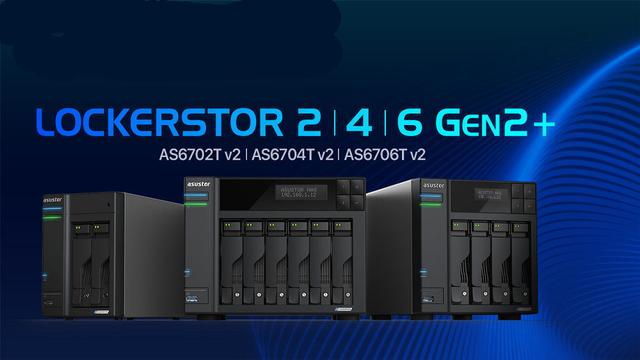
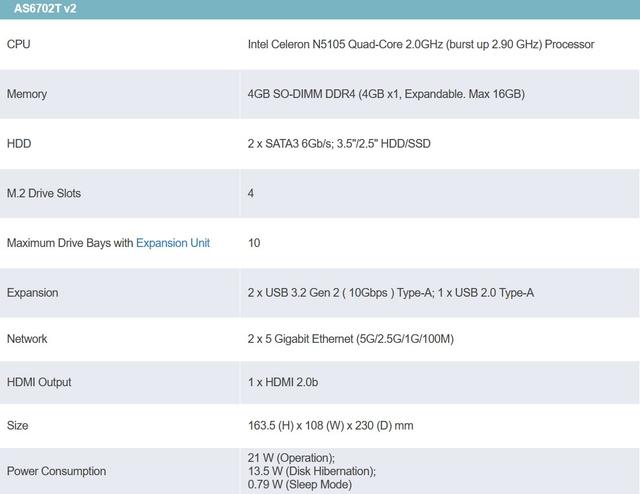
In terms of hardware, you simply cannot fault the value for money that is present in the Lockerstor 2 Gen2+. Practically every single modern trend in desktop NAS storage is included here. The Gen2+ models continue to rely on Intel's Celeron N5105, but now offer two 5 Gigabit network connections. The Lockerstor series from Asustor gets a plus. The Gen2+ models combine more network speed with solid mid-range features without overtaking the competition. While other manufacturers already work with native 10 Gigabit ports, Asustor relies on two 5 Gigabit ports (RJ45). This means that the manufacturer offers up to 10 gigabits per second, at least via SMB multichannel or link aggregation. Optionally, a 10 gigabit port can be retrofitted using an expansion card. As with other manufacturers, the two 5 gigabit ports can be bundled. This can be done either with link aggregation, which increases the network speed for multiple transmissions. Or via SMB multichannel, which allows a single large file to utilise the combined bandwidth. The prerequisite is that the client and NAS support SMB 3 and the ports are connected at the same speed. The Gen2+ series comprises three models with two, four or six hard drive bays. They differ primarily in terms of RAM: 4 gigabytes (GB) for the 2 and 4-bay, 8 GB for the 6-bay, each expandable up to 16 GB. There are also M.2 slots for SSDs, which can bring the total storage capacity of the model with 6 hard drive bays to over 200 terabytes. Asustor now also lists 30 TB HDDs as compatible.
Lockerstor 2 Gen2+ (AS6702T v2): 2 bays, Intel Celeron N5105, 4 GB RAM, 2 × 5-gigabit RJ45, 4 × M.2 NVMe
Lockerstor 4 Gen2+ (AS6704T v2): 4 bays, Intel Celeron N5105, 4 GB RAM, 2 × 5-gigabit RJ45, 4 × M.2 NVMe
Lockerstor 6 Gen2+ (AS6706T v2): 6 bays, Intel Celeron N5105, 8 GB RAM, 2 × 5-gigabit RJ45, 4 × M.2 NVMe
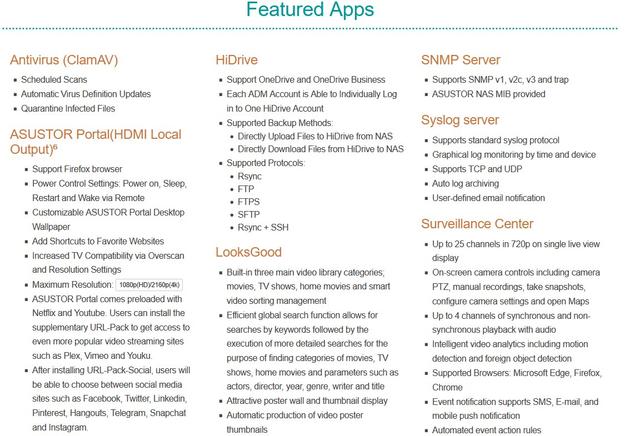
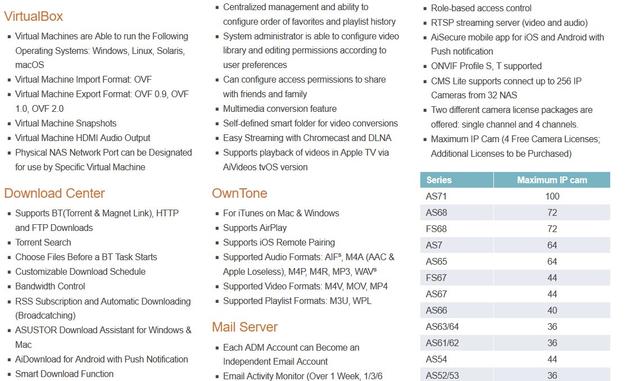
As with all Asustor NAS devices, the AS6702T V2 NAS is managed using the Asustor Data Master operating system, a web-based OS that looks and feels like Microsoft Windows. It also comes with an impressive selection of apps. And if the preinstalled apps don’t meet your needs, you can access and download other apps for office productivity, database management, home entertainment, home automation, security, and many other functions.
Packaging & Contents
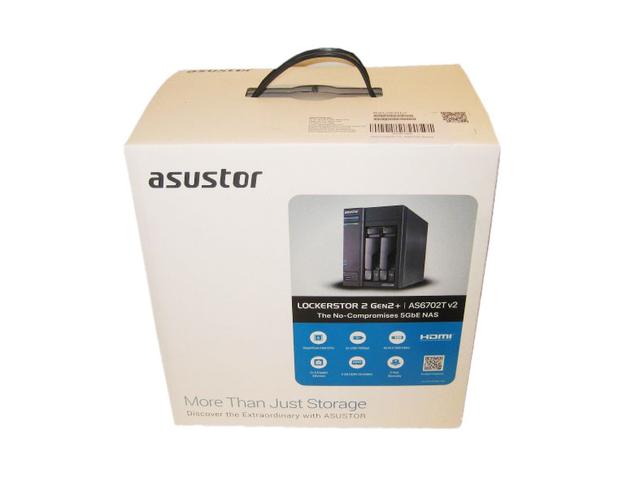
The unit is arriving in an attractive black and white box. Packaging includes features and an image of the NAS on the front. There is a top handle to help you carry the box.
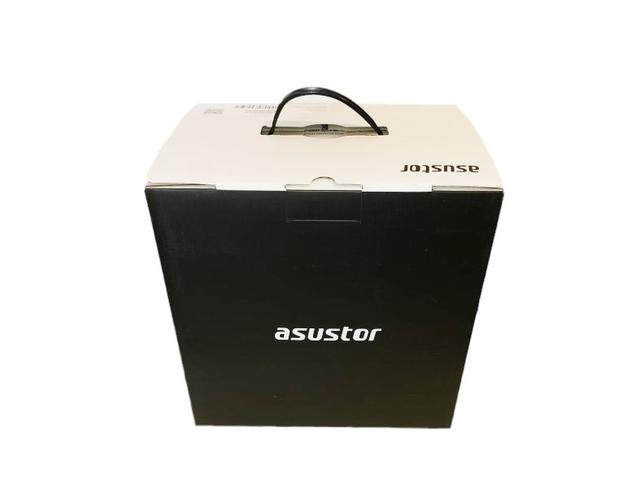
The rear of the box is just plain black with the Asustor name picked out in white.
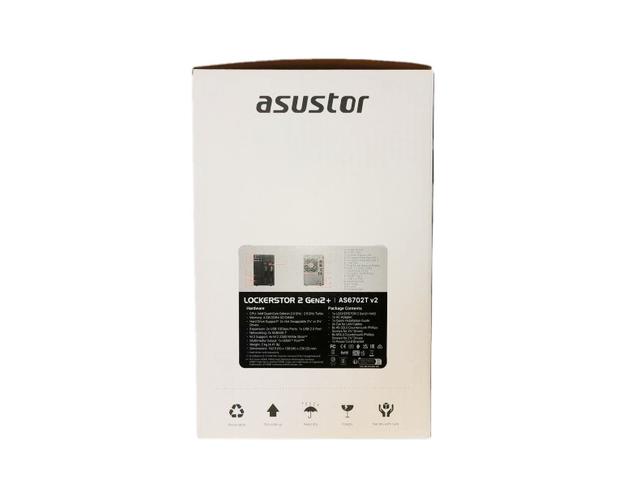
The left side of the box has a sticker with images of the front and rear of the unit showing a list of external features. Under this is a panel displaying a detailed list of the hardware inside the NAS and the contents of what's bundled in with the NAS.
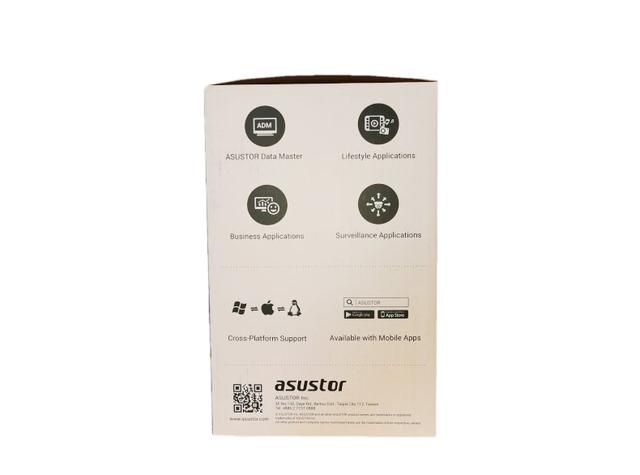
The right displays icons for Asustor Data Master, Enthusiasts, Lifestyle Applications and Surveillance Center. Under this are icons displaying cross platform support and mobile app support.
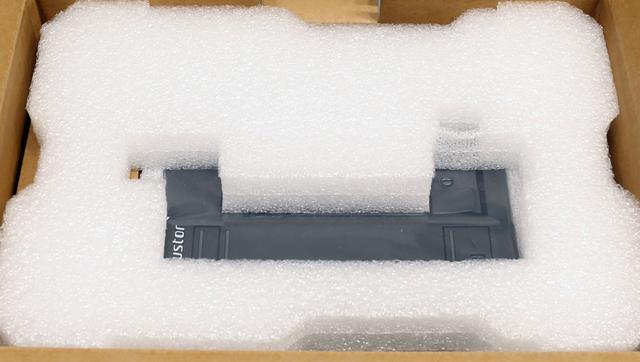
Packing protection is excellent, and the NAS is wrapped in plastic to avoid scratching it during unboxing.
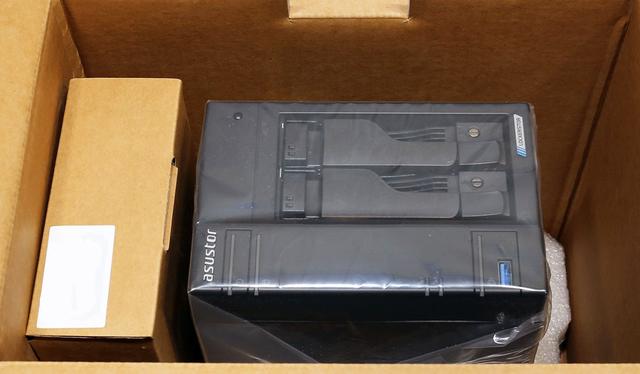
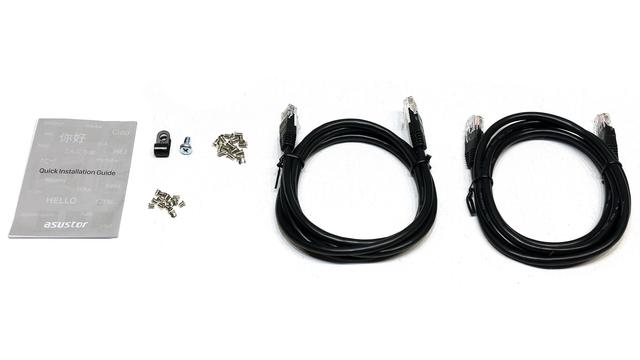
The bundle includes two Ethernet cables, two sets of screws, a quick installation guide, and a power adapter.
The Nas
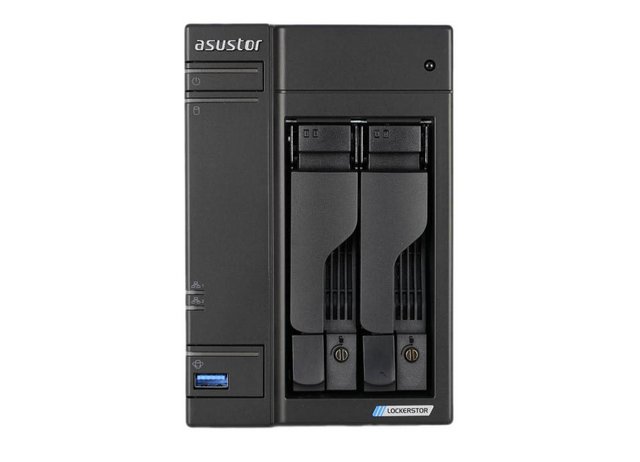
Design-wise, the AS6702T V2 is very similar to previous generations of prosumer Asustor NAS. This 2-bay solution features a fantastically rugged chassis, that is almost exclusively metal in both external casing and right the way down to the individual drive trays. Typically this is an area where most brands will make economies, for reasons of mass production or for reasons of noise reduction. However, I am well aware that there is a large contingent of NAS buyers who prefer metal NAS systems for the heat dissipation and build quality advantages.
The abundance of metal design on the AS6702T V2 nice will certainly assist heat dissipation, but there is no avoiding that it will also play its part to increase general sound levels negatively. Alongside this, the AS6702T V2 features less typically visible ventilation than what you see on most 2-bay solutions. Alongside the rear-mounted active cooling fan, there is a passive cooling to assist airflow is via a minimal ventilation slit on the side and what ventilation is available on each drive tray.
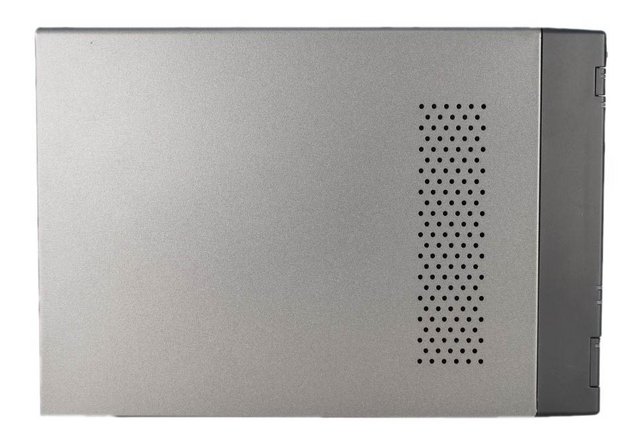
The right side is solid.
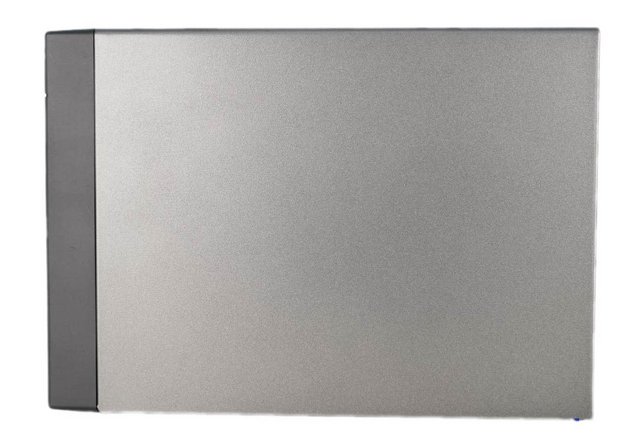
One subtle design change is the top panel, which now has some perforated holes to aid in cooling the new four M.2 slots. In the top left corner, we will get to see the chromed Asustor logo, along with the Power button and two status LEDs.

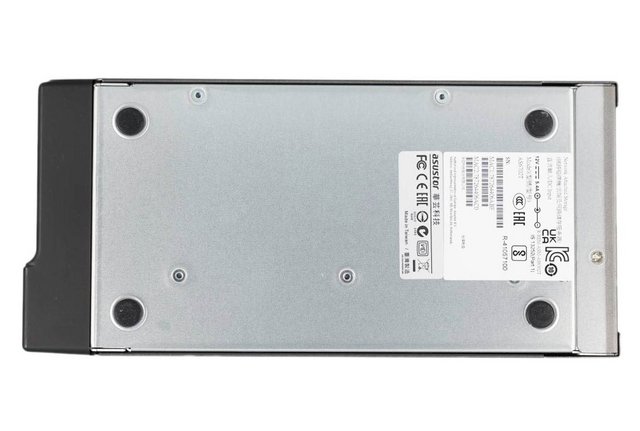
On the bottom side of the unit we will spot four circular large rubber feet, along with a sticker which informs us on the product serial number along with the MACs for the LAN interfaces.
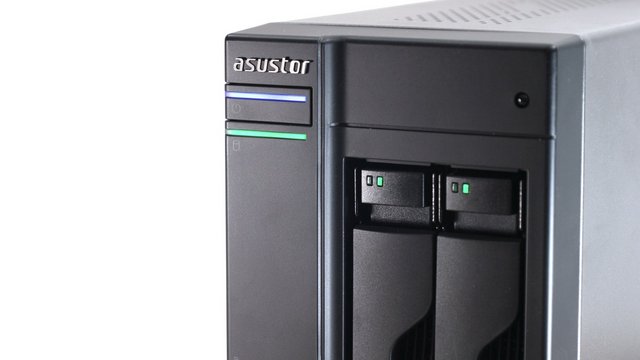
A good look at the front of the AS6702T V2 chassis shows us that everything is well spaced out on this 2 bay NAS system. Although this chassis design has now been around with Asustor for more than 8 years, this is hardly a crime as it is something that others brands have maintained for much longer in some cases. Sadly, this 2-bay does not feature a controllable LCD front-mounted panel. This is a real shame and sure, you can access this information by logging in via the client applications or browser-based GUI, but this can take longer than a simple click of a button on the physical NAS and is especially relevant when the alert buzzer is triggered for reasons of or storage degradation where the time frame is important. Additionally, the AS6702T V2 features numerous areas of LED notification. These are considerably less useful and detailed than the LCD panel but still provide minimalist information about system access and activity. The front left of the AS6702T V2 hosts the power button, a single USB-A 3.2 Gen 2x1 port, and the typical power and drive status/activity LEDs. Another physical feature of the AS6702T V2 that I’m pleased to confirm is still present in this 2026 NAS drive is a front-mounted USB 3 copy button. More and more brands are removing this feature in favour of a stand-alone USB port that can trigger backups automatically when a given external drive is connected. The AS6702T V2 has both a physical button that can manually instigate multiple types of NAS to USB backup, as well as an automated trigger system too – better to have both than either, as if you are going to the trouble of connecting a drive physically to this NAS the extra steps in assurance to simply click a button and the first-hand witness the backup begin is just an extra layer of peace and self-assured security that for me is vital, to have confidence in your backup strategy.
Carrying on with the theme of rugged design, the drive trays featured on the AS6702T V2 are particularly good. Each tray has a dedicated switch-based locking mechanism, plenty of ventilation and is even spring-loaded, something we are seeing less and less these days. Each tray supports a 3.5 inch or 2.5 inch SATA media drive, as well as allowing you to deploy this device with a single drive if you choose.

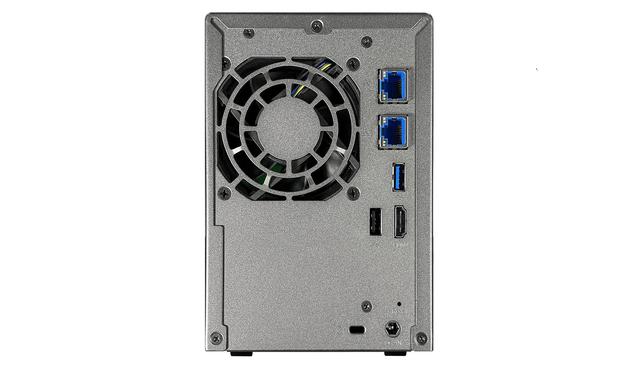
Probably one of the most innovative connections on the rear of this AS6702T V2 drive is that of the Ethernet connections, both of which feature 5 Gbe that of traditional ethernet speeds. Additionally, these ports can be combined (via link aggregation/port trunking) to allow up to 10 Gbe combined bandwidth. There are, of course, numerous factors to consider before reaching these speeds such as making sure the rest of your network environment is 2.5Gbe and above compatible, as well as the storage media inside providing that level of performance. Additionally, this system also features an HDMI out that can be used in unison with the dedicated parallel GUI, Asustor portal. The HDMI 2.0, which is a 4K 60 frames per second visual output means that you will be able to enjoy particularly dense 4K top-end media with close to zero playback and browsing latency, by connecting the NAS directly to your TV, as opposed to streaming such large media over the network. There's another 10Gbps Type-A USB 3.2 port as well as a USB 2.0 port. While USB 2.0 isn't going to set anyone's heart aflutter with speed in this day and age, it's a perfectly serviceable kind of connection for older devices or those that just don't tend to need that much rapid data transfer, such as some shared printer setups. The two additional USB ports that are featured on the AS6702T V2 can also be used by numerous supported hardware peripherals and storage devices by the core NAS system, such as UPS devices, printers, expansion chassis, remotes, external storage and wireless dongles. There is even 2.5Gbe and 5Gbe USB adapters that allow you to add further network interfaces to this NAS and increase the available bandwidth to multiple users(and apps) accessing the data on the AS6702T V2 NAS for their own needs. There are also a Kensington lock port, and a barrel-shaped power jack. The single 70mm fan in the rear sucking air through the chassis. A PCIe expansion slot is not present and remains an important miss of the Lockerstor Gen2+ series.
Installation
The trays can be easily released from the bays, with just a press of a button.
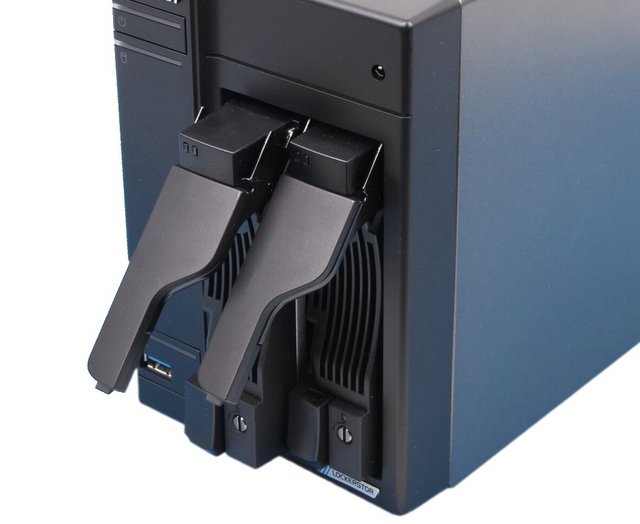
They are made of both metal and plastic, but for avoiding short circuits with the electronic board of the drives, Asustor has also interposed a plastic layer. In the frontal area of the trays we have a metallic grill for ventilation.Since the activity LEDs are placed on the daughterboard inside the NAS, Asustor has used Plexiglas extenders in order to bring the light to the front. Near the release button of the trays we also have a small screw for enabling the locking mechanism. The holes for the 2.5’’ drives are also marked.
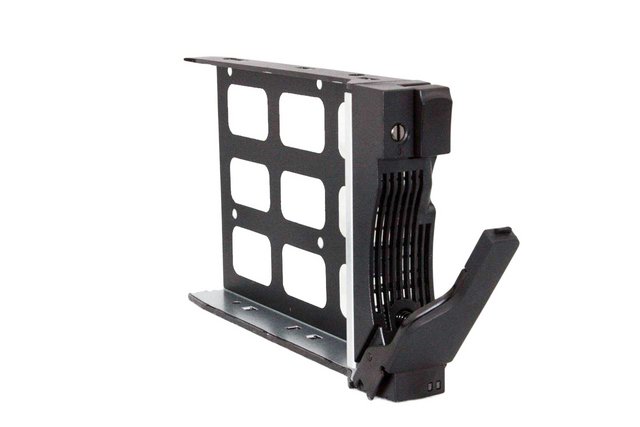
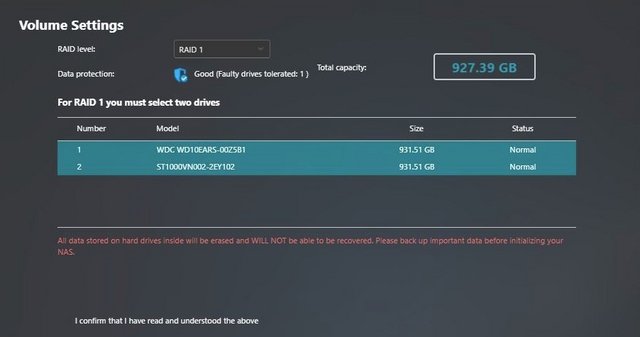
Mounting HDDs/SSDs onto these is a piece of cake. Asustor understands that your data is priceless, therefore Asustor NAS provides different RAID Volume options, giving your data various levels of protection from the moment it is first stored on the NAS. The AS6702T V2 is a two-bay device, though a four-bay model is also available. For data security, you'll need to use a RAID1 configuration, whereby one drive is essentially a duplicate of the other. This NAS also supports RAID 5, RAID 6, and RAID 10 when using M.2 SSDs. You can opt to use RAID5, in which only a single drive out of four is dedicated as a spare, therefore, you use the drives more efficiently. You also have the option of using RAID0 (striping the data across multiple drives for speed, with the total capacity being the combined capacity of two identical drives) or JBOD ("just a bunch of disks", combined into one volume). Your file system can be either EXT4 or BTRFS. BTRFS is newer, and supports snapshots, as well as allowing for intra-volume instantaneous file operations. In a RAID1 system, BTRFS can also protect against "bitrot", where data can become corrupted over time.So what drives should you buy? Network Attached Storage devices are not the same as small desktop computers: they're designed to run all the time. While they're much more efficient with their power requirements, the constant disk operations do take a toll on the hard drives, which spin every hour of every day. You should also purchase drives of the same size for the AS6702T V2, regardless of which model you buy. You'll be unable to make use of the additional space from a larger disk until drives have been upgraded. Believe it or not, hard drives are not all the same, and I'm not talking about 5400 vs 7200 RPM speeds. You'll find different "classes" of hard drives depending on their intended purpose, according to how much workload they can handle, and the expected lifetime of the drive. Whichever type of drive you choose, a good tip is to either stagger your purchase or buy from a different retailer, to avoid getting all your drives from the same manufacturing batch. While extremely rare, if there happens to be a bad batch, you want to avoid all your drives failing at once.
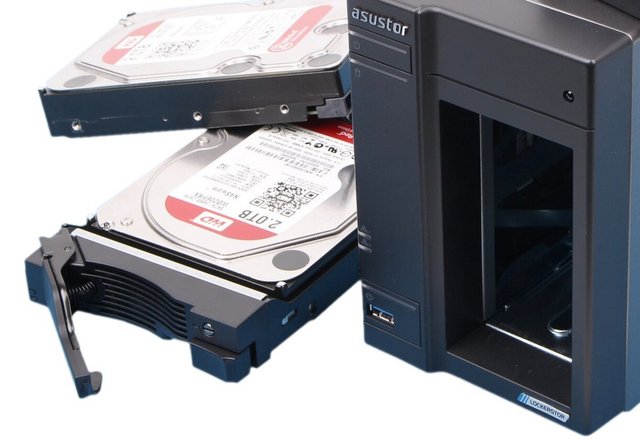
A Look Inside
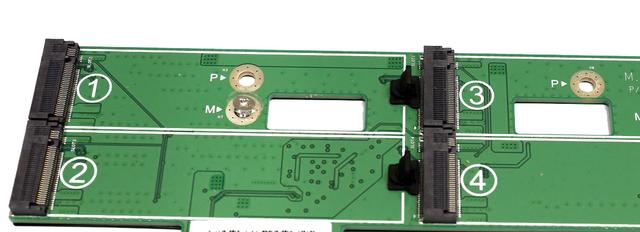
You have to deal with several screws to fully tear down the NAS, but the whole procedure is straightforward. A little further investigation shows us why the AS6702T V2 does not feature an available PCIe upgrade slot, as it is already pre-populated with a separate minor PCB with four to NVMe SSD bays onboard.
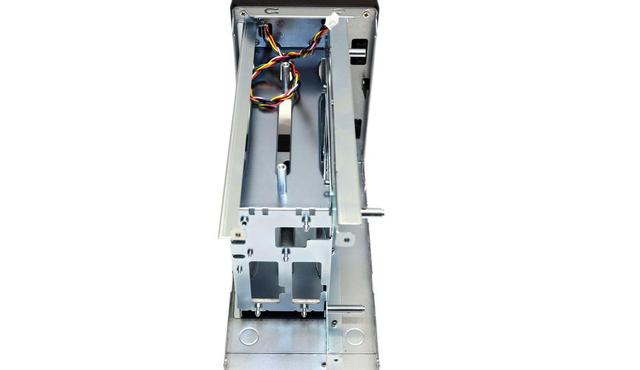
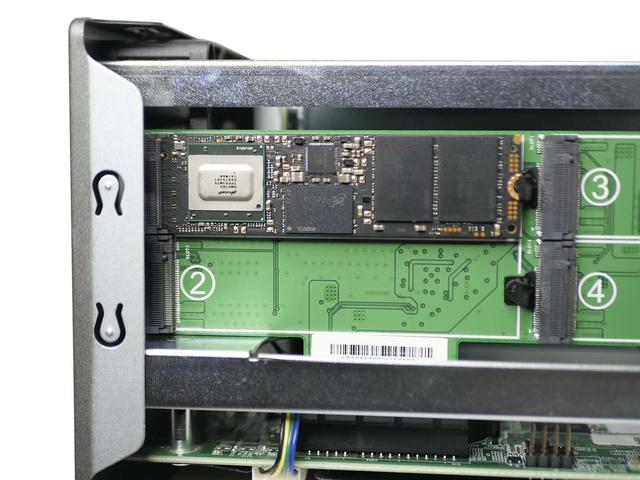
To access the M.2 slots is much easier. A little further investigation shows us why the AS6702T V2 does not feature an available PCIe upgrade slot, as it is already pre-populated with a separate minor PCB with four to NVMe SSD bays onboard.
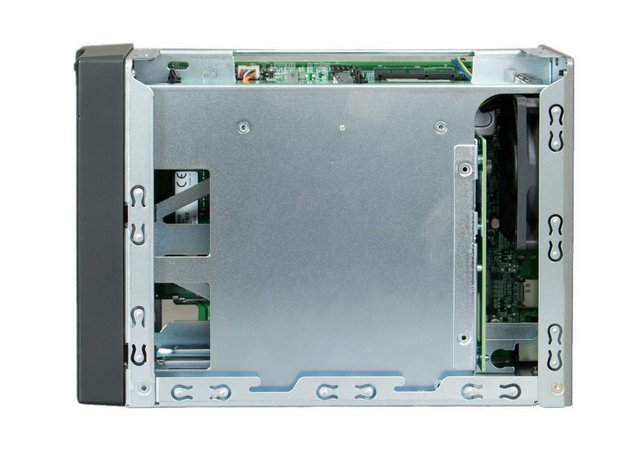
The board holding all M.2 slots. The M.2 slots don’t require a screwdriver to fill, as plastic clips hold the modules in place. These support 2280 form factor drives.
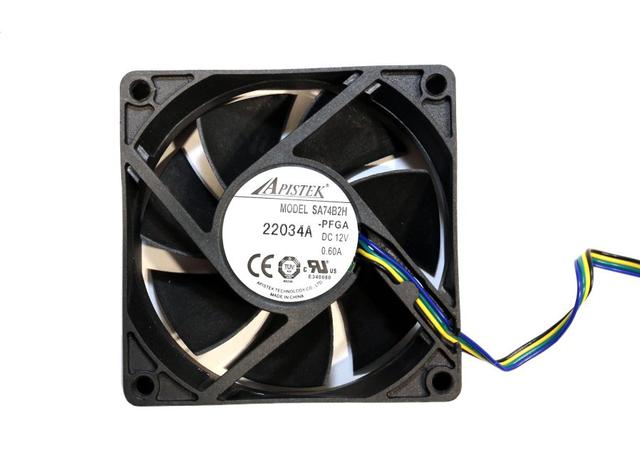
The cooling fan is by Apistek (12 V, 0.6 A). It measures 70 mm across, and its model number is SA74B2H. It uses a double ball-bearing and it is of high quality.
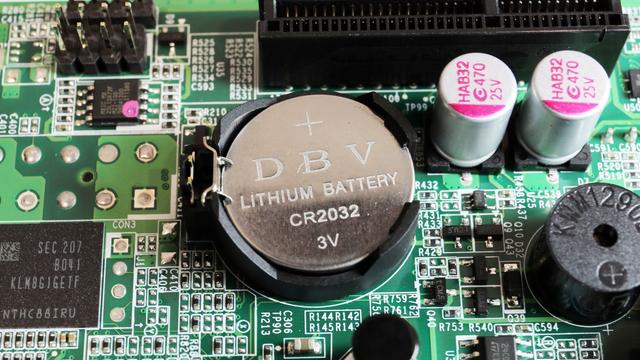
The battery keeping the mainboard's BIOS settings intact.
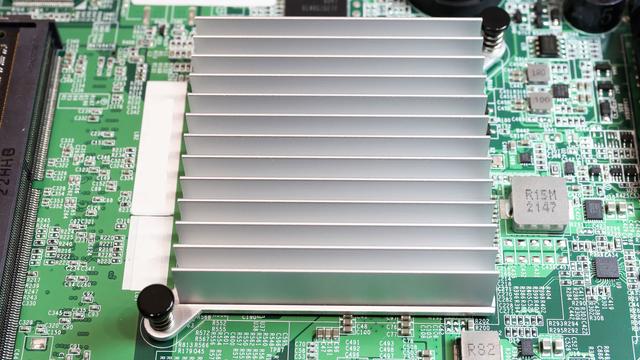
The Intel N5105 processor is located under a large heatsink and does not require an active cooling fan, as is common in desktop NAS systems of this scale. The CPU fan is in line with the rear active cooling fan. This Intel Celeron CPU is quad-core, has a 2.0GHz clock speed per core that can be boosted up to 2.9GHz, features embedded graphics capable of handling/transcoding 4K and 1080p media. It features an onboard AES-NI encryption engine, as well as Intel embedded graphics for visual data tasks such as native multimedia playback, transcoding. That N5105 CPU inside the AS6702T V2 has also allowed Asustor sufficient available PCIe bandwidth to also include four M.2 NVMe SSD slots on the NAS too. You will see great performance benefits (particularly in file operations that require smaller and more frequent files in high quantities) and the benefits of SSD cache used in conjunction with a larger more cost-effective hard drive RAID array have long been established. The NVMe SSD that you install inside the are not limited for use in caching only but for storage too. These four bays, plus the 2 HDD bays, plus adding a PCIe SSD storage card in the available bay mean that the AS6702T V2 has enormous storage potential. However, as good as all that sounds about the NVMe SSD bays, it is worth also factoring that (much like the PCIe Upgrade slot) in order to provide these bays and still provide the rest of the system hardware from a relatively simple Intel Celeron processor, Asustor has had to narrow down the architecture of these bays for reasons of physical profile and available PCI lanes+chipset. The result is that the m.2 Bays are PCIe 3×1 in architecture, or 1,000MB/s in bandwidth each between the installed m.2 and the system. That means that if you are buying PCIe 3×4 SSDs for your NAS, such as the Seagate Ironwolf 510 or WD Red SN700, they will be somewhat bottlenecked to 1GB throughout each (though they can be RAID’d). It is still better to have these bays in this somewhat streamlined fashion than to not have them at all, but it is worth keeping this in mind when considering the future upgradability of the Asustor AS6702T V2 NAS.
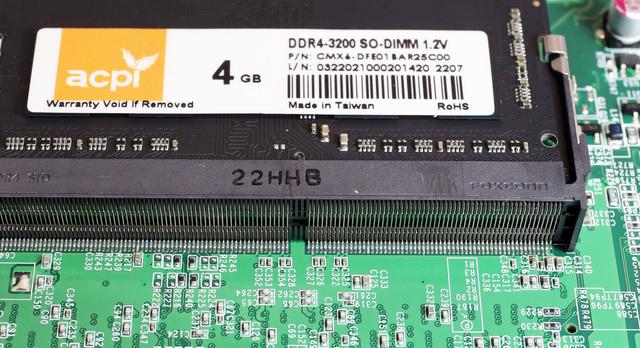
Though specced 2933 MHz, This NAS unit has a single 4 GB 3200 MHz DDR4 DO-DIMM installed. It can be expanded up to 16 GB. This is sufficient for most file serving, backup and multimedia tasks, and provides some headroom for virtualization and containers. ECC memory is not supported, which is worth noting given the pricing and the comparison to some competing systems in this segment.
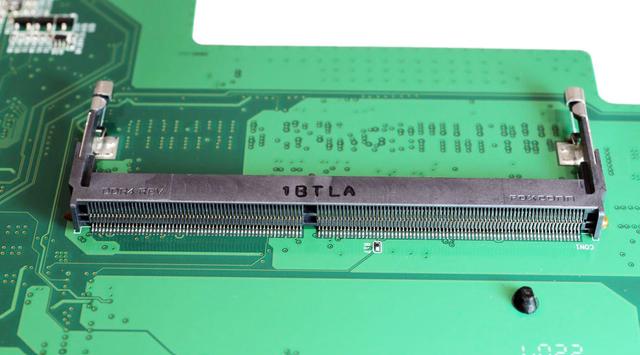
There is the second sodium slot inside that allows the end-user to install an additional DDR4 SODIMM memory. Asustor support numerous memory brands currently and this is something that is becoming increasingly rare with many brands only supporting their own own testing memory modules, which arrived at somewhat of a premium compared with that of Crucial and Kingston.
Initialization
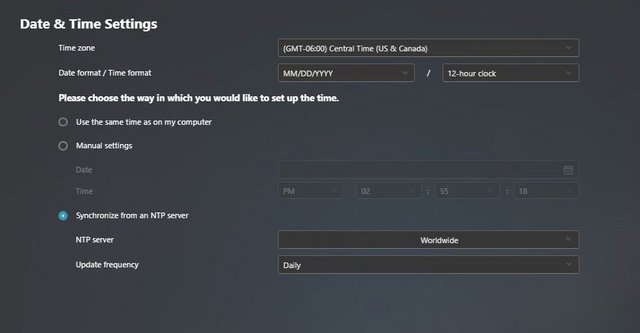
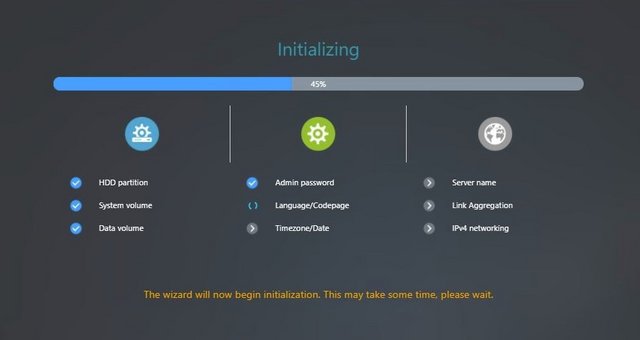
The whole point of a NAS device versus building your own is in its simplicity, and the AS6702T V2 delivers. Simply plug in the power cable, connect an Ethernet cable, turn the box on, and you're done. The browser setup process is simple and intuitive and allows us to choose between automatic and more advanced manual configuration. The automatic option takes us with a few simple clicks to have the NAS correctly configured in a few minutes . The advanced mode, on the other hand, allows us more customization, allows us to choose the disk configuration mode between JBOD, RAID0 and RAID1 , but it remains quick and immediate. The process is simple. Start by downloading the ASUSTOR Control Center application onto your computer. It is simply a way to identify all of the Asustor devices on your network without having to manually find the IP address.
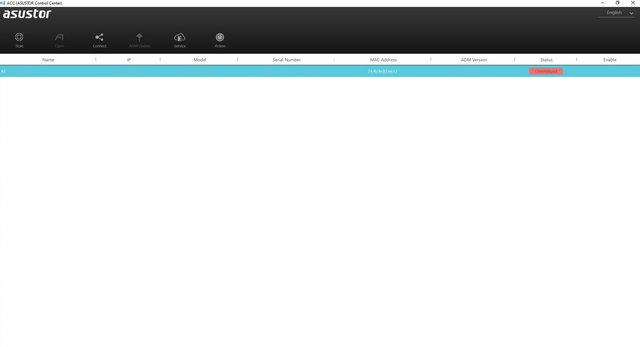
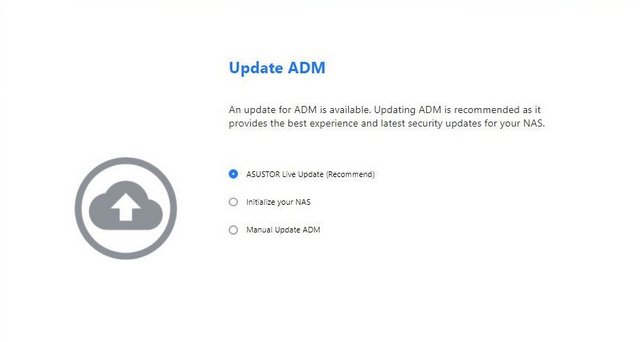
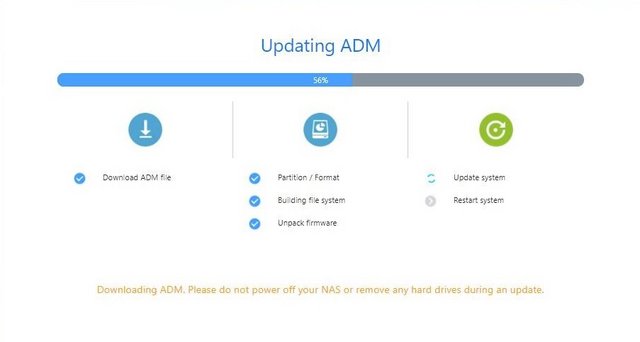
After about ten minutes, the first boot will be completed and we will arrive at the management page of the NAS based on the ADM (Asustor Data Master) system. The NAS operating system is to all intents and purposes a complete system with a pleasant graphical interface based on windows and icons, the ability to install applications through a dedicated store and various customization possibilities.
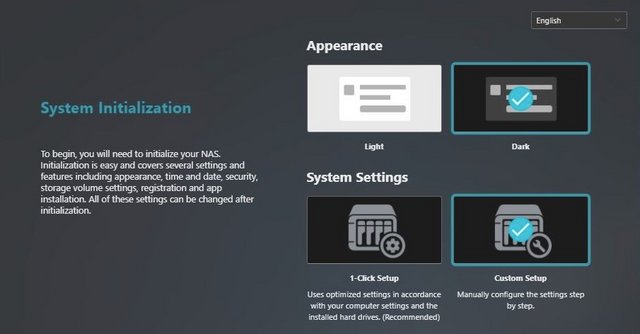
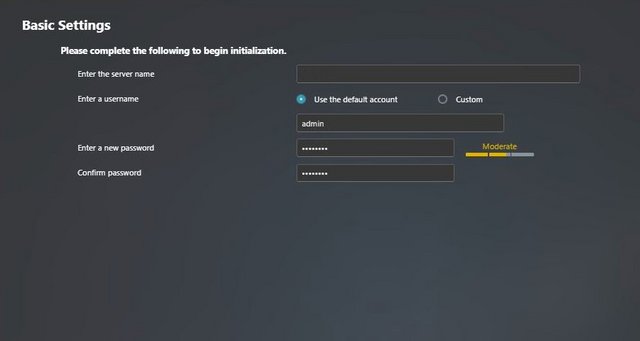

Interface & Applications
The ADM 5.1 system is easy to understand and very simple to use, it closely resembles the operating systems we are used to using on a daily basis and provides us with an interface made up of windows and icons that make every operation easy to manage.
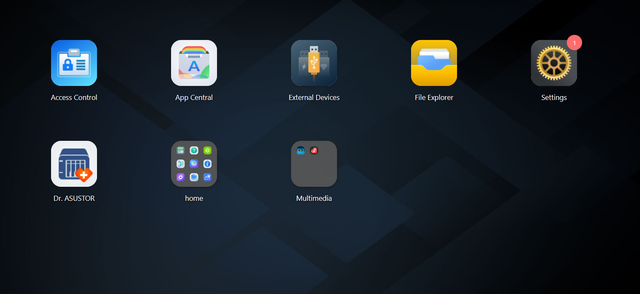
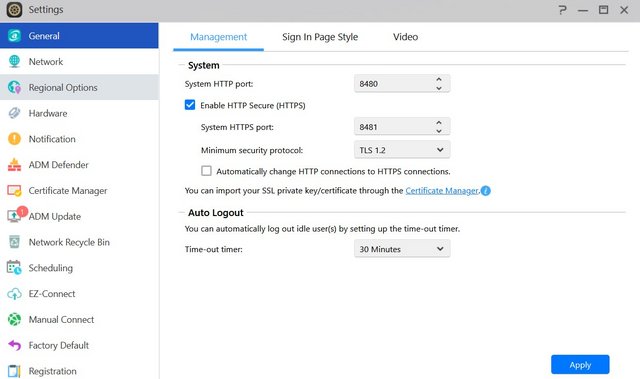
Firing up your personal settings inside the web admin will allow you to switch window styles and change between light and dark modes. The best part is the ability to create, export, or import custom themes. It's a nice touch to help personalize your NAS experience, especially if you frequently visit the web UI. Once you have got the hang of user and account control versus your file shares, we move up in ADM to an activity monitor. In general: you can track operations within the NAS, ranging from CPU activity to all active processes. The General tab allows you to change default HTTP/HTTPS ports, set the language, and configure an automatic log-out timer. This tab also includes options to configure the login page's look.
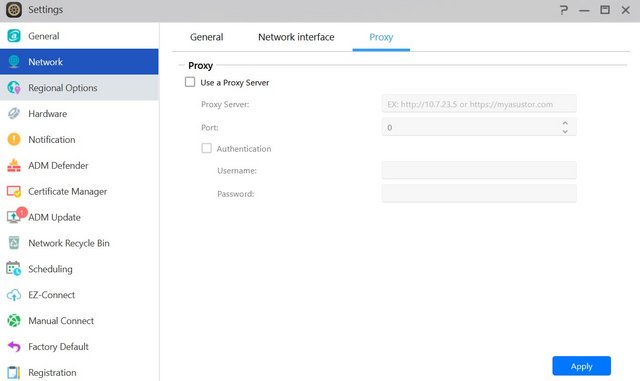
Network settings allow you to set the server name, which will identify the NAS to the network, default gateway, and IP LAN port ID. There are also some options available here to set the Wi-Fi dongle's properties if you have one attached to the NAS.
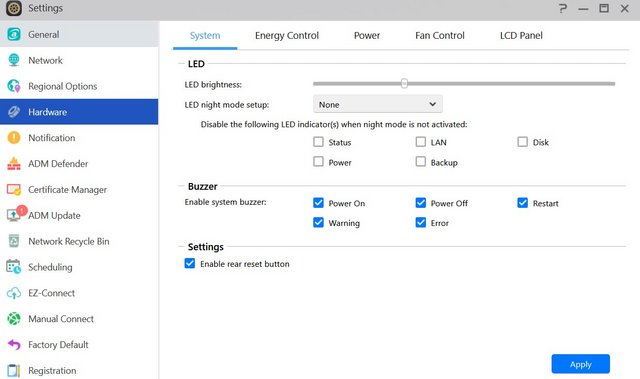
The Hardware tab is full of configurable options as it allows you to, for example, adjust the brightness of the NAS server's LED indicators. You can also enable or disable the buzzer for various events, disable the reset button on the back, set the disk-hibernation time, and enable or disable EuP Mode. Attention must be given to the fact that enabling EuP will disable Sleep Mode, Auto Power Resume, Wake-on-Lan, and Power Scheduling Services.
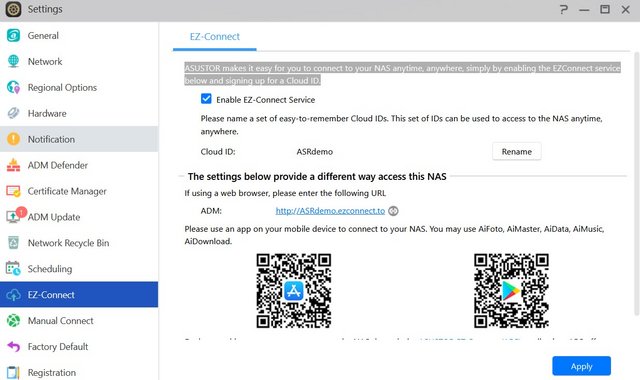
EZ Connect function automatically helps users to easily configure port forwarding services no matter if they are new to NAS or an IT professional.
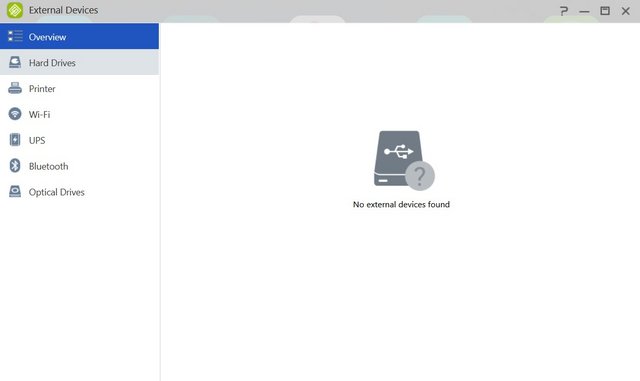
You can format an external storage device into all popular file systems. The External Devices menu allows you to control all currently connected devices.
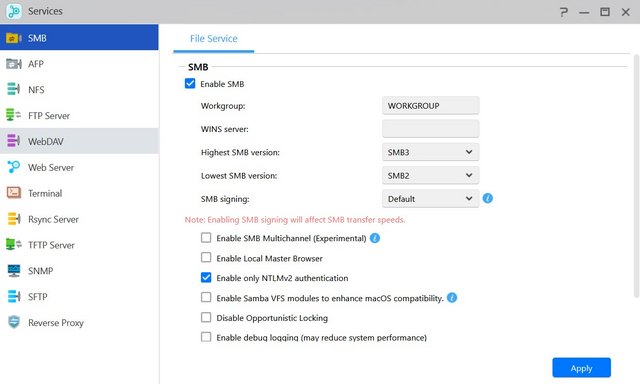
Configure user- and group accounts, set domain users and groups, manage shared folders, and set application privileges in ADM's Access Control panel. You can also set user access rights to various applications for individuals or groups here.
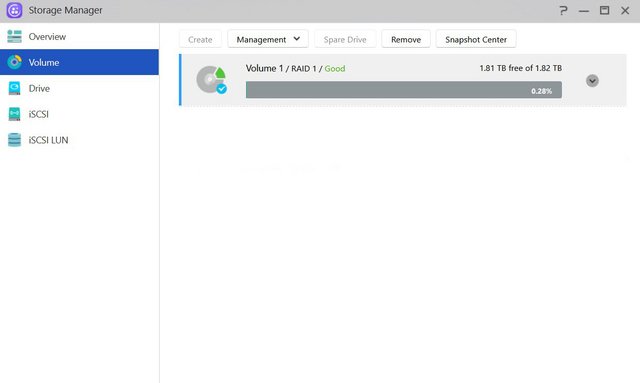
Storage Manager allows you to check on or configure the NAS server's volume(s). You can also check the disks and create an iSCSI target and LUN. Using iSCSI will make the disks inside the NAS appear as local disks on any client PC; however, all data will be transferred to and from them over the network. LUN stands for Logical Unit Number: numbered disk drives the client PC's operating system sees as volumes.
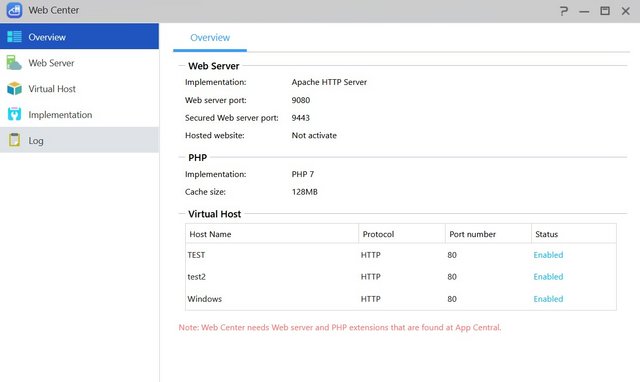
The Web Center is another feature. This lets you set up and host your own website right on the NAS enclosure. No longer will you need to fork out $5 per month for shared hosting (or more for a virtual private server). Asustor makes it really easy to get started too with but a few buttons to install PHP and Apache.
Activity Monitor shows how heavily the CPU's cores, memory, and network port are being utilized.
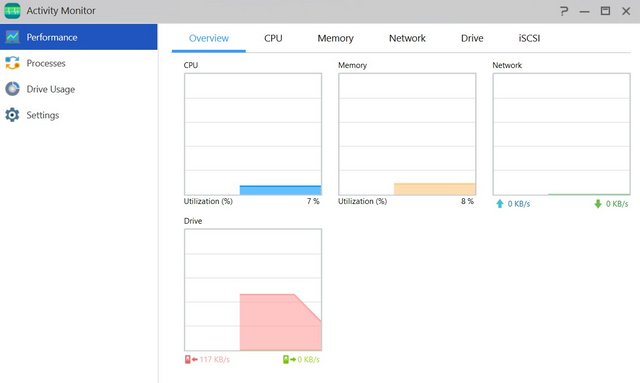
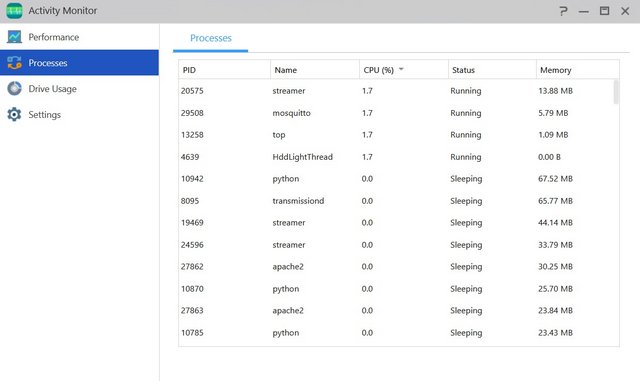
It also shows how heavily the disks are being taxed and lists all running processes and the resources these use.
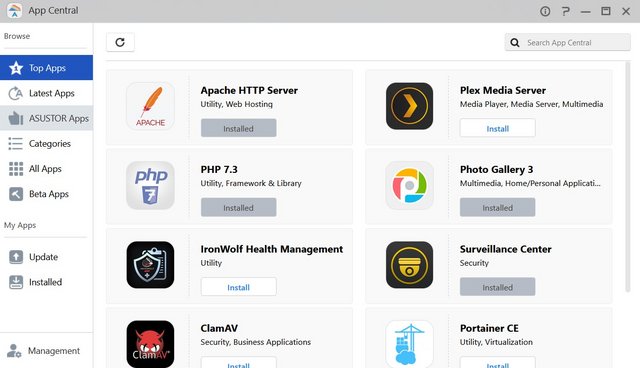
If we move up towards App Central then that's where all the extras start to show. The days that a NAS unit was merely a file-server are long gone, ever since a year or three, applications can be installed onto your NAS. At the time of writing, the list of available apps listed for the AS1202T is over 250 and counting.
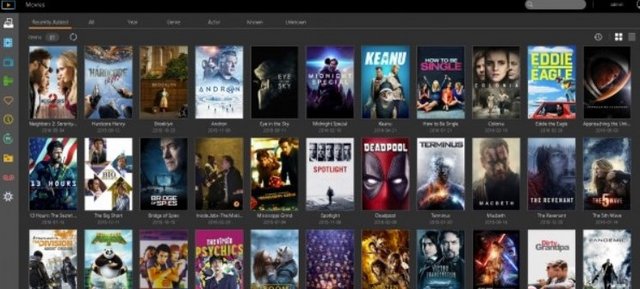
Asustor’s LooksGood is a response of its own to the PLEX-like media-center application. It will index the suitable multimedia content, display information and also allow immediate playback. LooksGood can also transcode the content in order to have it ready for different device types.
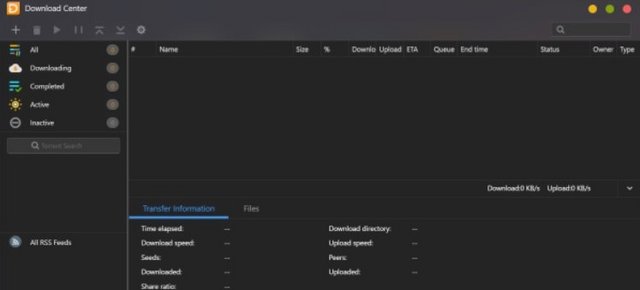
The Asustor Download Center is an easy to use download manager for torrents, which does also include a search function.
DataSync for Google Drive is allowing the user to synchronize a specific Google account to the server.
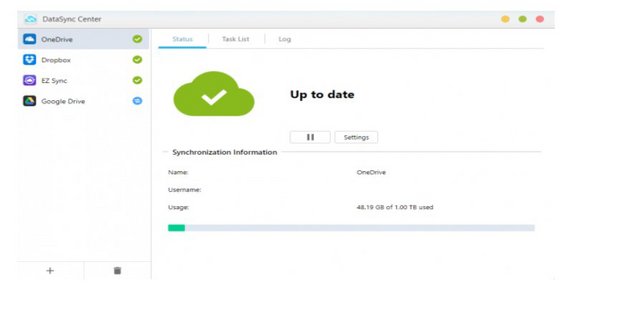
Photo Gallery 3 is an easy option for organizing our photo collection, generating slideshows and so on.

SoundsGood is the Asustor application module for audio content.
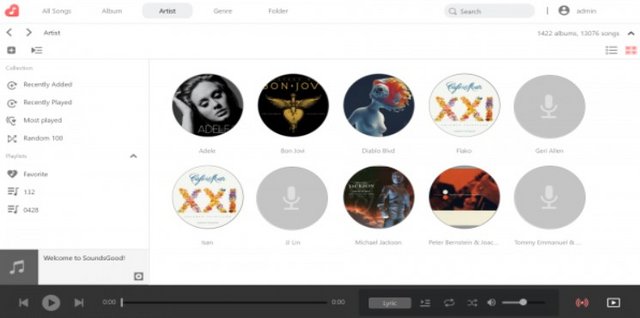
Hi-Res Player is another alternative to the SoundsGood application.

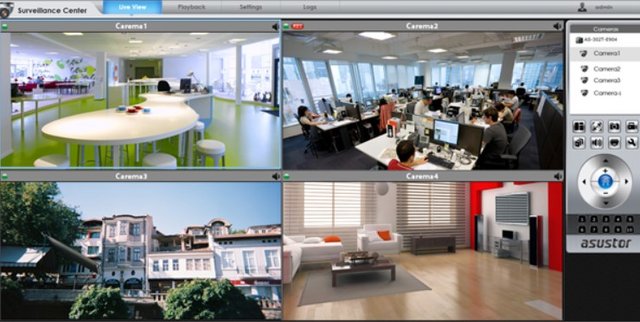
If we do have IP cameras available, we can always use Surveillance Center for monitoring and recording purposes.
Content management systems such as Joomla 3 are also available for the administrator to install on the NAS.

WordPress is also handy for us to install and configure.

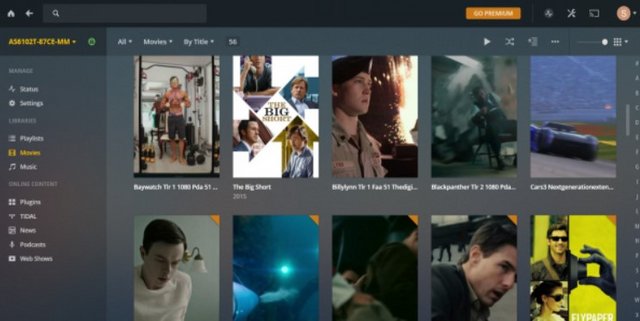
Of course, the well-known PLEX application is not missing from the application list.
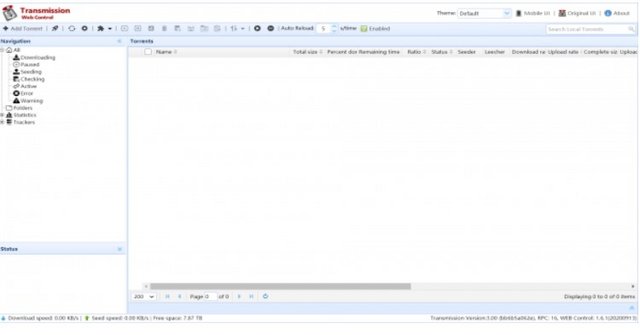
Transmission is another option for the user to download torrents.
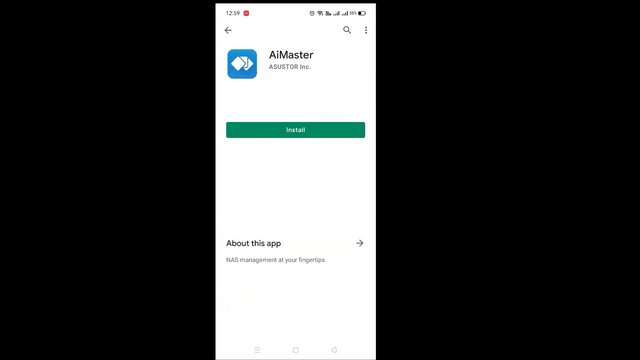
Asustor is also puts the user some mobile applications for easy management and for accessing the resources. One of it is AiMaster, which allows us to access the NAS configuration and more.
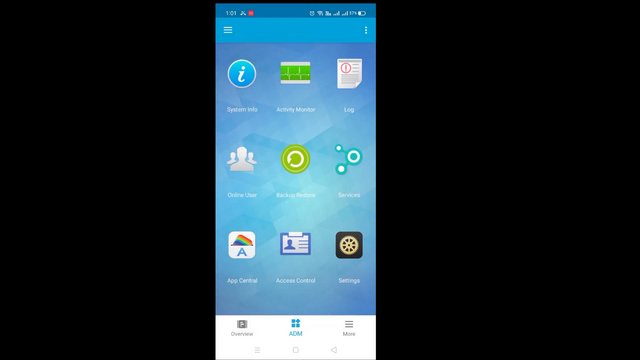
AiFoto 3 is the mobile version of the photo browsing application.
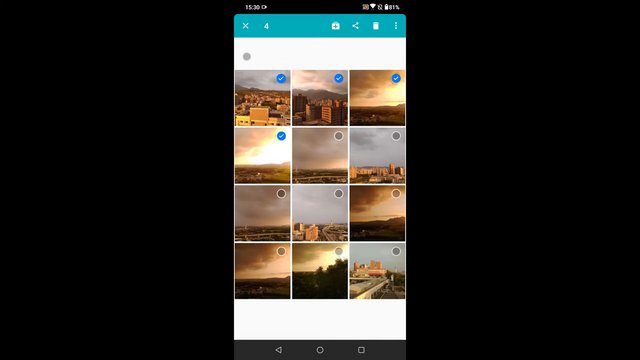
AiVideos for working with video content is also available as a separate application.

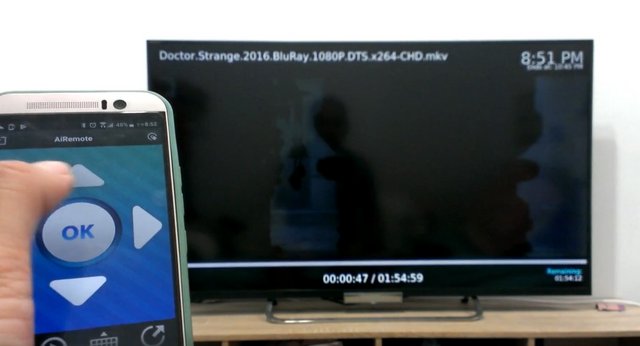
AiRemote turns your smartphone or tablet into a remote control, keyboard and mouse for Asustor Portal.
Get access to your data in the cloud and on your NAS from the convenience of your mobile device with Asustor's AiData mobile app.

Performance
Test environment
NAS features:
Asustor AS6702T V2
Seagate Ironwolf 6TB ST6000VN0033 NAS HDD X 2
WD_BLACK SN750 1TB SSD x 4
Client features:
Motherboard: Fatal1ty X399 Professional Gaming (Built-in 10GbE RJ45 x1)
CPU: AMD Ryzen Threadripper 1950X
RAM: 64GB DDR4
Switch: TP-Link TL-SX105 10 GbE

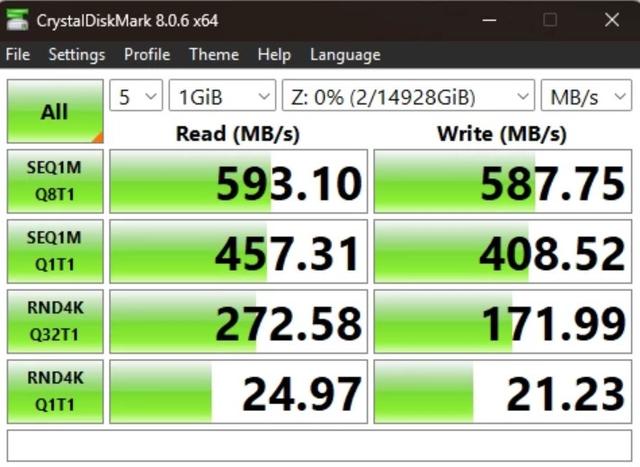
This performance test will test the AS6702T V2's performance in 5GbE LAN environments, with HDD (RAID 1) and SSD (RAID 1) configured, its performance with encryption enabled. All SATA interfaces on the NAS are SATA 6Gbps, and the M.2 slots are all PCIe Gen 3 x 1 with a maximum bandwidth of 1GB/s. The test will connect to the NAS's folder (ADM operating system) via Samba, and then use CrystalDiskMark to perform read and write performance tests on the Asustor AS6702T V2. To evaluate the performance of our NAS setup over a 5GbE connection, we used ATTO Disk Benchmark and CrystalDiskMark to run a series of read and write tests. First, let’s take a look at the results from ATTO. The NAS performed as expected over the 5GbE connection.
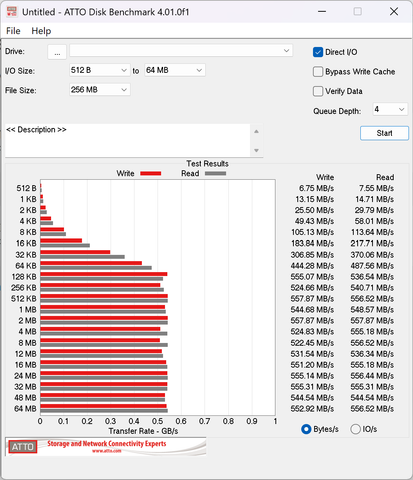
A CrystalDiskMark test on a mapped network drive from within Windows 11 24H2 PC (image above) connected over a 5 GbE hub were well within acceptable ranges.
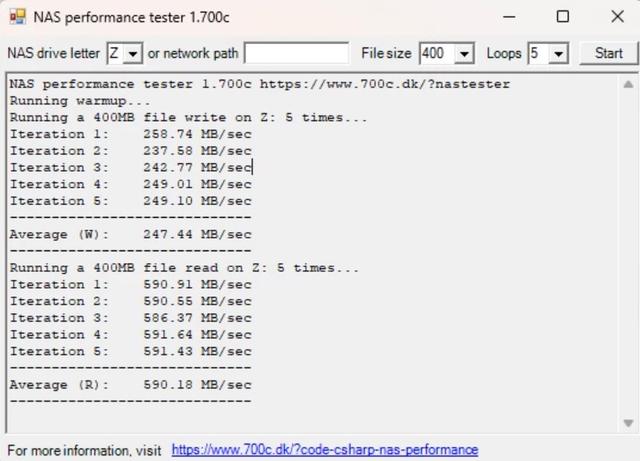
I also ran NAS Performance tester, which tests the link speed performance. As you can see it pretty much maxes out the 5GbE connection. Of course you can also opt to bond the two 5 GbE connections for a bit more umph, but I didn't do that.
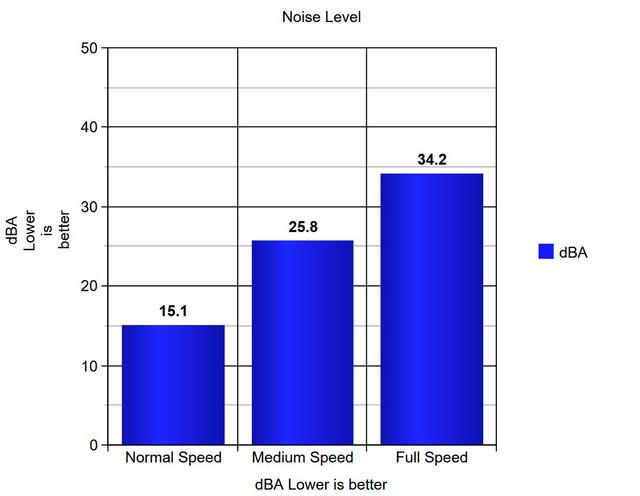
The NAS is very quiet. Even with its fan at full speed, noise doesn't exceed 33 dBA.
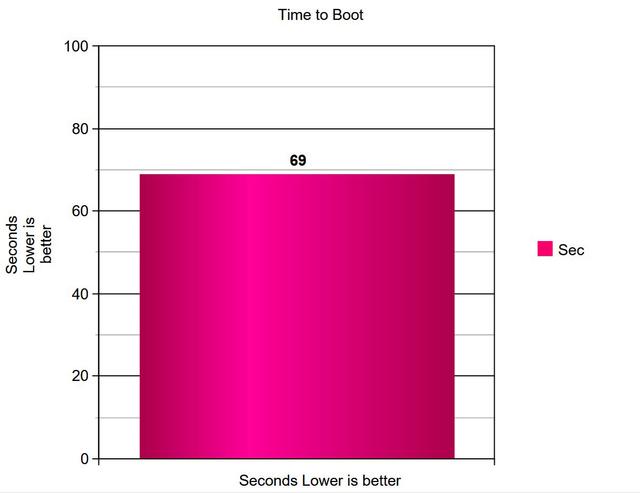
You won't have to boot or restart a NAS server frequently, but still it can be inconvenient if boot and restart times are too long.
Final Thoughts
When it comes to NAS, only three vendors are pushing the market forward, and for the longest time, Asustor has been one of them. With the inclusion of dual 5Gbe and four m.2 into their entry-level mid-range platform, consumers and businesses alike who can afford it (515€) for deploying multi-gigabit technology into their home or office. This is a welcomed addition for companies where multi-user environments push NAS appliances to their limit. Build quality of the Asustor AS6702T V2 sticks to the time-tested reliability we have come to know from Asustor. A metal chassis underneath offers a robust platform for 3.5" drives while plastics offer aesthetics and room for LEDs to shine. You simply cannot fault the Lockerstor 2 Plus NAS system in terms of hardware. Pretty much every single recent innovation that other NAS brand has boasted about in 2026 (BTRFS, HDMI 2.0, 5Gbe, NVMe SSD, etc) on their platforms have ALL been combined into this system. There is a tremendous amount of flexibility available to the end-user, and you can certainly see that Asustor has REALLY made the most of out of this architecture, ensuring this chipset has had its boundaries pushed as far as they can go in terms of hardware features. Asustor carves a niche with the AS6702T V2. This NAS packing four M.2 2280 PCIe drives. Our performance testing validated Asustor’s claimed throughput. Performance is consistent and appropriate for a 5GbE-equipped NAS. Synthetic benchmarks show stable throughput with slight variance, while ATTO results indicate a modest benefit from NVMe caching. In real-world transfers, large-file performance remains steady, while small-file workloads vary more noticeably depending on caching behavior. We saw 593MB/s read and 587MB/s write in our test. Having 10GbE port would have given it much more headroom, though with increased heat and cost. We would at least like the option. The maximus support is 32TB for HDD and 8TB for M.2. For this it has 2 bays, as well as four slots for SSD in M.2 format. Normally these SSDs are used for memory cache, but here Asustor has given them additional power. Indeed these SSDs can be used as a memory cache, but also as a storage volume, and even both at the same time. The Lockerstor 2 Gen2+ ships with the latest version of Asustor Data Master, commonly referred to as ADM. Functionally, the software experience is the same as on the earlier Gen2 models. Asustor's ADM remains as simple and user-friendly as ever, offering a comprehensive and responsive solution. And, importantly, it receives regular and valuable updates. As far as apps goes, Asustor lists no less than 756 different add-ons. Overall, ADM does the job, and we didn't find it lacking in any way that really matters. If we can complain about anything, then it would be that we'd rather have seen a single 10 Gbps network interface, instead of two 5 Gbps ports. Still, the performance is there. It is important to note that the AS6702T V2 does not have built-in support for additional network connections such as 10 gigabit via PCIe expansion, which is available on some of the larger Lockerstor 2 Gen2+ models. Should we need more Lan ports, this can instead be added via USB adapters, such as 2.5 or 5 gigabit, which still provides some flexibility for future upgrades. The ASUSTOR Lockerstor 2 Gen2+ AS6702T V2 requires you to physically screw in drives to keep them in place, whereas many competing NAS solutions use much easier plastic clips. I'm not going to say that having to screw in a few drives is entirely onerous work, but it does feel rather dated to be taking this approach in 2026. Another design quirk of the AS6702T V2 is that you need to open its case to install NVMe solid-state drives (SSDs) or add more RAM.
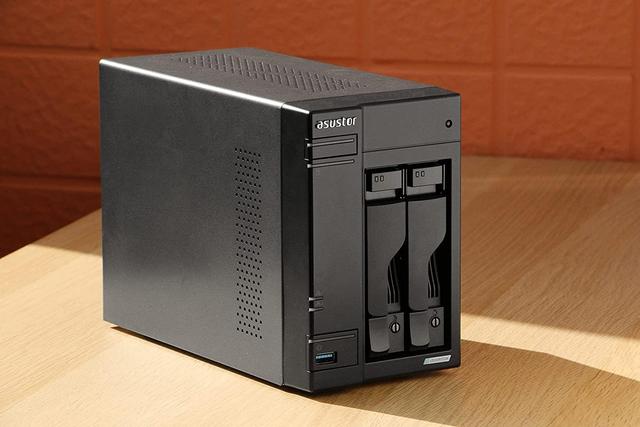
Overall, the Lockerstor 2 Gen2+ AS6702T V2 delivers a strong hardware platform and reliable performance. Many of you will complain about the 515€ price tag of the Asustor AS6702T V2, but if you need a good performing, silent, and lower power consumption NAS, you should get over it. Moreover, GbE switches are not so expensive, in case you don't have one already, and with upgraded network equipment, you will be able to fully utilize the pair of 5 GbE ports of the AS6702T V2 in link aggregation mode for up to 10 Gbit speeds. This will be ideal if you connect multiple clients to the NAS with heavy data throughput. Moreover, the four M.2 slots can also be used as super-fast storage, but this option will be heavier for your wallet. All the while with the ADM platform featuring regular updates, regular security monitoring and anti-malware measures in place doing their thing in the background regardless. The three-year warranty is a nice addition as most brands offer two years.

Last edited by testman78; 07-13-2026 at 01:13 AM.
 Posting Permissions
- You may not post new threads
- You may not post replies
- You may not post attachments
- You may not edit your posts
-
Forum Rules


 Reply With Quote
Bookmarks