



Wow cap city.
100% Fujitsu FPCAPOriginally Posted by mrcape

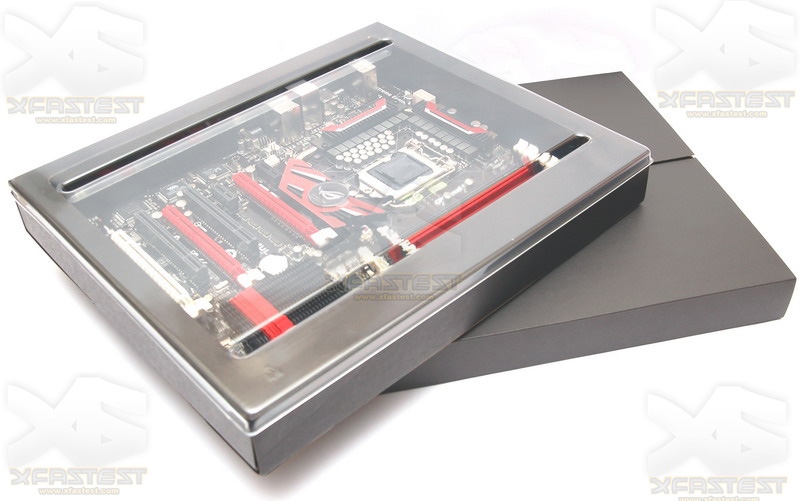
I like the packaging. Very clean and modern.
Just hope it's better than my experience with the original Maximus Formula. Two boards in a row just completely screwy and unstable.
Oh well, probably just bad luck.
looks like ASUS design team really pulled out all the stops on this one beautiful board beautiful packaging
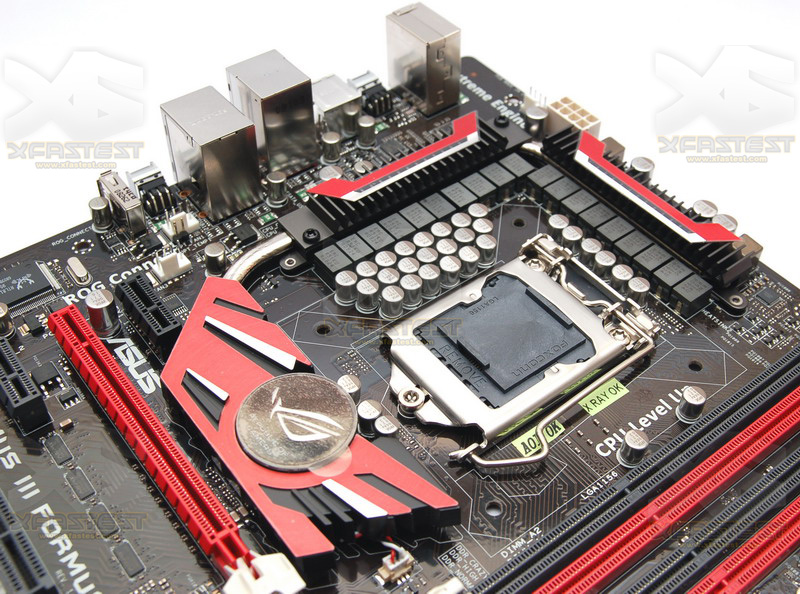
but they just love to put in a few pci and 24pin and 8pin connectors in there that do not match the board but not that big of a deal they will be populated and not in sight

VERY nice
should make for some very smooth voltage delivery, i would love this board if it were 1366. oh well.
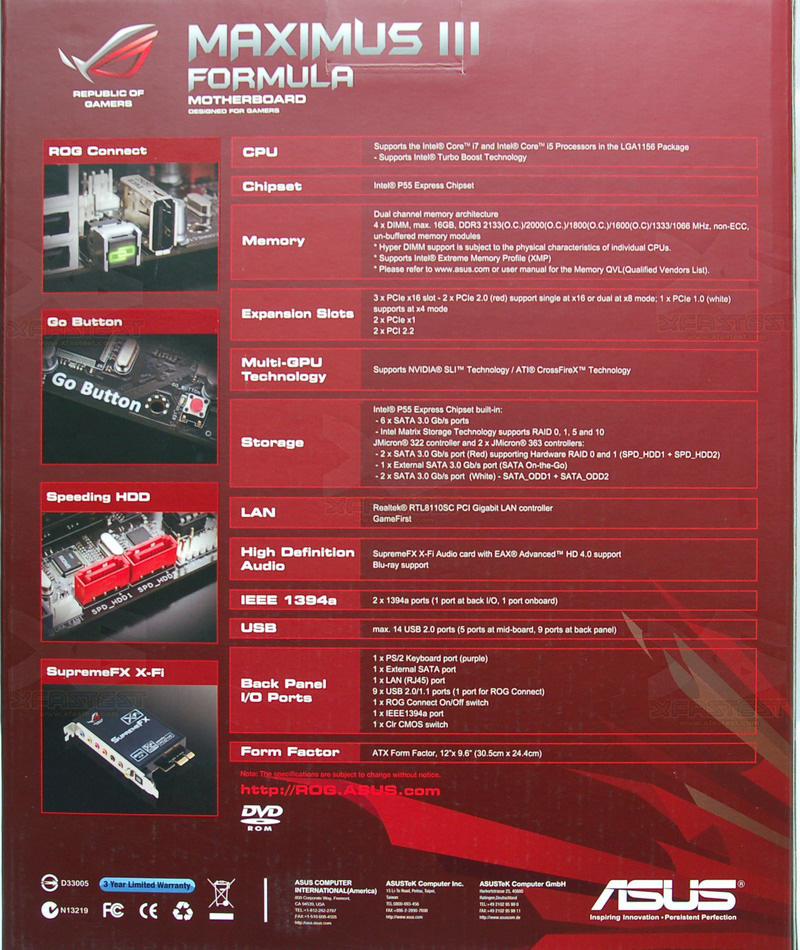
what the flip are ROG Connect and Go Button?
I'd guess ROG Connect is for hooking up that "hardware OC" unit with the LCD and whatnot. I think that was Asus anyways that showed that off.
Go Button turns on the system without need of a case? Not sure.
2 Comments
1. CPU Level Up - LOL I CAN LEVEL UP MY CPU?1???!
2. Meh @ Jmicron being the "speeding hdd"
Seriously, companies like ASUS, Gigabyte and the lot need to have ONE guy proof all this crap.
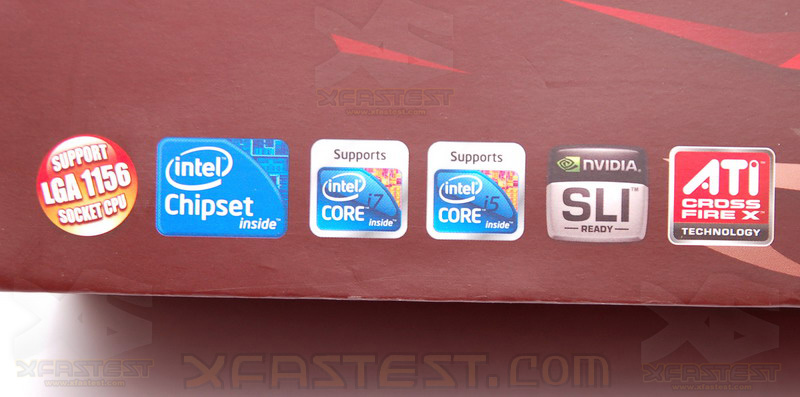
Wait, so this supports 2 sockets? On the box it says Core i7 + Core i5 Compatible?

like this board
the important thing is that it has not the problems as the MFII for P45!!!
@dingdong555
not 2 sockets! the cpu´s for 1156 are available in i7 and i5.
whats "speeding hdd" supposed to mean?
whats the "go" button?
the pcb looks a lot more brown and not black... too bad, black is definately better...
voltage reading pads next to the atx power connector = fail...
nice package design, though the front of the box is really boring imo...there should be some logo or animation or something...
and it looks like its printed very cheaply, the red looks very bleach...
so what about the rog connect? any more details?
they havent exactly explained what it is, how it works and what it does yet, so flagging it as a feature without explaining it is a bit weird...
the plastic and inside packaging looks very nice...
Wishes this was s775
dingdong555 just to confuse things intel have pulled some sort of crazy marketing "stunt" where some Corei7 branded CPU's are using the Socket 1156 platform. However all current Core i7's are "High End" so will use the 1366 socket. However come Q4 or Q3 this year things will get rather confusing as Core i7 series CPU's will emerge on the 1156 socket.
John
Stop looking at the walls, look out the window
In the article I read in another thread, the ROG connect is a software tool you can install on your netbook/notebook and connect to this motherboard via usb cable, to overclock the computer through windows software based on another machine.
There wasn't much more details into it.
http://www.overclock3d.net/news.php?...-_first_look/1
From the article
The go button is
The ROG Connect isThe automatic overclocking features don't stop there though, oh no, they've added even more, allowing just about anybody to overclock their system easily. The Go Button allows users to quickly load a profile to overclock their CPU, whilst in Windows, for temporary speed boosts.Speeding HD isIn a move to introduce more of it's users to overclocking, ASUS really are simplifying things. They have added yet another new feature, called ROG Connect. Basically, this allows you to collect your PC to your laptop and then overclock it whilst the PC still focuses on it's task (A benchmark for example). On the subject of performance, there is also the new GameFirst technology which prioritises the packets to lower your ping in games and still allows you to download files in the background.
*doubt its faster then ICH10R , maybe easier to setup :PYou may be wondering what the two "Speeding HDD" ports are, they almost double the performance of the hard disk by quickly building a RAID array in either the BIOS or Windows itself. It is an easy method of setting up a RAID array is it gives you two options - Fast (RAID 0) or Secure (RAID 1). It's an interesting feature, will be useful to many, unlike the not so good basic RAID functions on older motherboards.
Last edited by Greg83; 08-08-2009 at 03:16 AM.
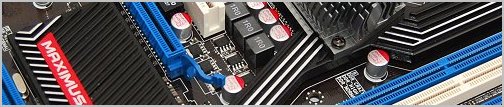
Looks like all those caps might get in the way of some wide coolers.
Asus boards have always been tacky and this one is no exception.
Well it definitely looks xtreme
@ elle,JohnZS
LOL, Wow, even more confusing now :P
Thanks!
Maybe I'm been picky but is there any evidence of more then one LAN socket? The one they have is listed as PCI internal bus. At gigabit speeds I'd like a PCI-E bus thanks.
Last edited by [XC] riptide; 08-08-2009 at 05:15 AM.
Only one lan by the looks of it.
http://www.overclock3d.net/gfx/artic...234849254l.jpg
Jmicron for the lose
2600k @ 5ghz / z68 Pro / 8gb Ripjaws X / GTX 580 SLi
2x Inferno raid 0 / WD 1TB Black / Thermaltake 1200w
Dell 3008 WFP / Dual Loop WC MM UFO
ROG connect is slick. Dedicated independent USB to Smbus port for connecting either a laptop or another PC for on-the-fly OC adjustments. Or you can use the upcoming OC panel instead. I used another PC to change 3d mark 06 voltages and BCLK on the fly, works pretty well for extracting points from every bench. System overhead seems pretty light, no real BCLK hit as a result of having it on. Its a fairly polished board (for the OC stuff).
Last edited by Raja@ASUS; 08-08-2009 at 06:36 AM.
holy shat. They removed idd portsTook their time :P
So I still don't get what this Supports both i5 and i7 means?
i dont like those caps near cpu socket
Intel Core i5 6600K + ASRock Z170 OC Formula + Galax HOF 4000 (8GBx2) + Antec 1200W OC Version
EK SupremeHF + BlackIce GTX360 + Swiftech 655 + XSPC ResTop
Macbook Pro 15" Late 2011 (i7 2760QM + HD 6770M)
Samsung Galaxy Note 10.1 (2014) , Huawei Nexus 6P
[history system]80286 80386 80486 Cyrix K5 Pentium133 Pentium II Duron1G Athlon1G E2180 E3300 E5300 E7200 E8200 E8400 E8500 E8600 Q9550 QX6800 X3-720BE i7-920 i3-530 i5-750 Semp140@x2 955BE X4-B55 Q6600 i5-2500K i7-2600K X4-B60 X6-1055T FX-8120 i7-4790K
There are some i7 model base on Socket 1156 ( model number 8xx )
Intel Core i5 6600K + ASRock Z170 OC Formula + Galax HOF 4000 (8GBx2) + Antec 1200W OC Version
EK SupremeHF + BlackIce GTX360 + Swiftech 655 + XSPC ResTop
Macbook Pro 15" Late 2011 (i7 2760QM + HD 6770M)
Samsung Galaxy Note 10.1 (2014) , Huawei Nexus 6P
[history system]80286 80386 80486 Cyrix K5 Pentium133 Pentium II Duron1G Athlon1G E2180 E3300 E5300 E7200 E8200 E8400 E8500 E8600 Q9550 QX6800 X3-720BE i7-920 i3-530 i5-750 Semp140@x2 955BE X4-B55 Q6600 i5-2500K i7-2600K X4-B60 X6-1055T FX-8120 i7-4790K
 Posting Permissions






 Reply With Quote


Bookmarks