MMM
Results 1 to 25 of 1499

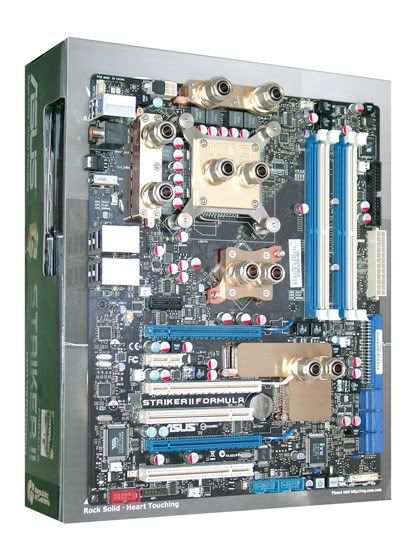
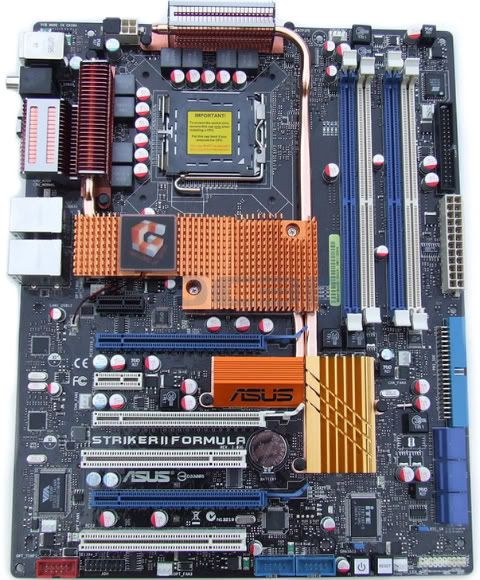
Thread: **Official ASUS Striker II Formula Discussion/Review/Overclock/Guide/BIOS Thread**

Threaded View

  1. #11
    Registered User
    Join Date
    Jul 2008
    Posts
    36
    Quote Originally Posted by Kevin1970 View Post
    How important is the dram/fsb ratio. Does it really makes things better?

    I wrote this last night took me forever but here ya go!!


    Front Side Bus: Memory Ratios


    Let me start off by saying that I am in no way an expert when it comes to over clocking.

    I have only been doing it for about a year or so.

    I have however, realized that in order for an over clock to be stable and provide maximum performance, the front side bus speed used in conjunction with

    the memory speed, plays an extremely important role.


    Point of view and system specs:


    Here are my system specifications so everyone can understand my point of view.


    Antec 900/Q6600 G0 2.4Ghz @ 3.2 GHz: 9x multiplier/Vista 64 bit

    SP1/ASUS Striker II Formula BIOS 1401 / 4GB(1GBx4) Crucial

    Tracer Ballistix PC 8500 Dual Channel / All RAM Dual Channel @

    1066(533x2(dual channel)) MHz 5-4-4-12-20-2T/ RAM : FSB - 3:2 /


    3x Hitachi 7200 RPM HDD @ RAID 0 / Zalman CNPS 9700 NT

    Cooler/NVIDIA 8600 GTS x 2 SLI/ 630 watt PSU


    So there you have it. I am stable. I can multitask the following and remain stable:


    Itunes: playing music


    Torrenting: Bitlord; downloading whatever to an external HDD @ whatever speed.


    Nero: Video encoding-authoring or recoding DVDs.


    Gaming: Warcraft 3- older game but I am not interested in anything else at the moment.


    Themeware: I use stardock and Deskscapes, I can’t get Windows blinds stable, but so far Deskscapes is working fine.


    Sidebar: I have this enabled and have CPU usage as well as temperature monitoring gadgets running.


    Multitasking is everything and if you don’t admit it you are in denial. This is most likely out of the scope of this article so I’ll deal with this in another thread.


    To the point:

    FSB : MEM ratios Here they are and we all need them-

    remember these are based on a Quad core 4x1GB system.


    Your results could be different, but I firmly believe that as these ratios reach 1:1, performance and stability increases.


    Memory dividers (simple calculation dual core):

    It took me over a year to figure this out because most people have no skills or determination when it comes to explaining this in layman’s terms.

    Here is how it works:

    When you use a program such as CPU-Z or Everest to determine your system settings, you will see a reported FSB:Memory ratio or Memory:FSB ratio.

    It doesn’t matter the order, programs report the order differently. What I will attempt to explain is how this ratio is calculated.

    For calculation purposes, it is easier to use the Memory:FSB ratio as a multiplier. So if your Memory:FSB ratio is 3:2, the multiplier is 1.5.


    This is calculated by 3/2 (dividing 3 by 2) which equals 1.5.


    What this means is that you need to multiply your raw FSB by this multiplier to get the desired ratio of 3:2.

    Your raw FSB is your FSB divided by your quad (4x), dual (2x), or oct (8x) core.


    So if you have a dual core @ 3.000 GHz, your raw FSB is (3.000/ (your multiplier lets say 10x)) so your raw FSB is 300 MHz.

    Your true FSB would be your raw FSB x your type of CPU…2x, 4x, 8x. Dual core, quad core, oct core(not sure if this is available or what…)


    Your true FSB here would be 300 x 2(dual core) or 600 MHz. If it were a quad core it would be 300x4(quad core) or 1200 MHz, basically double.

    Now to get a 3:2 Memory : FSB ratio you need to multiply 1.5 (3/2) by 300 (your raw FSB) which equals 450. If you need to enter the dual channel number simple multiply

    this by 2 which will be 900. This is your memory speed you need to set in

    order to achieve the 3:2 ratio.


    Complex Calculation (Quad core):


    If you want to see a clear calculation here you go:


    3000(GHz) / 9 (CPU multiplier) = 333.333 ( raw FSB)


    333.333( raw FSB x 1.5= 500 ( Memory speed)


    If you want to run a 3:2 ratio with a Quad core processor @ 3.000 GHz you need to set your memory at 500 (for single channel configurations) x 2 = 1000

    (for dual channel configurations).


    Remember the memory has to be doubled for the final calculation if you are running memory in dual channel.


    Final system specification: Dual core 3.000 GHz with Memory @1000 Mghz (3:2) ratio.


    Math:

    Here comes the Math. I am not a mathematician, but this is what I have gathered thus far.


    The first thing you need to do is determine what CPU speed you want. So let’s say you want 3.0 GHz.


    The next step is dividing the 3.0 GHz by the multiplier you have chosen in the BIOS, so for the Quad core let’s just use the max @ 9x.

    What you need to assume is that the 3 GHz is 3.000 . You need to calculate this to the thousands decimal place to be accurate.


    3000(GHz) / 9(multiplier) = 333.333 repeating. Now you have your raw FSB speed.

    What you need to do next is use the best FSB:RAM multiplier you know for your setup.

    People will argue but the best multipliers I have found are 1:1, 3:2 ,5:4.


    Ratio Multiplier


    The multiplier to use for 1:1 is (1/1) = 1

    The multiplier to use for 3:2 is (3/2) = 1.5

    The multiplier to use for 5:4 is (5/4) = 1.25


    And so on and so forth…


    The next step is where I had been confused for months on end. I never saw a post that explained it clearly. So here we go!


    Now, use one of these multipliers and multiply it by your raw FSB to get the proper memory speed which compliments your desired CPU speed.


    So lets say you want a 5:4 ratio and a 3.000 CPU speed. Simply:


    3.000/ 9 = 333.333


    333.333 (raw FSB) x 1.25(5:4) = 416.66667 (Memory speed for a 5:4 ratio) If your BIOS wants you to enter the dual channel speed then just multiply

    this by 2 which equals 833.3325.

    Some people might argue that the BIOS will automatially adjust these numbers for you when you set the the CPU and memory to unlinked.

    This is not true with the motherboard I am using.

    I am not getting the ratios that the BIOS is reporting once I boot into windows.

    If you know why this is true post it up!!!


    Your True FSB is your raw FSB x your CPU type. So in this case 333.333 x 4(Quad core) = 1333.332.

    For most motherboards this is the number you will need to input in order to over clock.


    Final system spec is 3.000 CPU speed and 833.3325 memory speed at a 5:4 ratio. 5 times your raw FSB will equal 4 times your memory speed. In this case (5 x 333.333)= (4 x 416.66667)

    Raw FSB x 5:4 (5/4) = Memory speed = CPU speed x Ratio

    333.333 x 1.25 (5/4) = 416.666667 = (3000 / 9 ) x 1.25


    That is basically how it works.

    You can use any ratio you want when calculating what the exact speed of your ram has to be in order to achieve a desired FSB:Memory ratio.


    Problems:


    I am not sure about other boards but the Asus striker II formula does not seem to be in line with hardware monitoring programs as far as FSB: memory ratio calculations go.

    Whenever I try to set 3:2 in the BIOS, these programs never show that same ratio....for the life of me I can't figure out why.

    If you want to get the exact multiplier you will have to set the memory speed a little higher until the actual speed reaches your desired FSB: MEM ratio.


    I do not know why this is. But, whenever I set the pre-defined ratios in the BIOS none of the programs I use will report the same ratio.

    For example if I set my ratio in the BIOS to 3:2 upon windows load CPU-z will report a 11:13 ratio or some other strange ratio.

    My best guess for this is that the BIOS uses a different multiplier and calculation than these monitoring programs do.

    However, if you keep upping the speed, the actual speed( the grayed out one) will reach your desired speed for you ratio if you enter the right number.

    Then you will be able to get an actual 3:2 ratio upon reboot.


    I hope this helps and Happy overclocking!!!


    --Rock
    Last edited by Rocks; 07-13-2008 at 07:19 AM.

Bookmarks

Bookmarks

Posting Permissions

  • You may not post new threads
  • You may not post replies
  • You may not post attachments
  • You may not edit your posts
  •