

is it just me or are those led's on the neo2 motherboard the brightest lights in the whole world? They are so small. And the red light; it is ALWAYS on, lighting the way to 500fsb!



is it just me or are those led's on the neo2 motherboard the brightest lights in the whole world? They are so small. And the red light; it is ALWAYS on, lighting the way to 500fsb!
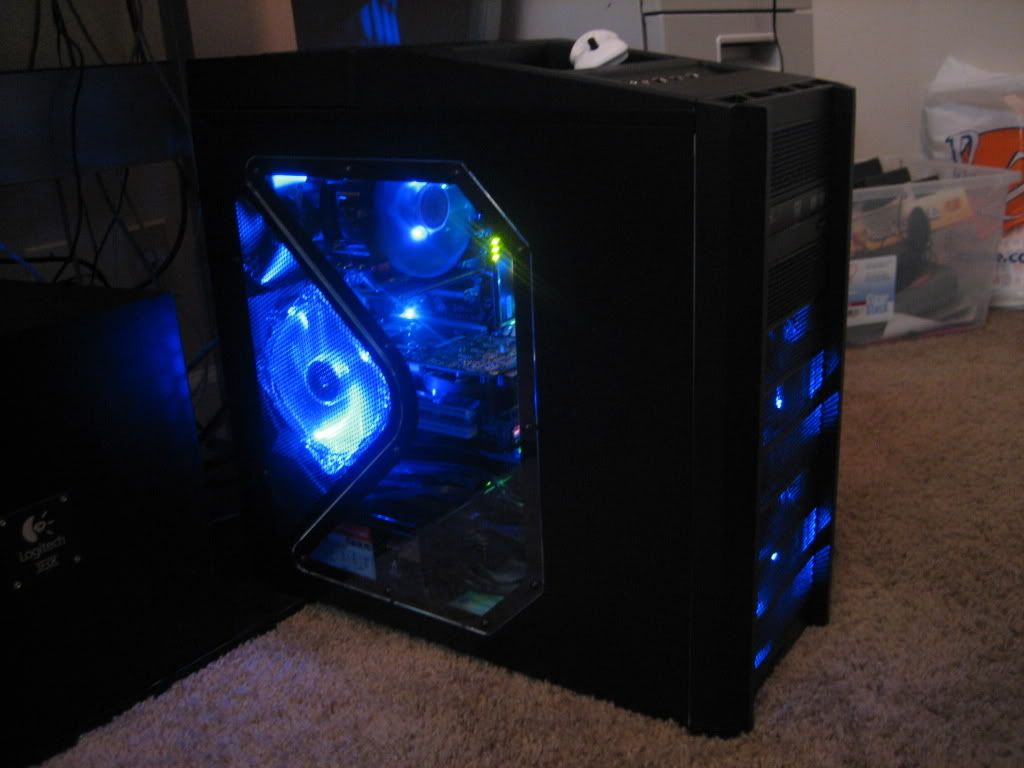
Very cool looking rig you have there!Originally Posted by ban916

Nice!
Thanks...I am running this rig on the old ass 1.4 bios...I have no clue how to flash..Is it worth it to go from 1.4 to 1.8?? I have no floppy drive gelp me out..
ASRock P55 Extreme|I5 750@4.2Ghz 24/7|ASUS 5970|4 gigs Gskill Ripjaw ddr3 2000|Corsair H50 Watercooling|Asus Xonar DX 7.1 Sound Card|1TB Barracuda 7200.11 32MB Cache|500GB Barracuda 7200.11 32MB Cache|AZZA Solano 1000Red|Ultra X3 1000 Watt Power Supply|Windows 7 64bit|Hanns G 28 inch Lcd|Razer Deathadder Mouse|Razer Reclusa Keyboard|Logitech Z5300 5.1 Surround
hey ban916 this is the BEST way to flash your MSI mobo.
If you dont have a thumbdrive, just go to wal-mart and pick up a small one cheap. This works fantastic.
http://forum.msi.com.tw/index.php?topic=108079.0
Ok, so maybe that tool wont w3rk in Vista. So you create a CD-boot disk and flash from DOS.
Last edited by mreld3r; 03-15-2008 at 05:23 AM.
So the flash drive won't work in vista?? What is the best free program that will create a bottable cd?? I've been looking can't find anything??
ASRock P55 Extreme|I5 750@4.2Ghz 24/7|ASUS 5970|4 gigs Gskill Ripjaw ddr3 2000|Corsair H50 Watercooling|Asus Xonar DX 7.1 Sound Card|1TB Barracuda 7200.11 32MB Cache|500GB Barracuda 7200.11 32MB Cache|AZZA Solano 1000Red|Ultra X3 1000 Watt Power Supply|Windows 7 64bit|Hanns G 28 inch Lcd|Razer Deathadder Mouse|Razer Reclusa Keyboard|Logitech Z5300 5.1 Surround
no, dont get me wrong, you can still use a bootable flash drive to update your bios. I just meant that the msi-bios-flash tool wont work in vista. you can still create a bootable flash-drive with the HP thumb drive utility and boot up in dos and flash your bios. MSI has a program for flashing your bios, really easy. But you can still do it manually. Man; I dont know if i should link the files needed, because "I" got them from another forum, but you can search for them. That would be pretty silly not to allow me to link another forum tho.
google this:
HP USB Disk Storage Format Tool - v2.1.8
and this:
Windows 98 System Files
Extract all these files into a temporary folder. Then when you run the HP USB Format Utility select the directory for your bootable files.
Personally I used the MSI online bios update utility called MSI Live Update Online. I know that some people are wary of using windows-based bios flasher, especially an online version (to many things to go wrong there) but im whatcha call a risk-taker. Life is never boring that way. And "yes"; I bricked a PcChips motherboard once. "BUT" it was a PcChips mobo! so who cares. It was embarrasing to own anyway, wouldn't even run my old athlon at "stock" speeds. I had to under-clock it just to keep it stable. Who under-clocks chips?
Thanks man

ASRock P55 Extreme|I5 750@4.2Ghz 24/7|ASUS 5970|4 gigs Gskill Ripjaw ddr3 2000|Corsair H50 Watercooling|Asus Xonar DX 7.1 Sound Card|1TB Barracuda 7200.11 32MB Cache|500GB Barracuda 7200.11 32MB Cache|AZZA Solano 1000Red|Ultra X3 1000 Watt Power Supply|Windows 7 64bit|Hanns G 28 inch Lcd|Razer Deathadder Mouse|Razer Reclusa Keyboard|Logitech Z5300 5.1 Surround
Here is a high overclock all on air and 3d mark06 with my 8800gts 512. I will post up the difference when I get the 9800gx2 for everyone to see... I know thats high volts for the chip it is for one run and is running fine still. Temps didn't get past 58C on load. Not a bad score for one 8800 gts. I think I can push it to 4.8 all air but don't want to buy a new quad core just yet.

Last edited by ban916; 03-29-2008 at 09:59 AM.
ASRock P55 Extreme|I5 750@4.2Ghz 24/7|ASUS 5970|4 gigs Gskill Ripjaw ddr3 2000|Corsair H50 Watercooling|Asus Xonar DX 7.1 Sound Card|1TB Barracuda 7200.11 32MB Cache|500GB Barracuda 7200.11 32MB Cache|AZZA Solano 1000Red|Ultra X3 1000 Watt Power Supply|Windows 7 64bit|Hanns G 28 inch Lcd|Razer Deathadder Mouse|Razer Reclusa Keyboard|Logitech Z5300 5.1 Surround
Nice score, "about" 15K is my own target too. Ah well,,, maybe one day
Just wondering about how well would my E8200 fare at such high voltages...
It will be fine for a benching run, just dont use it at those settings for long and make sure you keep it cool. I had a typo where I said it didn't get over 68c I ment 58c
ASRock P55 Extreme|I5 750@4.2Ghz 24/7|ASUS 5970|4 gigs Gskill Ripjaw ddr3 2000|Corsair H50 Watercooling|Asus Xonar DX 7.1 Sound Card|1TB Barracuda 7200.11 32MB Cache|500GB Barracuda 7200.11 32MB Cache|AZZA Solano 1000Red|Ultra X3 1000 Watt Power Supply|Windows 7 64bit|Hanns G 28 inch Lcd|Razer Deathadder Mouse|Razer Reclusa Keyboard|Logitech Z5300 5.1 Surround
Nice score for an $80 board eh....I love this board stable and runs cool.
ASRock P55 Extreme|I5 750@4.2Ghz 24/7|ASUS 5970|4 gigs Gskill Ripjaw ddr3 2000|Corsair H50 Watercooling|Asus Xonar DX 7.1 Sound Card|1TB Barracuda 7200.11 32MB Cache|500GB Barracuda 7200.11 32MB Cache|AZZA Solano 1000Red|Ultra X3 1000 Watt Power Supply|Windows 7 64bit|Hanns G 28 inch Lcd|Razer Deathadder Mouse|Razer Reclusa Keyboard|Logitech Z5300 5.1 Surround
Not really fan of the GX2 card, but I guess its a fine score for the money ^^
Btw, how much voltage do you pump into your NB at 500fsb?
At certain times I have a feeling that running it over 1.45 for 24/7 is too much heh...
thanks
Last edited by _hiVe; 03-29-2008 at 02:39 PM.
CPU: E8400 @ 4.5 ghz / 9x500 - 1.42v - 24/7 / cooled by ThermalRight Ultra 120 Xtreme w/Enermax Warp UC-12AEBS fan
Mobo: MSI P35 Platinum rev. 1.2 / bios v1.10
Gfx: Asus EN8800 GTS 512
Mem: A-Data Vitesta EE 1066+ 2x2Gb @ 1000mhz /1.9v
Sound: provided by SB Live! 5.1(classics never die <3)
Storage: SATA Samsung F1 1TB (HD103UJ) + PATA Seagate 320 Gb (ST3320620A)
PSU: Corsair HX620
Case: Thermaltake Armor w/25cm sidefan (removed)
I run my 24/7 at 4.0 with 1.3 volts...Just do benching with high volts...Still just as stable at low volts.
The 9800gx2 is great I used to have the same card as you stepped up and saw a bit difference. The 9800gx2 scores higher in a lot of benches than 2 8800 gts 512s.. Good for me because I can't go sli. went from 14.9k 3dmark 06 to 20.3k 3dmark 06 and the 9800gx2 drivers are new.
Last edited by ban916; 03-29-2008 at 09:45 PM.
ASRock P55 Extreme|I5 750@4.2Ghz 24/7|ASUS 5970|4 gigs Gskill Ripjaw ddr3 2000|Corsair H50 Watercooling|Asus Xonar DX 7.1 Sound Card|1TB Barracuda 7200.11 32MB Cache|500GB Barracuda 7200.11 32MB Cache|AZZA Solano 1000Red|Ultra X3 1000 Watt Power Supply|Windows 7 64bit|Hanns G 28 inch Lcd|Razer Deathadder Mouse|Razer Reclusa Keyboard|Logitech Z5300 5.1 Surround
I'm having this strange problem when I turn my computer on,
first it turns on for a few seconds
shuts down
turns itself on again, and starts working properly
how can I fix this?
Antec Sonata III 500 Silent
Antec EarthWatts Series PSU 500W
Gigabyte GA-MA770-UD3
AMD Phenom II X3 720 BE @ 3.6GHz 13x200 @ Cooler Master HYPER 212
XFX GeForce GTX260 216 XT @ 666/1404/1107
Corsair XMS2 TWIN2X4096-6400C5 G 2x2048MB @ 5-5-5-18-1T
P10174 3DMarks (No PhysX)
BenQ FP241 Wz (24" WS, AMA-Z, A-MVA panel)
1936GB of HDD-space
Windows Vista Ultimate 64-bit
Have you tried upping voltage on the fsb & north bridge?
if you talking about "dual-boot" or reboot of the board before it starts to run "normally" it's is a standard procedure with Intel i965 and P35/X38 based boards , nothing wrong with it. MSI Neo2 FR/FIR is an example for that ;]
Just like Bl4ck^! said that is perfectly normal
I measured the ram voltage on my boring Sunday and I'm surprised the ram voltage are almost perfect. No ram overvolting like the ASUS boards do.
bios - realtime
2.1 --- 2.1v
2.2 --- 2.2v
2.3 --- 2.3v
2.4 --- 2.4v
2.5 --- 2.49v
2.6 --- 2.6v
>i5-3570K
>Asrock Z77E-ITX Wifi
>Asus GTX 670 Mini
>Cooltek Coolcube Black
>CM Silent Pro M700
>Crucial M4 128Gb Msata
>Cooler Master Seidon 120M
Hell yes its a mini-ITX gaming rig!
Does it do this aswell when you restart from windows i find mine shut down anything over 400FSB, then starts again thou the CPU completely stable

My Neo2-FR Died on me recently.
Everything was fine at 4.3ghz e8400, until i stuck in my 9800 GX2.
That blew the board. I got a half second of fan spinning and power and then that was it.
I tried different psu's unplugging everything etc. etc etc i ain't no n00b, no go.
The board is not platinum performance, it is a good budjet board.
the awsome power of the 9800 GX2 raped the neo LOL!
So i went Gigabyte. Anyone who has a neo and it dies, i suggest this board:
http://www.xtremesystems.org/forums/...d.php?t=182636
As you can see, I hit 4.51ghz with the GA-P35-DS3P where with the neo2-fr, i barely got 4.3ghz.
Just letting you guys know!
q9550 e0 4.1ghz
Corsair H100 Mx-3 + TriCool
Asus Rampage Formula R4 BIOS
Sapphire 7970 3gb Dual x OC 1200/1700 (reference) re-pasted MX-3
CM Cosmos S RC-1100 w/6 TriCools
4xOCZ2G10662G (8gb DDR2 RAM)
Corsair AX1200 PSU
SB X-Fi Extreme Audio PCIE w/Z-5500's +Corsair Vengeance 2000
G15 rev2 + G13 + G9x
GOT RAMPAGE?
CHECK FOR MEMORY ISSUES
![Send a message via AIM to [XC] gomeler](images/misc/im_aim.gif)
Sorry to hear about your loss. My Neo2-FR took a lightening hit through 2 surge protectors and a power-strip, now it refuses to save the BIOS settings upon reboot. Fantastic budget board though, now it sits in my server at stock settings
Although there is nothing wrong with having the machine doing this, for some of us it may just be better to live without it ^^
SO the fix for dual-boot annoyance on P35 Neo2-FR/FIR and other MSI P35 alternatives is to remove the "2" hardware FSB jumpers from their seats.
Didn't really believe untill I've tried myself...but works like a charm~
*Note: be aware that this will slightly change the mem. divider options in bios "cell menu" as well as probably force you to use nothing less than 400 base FSB however that is perfectly normal
CPU: E8400 @ 4.5 ghz / 9x500 - 1.42v - 24/7 / cooled by ThermalRight Ultra 120 Xtreme w/Enermax Warp UC-12AEBS fan
Mobo: MSI P35 Platinum rev. 1.2 / bios v1.10
Gfx: Asus EN8800 GTS 512
Mem: A-Data Vitesta EE 1066+ 2x2Gb @ 1000mhz /1.9v
Sound: provided by SB Live! 5.1
Storage: SATA Samsung F1 1TB (HD103UJ) + PATA Seagate 320 Gb (ST3320620A)
PSU: Corsair HX620
Case: Thermaltake Armor w/25cm sidefan (removed)
I'm running mine fine with an 9800gx2 and it only takes me 1.52 volts to reach 505fsb on my board. Thats weird.
ASRock P55 Extreme|I5 750@4.2Ghz 24/7|ASUS 5970|4 gigs Gskill Ripjaw ddr3 2000|Corsair H50 Watercooling|Asus Xonar DX 7.1 Sound Card|1TB Barracuda 7200.11 32MB Cache|500GB Barracuda 7200.11 32MB Cache|AZZA Solano 1000Red|Ultra X3 1000 Watt Power Supply|Windows 7 64bit|Hanns G 28 inch Lcd|Razer Deathadder Mouse|Razer Reclusa Keyboard|Logitech Z5300 5.1 Surround

That is a trick to set the default FSB at 400. Make sure your CPU and RAM can run at FSB 400 before doing this. NB timings are loosen automatically so dual boot syndrom is gone.
Core i7 920
Scythe Mugen 2
Silicon Power DDR3-1333 2GBx3
Gigabyte EX58-UD4
Palit GTX 260 Sonic 896MB
Samsung Spinpoint F1 640GBx2 Matrix RAID
Samsung Spinpoint F2 1TB
Creative Audigy 2 ZS
Winfast TV2000 XP Expert
Antec Earthwatts 650W
Coolermaster CM 690
LG W2442PA
Win 7 RC x64
Thats interesting... keke..
I did the "pinmod" on my E8400 instead to do 400x9.
Haha... didn't realised on removing the jumpers.
Thanks for the info guys...
...
Credit goes to wyemarn. Im not 100% sure, but pretty sure that i've read that somewhere here and almost certain it was wyemarn's post ^o^
Anyway's lets enjoy the wonderful thing about it haha...
CPU: E8400 @ 4.5 ghz / 9x500 - 1.42v - 24/7 / cooled by ThermalRight Ultra 120 Xtreme w/Enermax Warp UC-12AEBS fan
Mobo: MSI P35 Platinum rev. 1.2 / bios v1.10
Gfx: Asus EN8800 GTS 512
Mem: A-Data Vitesta EE 1066+ 2x2Gb @ 1000mhz /1.9v
Sound: provided by SB Live! 5.1
Storage: SATA Samsung F1 1TB (HD103UJ) + PATA Seagate 320 Gb (ST3320620A)
PSU: Corsair HX620
Case: Thermaltake Armor w/25cm sidefan (removed)
 Posting Permissions



 Reply With Quote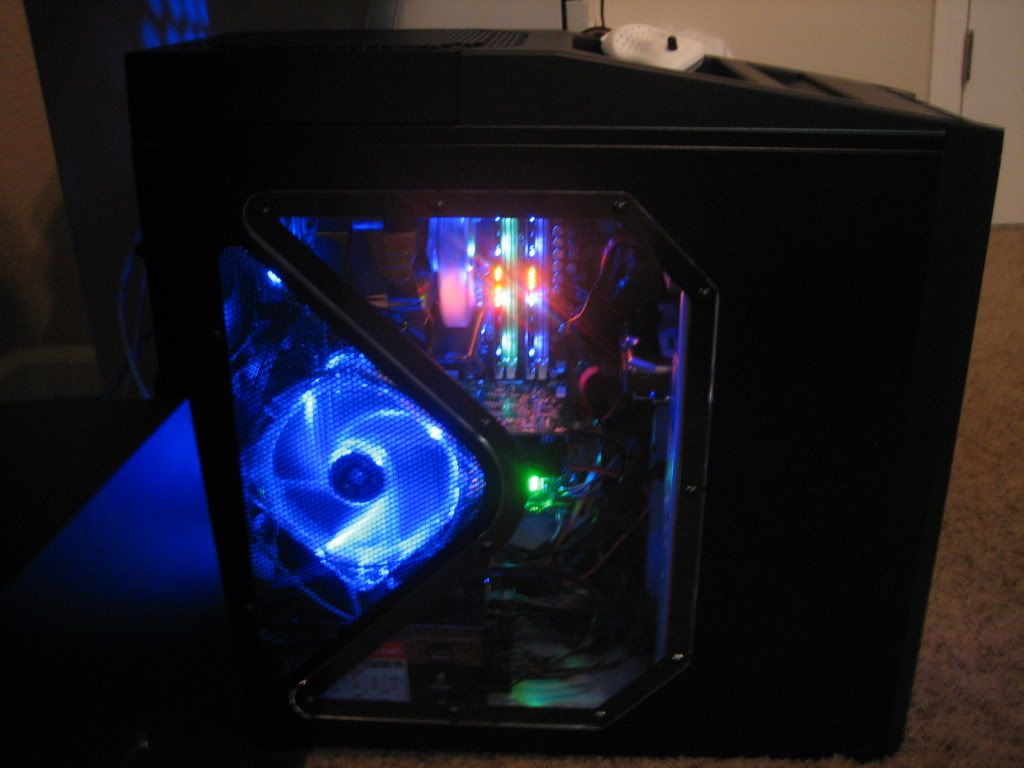


Bookmarks