MMM
Page 1 of 2 12 LastLast
Results 1 to 25 of 30

Thread: Asus Striker Extreme/ q6600 OC help

  1. #1
    Registered User
    Join Date
    Apr 2005
    Location
    CROATIA
    Posts
    68

    Unhappy Asus Striker Extreme/ q6600 OC help

    Hi everyone!

    First of all, my english is not so good, so please dont hate me

    and now the problem, i knew that it was going to be hard to overclock the q6600 on the striker extreme, but that it was going to be so hard, and that i wont be able to get past 2800mhz, i really didnt expected

    i have read alsmost everything about the issues, but nothing helped, maybe i am forgeting something, or doing something extremly wrong..

    i dont need a extreme overclock, 3ghz would be verry good to me, maybe someone with the same rig can help me, i would be verry pleased and thankfull


    Setting i tried:


    FSB - Memory Clock Mode: Unlinked
    x FSB - Memory Raio: N/A
    FSB (QDR), Mhz: 1333
    Actual FSB (QDR), Mhz: 1333
    MEM (DDR), Mhz: ?
    Actual MEM (DDR), Mhz: 1000
    Vcore Voltage:1.4
    Memory Voltage:2.05
    1.2v HT Voltage:auto
    NB Core Voltage:auto
    SB Core Voltage:auto
    CPU VTT Voltage:auto
    DDRII Controller Ref Voltage: auto
    DDRII Channel A Ref Voltage: auto
    DDRII Channel B Ref Voltage: auto

    tCL (CAS Latency): 5
    tRCD: 5
    tRP: 5
    tRAS:15
    Command Per Clock (CMD): 2


    Advance Memory Settings
    tRRD: AUTO
    tRC: AUTO
    tWR: AUTO
    tWTR: AUTO
    tREF: AUTO
    tRD: AUTO
    tRFC: AUTO
    Async Latency: AUTO

    CPU Spread Spectrum: Disabled
    PCIE Spread Spectrum: auto/disabled
    MCP PCIE Spread Spectrum: auto/disabled
    SATA Spread Spectrum: Disabled
    LDT Spread Spectrum: auto/disabled

    CPU Internal Thermal Control: Disabled
    Limit CPUID MaxVal: Disabled
    Enhanced C1 (C1E): Disabled
    Execute Disable Bit: enabled/disabled
    Virtualization Technology: enabled/disabled
    Enhanced Intel Speedstep Tech: Disabled
    LDT Frequency: 5x

    PCIEX16_1 Frequency (Mhz): 100
    PCIEX16_2 Frequency (Mhz): 100
    PCIEX16_3 Frequency (Mhz): 100
    SPP<->MCP Ref Clock, Mhz: 200

    my rig:

    QuadCore Intel Core 2 Quad Q6600, 2400 MHz (9 x 267) G0

    Asus Striker Extreme (2 PCI, 2 PCI-E x1, 3 PCI-E x16, 4 DDR2 DIMM, Audio, Dual Gigabit LAN, IEEE-1394)

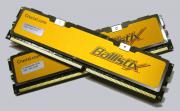
    4gb Crucial Balistix ddr2 800 cl4

    2x 8800gt


    greets
    OVERCLOCKING KLUB
    ocklub.net

    HARDWARE E-ZINE
    ocklub.net

  2. #2
    I am Xtreme
    Join Date
    Sep 2006
    Posts
    10,374
    Use Bios 1301 or 1303 DO NOT USE 1305 !! (I've not tried 1401 as I no longer own the board)

    FSB - Memory Clock Mode: Unlinked
    x FSB - Memory Raio: N/A
    FSB (QDR), Mhz: 1333
    Actual FSB (QDR), Mhz: 1333
    MEM (DDR), Mhz: 800
    Actual MEM (DDR), Mhz: 800
    Vcore Voltage:1.45
    Memory Voltage:2.05
    1.2v HT Voltage:1.55
    NB Core Voltage:1.4
    SB Core Voltage:1.6
    CPU VTT Voltage:1.45
    DDRII Controller Ref Voltage: auto
    DDRII Channel A Ref Voltage: auto
    DDRII Channel B Ref Voltage: auto

    Try to not push ya ram up to 1000mhz , surely not with 4dimms on this mobo, it will NOT work !! most of us with quads run it 1:1 so 425FSB = 850 on the ram... you can try first 667mhz on the ram and then see if you can go higher... in case the pc doesn't post ( so no screen ) you are in a FSB hole try 330 or even 340 then; sadly each board is different, most users ahd pretty good luck with 412,415,425 or even 450FSB... big FSB hole between 333 and 410 for most....

    Good luck keep us posted...
    Question : Why do some overclockers switch into d*ckmode when money is involved

    Remark : They call me Pro Asus Saaya yupp, I agree

  3. #3
    3D Team Captain Don_Dan's Avatar
    Join Date
    May 2007
    Location
    Munich, Germany
    Posts
    4,199
    Have you already read this thread? http://www.xtremesystems.org/forums/...d.php?t=159457

    Just some thoughts:
    1. 4GB is really hard to run
    2. Are you using BIOS 1303?
    3. Have you active cooling for your NB?
    4. Maybe try it with a multi of 8

    I recommend reading the thread I linked to!

    EDIT: @Leeghoofd: This time you were faster! :-)

    Quote Originally Posted by chew* View Post
    You can never have enough D9's.

  4. #4
    Registered User
    Join Date
    Apr 2005
    Location
    CROATIA
    Posts
    68
    thanks for the fast reply

    flashed to 1301 bios

    i am now @ 1300 fsb and 1.3 Vcore prime and occt are running stable

    going to try a higher fsb and lower multi, to see if i can get past the 3ghz

    @ don going to read the thread, i have no active cooling for the nb
    OVERCLOCKING KLUB
    ocklub.net

    HARDWARE E-ZINE
    ocklub.net

  5. #5
    Registered User
    Join Date
    Apr 2005
    Location
    CROATIA
    Posts
    68
    the 8x multi seems not to bring stable clocks,

    now running @ 3037mhz, 1350fsb , multu 9x and 1,25 vcore

    seems stable too

    thanks for now, still good iedeas are welcome

    i think the manual vcore setting were the key

    UPDATE:

    1400 FSB,multi 9x, 1,2 Vcore(the temp was over 75 with 1,25) = 3150 MHz

    seems stable too
    Last edited by Srecko; 01-12-2008 at 06:13 PM.
    OVERCLOCKING KLUB
    ocklub.net

    HARDWARE E-ZINE
    ocklub.net

  6. #6
    I am Xtreme
    Join Date
    Sep 2006
    Posts
    10,374
    Quote Originally Posted by Srecko View Post
    1400 FSB,multi 9x, 1,2 Vcore(the temp was over 75 with 1,25) = 3150 MHz
    seems stable too
    Better invest in decent cooling man , it's not good to get ya CPU way up there... and put a fan that blows soem fresh air over the NB at least...
    Question : Why do some overclockers switch into d*ckmode when money is involved

    Remark : They call me Pro Asus Saaya yupp, I agree

  7. #7
    Registered User
    Join Date
    Apr 2005
    Location
    CROATIA
    Posts
    68
    hi folks,

    got a new cooling thermaright ifx14 with papst 120mm 2900rpm cooler, the temp went for aproxx 50&#37; down, now the overclocking problem still remains, i canot get it past 3ghz stable, running now on 1300fsb and 9x multi.

    settings now

    FSB - Memory Clock Mode: Unlinked
    x FSB - Memory Raio: N/A
    FSB (QDR), Mhz: 1300
    Actual FSB (QDR), Mhz: 1300
    MEM (DDR), Mhz: 800
    Actual MEM (DDR), Mhz: 800
    Vcore Voltage:1.25
    Memory Voltage:2.05
    1.2v HT Voltage:auto
    NB Core Voltage:auto
    SB Core Voltage:auto
    CPU VTT Voltage:auto
    DDRII Controller Ref Voltage: auto
    DDRII Channel A Ref Voltage: auto
    DDRII Channel B Ref Voltage: auto

    i tried also all with 8x multi and the V settings that Leeghoofd postet 412(no boot),415(boot not stable),425(no boot) and 450(boot, windows running good, wprime too, but it stacks on 3dmark06, first test) fsb

    i think it could be the mem or something with 450fsb, but it is running on 800mhz and normal settings, do you have any idea what could be wrong?

    i have also a problem when setting the ram voltage to higher than 2.1 i get no boot, but it is certified for 2.2 v....hmmm

    thanks
    Last edited by Srecko; 01-18-2008 at 03:38 PM.
    OVERCLOCKING KLUB
    ocklub.net

    HARDWARE E-ZINE
    ocklub.net

  8. #8
    I am Xtreme
    Join Date
    Sep 2006
    Posts
    10,374
    Try first with 2 sticks, normally these ballistix do 1000Mhz, so 900mhz shouldn't be a problem... also have you tried relaxing to 5-5-5-15 2T, too bad my settings didn't work, you cooling the NB with an extra fan ?

    Thing is you have to run the ram in sync with the SB to get the best stability so for 425mhzFSB set 850mhz for ram, etc...,
    Also skip the auto settings for higher clocks, try 1.2HT to 1.6 and CPU VTT to 1.5 then to get more stability, in case you use SLI you also need to up SB voltage to 1.6 or even 1.65... mostly stability issues with this baord can be resolved by adding extra cooling to NB and SB... and disable all these:

    CPU Spread Spectrum: Disabled
    PCIE Spread Spectrum: disabled
    MCP PCIE Spread Spectrum: disabled
    SATA Spread Spectrum: Disabled
    LDT Spread Spectrum: disabled

    CPU Internal Thermal Control: Disabled
    Limit CPUID MaxVal: Disabled
    Enhanced C1 (C1E): Disabled
    Execute Disable Bit: disabled
    Virtualization Technology: disabled
    Enhanced Intel Speedstep Tech: Disabled
    LDT Frequency: 5x --> try 4x or even 3x
    Question : Why do some overclockers switch into d*ckmode when money is involved

    Remark : They call me Pro Asus Saaya yupp, I agree

  9. #9
    Registered User
    Join Date
    Apr 2005
    Location
    CROATIA
    Posts
    68
    Quote Originally Posted by Leeghoofd View Post
    Try first with 2 sticks, normally these ballistix do 1000Mhz, so 900mhz shouldn't be a problem... also have you tried relaxing to 5-5-5-15 2T, too bad my settings didn't work, you cooling the NB with an extra fan ?

    Thing is you have to run the ram in sync with the SB to get the best stability so for 425mhzFSB set 850mhz for ram, etc...,
    Also skip the auto settings for higher clocks, try 1.2HT to 1.6 and CPU VTT to 1.5 then to get more stability, in case you use SLI you also need to up SB voltage to 1.6 or even 1.65... mostly stability issues with this baord can be resolved by adding extra cooling to NB and SB... and disable all these:

    CPU Spread Spectrum: Disabled
    PCIE Spread Spectrum: disabled
    MCP PCIE Spread Spectrum: disabled
    SATA Spread Spectrum: Disabled
    LDT Spread Spectrum: disabled

    CPU Internal Thermal Control: Disabled
    Limit CPUID MaxVal: Disabled
    Enhanced C1 (C1E): Disabled
    Execute Disable Bit: disabled
    Virtualization Technology: disabled
    Enhanced Intel Speedstep Tech: Disabled
    LDT Frequency: 5x --> try 4x or even 3x
    i have no extra cooling on the nb, somehow it wont work stable with 450 fsb(1.5 and 1.6v), tried higher vcore (1.6V), but no sucess. wprime still stable, but 3dmark06 is hanging, i had not time to take two sticks out. what i have noticed that when i am running the mem @ unlinked and 800mhz it boots much more stable.

    yes i use sli with 2 8800gt and the 1.6 and 1.65 voltage to the sb didnt helped much, as i said its hanging in 3dmark06


    p.s everything is done with bios 1301, 1303 seems not to work that good

    EDIT: i have now installed the optional asus fan included in the bundle on the passive mb cooling system udner the cpu, thats the nb?still no improvements
    Last edited by Srecko; 01-19-2008 at 11:03 AM.
    OVERCLOCKING KLUB
    ocklub.net

    HARDWARE E-ZINE
    ocklub.net

  10. #10
    3D Team Captain Don_Dan's Avatar
    Join Date
    May 2007
    Location
    Munich, Germany
    Posts
    4,199
    Quote Originally Posted by Srecko View Post
    EDIT: i have now installed the optional asus fan included in the bundle on the passive mb cooling system udner the cpu, thats the nb?still no improvements
    The northbridge is under the heatpipe below the cpu-socket and the memory slots. I am using a 80mm fan hanging over the NB.

    Quote Originally Posted by chew* View Post
    You can never have enough D9's.

  11. #11
    Registered User
    Join Date
    Apr 2005
    Location
    CROATIA
    Posts
    68
    yes there i have the fan
    OVERCLOCKING KLUB
    ocklub.net

    HARDWARE E-ZINE
    ocklub.net

  12. #12
    Registered User
    Join Date
    Apr 2005
    Location
    CROATIA
    Posts
    68
    its getting really weird, cpu @ default and the ram @ 4-4-4-12-2t (2.05v) 800mhz, and my pc freezes sometimes, with 5-5-5-15-2t ist running stable, when upping the mem voltage higher then 2.05 i get errors, any idea?

    now i have no stable overclock...

    tried every bios i woueld be happy with 3ghz(should be normal for a G0)
    OVERCLOCKING KLUB
    ocklub.net

    HARDWARE E-ZINE
    ocklub.net

  13. #13
    3D Team Captain Don_Dan's Avatar
    Join Date
    May 2007
    Location
    Munich, Germany
    Posts
    4,199
    That's indeed quite strange. Have you checked what voltages the BIOS set values result in Windows? Maybe the board is overvolting the RAM very much so that it gets too hot.

    Quote Originally Posted by chew* View Post
    You can never have enough D9's.

  14. #14
    Registered User
    Join Date
    Apr 2005
    Location
    CROATIA
    Posts
    68
    the ram needs 2.2v i think, when setting to auto, in bios it is 2.24(overvolting) when i set it manually to 2.15 it gives it 2.19 but somehow its not running stable whenn upping up the voltage higher than 2.05 and thats strange
    OVERCLOCKING KLUB
    ocklub.net

    HARDWARE E-ZINE
    ocklub.net

  15. #15
    Registered User
    Join Date
    Apr 2005
    Location
    CROATIA
    Posts
    68
    please help
    OVERCLOCKING KLUB
    ocklub.net

    HARDWARE E-ZINE
    ocklub.net

  16. #16
    Xtreme Enthusiast
    Join Date
    Mar 2005
    Location
    Ontario, Canada
    Posts
    529
    Try memtest. I had 2 diff sets of ram go bad with the 680i, still boot still run but not stable at any speed, thought it was the cpu as the problem was still there with other ram till I ran memtest.
    Rampage III Gene I7 950@4.48G--1.485V HR-02 12G G.Skill 1600-1.5V, GTX470-SLI@725core 1750mem, Antec P180 MINI

  17. #17
    Registered User
    Join Date
    Apr 2005
    Location
    CROATIA
    Posts
    68
    i have the ram now stable(50min memtest) just lowered the voltage to 2.025, and thats really strange, cpu now running @ 2925 mhz, 9x multi, but i want more
    OVERCLOCKING KLUB
    ocklub.net

    HARDWARE E-ZINE
    ocklub.net

  18. #18
    Registered User
    Join Date
    Apr 2005
    Location
    CROATIA
    Posts
    68
    ist getting stranger too, @ 2925 mhz and 800 mhz ddr2 (4-4-4-12) the system runs stable, (memtest,orthos 4+ hours with no errors) BUT when i play a game(wow,cod4,crysis,witcher,gothic3) the pc crashes(freezes) and i need to manually reboot.

    i dont no why i have a thermaltake toughpower qfan power supply 650W, and i dont think that my system needs more than that, two 8800gt running in SLI

    if someone, could please help cause thats the only stability issue

    i would be verry happy

    thanks
    OVERCLOCKING KLUB
    ocklub.net

    HARDWARE E-ZINE
    ocklub.net

  19. #19
    Registered User
    Join Date
    Apr 2005
    Location
    CROATIA
    Posts
    68
    please help guys, its really disapointing
    OVERCLOCKING KLUB
    ocklub.net

    HARDWARE E-ZINE
    ocklub.net

  20. #20
    3D Team Captain Don_Dan's Avatar
    Join Date
    May 2007
    Location
    Munich, Germany
    Posts
    4,199
    I don't know what to say....

    Are you still running 4GB of RAM?
    Maybe try 5-4-4-15 or something like this. What tRFC and tRC are you running. Set it tRFC to 45 ( or higher ) and tRC to 25 ( or a bit higher ).

    Your PSU should be sufficient.

    Quote Originally Posted by chew* View Post
    You can never have enough D9's.

  21. #21
    Xtreme Cruncher
    Join Date
    Jan 2008
    Posts
    1,169
    Another very helpful thread you should read:

    http://www.xtremesystems.org/forums/...d.php?t=164727

    You are running 4 sticks of ram, correct?
    Notice that many cannot reliably run 4 sticks (or even dual channel) with NB voltage on auto. You will most likely need to manually set your NB voltages. Have you done that already?

    "[crunching is] a minor service to humanity as a side effect of our collective hardware fetish" - Blauhung

  22. #22
    Registered User
    Join Date
    Apr 2005
    Location
    CROATIA
    Posts
    68
    yes i tried 1.40 to 1.50, problem ist still there
    OVERCLOCKING KLUB
    ocklub.net

    HARDWARE E-ZINE
    ocklub.net

  23. #23
    3D Team Captain Don_Dan's Avatar
    Join Date
    May 2007
    Location
    Munich, Germany
    Posts
    4,199
    Did you test higher tRC and tRFC?

    Quote Originally Posted by chew* View Post
    You can never have enough D9's.

  24. #24
    Registered User
    Join Date
    Apr 2005
    Location
    CROATIA
    Posts
    68
    Quote Originally Posted by Don_Dan View Post
    Did you test higher tRC and tRFC?
    yap

    tRFC to 50 and tRC to 30
    OVERCLOCKING KLUB
    ocklub.net

    HARDWARE E-ZINE
    ocklub.net

  25. #25
    Xtreme Enthusiast
    Join Date
    Mar 2005
    Location
    Ontario, Canada
    Posts
    529
    Are your gfx cards overclocked? Try running with the case open, then you will know if its just heat or the oc.
    Rampage III Gene I7 950@4.48G--1.485V HR-02 12G G.Skill 1600-1.5V, GTX470-SLI@725core 1750mem, Antec P180 MINI

Page 1 of 2 12 LastLast

Bookmarks

Bookmarks

Posting Permissions

  • You may not post new threads
  • You may not post replies
  • You may not post attachments
  • You may not edit your posts
  •