





Also why do you want to build the raid array after installing windows? why not use the intel raid bios (ctrl-i).
When you want to migrate your existing data from an existing drive to the array, it builds the RAID5 array. You can only do this with the tool in windows. I built the first drive from a mirror on my old machine. Got it so the machine would boot from it then built the "new" array from the "existing" drive. Everything appeared to be going well - it was taking a heck of a lot longer than it should have, but otherwise ok. Then sometime during the night it ran out of disk space, the machine hung up and would not boot back up properly (see BIOS comment).
All Intel says about it is that they support NCQ, not that the drives have to be NCQ:
In 2007, Intel Matrix Storage Technology continues its support of hardware storage features. 3Gb/s support doubles the hard drive to chipset transfer rate, providing additional responsiveness and headroom, the eSATA support in ICH9R extends this high performance interface outside of the desktop and provides expanded connectivity. By including support for Serial ATA Advanced Host Controller Interface (AHCI), Native Command Queuing (NCQ) provides additional performance & faster boot times, hot plug capability to allow drives to be added or removed with the PC running, and staggered spin up to reduce power loads on machines with multiple drives.
Besides, I have no trouble creating the array, wouldn't it complain if the disks were not the right type?
As BigDK said, does your hdd's support NCQ ? cause it seems that Intel's AHCI/RAID works only with NCQ drives ...
Uhhggg, you might be on to something there. I can't find anything that says that (Intel only supports NCQ drives)! But yes, I think the drives are not NCQ. Just regular ordinary WD500 SATA2's. Oh well, I guess I have another reason to go to a different MoBo now!I can return the MoBo, but not the drives.... Besides, the BIOS setup is screwed on the board too! I tried to go to it and it just kept scrolling numbers/letters, like someone was leaning on the keyboard (and they weren't).
One last thing - RAID 5 software should still be quicker than RAID 1 (which I ran before), as long as the disks are all on the Master ports of the 3 sets of SATA pairs (which is the way I have it configured) on the Intel Matrix controller.


 Reply With Quote
 Originally Posted by radical

 am running on my abit ix38 quadgt the same matrix raid0/raid5 i was running on the dq6. see
 . Seems like an oxymoron to me, because RAID 5 is faster than 1 and I have an old controller that does 1 (no NCQ) with no issues what so ever (thats where the Maxtor came from). It really is too bad, because the Intel Matrix windows tool is extremely easy to use and seems to work well.


 (no mods for now..)
 Is these pics correct? I want to mod mine too.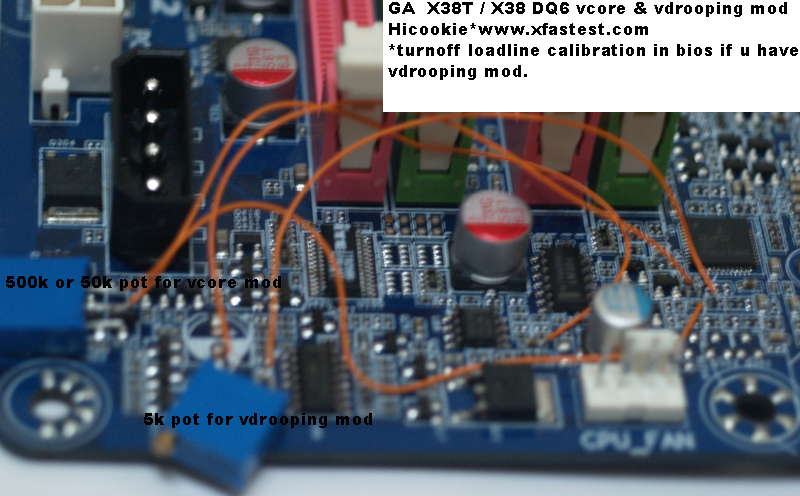
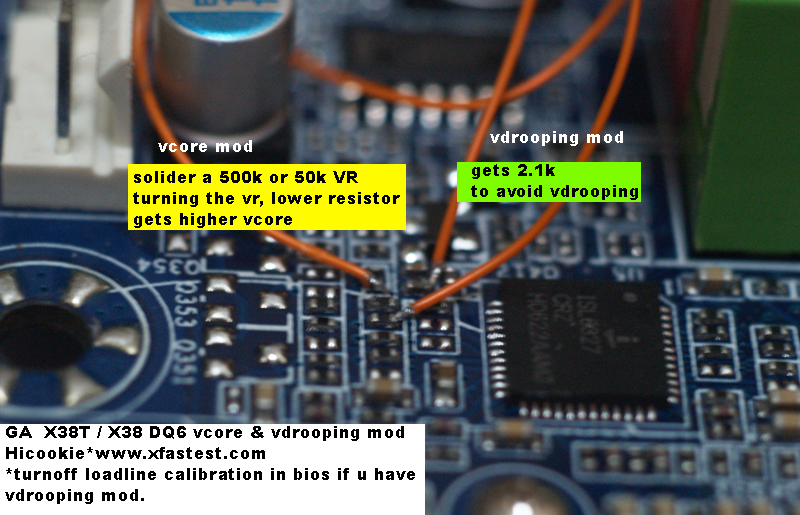
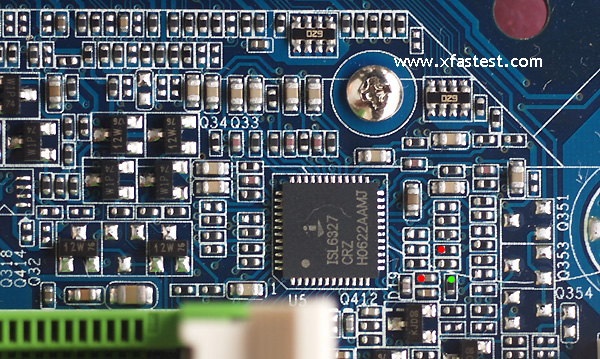


Bookmarks