

I really like the black inside of the case, BUT we want to see the TEMPS



I really like the black inside of the case, BUT we want to see the TEMPS


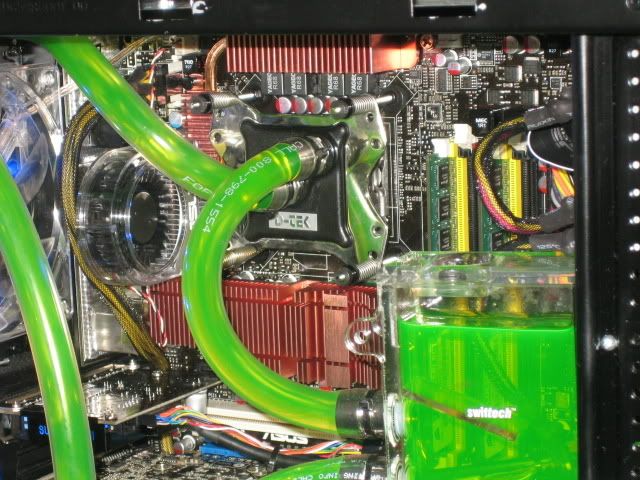
Karl, why didn't you hard mount the CPU block?
I've always wondered, what are the benefits of hard mounting over with the springs?Originally Posted by MotF Bane


well basically a hardmount allows greater tension control. Also allows a more firmer grasp with a bowed block.
However i got more even coretemps via springs then via hardmount
I dont like hardmounting. Its very difficult to get it done right if your board is premounted inside the case.
Nadeshiko: i7 990 12GB DDR3 eVGA Classified *In Testing... Jealous?*
Miyuki: W3580 6GB DDR3 P6T-Dlx
Lind: Dual Gainestown 3.07
Sammy: Dual Yonah Sossoman cheerleader. *Sammy-> Lind.*
Its my fault.. and no im not sorry about it either.[12:37] skinnee: quit helping me procrastinate block reviews, you asshat. :p
[12:38] Naekuh: i love watching u get the firing squad on XS
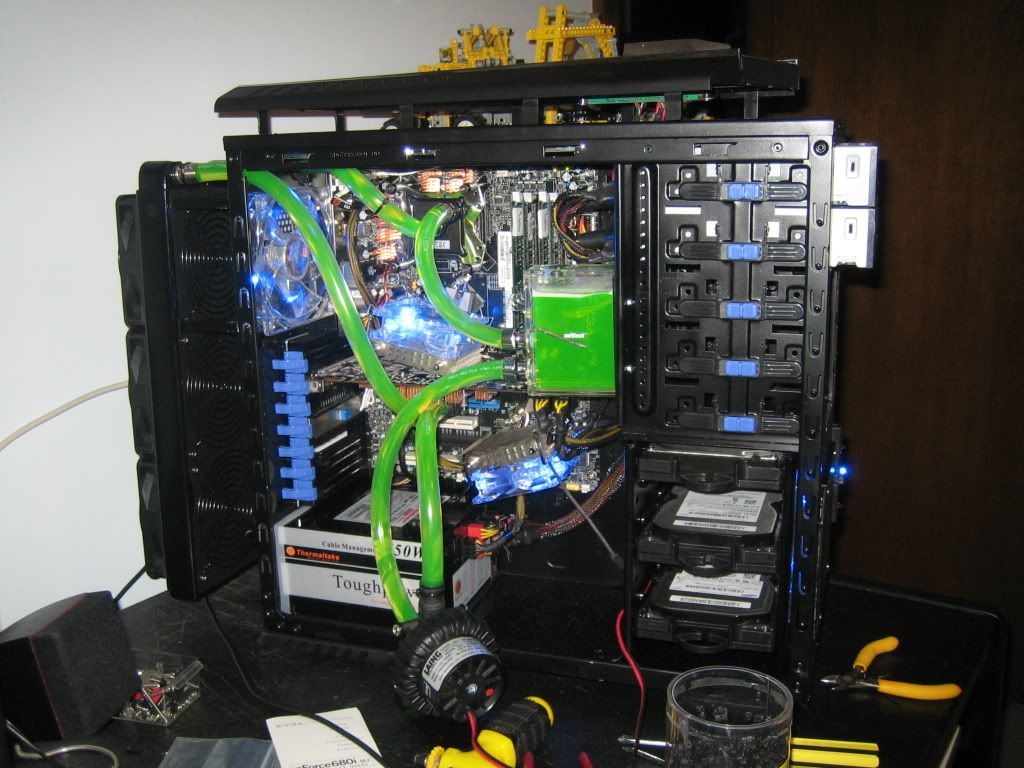
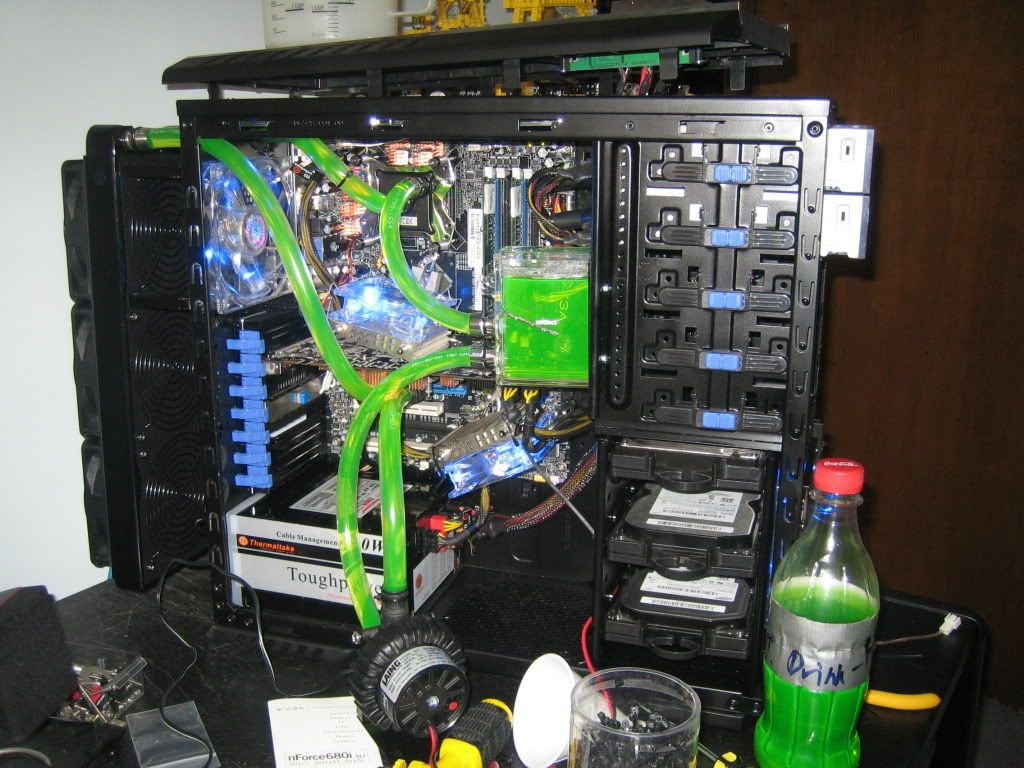
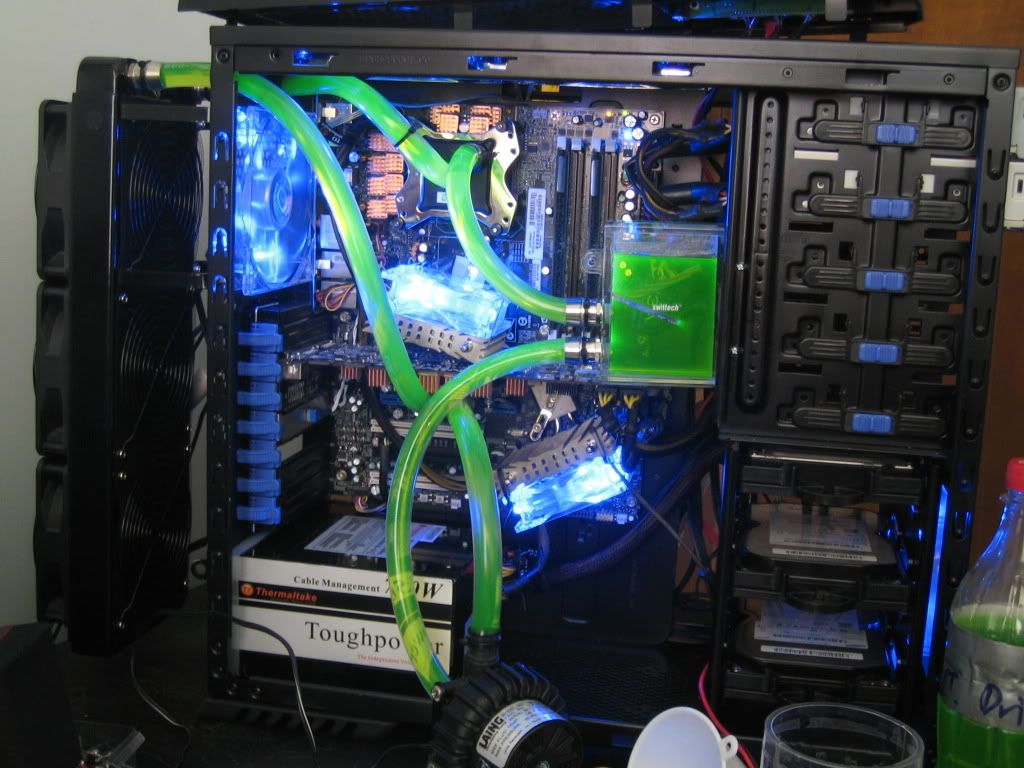
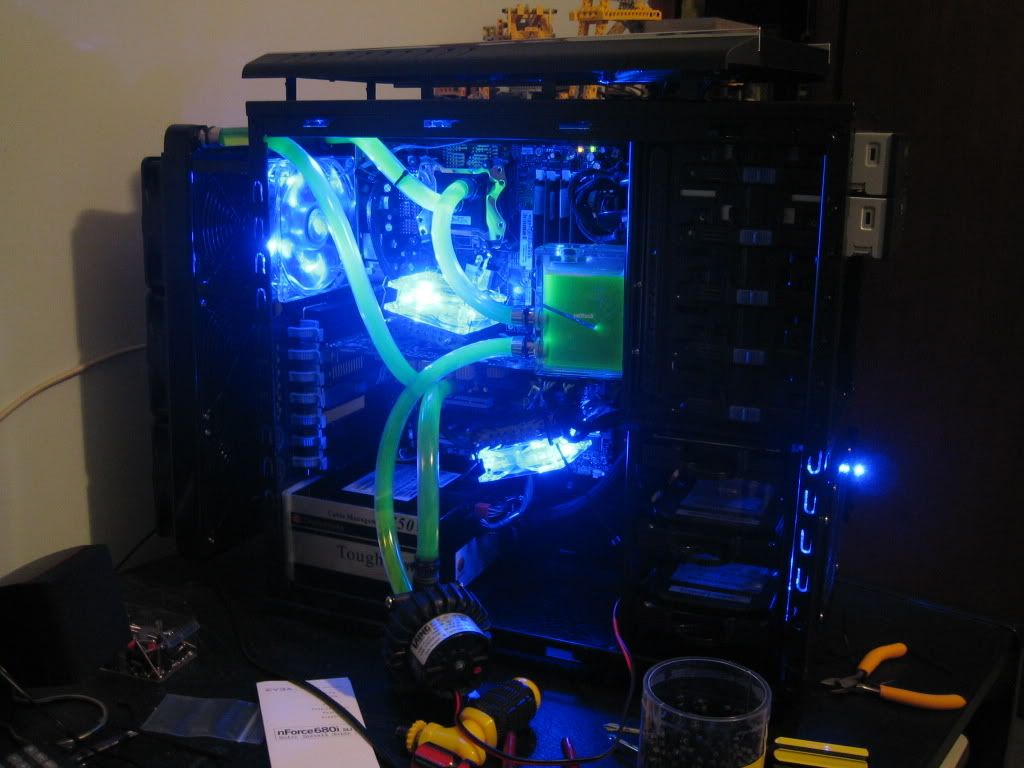
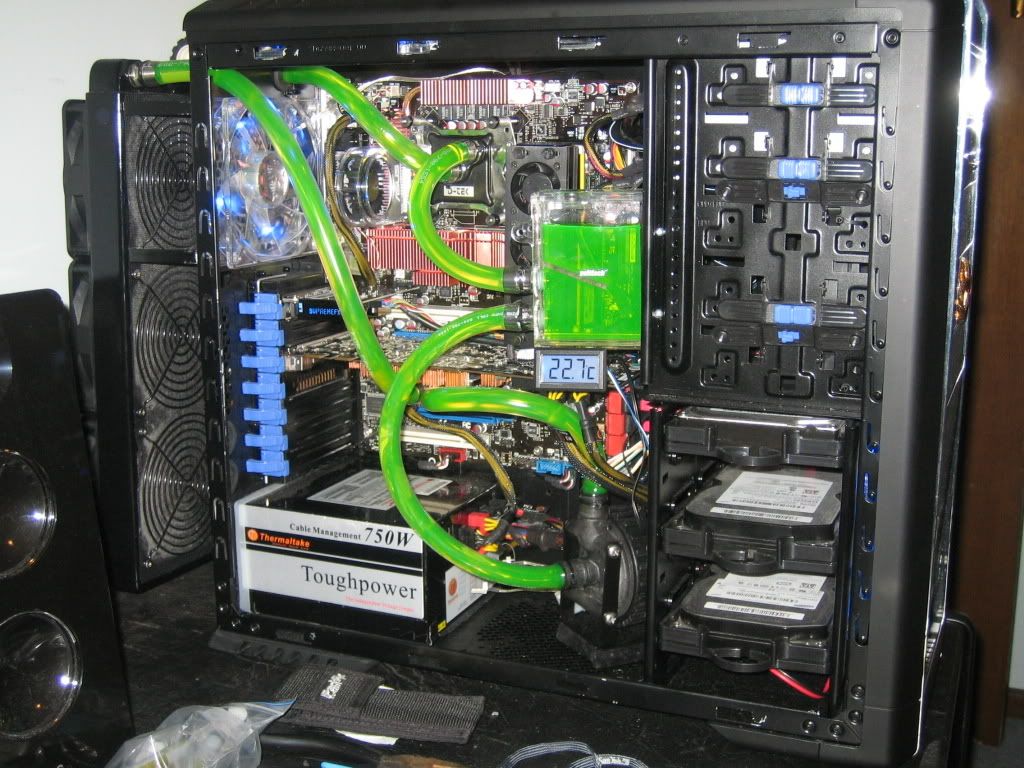
Ok, well obviously everything isn't 100% finished yet. I've still gotta figure out how I'm going to rout the fan cable off the radiator, plus trim down a small section of the left side panel where it rubs against the radiator mounts, install the last couple of fans, and then mount the pump. Plus I still need to install the UV cold cathodes in the case. So far all the lighting is done by blue LEDs on the fans.
BUT, I do have some more pics for you all, now that everything is installed and running.
http://i113.photobucket.com/albums/n...r/IMG_5797.jpg
http://i113.photobucket.com/albums/n...r/IMG_5809.jpg
http://i113.photobucket.com/albums/n...r/IMG_5814.jpg
http://i113.photobucket.com/albums/n...r/IMG_5800.jpg
http://i113.photobucket.com/albums/n...r/IMG_5803.jpg
http://i113.photobucket.com/albums/n...r/IMG_5807.jpg
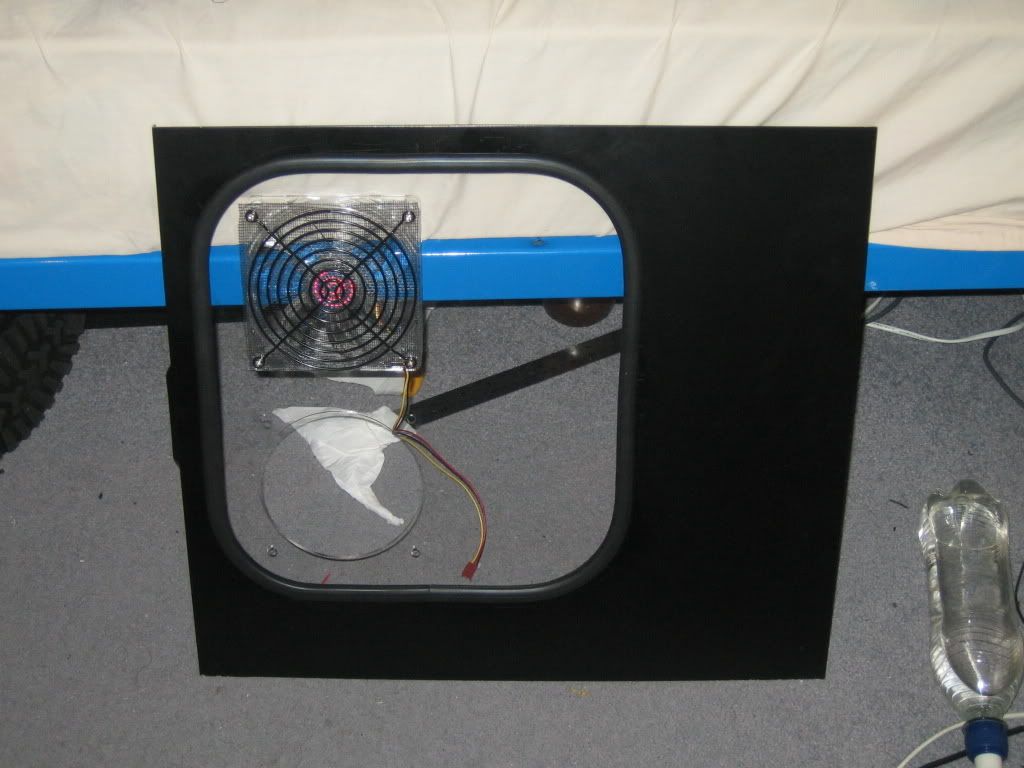
And this is what the window in the side panel looks like:
http://i113.photobucket.com/albums/n...r/IMG_5818.jpg
Still haven't decided if I'm going to mount a second fan in the hole there, or if I'll just put a black grill + fly screen (for a dust filter) and leave it as a vent.
At 3.0Ghz with 1.25v, CPU load is about 50-55°C. I bumped the voltage up to see what kind of voltage I could reach, and 1.45V gets me 65°C load temps, so it looks like that'll be my limit for overclocking.
As for GPU temps, 35°C idle, and about 45°C load.
All of those are with an ambient of 23-26°C.
Oh, and both my Northbridge and Southbridge temperatures have dropped by about 5-10°C. I'm guessing it's because the CPU and GPU are now no longer dumping their heat into the case, which means the NB and SB heatsinks are getting cooler air.
I figured a spring mount is a lot easier to get an even pressure. Core temps are fairly even, and while Core0 and Core1 are higher than Core2 and Core3, that's fairly much usual for quads. I'll have a bit of a fiddle with mounting pressure later, but I'm fairly happy with the results.
Eller
Last edited by karl_eller; 12-23-2007 at 12:47 AM.
Desktop: Q6600 G0 @ 3.6 Ghz | P5E | 2x2 Gb G.Skill PC8000 | GTX 560 Ti | CM690 | TT TP 750 watt | Win 7 Pro x64 | Water Cooling
Server: i3 530 (Stock) | CM Vortex Low-Profile | Zotac H55-ITX WIFI | 2x2Gb Corsair 1333Mhz | IGP | VX450 | Server 2008 R2 x64

North and southbridge are crying for watercooling imo.
Other than that, nice job.
Black interior rox.
Asus Crosshair V Formula-Z | FX 8350 | 2x4GB Trident-X 2600 C10 | 2x ATI HD5870 Crossfire | Enermax Revo 1050watt | OCZ Vertex 3 60GB | Samsung F1 1TB
Watercooling: XSPC Raystorm | EK 5870 Delrin fullcover | TFC X-changer 480 w/ 4x Gentle Typhoon | DDC2+ Delrin top | EK 200mm res | Primochill LRT 3/8 tubing
Case: Murdermodded TJ-07
sub 9 sec. SPi1M 940BE 955BE 965BE 1090T
nice work mate
ur from aus arent you
I have 3 girlfriends, my job, my car, and my computer. My job is the rich girl, just spend some time with her and she will provide a supply of cash. My car is the material girl, a lot of money from the rich girl goes on her. Have to be careful to keep her happy. My computer is the faithful girlfriend, I dont need to spend much on her but she is still good to me.


Your doing great man!!!!
I love it!
BTW, what kind of tubing are you using? Tygon?
By dry testing I mean testing your loop without your motherboard/parts inside the case. That way, even if it spills, nothing happens to your parts.
NB and SB load temps are about 40°C with the Thermalright HR-05's on them, so putting the NB and SB into the loop would just add restriction and dump more heat into the loop. And considering how bloody hot the Q6600 B3 gets when loaded up, I'd rather not
Yessum, New South Wales man, born and bred.
MasterKleer 7/16" ID tubing. At US$0.50 a foot, it's hard to pass up
Ah, now I get you. I wanted to know pretty much exactly where the CPU and GPU waterblocks were going to sit, so I needed to at least have them in for initially tubing everything. And once that was done it was too much effort to take them out
Eller
Desktop: Q6600 G0 @ 3.6 Ghz | P5E | 2x2 Gb G.Skill PC8000 | GTX 560 Ti | CM690 | TT TP 750 watt | Win 7 Pro x64 | Water Cooling
Server: i3 530 (Stock) | CM Vortex Low-Profile | Zotac H55-ITX WIFI | 2x2Gb Corsair 1333Mhz | IGP | VX450 | Server 2008 R2 x64
Oh noes! it's a double post!
So after finding out that my motherboard has a random FSB hole between 333Mhz and 360 Mhz, I now have my comp ticking along at a nice 3.24Ghz, with 1.4v vCore. However I have a bit of a question about my CPU temps. Under load for the past 20 minutes, they've now settled out at 66-66-61-61 temps, which seem a shade on the warm side to me. Ambient in my room is 25-27°C. Is this just the B3 stepping quad being rather warm, or is it caused by either a bubble in the waterblock or a bad mount? GPU temps are fine (35°C idle, about 45°C load), but the CPU temps are a bit higher.
Also, I've got Swiftech MC14 ramsinks on my mofsets and chokes. With the 1.4v vCore, they're getting awefully warm, with the heatsinks for the chokes registering about 60°C, while the mofset heatsinks show up as 70°C. These temps are taken using a digital thermometer (nothing super accurate) with the probe touching the heatsinks. Safe? Or too hot?
Eller
Desktop: Q6600 G0 @ 3.6 Ghz | P5E | 2x2 Gb G.Skill PC8000 | GTX 560 Ti | CM690 | TT TP 750 watt | Win 7 Pro x64 | Water Cooling
Server: i3 530 (Stock) | CM Vortex Low-Profile | Zotac H55-ITX WIFI | 2x2Gb Corsair 1333Mhz | IGP | VX450 | Server 2008 R2 x64
its pretty hot, have you got any case fans installed up top?
Customized water cooling my e2160 @ 3.618GHz
Submit yours now http://www.extreme-showcase.com
Professional & affordable website design, development, SEO, CMS & more | PM for details
Alrighty, update on the whole CPU heat problem. When running my Yate Loon D12 Highs at 7v compared to 12v, I get almost no change in CPU temps, which isn't what I would expect to see from a radiator that's being pushed to the limits. That makes me think that the problem lies with the CPU block. Remounting it didn't change the temperatures at all, so I'm thinking there might be a bubble in there somewhere that doesn't want to come out? If there is, what would be the best way for me to motivate it to come out? I've tried tipping my case around a bit, and it hasn't seemed to do much.
taylormsj: Yeah, I've got two 140mm fans (about 50 CFM each) above the CPU area, but I'm not sure how much airflow the actual mofset/choke heatsinks are getting. When I get the side panel on, there will be a 120mm fan directly opposite the CPU socket, which should hopefully provide enough air. But yes, they are pretty hot. Painfully so, in fact
Eller
Desktop: Q6600 G0 @ 3.6 Ghz | P5E | 2x2 Gb G.Skill PC8000 | GTX 560 Ti | CM690 | TT TP 750 watt | Win 7 Pro x64 | Water Cooling
Server: i3 530 (Stock) | CM Vortex Low-Profile | Zotac H55-ITX WIFI | 2x2Gb Corsair 1333Mhz | IGP | VX450 | Server 2008 R2 x64
looks good man!!!
i dont think u need cathodes its preety bright already

well b3s are really hotter, maybe with the 120 blasting air to it, plus the 140 exhaust, you'd see some temp improvements (1-3C i hope)...
OMG TEASER PHOTOS!!!1!~
Sorry I haven't updated in a while, things have been a bit busy what with everybody moving out, plus Christmas.
Things aren't quite 100% finished yet
However this is going to give you an idea as to what it's going to look like when it's all put together:
http://i113.photobucket.com/albums/n...r/IMG_5844.jpg
http://i113.photobucket.com/albums/n...r/IMG_5842.jpg
http://i113.photobucket.com/albums/n...r/IMG_5850.jpg
I love how neat and tidy that window panel turned out. Well worth the AU$30 it set me back.
It's almost finished!Then I get to clean up my room, considering how much of a mess it's been lately
Eller
Desktop: Q6600 G0 @ 3.6 Ghz | P5E | 2x2 Gb G.Skill PC8000 | GTX 560 Ti | CM690 | TT TP 750 watt | Win 7 Pro x64 | Water Cooling
Server: i3 530 (Stock) | CM Vortex Low-Profile | Zotac H55-ITX WIFI | 2x2Gb Corsair 1333Mhz | IGP | VX450 | Server 2008 R2 x64
Yeh the side panel looks realy good, and the fans should give your mosfets some nice breeze.
Where did you get it cut, looks well done?!
Customized water cooling my e2160 @ 3.618GHz
Submit yours now http://www.extreme-showcase.com
Professional & affordable website design, development, SEO, CMS & more | PM for details
awesome build!! the window mod looks great
Last edited by disruptfam; 01-06-2008 at 03:58 AM.
yea look great, where did you get that trimming for the cuts you did on the MOBO tray?
FTW
www.teampclab.pl
MOA 2009 Poland #2, AMD Black Ops 2010, MOA 2011 Poland #1, MOA 2011 EMEA #12
Test bench: empty
Great work on the case, I live in NSW, just wondering where you got the window done? Thanks.
UPDATE
Sorry about the complete lack of updates recently. I had originally intended to reserve my final update until after I recieved the final HR-05 IFX for my northbridge, but then I had a minor mishap. I tapped my CPU block once while it was running, and that somehow managed to kill my 680i board.
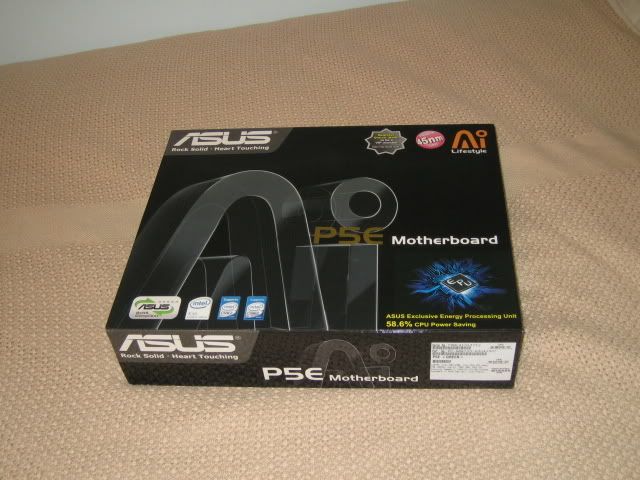
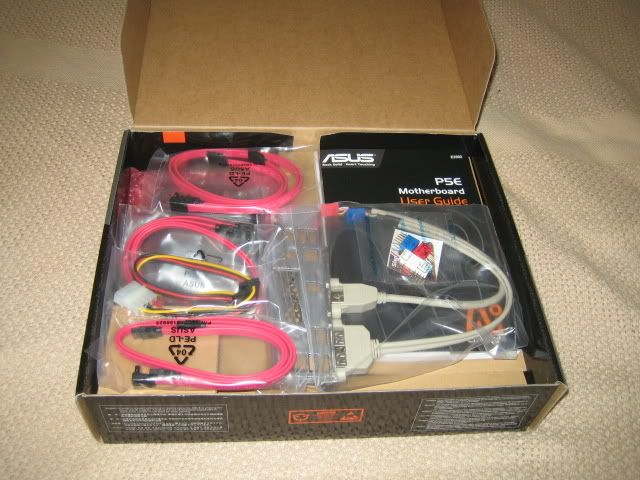
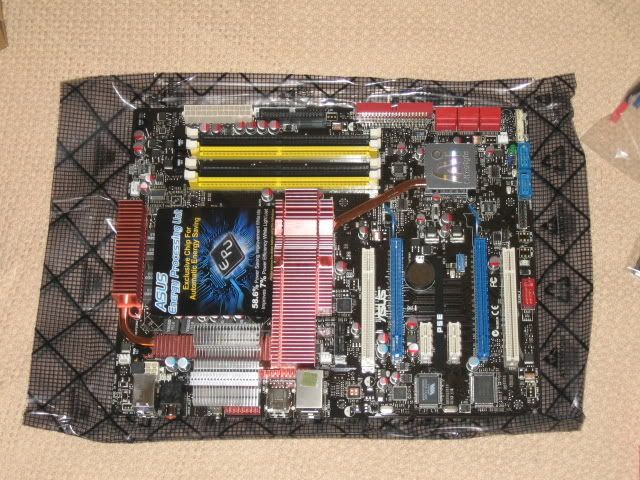
So, I now have a new motherboard: Asus P5E x38 board. And let me tell you, this board is a hell of a lot better than the eVGA 680i A1 was. I can actually get this one stable up to 3.6Ghz, while the 680i would become horribly unstable as soon as I tried to go past 3.0Ghz.
So some pictures:
http://i113.photobucket.com/albums/n...r/IMG_5877.jpg
http://i113.photobucket.com/albums/n...r/IMG_5878.jpg
http://i113.photobucket.com/albums/n...r/IMG_5880.jpg
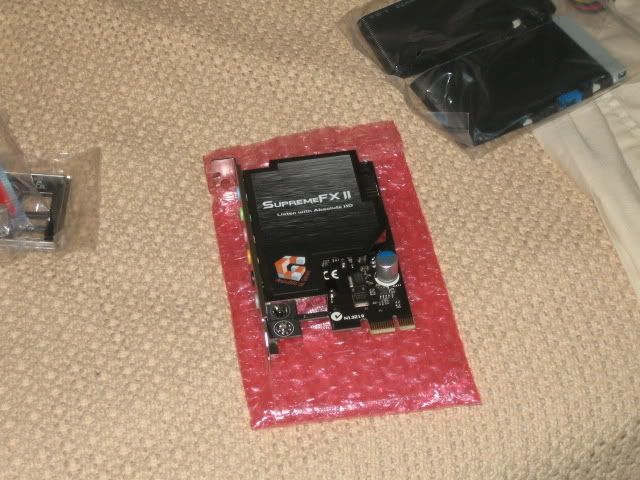
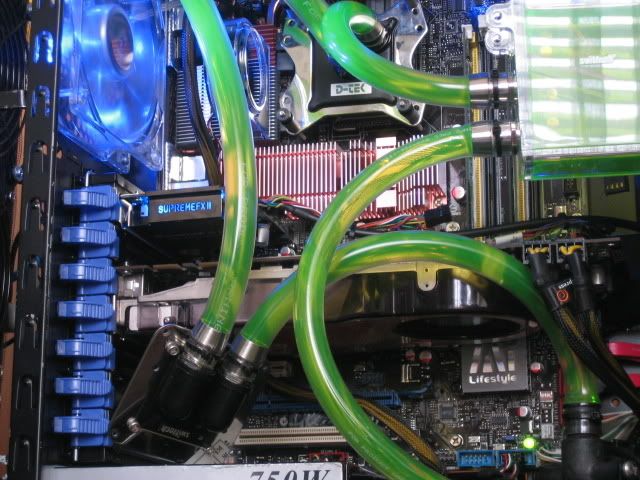
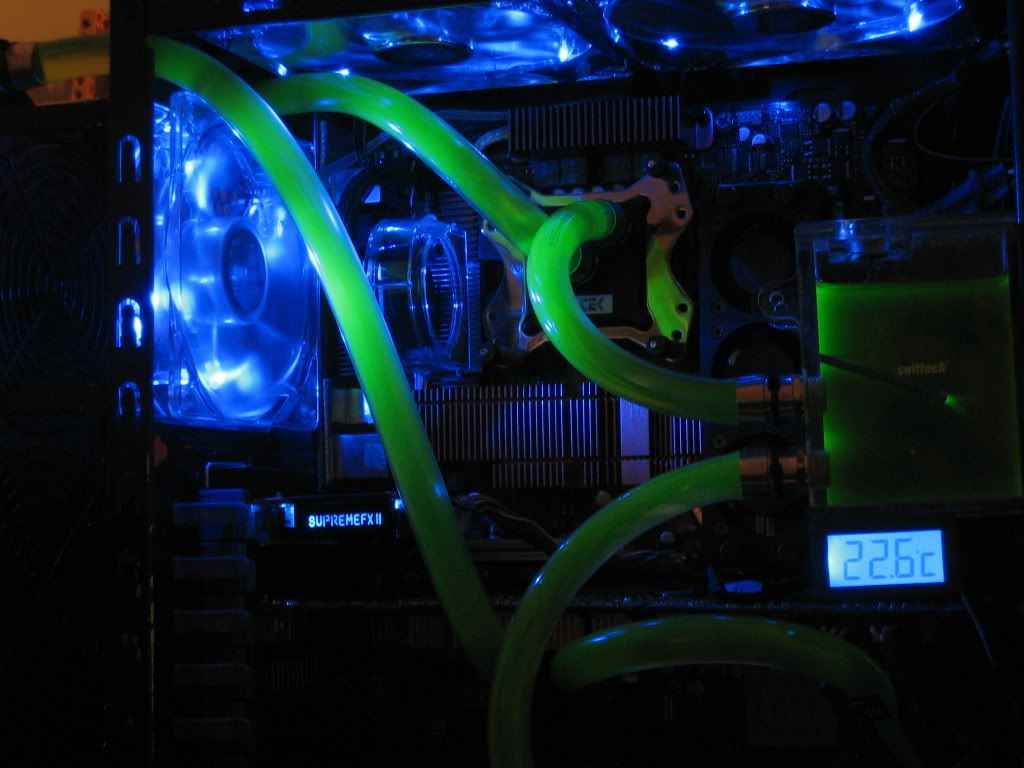
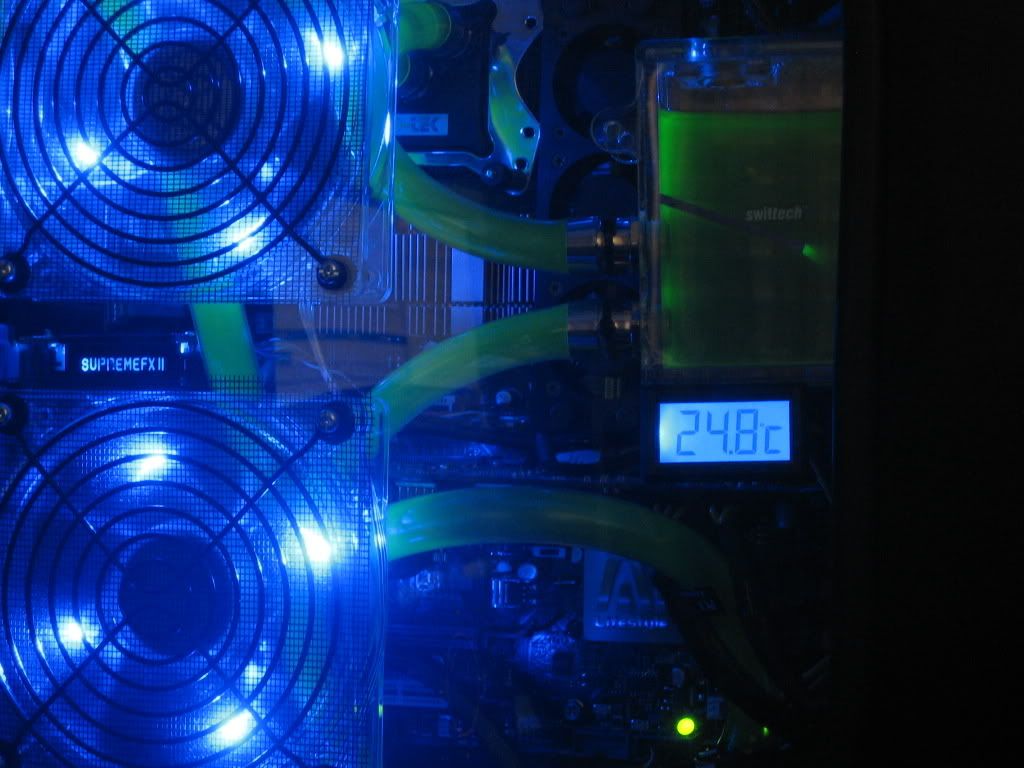
The nifty little SupremeFX II soundcard that comes with the board:
http://i113.photobucket.com/albums/n...r/IMG_5881.jpg
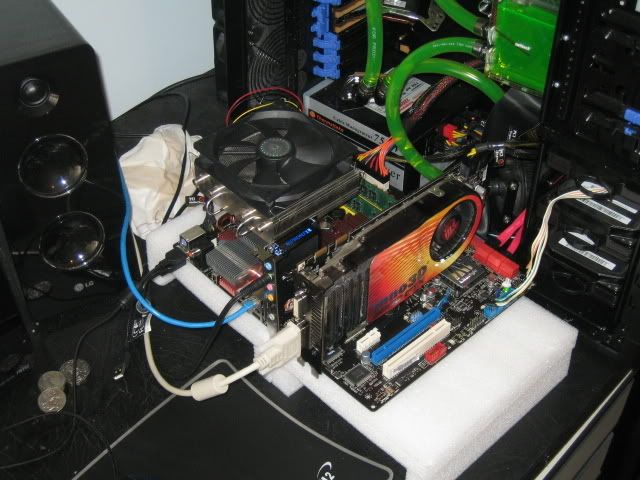
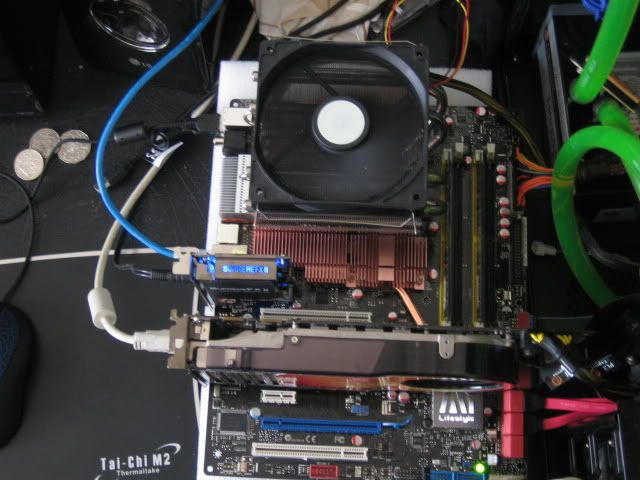
Set up as to test the board and make sure everything works properly:
http://i113.photobucket.com/albums/n...r/IMG_5887.jpg
http://i113.photobucket.com/albums/n...r/IMG_5891.jpg
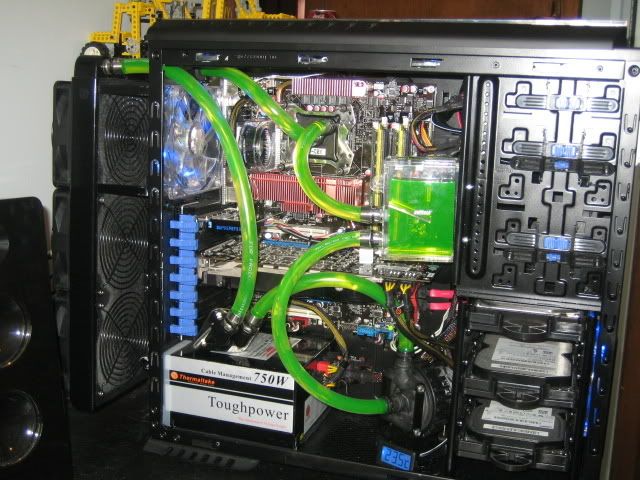
And now back in the case:
http://i113.photobucket.com/albums/n...r/IMG_5892.jpg
Yes, the GPU isn't in the loop when I took this photo, since I took it out to see what happened to CPU temperatures.
http://i113.photobucket.com/albums/n...r/IMG_5893.jpg
http://i113.photobucket.com/albums/n...r/IMG_5899.jpg
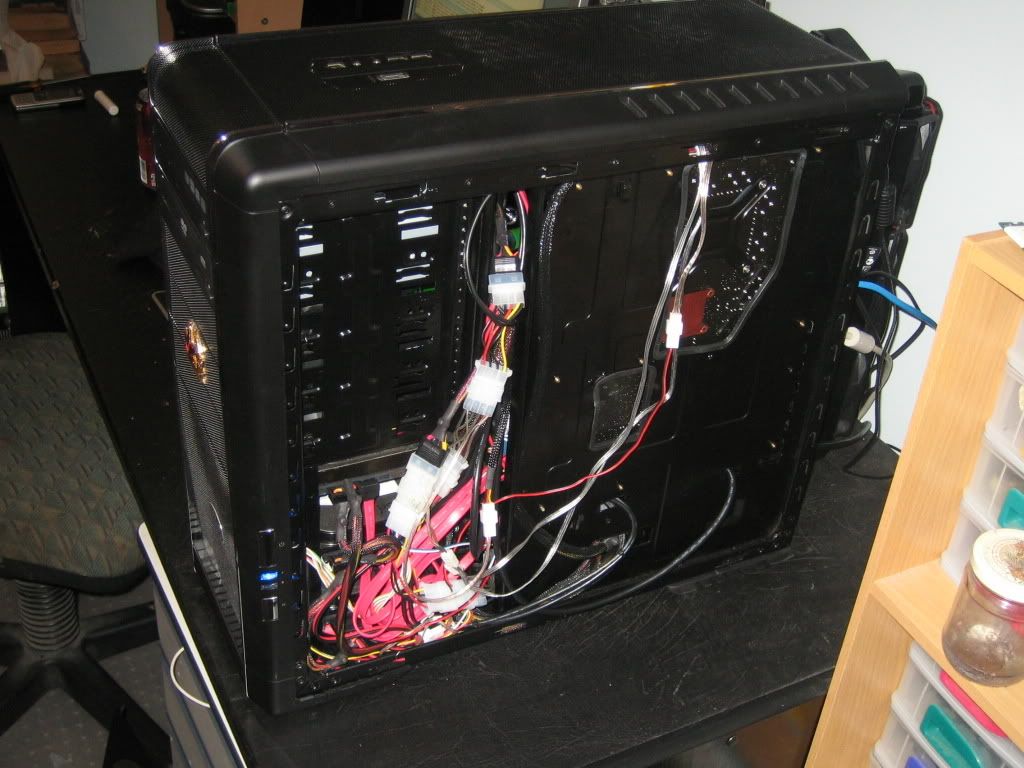
The mess of cables at the back of the case:
http://i113.photobucket.com/albums/n...r/IMG_5903.jpg
I can hear you asking how the hell I plan on getting the side panel on with all those cables there. Well, I wasn't sure myself, but I did manage to do that:
http://i113.photobucket.com/albums/n...r/IMG_5916.jpg
With the GPU back in the loop:
http://i113.photobucket.com/albums/n...r/IMG_5912.jpg
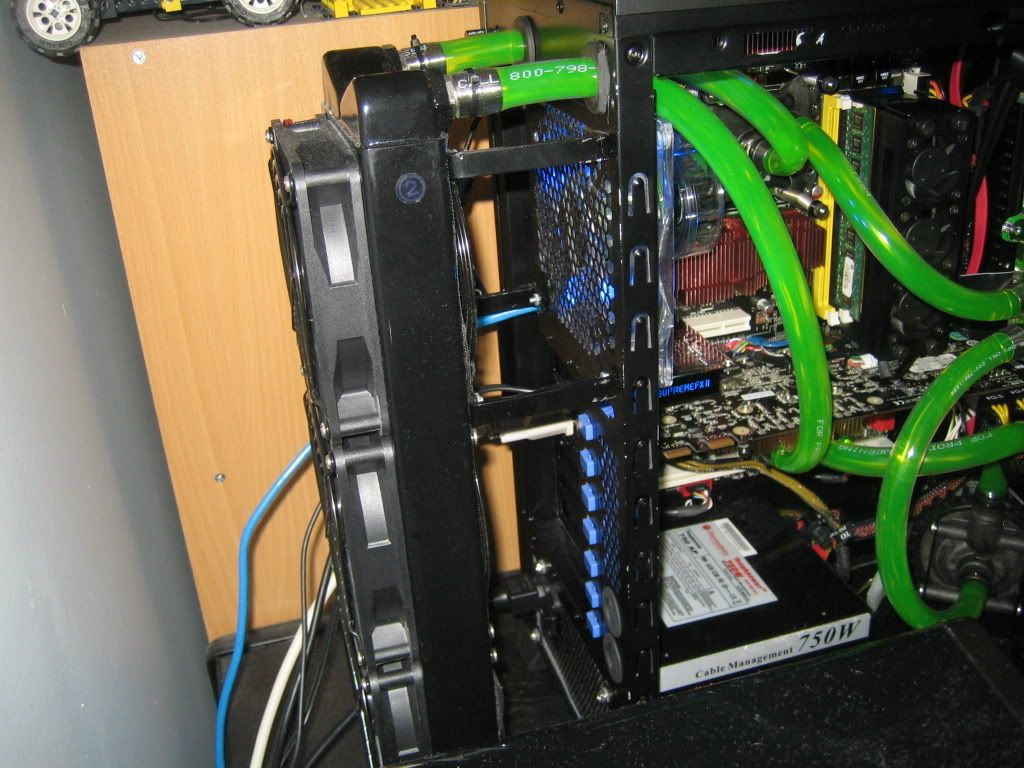
A pic of the radiator mounts. The scratches were from where the side panel was hitting up against it while I was trying to put the side back on. The panel has now had a couple of notches cut out of it to make sure it clears the brackets. I need to touch up the paint there a shade.
http://i113.photobucket.com/albums/n...r/IMG_5915.jpg
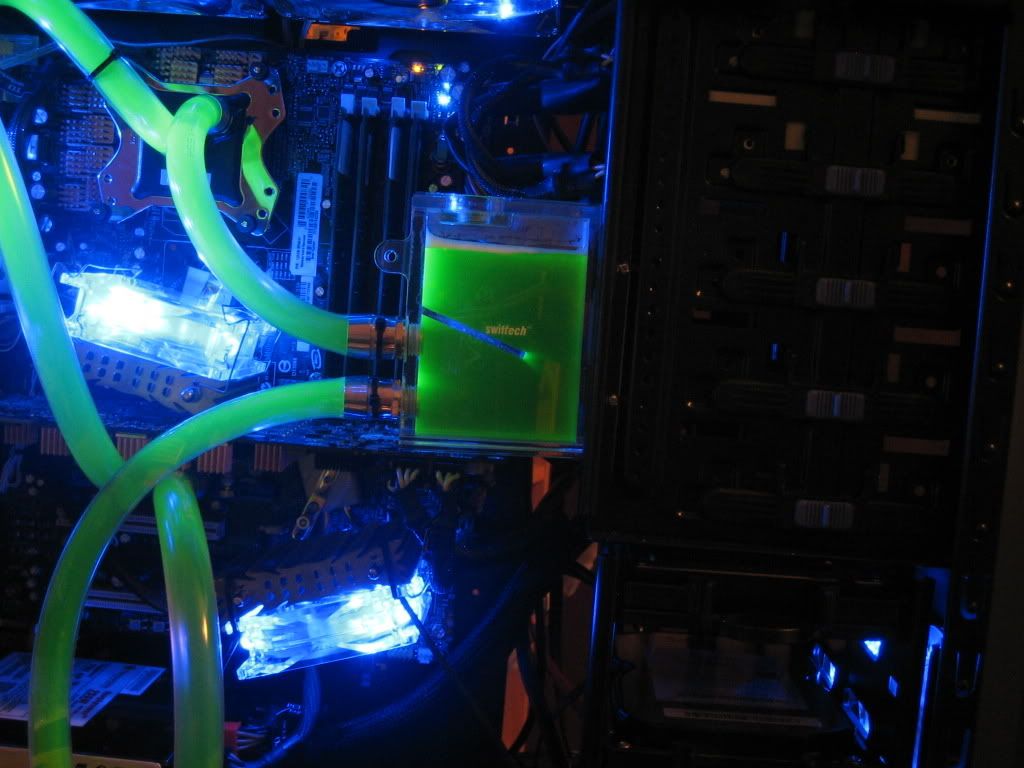
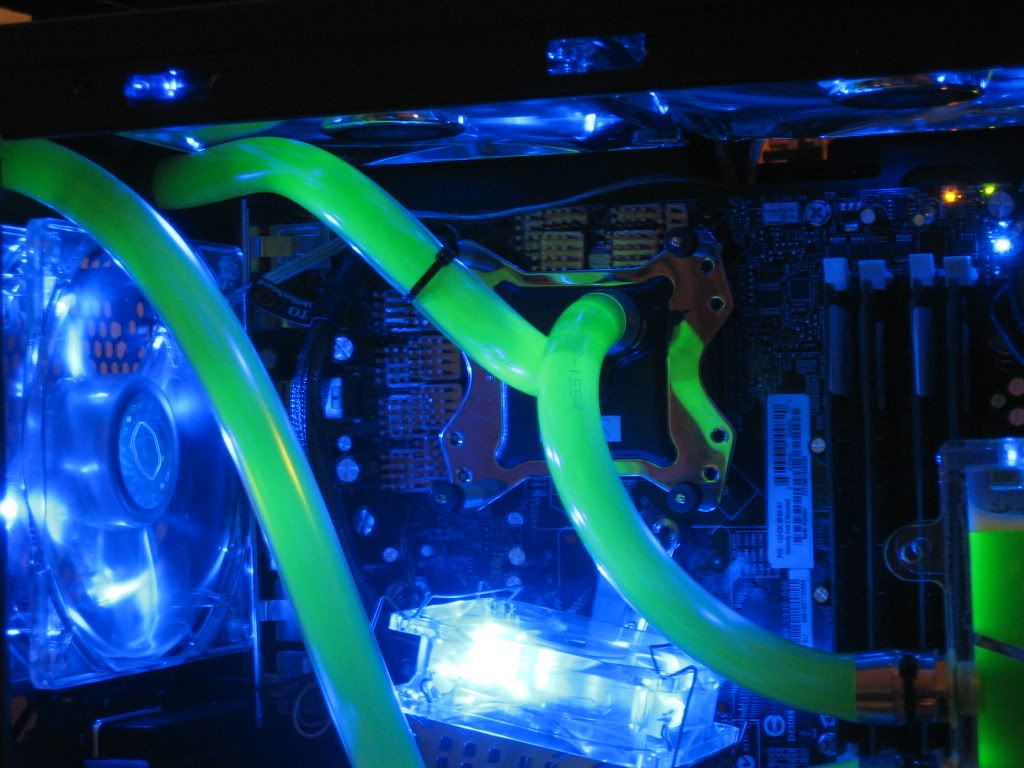
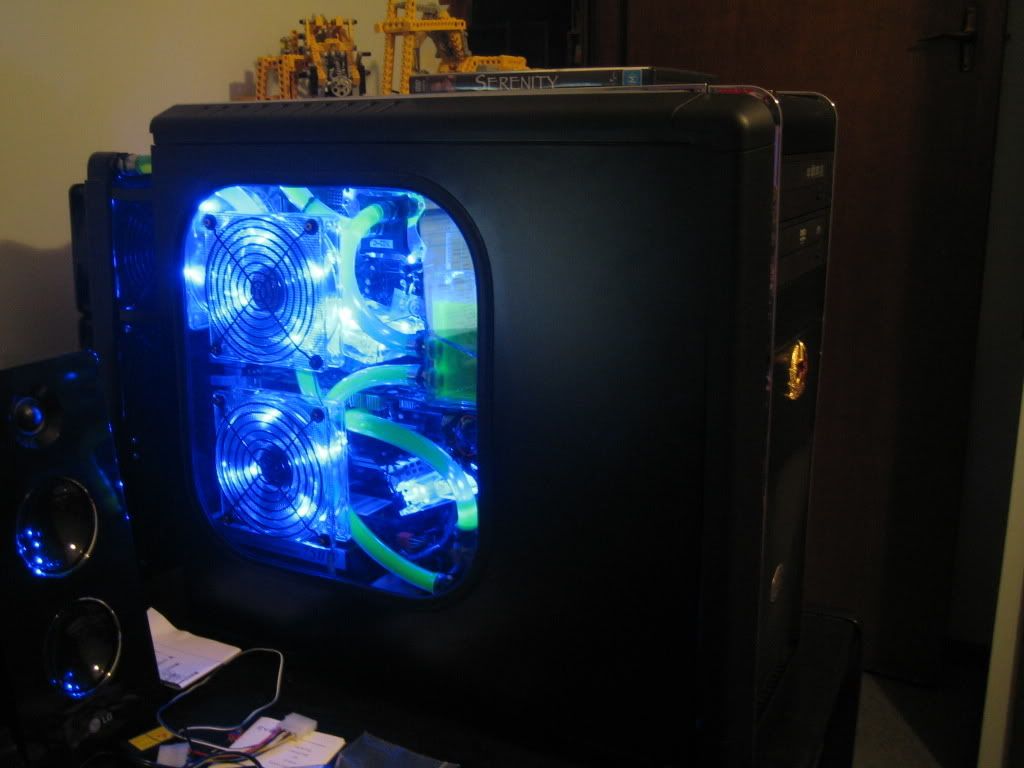
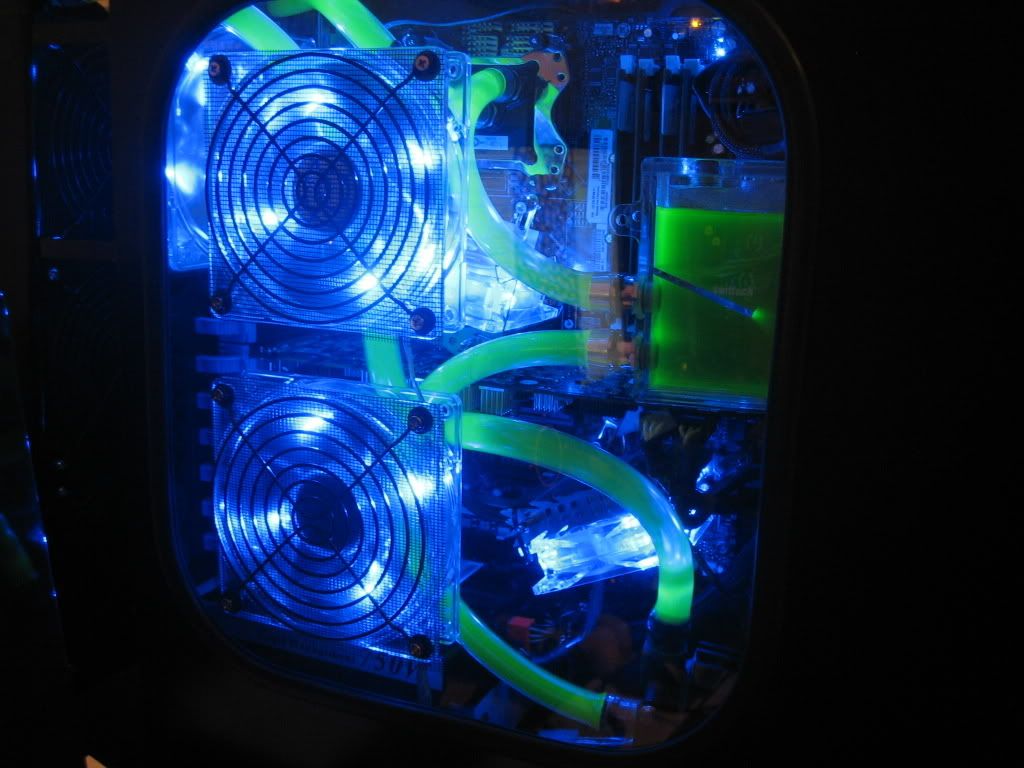
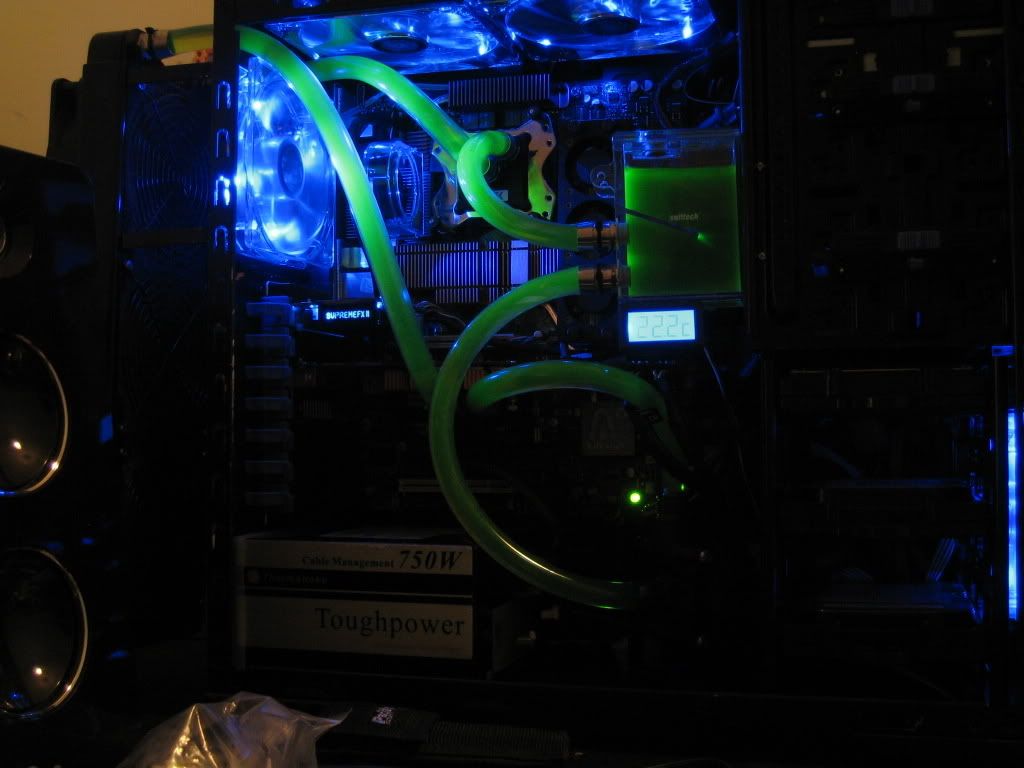
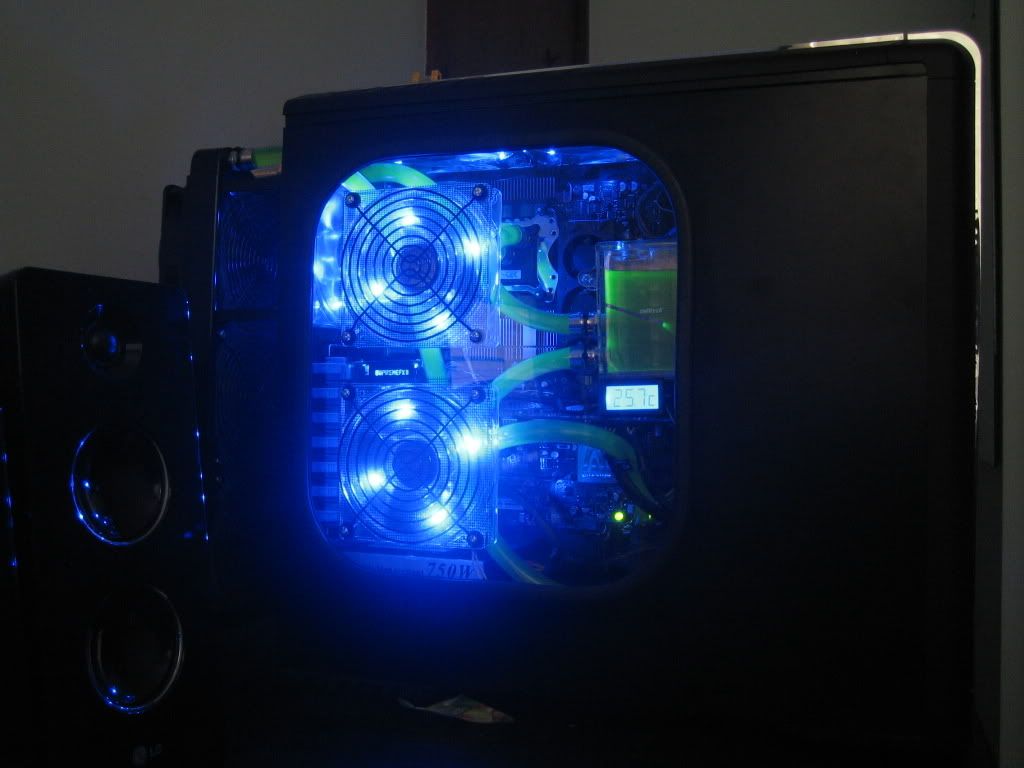
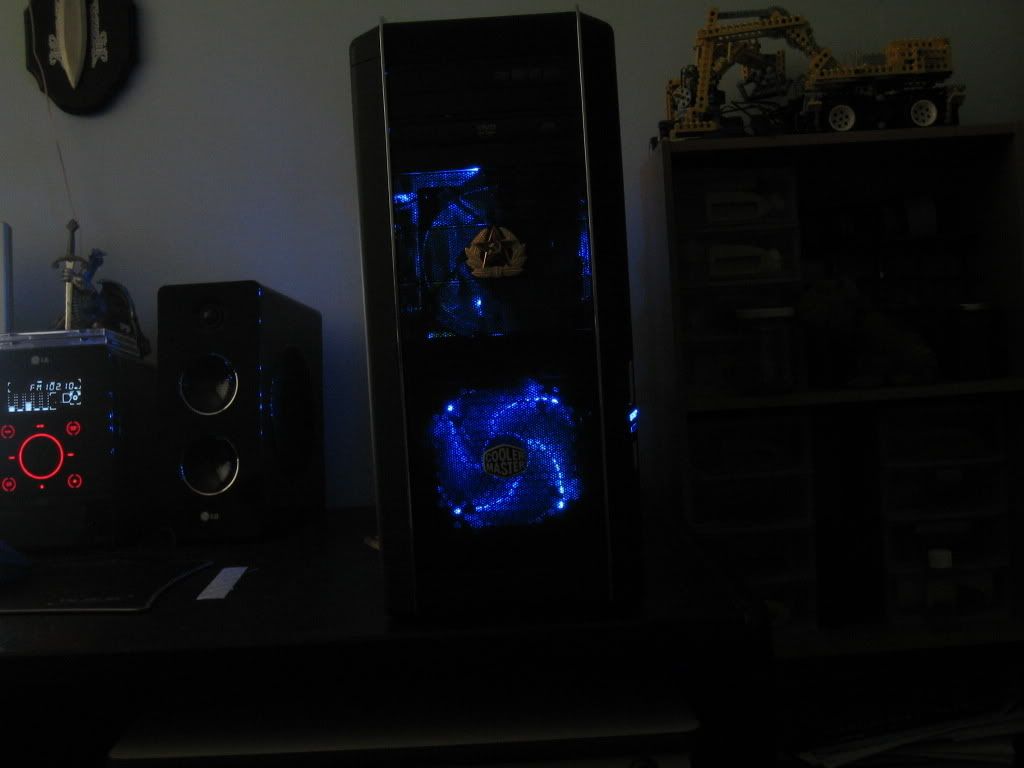
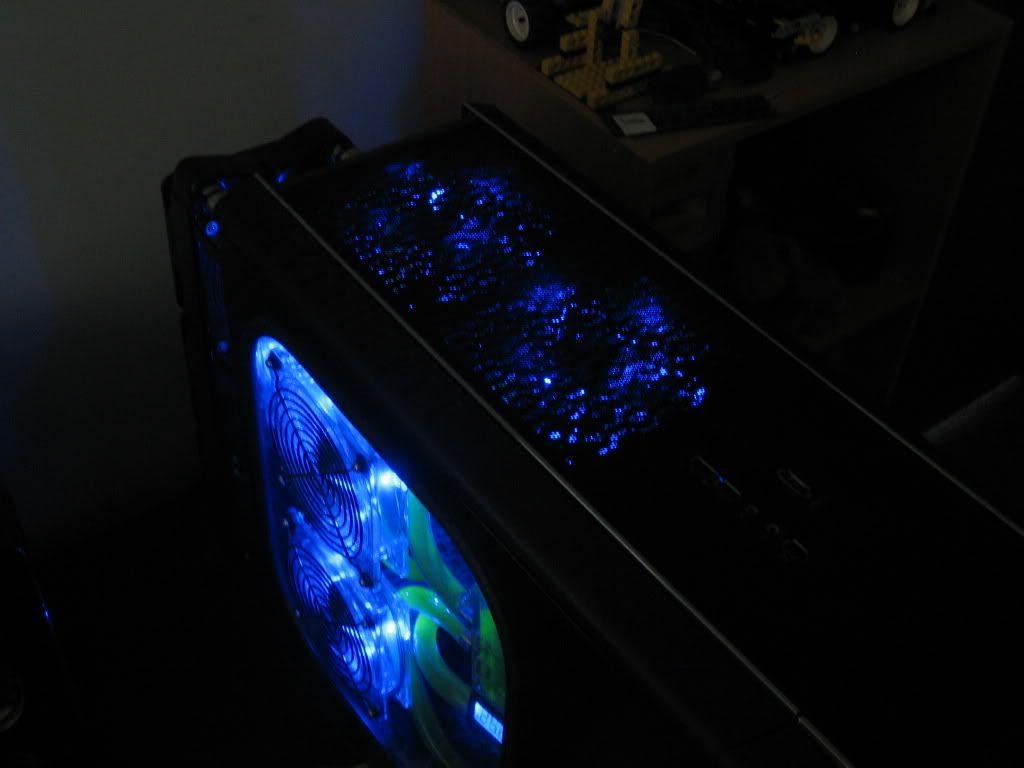
Some dark shots. Since I no longer have LED fans on the NB and SB, I think I might need to invest in some UV or Blue cold cathodes or LEDs to lighten things up a bit.
http://i113.photobucket.com/albums/n...r/IMG_5918.jpg
http://i113.photobucket.com/albums/n...r/IMG_5922.jpg
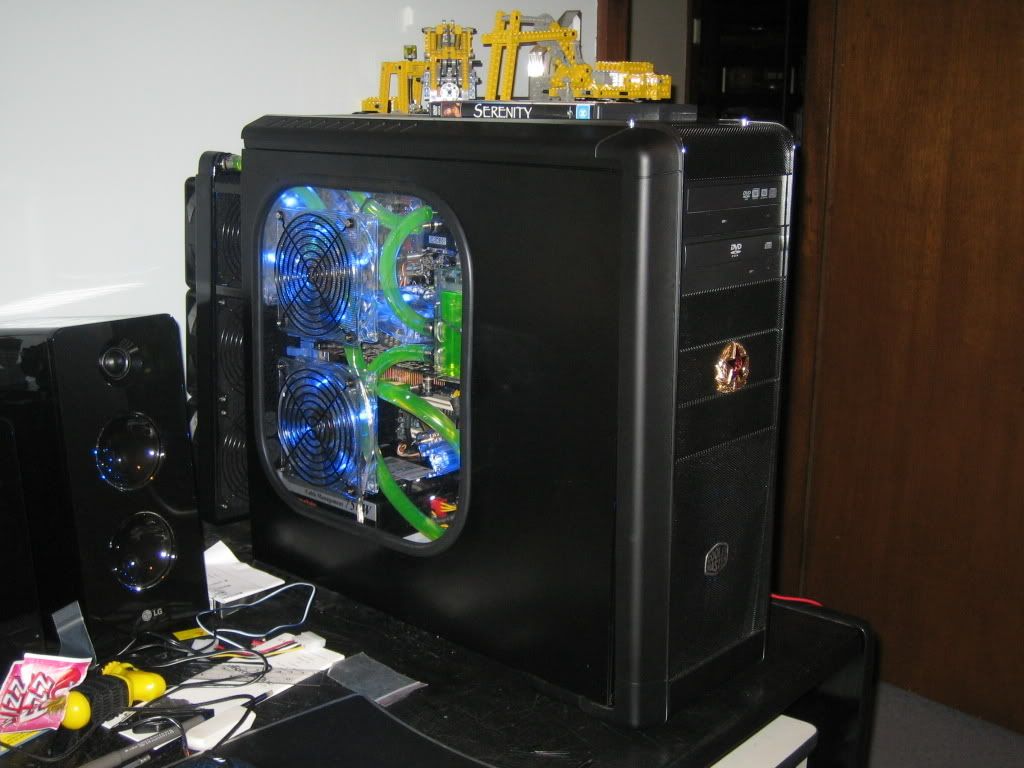
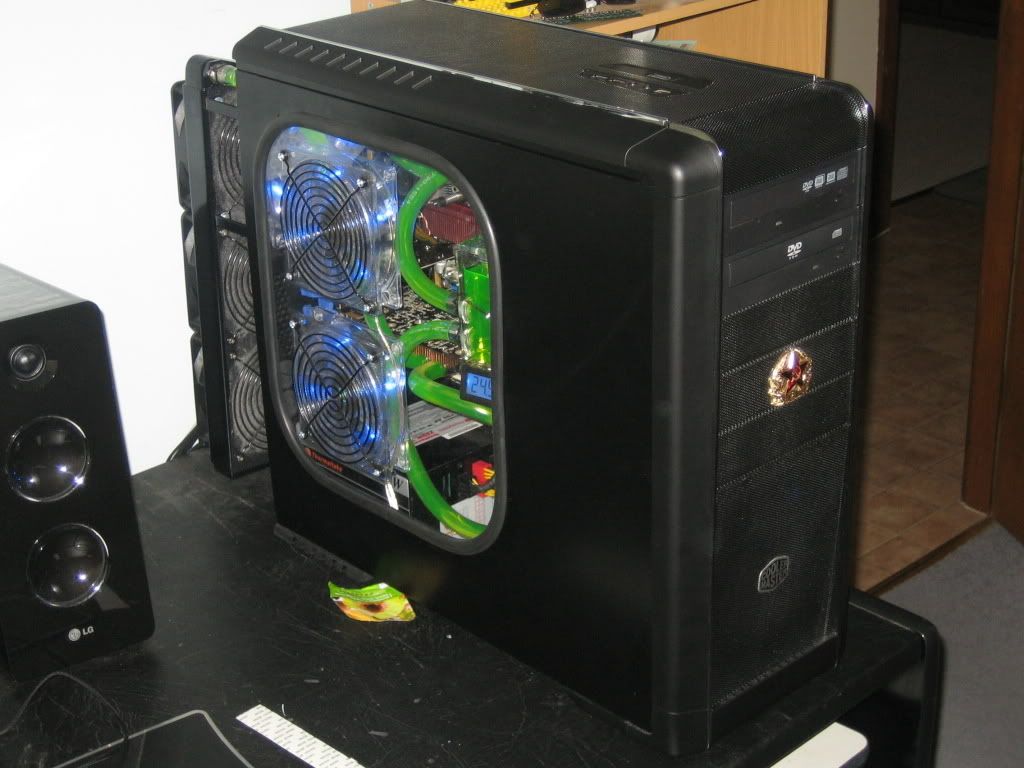
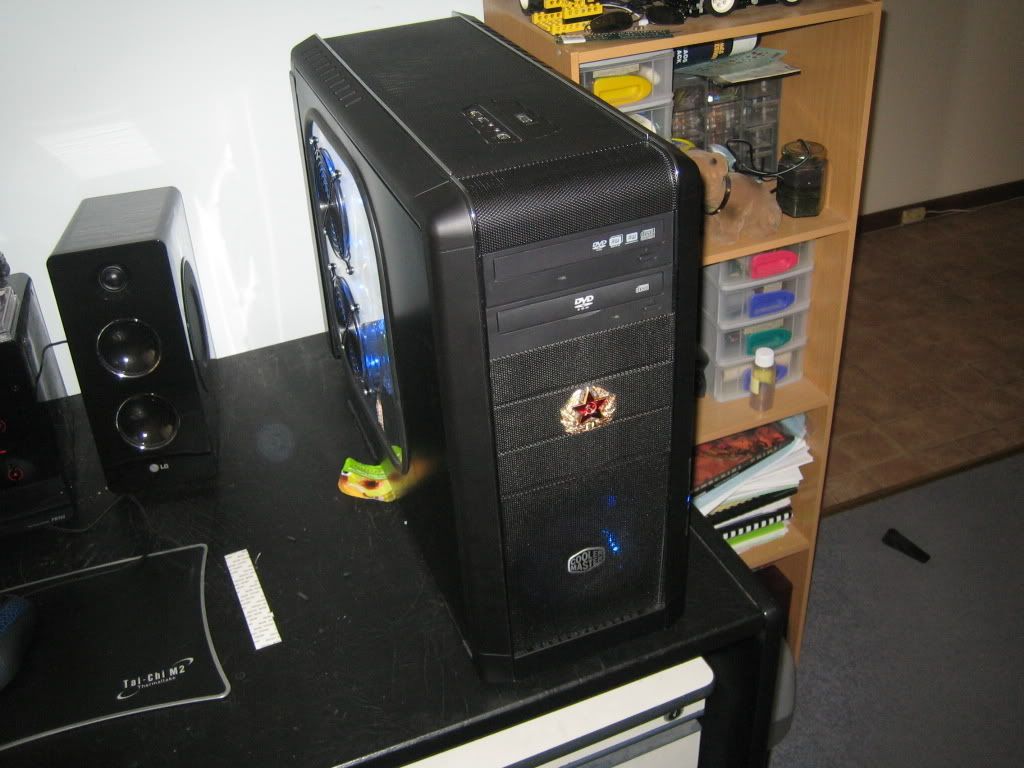
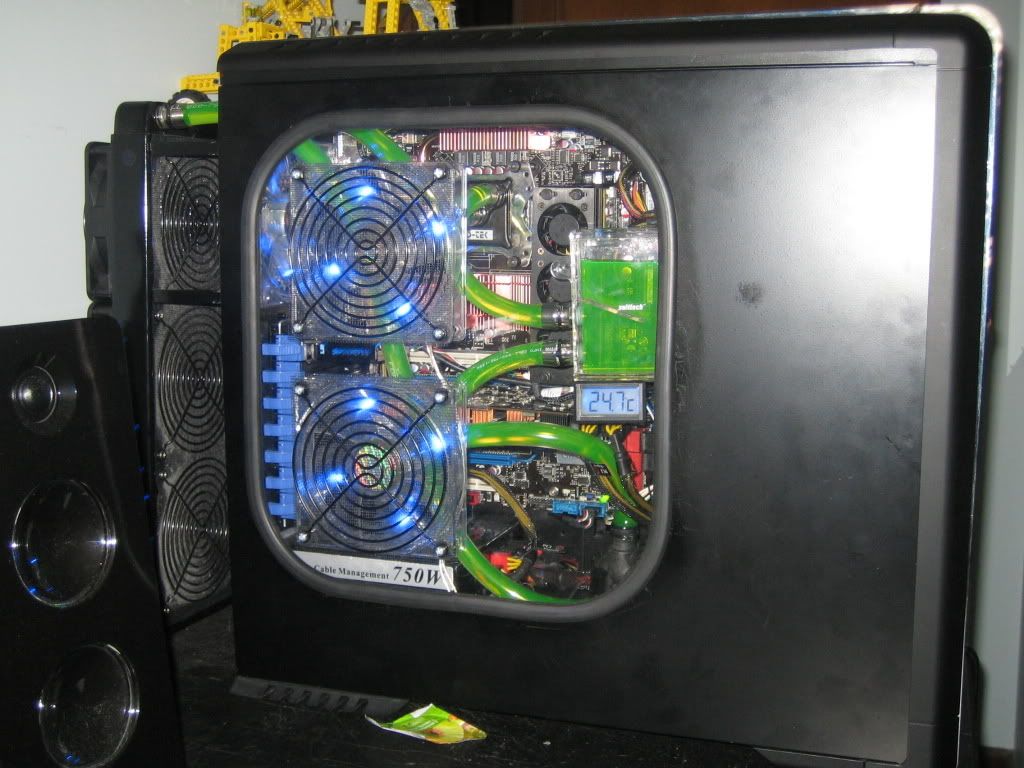
With the side window on:
http://i113.photobucket.com/albums/n...r/IMG_5924.jpg
http://i113.photobucket.com/albums/n...r/IMG_5925.jpg
http://i113.photobucket.com/albums/n...r/IMG_5926.jpg
http://i113.photobucket.com/albums/n...r/IMG_5930.jpg
http://i113.photobucket.com/albums/n...r/IMG_5928.jpg
http://i113.photobucket.com/albums/n...r/IMG_5931.jpg
http://i113.photobucket.com/albums/n...r/IMG_5933.jpg
And I think that's the end of this work-log.
I'm pretty happy with the water loop, although there are a couple of peculiarities with it. Currently I have my Q6600 B3 running at 3.52 Ghz with 1.512v after vDrop and vDroop, and I get load temps of 68-70°C. However this doesn't change much with ambient temperature, and also doesn't change at all if the GPU is out of the loop. But, I can live with that (especially considering how low my GPU temps are), so I'm happy.
I'm also pretty content with the stock cooling on the motherboard. I never see NB load temps higher than about 40°C, and the heatsinks on the mofsets are warm but not hot to the touch, so handling the voltage a lot better than my 680i was.
Currently using the 502 BIOS for my P5E, and it's stable at 3.52 Ghz, although I'm thinking of going back to the 107 BIOS, since I could get it stable at 3.6 GHz with the same voltage.
And I've also found out that my Corsair Value Select PC2-667Mhz RAM can manage to do 800Mhz 5-5-5-15 timings with a voltage increase. It's currently running 2.0v (and before you freak out, the RAM has a fan over it), although I'm pretty sure I could probably drop it somewhat (maybe 1.9-1.95v), but I'll work on getting my CPU overclock stable first.
I bought the window kit from www.pccasegear.com.au, and then installed it myself.
Edit: Whoops, forgot some pics...
Eller
Last edited by karl_eller; 01-22-2008 at 06:28 PM.
Desktop: Q6600 G0 @ 3.6 Ghz | P5E | 2x2 Gb G.Skill PC8000 | GTX 560 Ti | CM690 | TT TP 750 watt | Win 7 Pro x64 | Water Cooling
Server: i3 530 (Stock) | CM Vortex Low-Profile | Zotac H55-ITX WIFI | 2x2Gb Corsair 1333Mhz | IGP | VX450 | Server 2008 R2 x64
Nice, I like the little temp monitor under the res.
Rocketfish Full Tower Case
DFI UT P35-T2R
Q6600 G0 @ 3.0 (333x9); 1.21v bios
2x2gb G.SKill PC8000 @ 1000mhz; 2.0v
VisionTek 4870
400gb Seagate HDD 7200.10
Sound Blaster X-Fi XtremeMusic
Thermaltake Toughpower 750w PSU
Laing DDC-3.2 w/ Petra'sTech | D-TEK FuZion /w nozzles |Swiftech MCR-320 | Swiftech MCRES-MICRO | 7/16" ID (5/8" OD) Masterkleer
Agreed.
Good work Karl, your build looks really clean
 Posting Permissions


 Reply With Quote






Bookmarks