

Thank you.Originally Posted by Ace-a-Rue

Can I just disable the shut-down and beep for the CPU fan if I put it on a different header?


Thank you.
░░░░░░░░░░░░░░░░░░░░░░░░░░░░░░░░░ Intel i7 3770k
░░░░░░▄▄▄▄▀▀▀▀▀▀▀▀▄▄▄▄▄▄░░░░░░░░░ ASUS GTX680
░░░░░░█░░░░▒▒▒▒▒▒▒▒▒▒▒▒░░▀▀▄░░░░░ ASUS Maximun V Gene
░░░░░█░░░▒▒▒▒▒▒░░░░░░░░▒▒▒░░█░░░░ Mushkin 8GB Blackline
░░░░█░░░░░░▄██▀▄▄░░░░░▄▄▄░░░█░░░░ Crucial M4 256GB
░░░▀▒▄▄▄▒░█▀▀▀▀▄▄█░░░██▄▄█░░░█░░░ Hitachi Deskstar 2TB x2
░░█▒█▒▄░▀▄▄▄▀░░░░░░░░█░░░▒▒▒▒▒█░░ FSP 750W Gold
░░░░░░░░░░░░░░░░░░░░░░░░░░░░░░░░░ Fractal Arc Mini
yes.
the CPUFan header on the Pro will only control a 4-pin PWM fan - if you have a 3-pin & want to control it move it to another header.
abit IP35 Pro, E6600, HD3870, FSP FX700-GLN
abit AB9 QuadGT, E6400, 7900GTO, FSP FX600-GLN
abit AX78 x2
Asus P5N-E SLI, E6600, 8800GTS, Tagan 530W
I use OCCT to load my PC. So I run it and around 10min into testing my PC freezes. The mouse and keyboard(G15) do not respond. The only thing that works is the timer for OCCT.
Is this normal? I am usually able to work even with OCCT running 100%.
This also happens with .exe Memtest.
I reset the clocks to all default and gave the vDimm a little more. (@ 2.0v) Still the same problem. What might be causing this?
░░░░░░░░░░░░░░░░░░░░░░░░░░░░░░░░░ Intel i7 3770k
░░░░░░▄▄▄▄▀▀▀▀▀▀▀▀▄▄▄▄▄▄░░░░░░░░░ ASUS GTX680
░░░░░░█░░░░▒▒▒▒▒▒▒▒▒▒▒▒░░▀▀▄░░░░░ ASUS Maximun V Gene
░░░░░█░░░▒▒▒▒▒▒░░░░░░░░▒▒▒░░█░░░░ Mushkin 8GB Blackline
░░░░█░░░░░░▄██▀▄▄░░░░░▄▄▄░░░█░░░░ Crucial M4 256GB
░░░▀▒▄▄▄▒░█▀▀▀▀▄▄█░░░██▄▄█░░░█░░░ Hitachi Deskstar 2TB x2
░░█▒█▒▄░▀▄▄▄▀░░░░░░░░█░░░▒▒▒▒▒█░░ FSP 750W Gold
░░░░░░░░░░░░░░░░░░░░░░░░░░░░░░░░░ Fractal Arc Mini
Ace-A-Rue
could AS5 be use instead of ceramic for your mod, thx
yes, but i personally avoid it since clamping pressure, if extreme, can make AS5 electrically conductive.
BIOSTAR TPOWER BOLT MOD FOR HEATPIPE AND HEATSINK
BIOSTAR TPOWER I45 BIOS FLASHING PROCEDURE
ABIT IP35 PRO HEATPIPE MOD
ABIT IP35 PRO BIOS FLASHING PROCEDURE
IP35 Pro: 9650@4000Mhz, par overclocker; Freezone Elite; 4Gb GSkill DDR-800@DDR-1068 (2 x 2gb); XFX 8800 GTS; Areca 8X PCIe in Raid 0 working at 4x speed; 4-250 Gb (single platter) 7200.10 drives; Giga 3DAurora case with side window.
I use OCCT to load my PC. So I ran it and around 10min into testing my PC freezes. The mouse and keyboard(G15) do not respond. I waited 10-15min and still nothing. I restart and the Intel raid manager says that there is a problem with that data on the volume.
My clocks are bone stock.
It only seems stable with no load. (ie: at desktop and surfing the internet)
I played some Battlefield 1942 and when I quit a memory error message popped up. Don't know if this is related.
Temps are fine and so are the volts.
sorry for the bump.
░░░░░░░░░░░░░░░░░░░░░░░░░░░░░░░░░ Intel i7 3770k
░░░░░░▄▄▄▄▀▀▀▀▀▀▀▀▄▄▄▄▄▄░░░░░░░░░ ASUS GTX680
░░░░░░█░░░░▒▒▒▒▒▒▒▒▒▒▒▒░░▀▀▄░░░░░ ASUS Maximun V Gene
░░░░░█░░░▒▒▒▒▒▒░░░░░░░░▒▒▒░░█░░░░ Mushkin 8GB Blackline
░░░░█░░░░░░▄██▀▄▄░░░░░▄▄▄░░░█░░░░ Crucial M4 256GB
░░░▀▒▄▄▄▒░█▀▀▀▀▄▄█░░░██▄▄█░░░█░░░ Hitachi Deskstar 2TB x2
░░█▒█▒▄░▀▄▄▄▀░░░░░░░░█░░░▒▒▒▒▒█░░ FSP 750W Gold
░░░░░░░░░░░░░░░░░░░░░░░░░░░░░░░░░ Fractal Arc Mini
This couldn't be because OCCT is using all of your CPU cycles could it. Try running OCCT, right click it in Windows task manager and change it's priority to lowest.
Never thought about that.
Thanks.
░░░░░░░░░░░░░░░░░░░░░░░░░░░░░░░░░ Intel i7 3770k
░░░░░░▄▄▄▄▀▀▀▀▀▀▀▀▄▄▄▄▄▄░░░░░░░░░ ASUS GTX680
░░░░░░█░░░░▒▒▒▒▒▒▒▒▒▒▒▒░░▀▀▄░░░░░ ASUS Maximun V Gene
░░░░░█░░░▒▒▒▒▒▒░░░░░░░░▒▒▒░░█░░░░ Mushkin 8GB Blackline
░░░░█░░░░░░▄██▀▄▄░░░░░▄▄▄░░░█░░░░ Crucial M4 256GB
░░░▀▒▄▄▄▒░█▀▀▀▀▄▄█░░░██▄▄█░░░█░░░ Hitachi Deskstar 2TB x2
░░█▒█▒▄░▀▄▄▄▀░░░░░░░░█░░░▒▒▒▒▒█░░ FSP 750W Gold
░░░░░░░░░░░░░░░░░░░░░░░░░░░░░░░░░ Fractal Arc Mini
Anyone know of a spot where you can read the vdimm voltage?
Nope. It still locks up on me. I'm so confused.
░░░░░░░░░░░░░░░░░░░░░░░░░░░░░░░░░ Intel i7 3770k
░░░░░░▄▄▄▄▀▀▀▀▀▀▀▀▄▄▄▄▄▄░░░░░░░░░ ASUS GTX680
░░░░░░█░░░░▒▒▒▒▒▒▒▒▒▒▒▒░░▀▀▄░░░░░ ASUS Maximun V Gene
░░░░░█░░░▒▒▒▒▒▒░░░░░░░░▒▒▒░░█░░░░ Mushkin 8GB Blackline
░░░░█░░░░░░▄██▀▄▄░░░░░▄▄▄░░░█░░░░ Crucial M4 256GB
░░░▀▒▄▄▄▒░█▀▀▀▀▄▄█░░░██▄▄█░░░█░░░ Hitachi Deskstar 2TB x2
░░█▒█▒▄░▀▄▄▄▀░░░░░░░░█░░░▒▒▒▒▒█░░ FSP 750W Gold
░░░░░░░░░░░░░░░░░░░░░░░░░░░░░░░░░ Fractal Arc Mini
Hmm, I'm running a 3-pin Nexus Real Silent fan of the 4-pin CPUFan header, and it controls it just fine as fare as I can see.
CONTROL or RUN. If it is controlling it, then you should be able to increase and decrease the rpm on the fan through %. But it is capable of running it either way, but on the 4 pin, you can't control the speed of the fan. I have a 3pin fan controller on my cnps9500 but I can't control the speed (it doesn't matter though since I found my fan controller). But it will run fine. This is all on the 4pin header.
BTW, I just got my memory to run DDR800 @ 4-4-4-12-1T @ 1.9v. The thing is that I doubt it's running that fast only because I don't think I've seen 4 sticks run at 1T and those tight timings.
I am able to control the speed of the fan through the % setting in bios.
I thought it wouldn't work, but looking at the fan, I can see that it is spinning slower or faster compared to the %-setting I have set in bios.
It must be Aliens then
IP35 Pro - I'm running a 3-pin Vantec Stealth on the 4-pin CPU Fan header without issue, RPM's go up and down.
AW9D Max - Will not control a 3-pin Vantec Stealth on the 4-pin CPU Fan header.
Axelia - AX78; 9500 Phenom; 2 x 2GB G.Skill PC2 8000; OCZ 450 ModStream; 250GB WD; Sapphire HD 3450; Thermalright Ultra-120; 239 x 10.5 = 2.5GHz
Andrea - AW9D Max; E6600; 2 x 2GB G.Skill PC2 8000; Enermax 495; 2 x 80GB Hitachi’s RAID 0; MSI 8500GT; Thermalright Ultra-120 Extreme; 378 x 9 = 3.4GHz
Ipo - IP35 Pro; E4400; 2 x 1GB G.Skill PC2 8500; Corsair VX550; eVGA 7600GS; Thermalright Ultra-120 Extreme; 320 x 10 = 3.2GHz
Idonia - IP35-E; E2140; 2 x 1GB G.Skill PC2 6400 HK; OCZ 450 ModStream; eVGA 7600GS; Lian-Li PC-52; XP MCE/SUSE 10.3; 400 x 8 = 3.2GHz
Stockard - NF-95; 3200+ Venice; 2 x 1GB OCZ PC3200 Platinum; XP MCE; 240 x 10 = 2.4GHz…That’s NOT Stock anymore! – Now my Wife’s
Snowball-2 - AN8 Ultra; 3200+ Venice; 2 x 512MB OCZ PC4000 Gold R2; Thermalright XP-90; GeCube x600; FSP 450; 250 x 10 = 2.5GHz – Now my Son’s
Cary - NF8; 3400+ ClawHammer; 2 x 512MB OCZ PC3500ELDC Gold; XP-90; FSP 400; 219 x 11 = 2.4GHz - Now my Mom’s
The IP35-E & IP35 can but the Pro can't afaik (uGuru related I believe) although MoN's experience refutes that - do you have a Pro?
The Pro has been known to run over 600fsb - there's a thread here with it at 610 iirc but running at that fsb the latencies are eased so your performance drops.
Last edited by Heidfirst; 09-03-2007 at 10:05 AM.
abit IP35 Pro, E6600, HD3870, FSP FX700-GLN
abit AB9 QuadGT, E6400, 7900GTO, FSP FX600-GLN
abit AX78 x2
Asus P5N-E SLI, E6600, 8800GTS, Tagan 530W
[QUOTE=Heidfirst;2409345]The IP35-E & IP35 can but the Pro can't afaik (uGuru related I believe) although MoN's experience refutes that - do you have a Pro?
QUOTE]
Yes I have the Pro board.
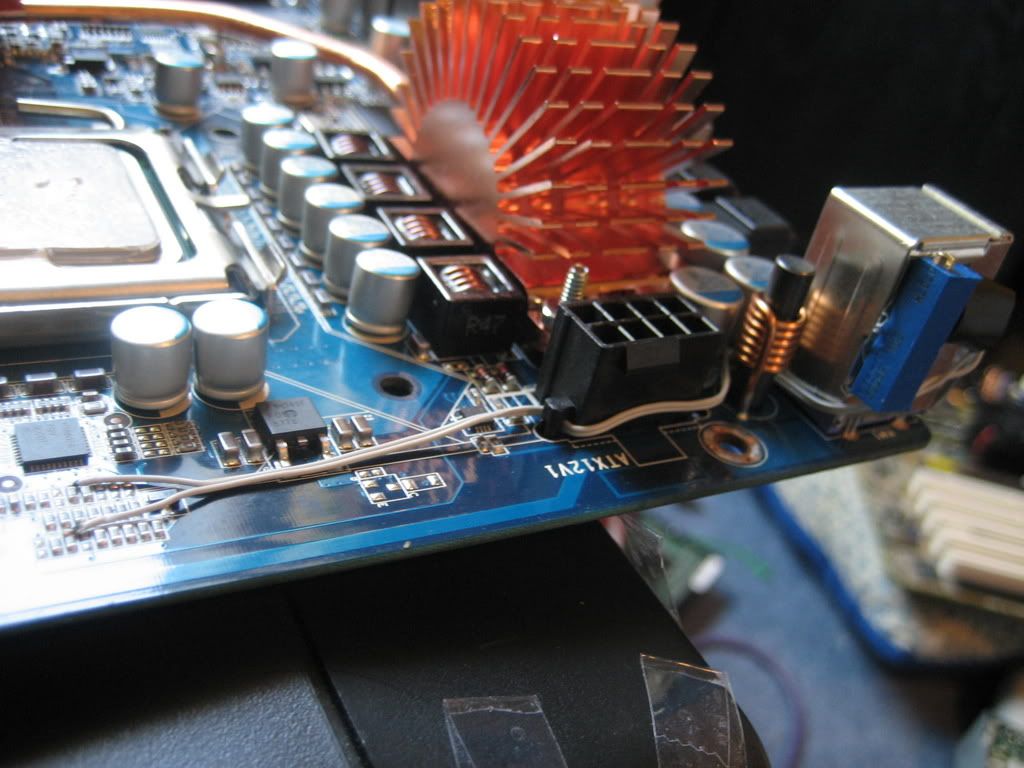
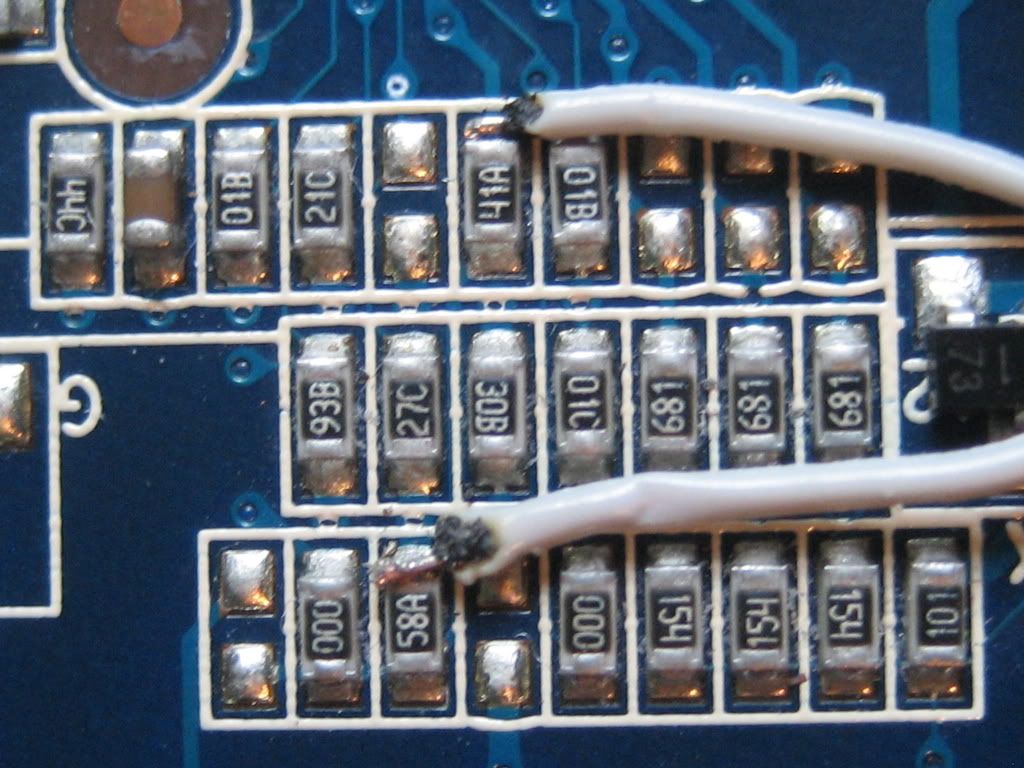
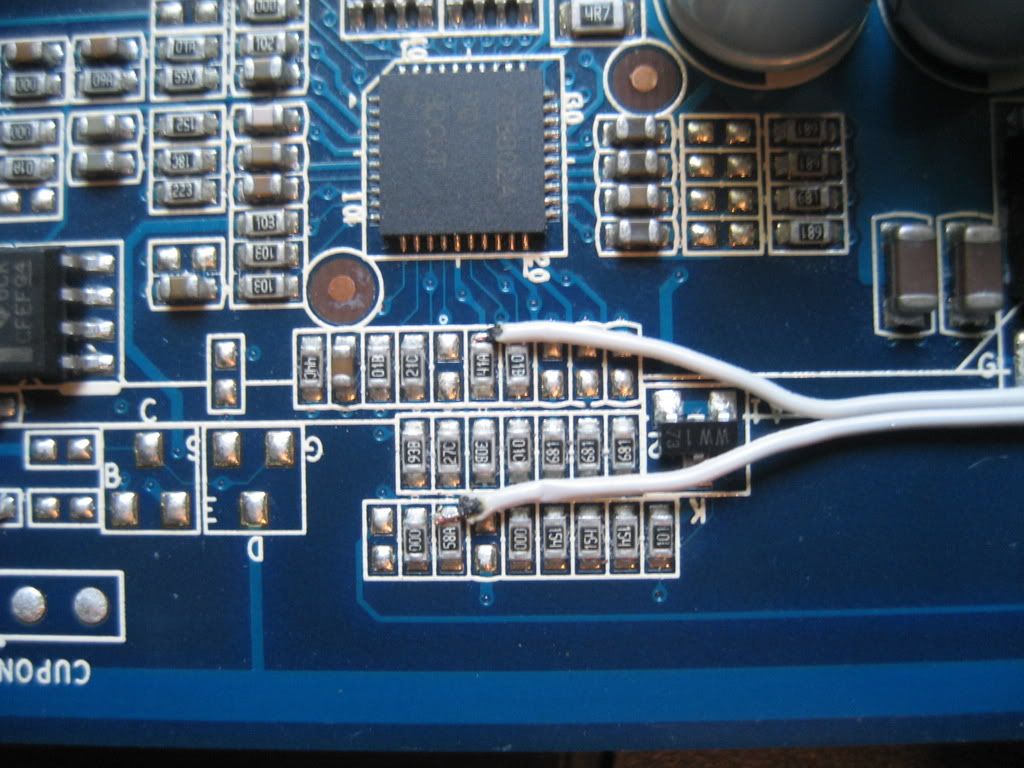
I just attempted the vdroop mod and everything WAS excellent until I tried booting. Post Error Code 8.7. - Check CPU core voltageso I tried removing all the fan connectors except cpu; attempted boot with 1 stick of ram; removed graphics card
I'm uploading the pictures right now. I thought it was quite good. I don't know wtf happened. BTW, I set the VR @ 637ohms.
JB, I sure can use you're words of wisdom right now since I performed this thing exactly like you showed:
http://www.xtremesystems.org/forums/...&postcount=802
Last edited by Alik4041; 09-03-2007 at 01:55 PM.
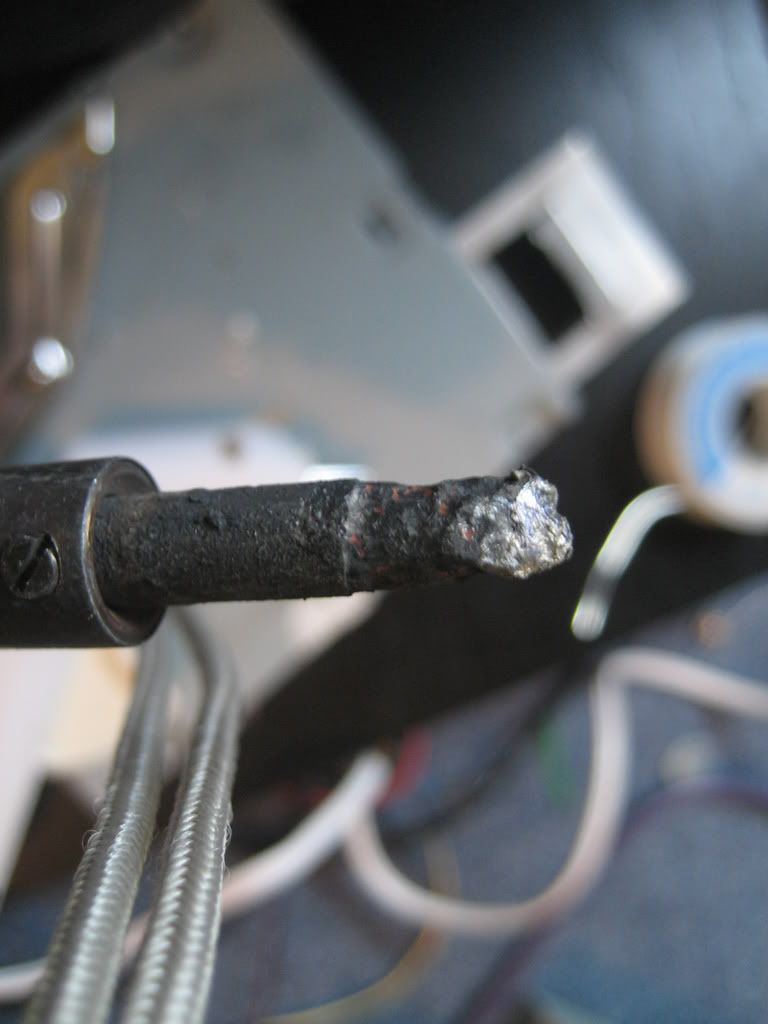
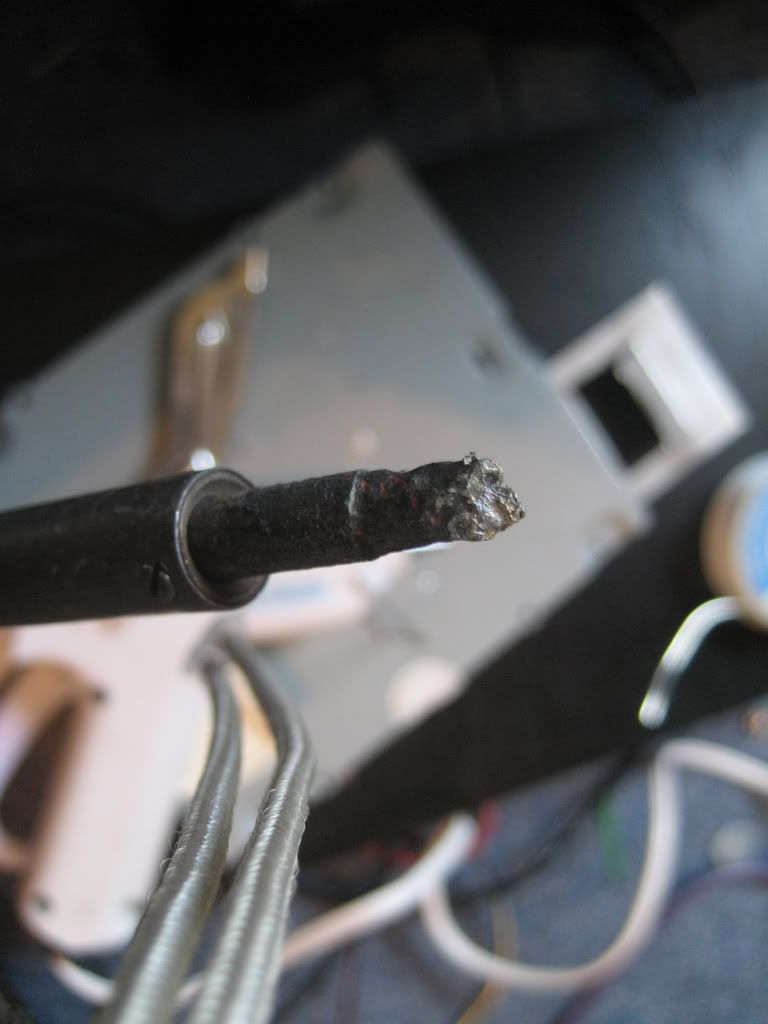
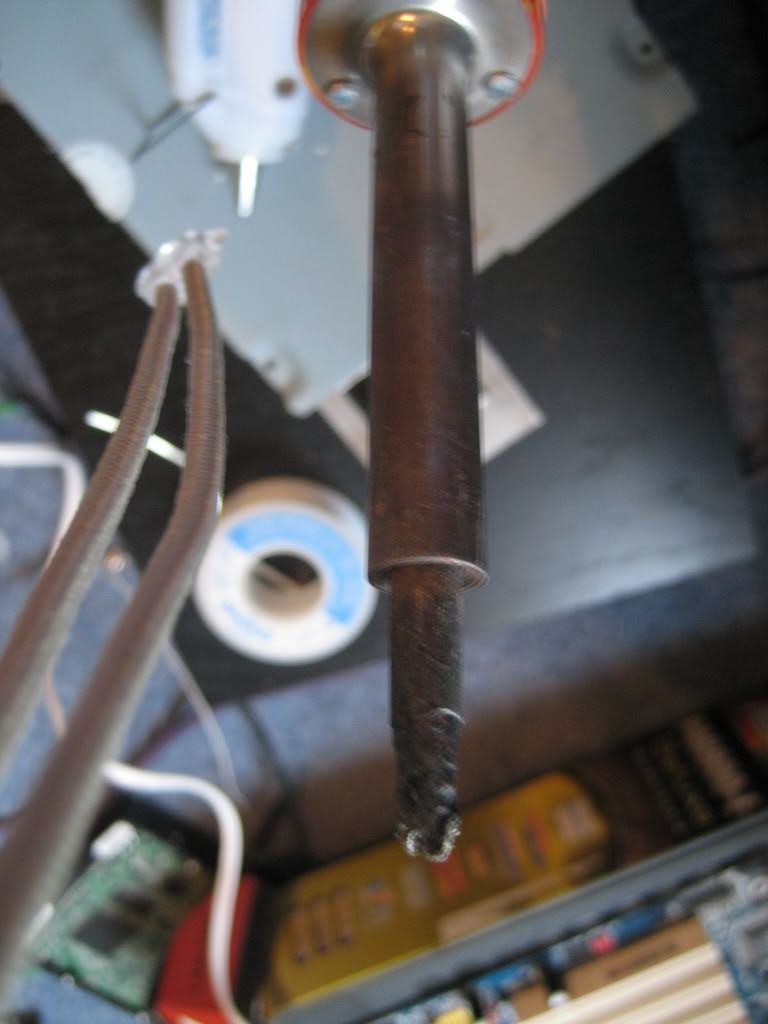
Here are the pictures. Just thinking about how hard it was to get the job done with that solder iron tip and 2.4mm solder make me want to scream! BAH!
I used an IDE wire for the mod. It looked much cleaner but I guess it didn't work
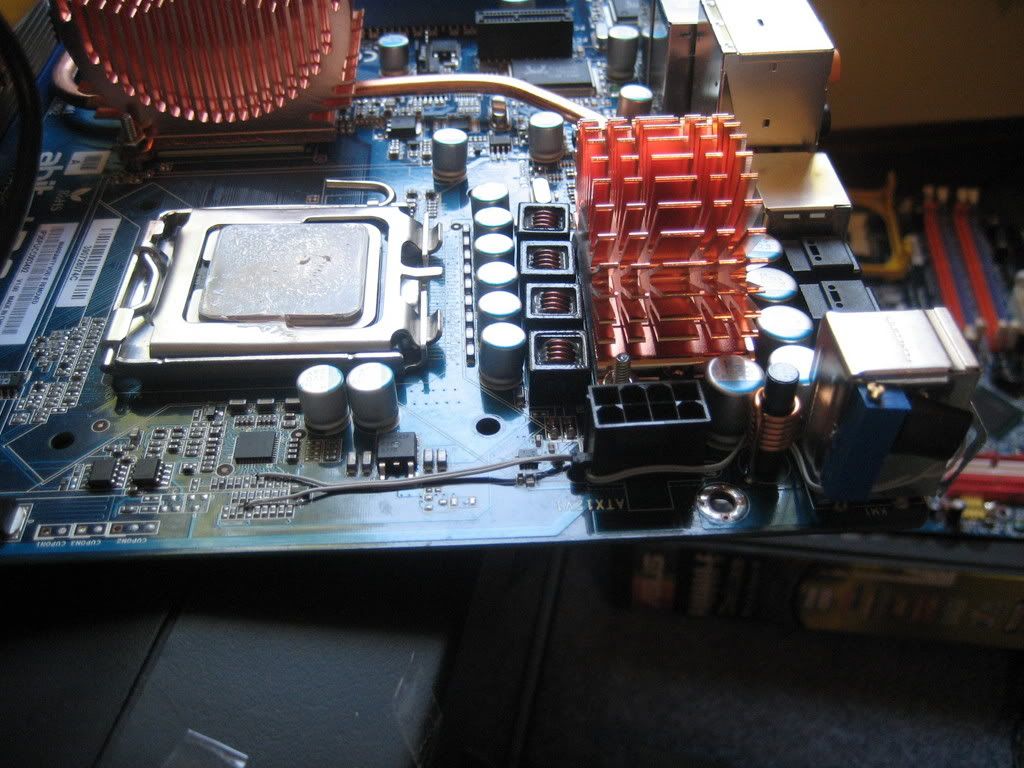
Last edited by Alik4041; 09-03-2007 at 02:52 PM.
sorry for my bad english
I have this board from 2 weeks ago, and all works perfect, today I reboot, and change 3 values of the MB
I upload ONLY one point more than default on
CPU VTT
ICHIO
ICH
inmediatly superior option, no more.
After that, I save the bios and reboot, but the computer dont work anymore, I receive C1 error and all the fans are at max capacity always
I try to:
Reset bios with jumper
try all of my 4 modules of ram, 1 on 1 and 2 on 2 on all combinations
turn off the sai, then the power suply havent go energy, and then click on "on button" of the mb to leave the capacitors out of energy, I Dismantled all the computer and ensambled again, reset again the bios, get out the bios battery and wait 3 hours, Then I try again and nothing. C1 error.
Whats the problem?
thanks
 Posting Permissions


 Reply With Quote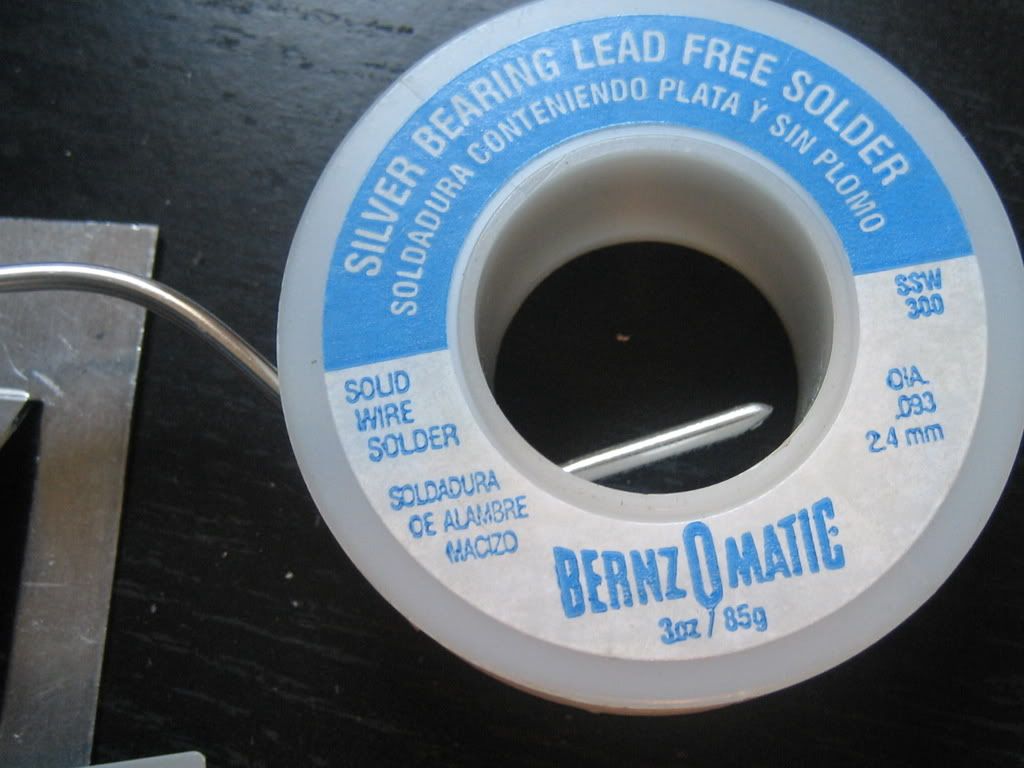

Bookmarks