-
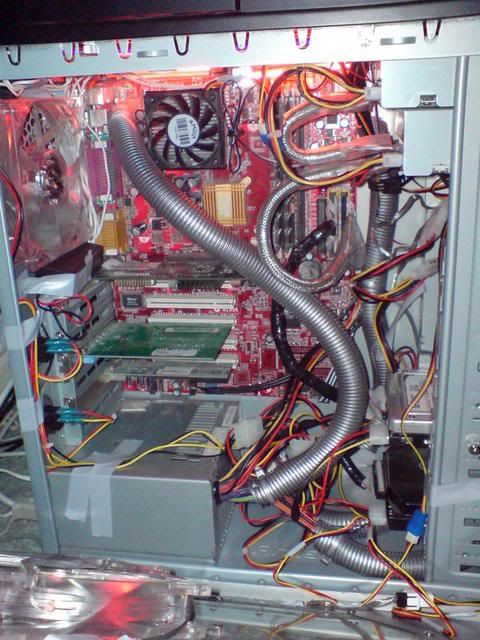
I got my antec nine hundred back in the summer and screwed in my (very) old system, but it wasn't until I bought my new system in January I got round to doing some mod work.
This thread has been really useful, it shows how with a bit of work you can turn an average case into a great one.
Anyway, old system; 1.3Ghz AMD Duron, Geforce 2 MX 400
... and the new; Q6600, P5K Premium, BFG 8800GT, 2GB Ballistix 800mhz, Antec TP Quattro 850, 500GB Samsun spinpoint, TRUE 120.
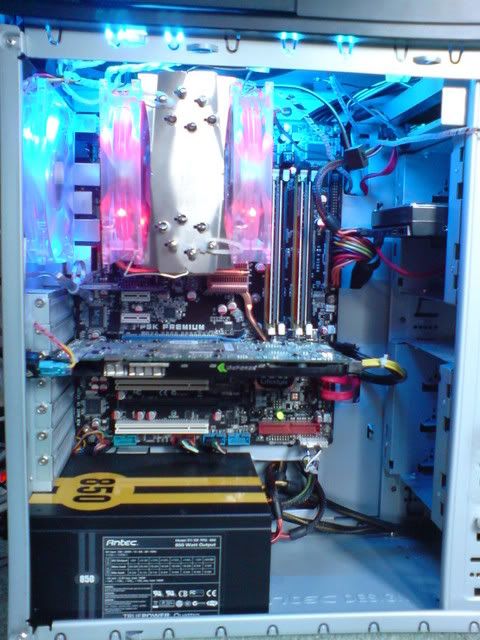
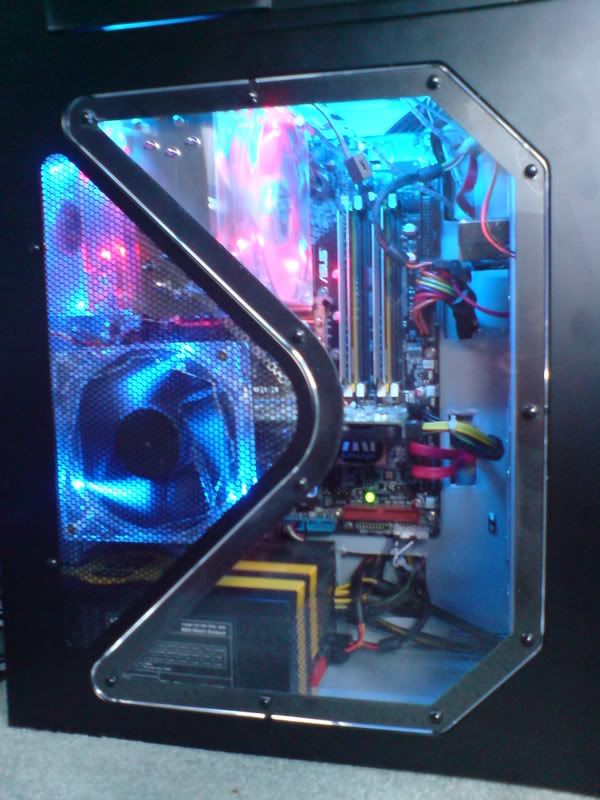
I've since managed to file the hole in the side window into something a bit more round! Had to cut my own new panel so the TRUE 120 could fit with 3 fans in-line.
It's not much compared to the work some of you guys have done, but I wanted to share the way I've done the dust filters in my case (because otherwise the nine hundred is a total dust magnet!).
In each of the drive cages, there are six points to hold the drives away from the fan - you can also rest a dust filter on these, but traditional ones won't fit. You could try and put them in front of the fans but it's a squeeze and takes a lot of unscrewing to remove them for cleaning.
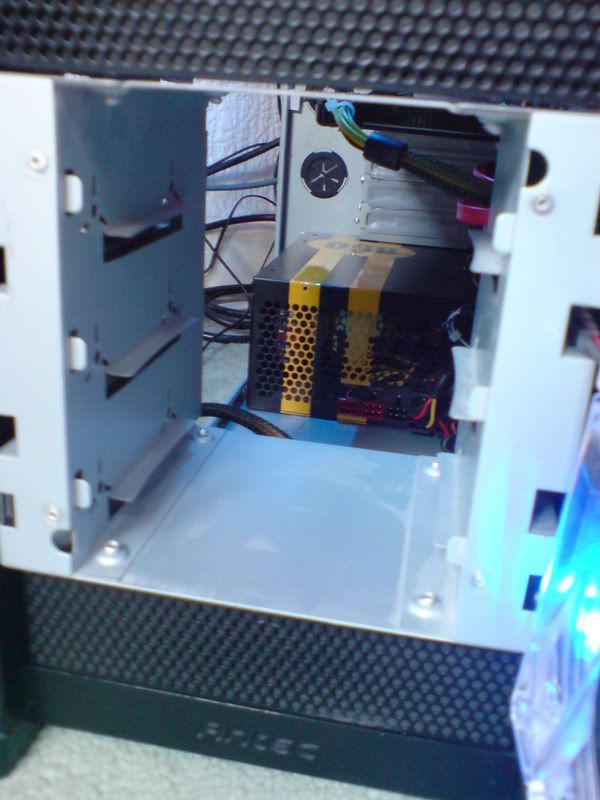
Instead, I cut a reinforcement from some plastic packaging, and stapled filter fabric for the back. Originally they were square but I had to cut them narrower to fit in the drive cage.
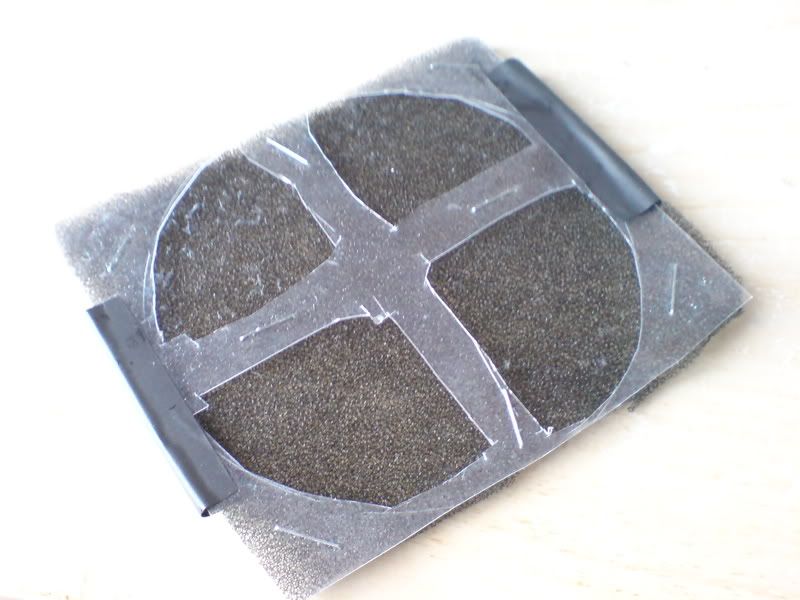
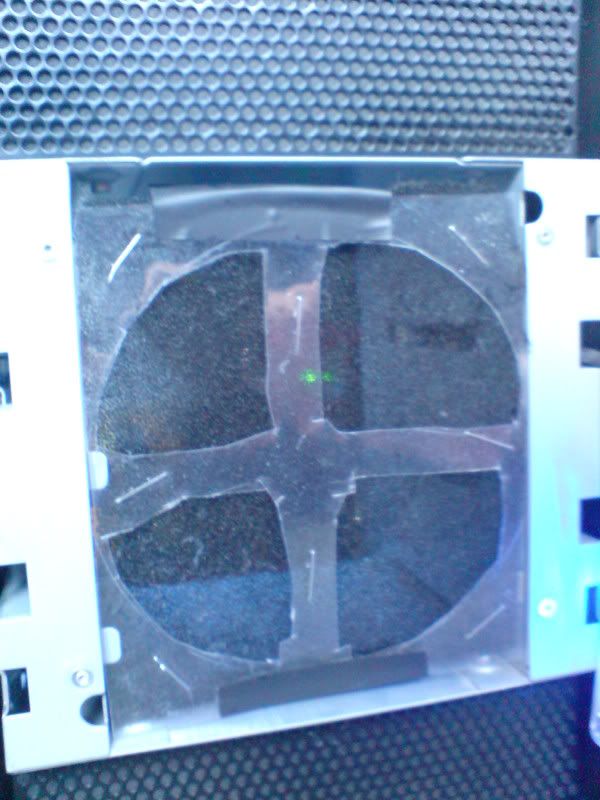
The filter then fits in position. It's quite easy to remove, just unscrew the drive cage, slide it forward and pop off the fan assembly. The plastic/staples combo is waterproof so it's easy to wash.
For the side intake, a normal pre-bought fan filter should do the job if you screw it to the back of the fan.
Hope that helps.
Tags for this Thread
 Posting Permissions
- You may not post new threads
- You may not post replies
- You may not post attachments
- You may not edit your posts
-
Forum Rules





 Reply With Quote

Bookmarks