




3 threads regarding watercooling and starting up a raid:
Official Water Cooling Thread of the Stock Maximus SE ROG NB Club:
http://www.xtremesystems.org/forums/...d.php?t=164610
Water cooling the Asus Maximus SE X38 using aftermarket blocks and sinks:
http://www.xtremesystems.org/forums/...d.php?t=162085
Getting RAID to work on the ASUS Maximus SE
http://www.xtremesystems.org/forums/...d.php?t=166867
From Talonman
FSBT is directly related to hte CPU PLL, so if not upping the FSBT a lil with the PLL and too low a GTL volt ref, it is not gonna' return as stable or high CPU and system FSB for overclock.
From Nuckin_Futs
Maximus Forumula & Q6600 G0
http://www.xtremesystems.org/forums/...postcount=3831
Below are some OC results using this motherboard with a Q6600 and E6750. I recommend that you make sure that your northbridge chips is below 47C before OC'ing. Also, as with any OC, you do so at your own risk. Please make sure you have proper cooling for N/s bridge chipsets as well as ram, CPU, etc before you OC.
Forumula Maximus & Q6600 G0
http://www.xtremesystems.org/forums/...&postcount=568
Forumula Maximus & Q6600 G0
http://www.xtremesystems.org/forums/...&postcount=530
Forumula Maximus & Q6600 G0
http://www.xtremesystems.org/forums/...&postcount=370
Formula Maximus & 6750 OC
http://www.xtremesystems.org/forums/...postcount=2703
Formula Maximus & 6750 may work for 6850
http://www.xtremesystems.org/forums/...postcount=2704
Formula Maximus & 6850 OC
http://www.xtremesystems.org/forums/...postcount=2957
voltage droop:
vcore, cpu pll, NB, DRAM, FSB T., SB
http://www.xtremesystems.org/forums/...&postcount=366
-Yes, this board can handle 4 Gigs of PC8500. However, OC'ing maybe limited. Appears that newer bios address this.
-Those upgrading from a MB with limited bios tweaking (P5W DH for example) may find the tweaking settings for the Maximus Formula's bios daunting. Please review some of the OC settings listed above to get an idea of what needs tinkering and what doesn't. Also, if your CPU OC is not found it may be better to make a formal request (in the original Maximus Formula thread, not in this thread) for bios settings using your CPU. Also look at the Anandtech article.
-Check Asus website for bios updates regarding ASUS Maximus Formula and ASUS Maximus Formula SE. Remember there are not removable bios chips for these boards. You use any bios on this forum at your own risk!
-You get better N/S Bridge temps when you remove the factory TIM and apply AS5 Ceramic.
-When updating from one bios to another RESET YOUR CURRENT BIOS TO STOCK, NONE OC SETTINGS BEFORE FLASHING
-If the fusion water block on the chipset doesn't come off you can use a hair dryer to heat it. Or, you can cool the MB in the frig for a few hours in to chill the thermal compound. Either suggestion can damage your MB, you do this at your own risk!
-If you water cool the NB (SE version) it's best to use plastic clamps or worm drive, from Anandtech
-The black PCIe x1 port is proprietary for the included sound cardOur biggest gripes revolve around the somewhat disappointing execution of the supplied water block design and unreliable 1/2" tubing clamps when using high flow rate pumps
-Its worth the time to put a small 40mm fan on the s/b heatsink when OCing
-P5E is an excellent board if you are not looking for the features of the Maximus Formula
-Ultra 120 Extreme and clearance from the South Bridge heat sink using a 8800 http://www.xtremesystems.org/forums/...&postcount=920
-SE has option for 3 thermal sensors however you have to buy the thermal sensor cable separate
-Use a 8-pin 12V connector
-In order to get charted voltage results using OCCT, start Everest and go to: Preferences, External Applications then Enable shared memory option
-Although DDR2 1600 is found in the specification for the Maximus Formula I haven't found any posts verifying 1600MHz Memory frequency as of yet. http://www.asus.com.tw/products.aspx...11&l3=572&l4=0
-When OC'ing your ram you can obtain better results maintaining the rated DDR2 frequency or higher
example 1
example 2
example 3
Also note, that 1:1 is not the best ratio for this motherboard
Source...Had we used the lower 1:1 divider on the Maximus, the scores would have been reversed (performance would have been slower). In truth, using the 1:1 divider on either board should only reduce scores by around 1-2% maximum, making some of the cheaper DDR2-1000 capable modules a wise purchase for a workstation or gaming PC. ASUS is currently working on a BIOS release that improves overclocking and we will report any performance changes shortly...
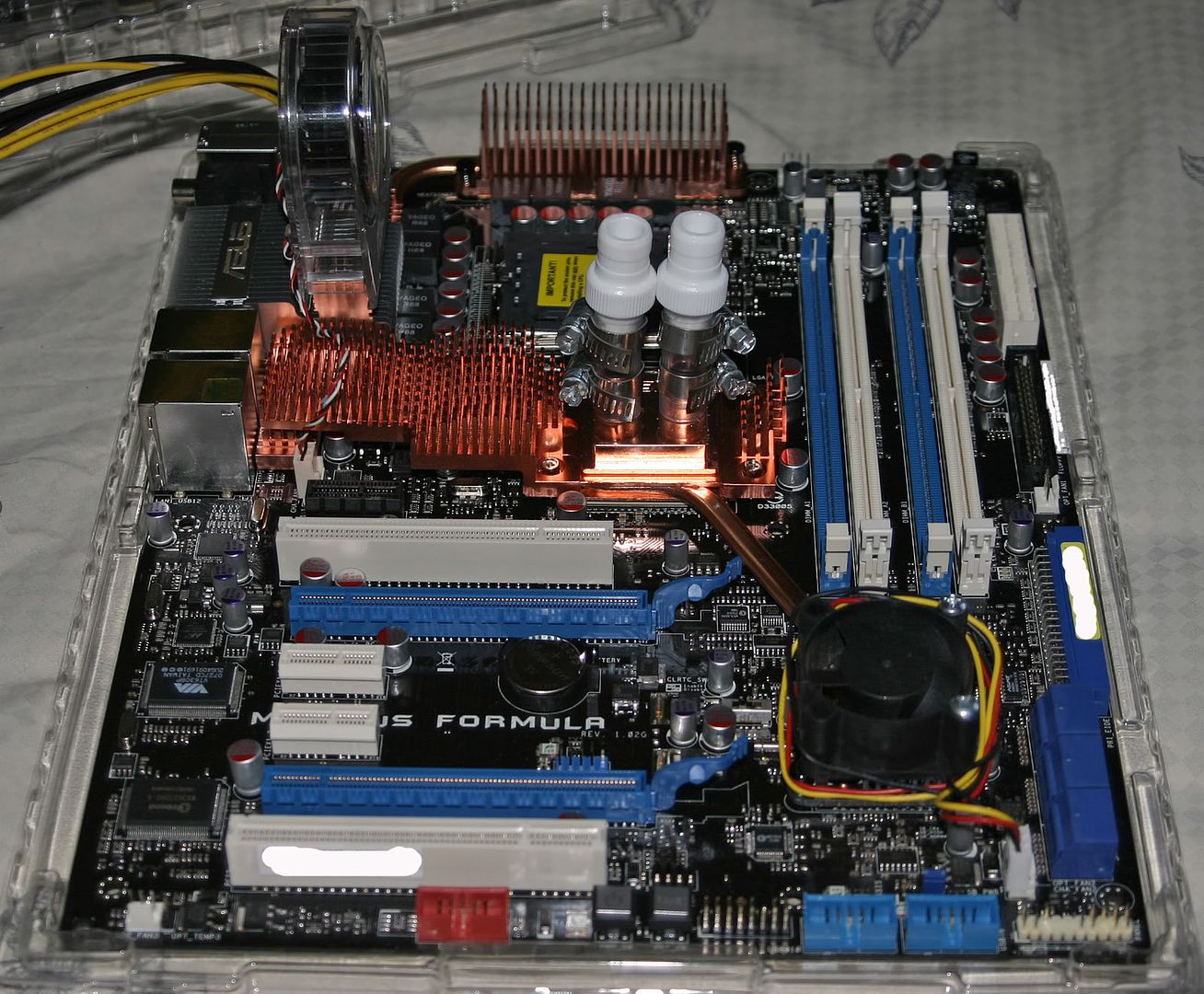
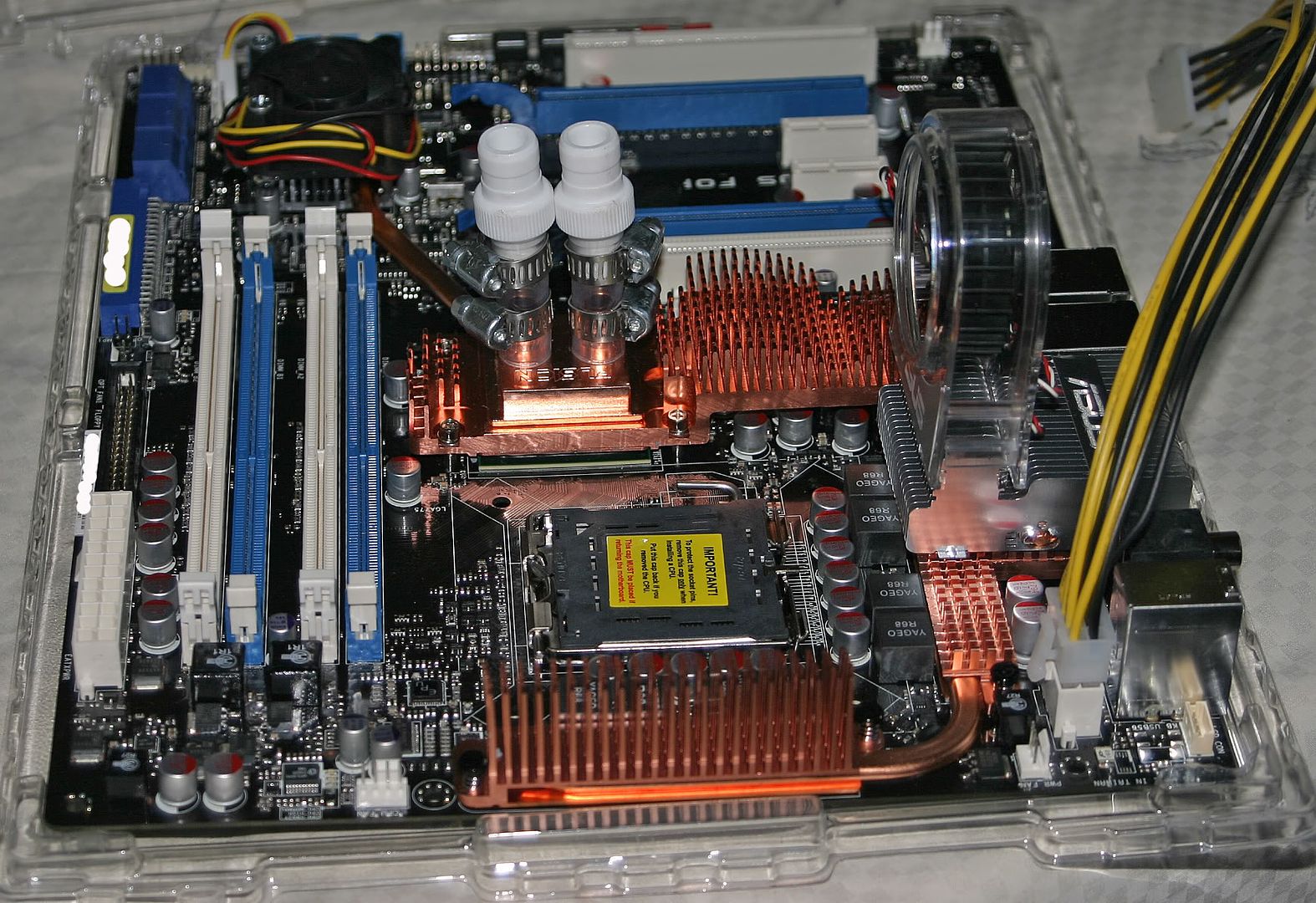
Below are some pics of the Formula Maximus prep'd for watercooling:
This pic shows the MB prep'd and ready for installation
This is another angle of the MB prep'd and ready for installation
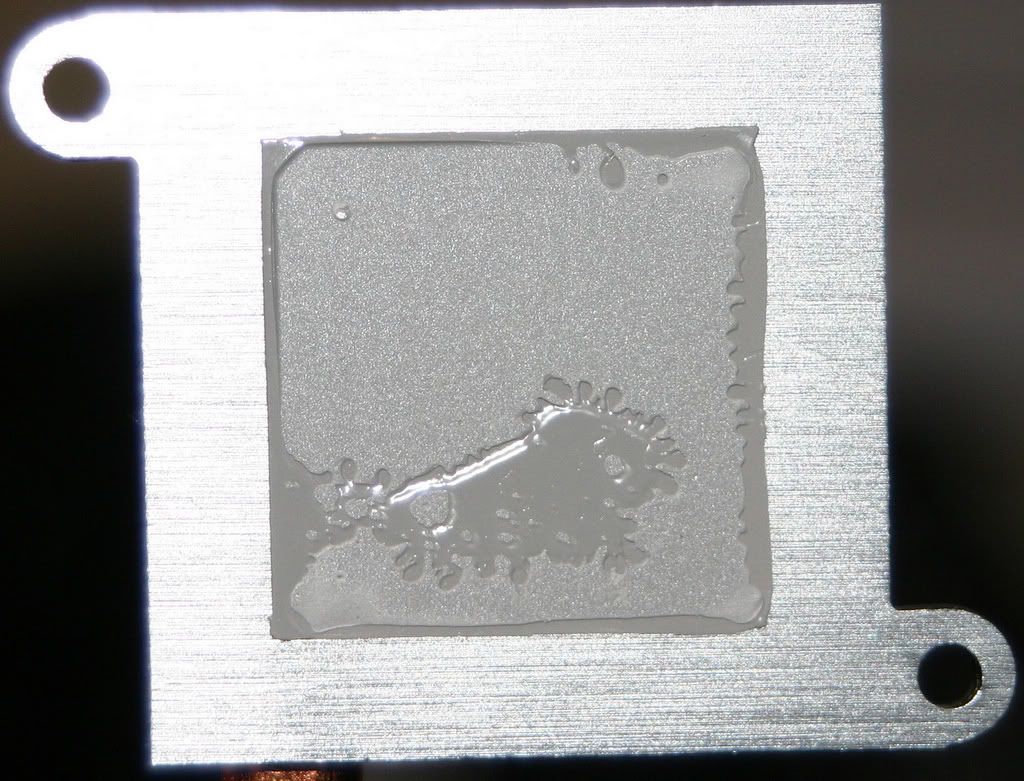
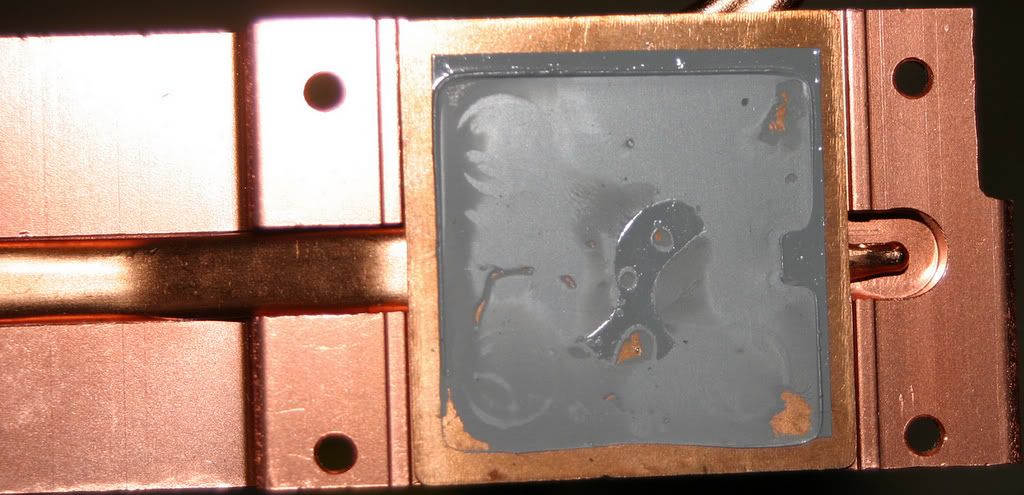
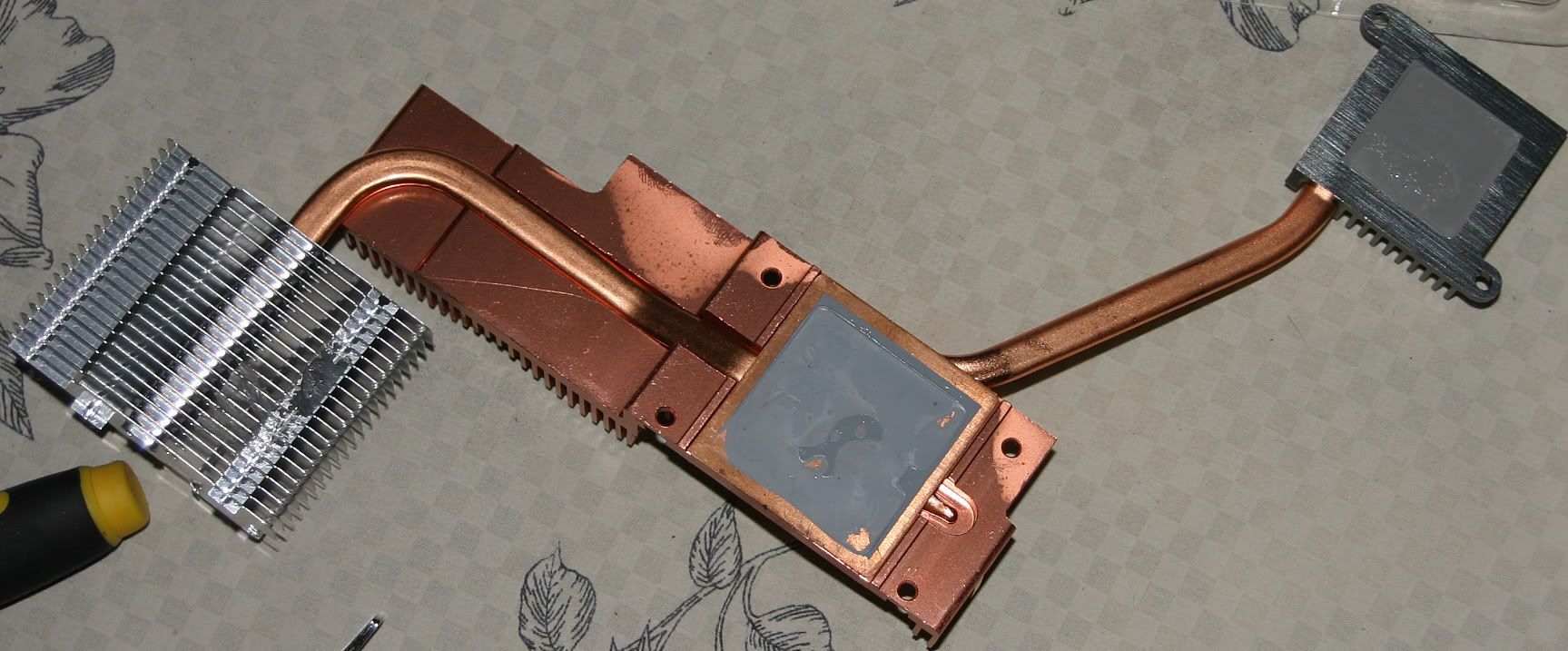
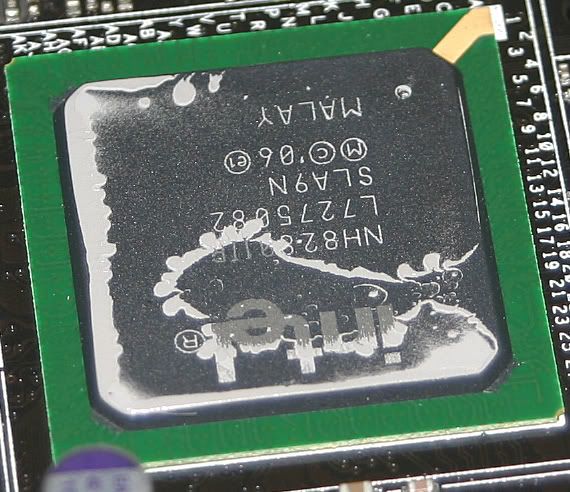
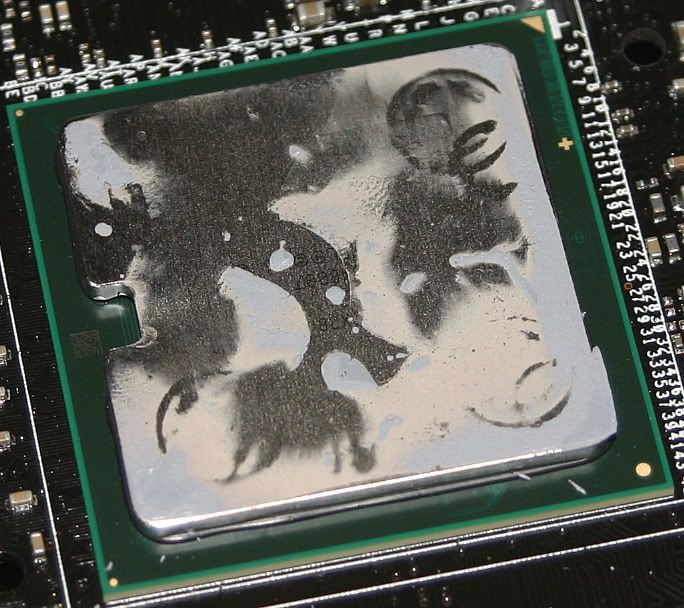
Below are some pics showing the removal of the N/S bridge heat sinks. With the help of cadaveca I came up with the idea of refrigerating the Maximus Formula MB (with the plastic covering)for 3 hours in order to remove the north/south bridge heat sinks. Heat didn't loosens the thermal compound found on this motherboard for me but cold temperatures did. Once the board was chilled for 3 hours the north/south bridge heat sinks popped right off without any real force. I offer this advice as a possible solution for removing bonded type of thermal compound from the north/south bridge heat sinks. Please keep in mind that applying either heat or cold or both temperatures can damage your motherboard. You try this at your own risk.
3 pics showing the south, north and combo n/s heatsinks
To the left is the southbridge chipset. To the right is the northbridge chipset after the HS was removed.

 Reply With Quote

Bookmarks