PLACEHOLDER
by making this post, I am committing myself to explaining how my setups are managed for a distributed memory/Beowulf-style cluster configuration. This will probably be of interest to exactly zero other XS users, but maybe it will have some useful info. I will probably need some advice and/or prodding to make this into a useful post, so please ask questions and make suggestions. I'll try my best to get this into a visually appealing format.
For those who do not know, I have access to a Beowulf cluster at work, and when we aren't fully utilizing it for its primary purpose (high performance computing software methodology research), I have it fold. My system consits of a pool of compute nodes that are on a private network, and one "front" node thatis on the private network and also exposed to the internet. The front node exposes several NFS file systems, including the user home directories. The compute node disks and setups are treated as disposable, so no state information is ever kept directly on the compute nodes. My configuration has each machine operating in a separate, globally visible directory, and each client running under "screen" on the host node. This allows me to keep tabs on everything from the main login node, and makes it easy to reattach a terminal to any one of the clients without too much hassle. I also run "ganglia" so that I can get a quick look at the loading on all of the nodes.
I have a directory "FAH" in my home directory. Within that directory there is are 2 directories for each of the two-cpu nodes, and 4 for the quad cpu nodes. They are named $HOSTNAME-a, $HOSTNAME-b, etc., where HOSTNAME is the hostname of each machine.
I then ran setup from within one of the -a directories, and copied the config file to every -a directory. I modified the machine ID option, and copied that to all of the -b directories.
I created a script "fold-here" that has:
Code:
cd ~/FAH/$HOSTNAME-b
screen -dms B ./FAH502-Linux.exe
cd ~/FAH/$HOSTNAME-a
screen -dms A ./FAH502-Linux.exe
I then have a script that one of my GRA hacked up for me ("spawn"):
Code:
#!/bin/bash

# Script for starting jobs on multiple machines
# input arguments are command(s) ($1) and machines ($2)
# machines argument can be:
#  1) all  -- processes the command(s) on all the nodes in /etc/hosts
#  2) c1-1:c1-31  -- range.  will only work with the same family of
#       nodes.  ie: c1's, c2's, c0's....
#  3) c1-1 c1-2 c1-3  -- space deliminated list

COMMAND="$1"
MACHINES="$2"

if [[ "$MACHINES" == "all" ]]; then
   for NODE in $( cat /etc/hosts | grep 255.255 | grep -v manager | grep -v network | cut -d" " -f3); do
      echo "processing" $COMMAND on $NODE
      rsh $NODE $COMMAND
   done
elif [[ $MACHINES == *:* ]]; then
   STARTNODE="`echo $MACHINES | cut -d: -f 1`"
   ENDNODE="`echo $MACHINES | cut -d: -f 2`"
   i="`echo $STARTNODE | cut -d- -f 2`"
   j="`echo $ENDNODE | cut -d- -f 2`"
   while [ $i -le $j ]; do
      NODE="`echo $STARTNODE | cut -d- -f 1`-$i"
      echo "processing" $COMMAND on $NODE
      rsh $NODE $COMMAND
      i=$(($i+1))
   done
else
   for NODE in $MACHINES; do
      echo "processing" $COMMAND on $NODE
      rsh $NODE $COMMAND
   done
fi

exit 0
if you copy this directly, you'll have to tweak it a bit as it is to some degree explicitly hard coded for our internal network configuration.
I then run execute:
Code:
spawn "fold-here" c0-0:c0-15
or whatever other machine range I want to use.
There are variants for the 64 bit machines, and the SMP client, but this is the more complicated scenario. It should be fairly obvious how to simplify this for the singe-client-per-node case.





 Cpu Client
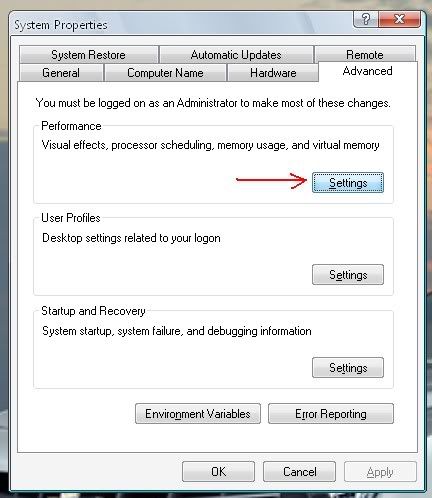
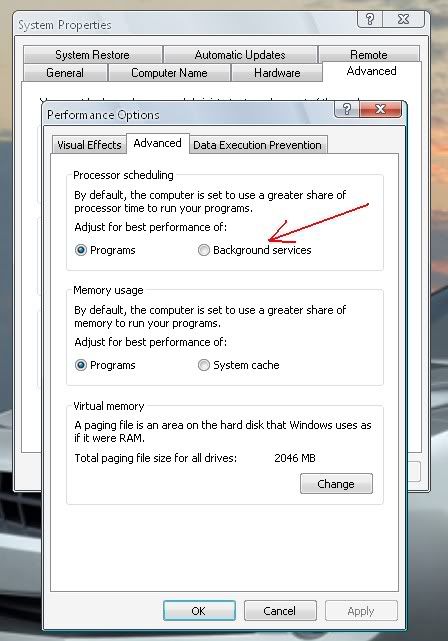


 It won't make much of a difference anyway because when you aren't using the computer it is using 100% CPU, so whether it is set to low or high won't affect that much when the system isn't being used.
 - and put in "C:\FAHGPU\FAH5.91beta2-console.exe" -local as the command line.
 Originally Posted by SparkyJJO
 Just noticed you mentioned 1760/wu




Bookmarks