

hell yes!Originally Posted by MrToad

then MARRY her! you found the only one who is!



hell yes!
then MARRY her! you found the only one who is!
X2k
The comments above are in no way endorsed by the management, the poster or any sane, rational, intelligent entity. Any complaints or offence arising from said comments can please refer to Avatar <


Sorry guys I couldn't get a board yet but I have a question though: are you using CPU backplate?
Also, can you show me the clearance between the block and inductors (six grey rectangles in parallel) on this photo?
http://img508.imageshack.us/img508/9432/mb20.jpg
Best Regards,
Niko
EK Water Blocks R&D
ekwb.com

Hobby: Rotary SS bench unit (LPG/R-507) | -75°C Auto-cascade (R-600/R-290/R-744) | Plate HX water chiller (1kW cooling power) | My 2nd cascade MP14FB R-507/R-1150 | Mini cascade R-507/R-1150 | GPU single-stage | Mach I restoration mod -> -38°C @ 230W
Milestones: 7.12GHz P4 | 6.84GHz K10.5 | 6.45GHz Ci5 | 3.31GHz K7
3DMark2001SE -> Favourite Game!

Thanks for the suggestion psygnosi, your success gives me good vibesthink I'm gonna pull the thicker kapton tape now and basically insulate every mm2 of the block again (except what's in contact with NB/mosfets that is
)
Her logic, as I said, is sound. Therefore she's not the marrying kind
No worries
I am using a CPU backplate, this one:
http://www.ekwaterblocks.com/shop/ek...-cpu-1366.html
I found it works much better than the stock Supreme HF block backplate
Will take pics of the clearance tomorrow, at the moment I'm not @ home.
I would check continuity (to gnd, +5v,+12 ect). on everything that is metal on the board. The CPU block bolts, the aluminum caps, ect. Just to know what is what, and what might cause problems if the block touched it. You said you had a meter, why aren't you checking stuff? :P
Desktop
[Asus Rampage III Gene] [i7 920 D0] [12GB OCZ3B2000C9LV6GK] [HIS HD 5970] [SeaSonic X750 Gold ] [Windows 7 (64bit)] [OCZ Vertex 30GB x3 Raid0] [Koolance CPU 360] [XSPC Razer 5970] [TFC 360 rad, D5 w/ Koolance RP-450X2]
HTPC
[Origen AE S10V] [MSI H57M-ED65] [ i5-661 w/ Scythe Big Shuriken] [Kingston HyperX LoVo 4GB ] [ SeaSonic X650 Gold ] [ OCZ Vertex 30GB SSD ] [ SAMSUNG Spinpoint 640GB 7200 RPM 2.5"][Panasonic UJ-225 Blu-ray Slot Burner] [ Ceton InfiniTV4]
Haahahhahahahahah! Because I killed another board before I even got to start checking?
Feeling slightly apprehensive at the moment
Tomorrow after work I will give it a go, right now I'm lounging on the sofa with my gf which has shorted anything... yet
has anyone plumbed one of these boards with tubing yet?
im paranoid im going to need 45 degree fittings on everything
good luck MrToad!
I've plumbed it indeed, and depending on what tubing you're using and how you plumb the block you'll indeed need 90 degrees.
Using Tygon Silver 3/4" OD I couldn't make a bend tight enough to connect the CPU block outlet to the MB block. Maybe with a thinner walled/smaller ID tube is possible.
Personally I'm using the BP "swept" elbows (the articulated ones, formed by two 45 degree pieces) and it had little impact on the overall flow. Went from 1.48 gpm to 1.40 gpm after plumbing the block. This is my setup:
XSPC Laing DDC BayRes One + DDC 3.25 > EK Supreme HF > EK R3Gene Block > EK FC5870 + EK FC5870 (Parallel flow) > DDC 3.25 > Mo-Ra3 > Flow meter > Res
Bear in mind that there are 5 x BP 90 degrees and 2 x BP 45 degrees and the flow meter in this loop. Probably the flow meter has a higher pressure drop than the MB block
Last edited by MrToad; 12-01-2010 at 04:22 AM.
I'd be much more concerned about the MoRa for flow drop, but two DDC's should be fine.
I was hoping you might have a pic?
Im going to be using a Koolance CPU 360, and 3/8"-5/8" tubing. Thing Im worried about is the roof clearance, as this is going in a Lian Li V352.
No pics at the moment... But there are pics further back on the thread (courtesy of Psygnosi) of the MB with the block mounted.
Once I have the whole conundrum sorted I'll post some pics... I was going to put a worklog, but seeing how a little nightmare this is turning to be I never got around to do it...
OK, is definitely the mosfet part of the block the one creating the issue... If I apply pressure in the centre of the area is all good and dandy, the moment I apply pressure on the extremes all goes pete tong...
Have probed with the fluke (in continuity mode) and I can't find a derivation anywhere (tried with the header adjacent to the block first then the main ATX header).
The block is also completely insulated except the areas that have thermal tape or the NB.
I've noticed that the stock mosfet cooler has 0.5mm tape towards the exterior and 1 mm tape in the centre, will try to source some more 0.5mm tape (snow permitting) and try that way...
Well if that's what the stock cooler has, I'd be doing that too. Maybe asus changed the board after the ek block was designed, happens all the time.
Is there anything on your board to indicate it's a different revision?
I'll check my board when I get home.
Can you post a picture of the MOSFET backplate you are using. Is it something like this?
http://www.xtremesystems.org/forums/...81&postcount=1
the mosfet backplate is very similar, and is included with the EK waterblock.
ive uploaded several photos to my worklog including this waterblock, should anyone be interested.
http://forums.overclockers.com.au/sh...&postcount=210
I looked through your nice build log.. Do you have a picture of the MOSFET backplate installed on the mobo?
sorry, i think that might have been the only thing i didnt take a shot of.
ok, i have it booted back at my desktop, everything seems to be running fine. temps seemed normal in the bios, i'll install everest now to see if it can monitor my temperatures in windows.
**everest reports a motherboard temperature of 38-39degrees. must be working i'd say, i put it under a lin-x run.
Last edited by zeropluszero; 12-02-2010 at 06:17 AM.
@ zeropluszero
Just a couple of questions if you don't mind
Did the stock MOSFET cooler also have two different thermal tapes? Grey 0.5 mm on both sides and pink 1.0 mm on the centre.
Also would you mind taking a close-up picture of the label on the top edge of the board? Is a narrow barcoded label with the model, revision and serial no. on it...
I'm still trying to figure out why everyone's fine and I've gone through two blocks and several boards with no joy...
@MrToad
since on MObo killed northbridge, maybe You could thoroughly check NB MOSFETs (between NB and IO ports). as I understand from pix WB should have contact with 'em?
Check the pics in that link above mr toad. I used everything as ek said, except i added on an extra 0.5mm (so 1.5mm) on the middle part of the I/O mosfet. My stock heatsink also had the thinner grey and thicker pink pads.
I'll check serial when I get home later today, but yeh, my board seems to be working fine.
Chipset block was the hardest to install I've ever had to do- classified block was a breeze, and my old bitspower rampage formula and 780i's were difficult until this. Considering there's only 4 screws.
Seems kinda odd that the original heatsink has a thicker middle section of thermal pads. Either there is differences in the heights of the components, or they did that cause their heatsink might bow when tightening it.
If it is cause of the components being different levels, then using the same thickness thermal pads throughout would have either 2 effects:
1) not enough pressure on the middle section
or
2) too much pressure on the outer section (if you tighten it too much so the middle section has good contact).
someone needs to look into that and figure out the reasoning, and if the components are different levels.
Desktop
[Asus Rampage III Gene] [i7 920 D0] [12GB OCZ3B2000C9LV6GK] [HIS HD 5970] [SeaSonic X750 Gold ] [Windows 7 (64bit)] [OCZ Vertex 30GB x3 Raid0] [Koolance CPU 360] [XSPC Razer 5970] [TFC 360 rad, D5 w/ Koolance RP-450X2]
HTPC
[Origen AE S10V] [MSI H57M-ED65] [ i5-661 w/ Scythe Big Shuriken] [Kingston HyperX LoVo 4GB ] [ SeaSonic X650 Gold ] [ OCZ Vertex 30GB SSD ] [ SAMSUNG Spinpoint 640GB 7200 RPM 2.5"][Panasonic UJ-225 Blu-ray Slot Burner] [ Ceton InfiniTV4]
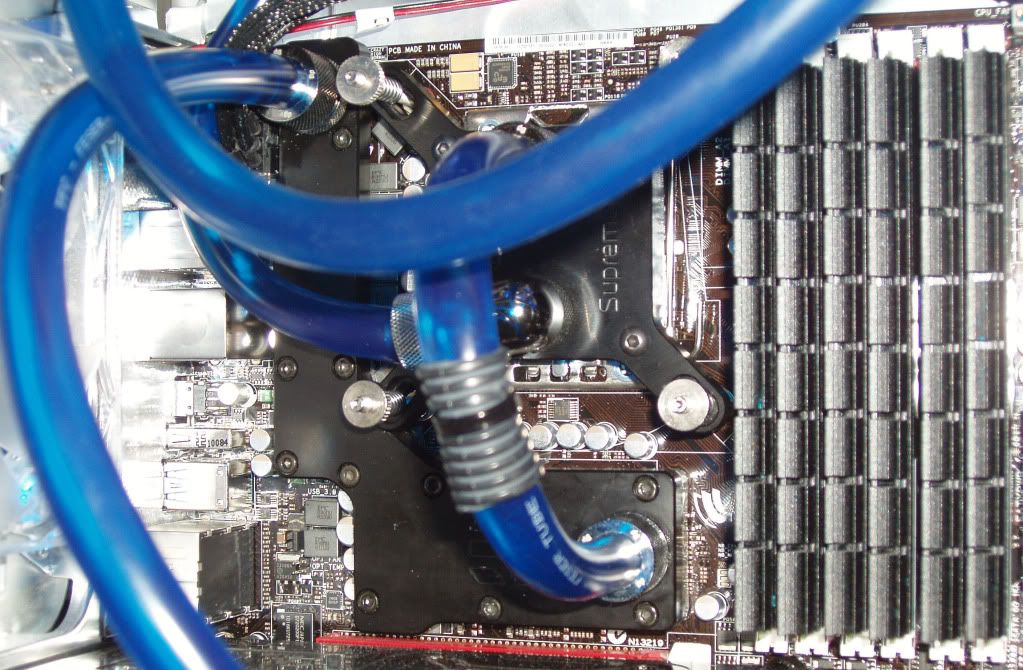
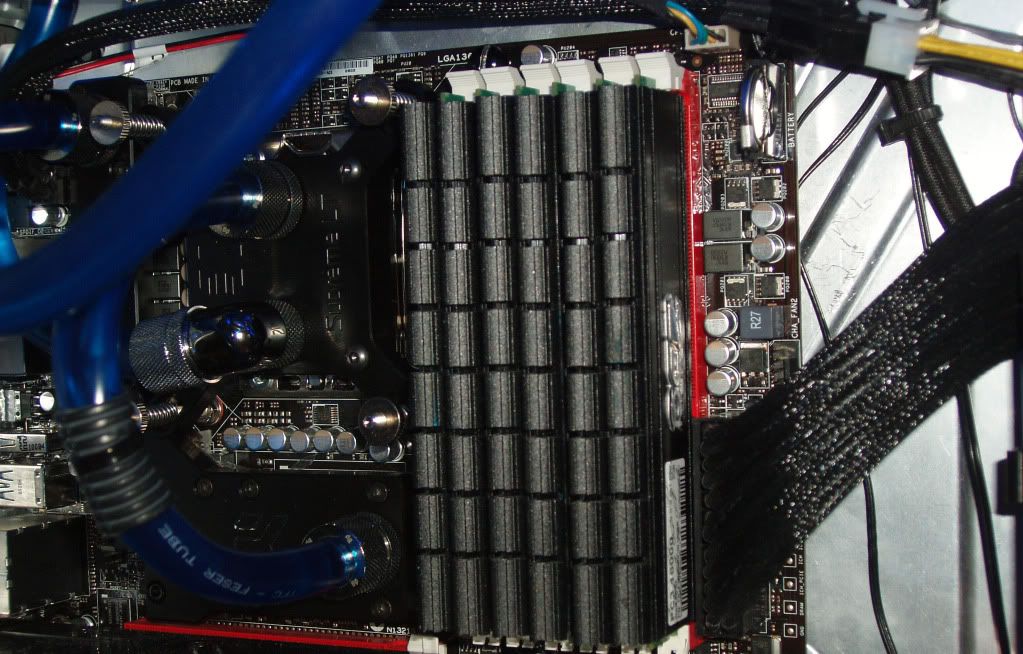
Since Zeropluszero got the Plexi/Nickel working with pics, here is mine with the Acetal/Nickel working plus the EK Southbridge also. Sorry for the blurry pics. Still waiting for the waterblock for my 6870 which should be here this next week. Anyway here ya go!
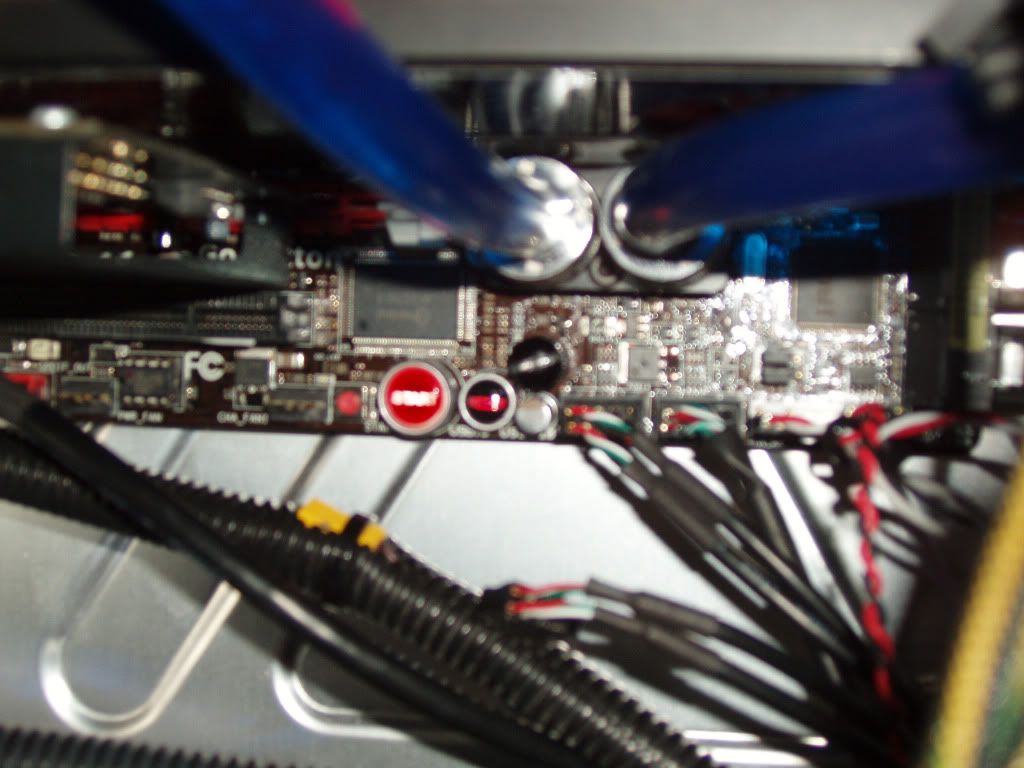
and the southbridge:
Overall effect:
Remember I'm on a tropical island so it gets hot here, Normally my Northbridge would be 65c and southbridge 55c
Last edited by psygnosi; 12-03-2010 at 03:05 PM. Reason: add temps
|Asus Rampage III Gene Bios 805|i7 980X|12GB Corsair Dominator 1600C8 w/EK Nickel+Acetal Dominator Ram WB|XFX HD 5970 Black Edition+5870|OCZ 1010 GameStream|Windows 7 Ultimate(64bit)|Corsair F-60 SSD w/ 2TB Seagate HD|EK-FB R3Gene Nickel+Acetal(Fully working) & Asus-1 WB|EK Supreme HF Full Nickel Edition|EK 5970 Nickel+Acetal, XSPC 5870 FC w/ EK Backplate|XSPC RX360+Black Ice Stealth 120+MCR120, D655,XSPC Acrylic Dual 5.25 Res for D5 |Coolermaster Cosmos S w/Sidewindow|3 Samsung 205Bw LCDs in Eyefinity
Had it working.
My boards second PCIe16 slot stopped working. Thinking perhaps I'd shorted it by tightening too hard, I loosened the screws around the X58 chip.
Turned it on, flash, boards fried.
Took the chipset block off, sure enough, lower corner of the X58 chip has a burn mark.
RMA time.
Anyone want to buy a block? Used once with distilled.
I'm sorry about that
Personally I'm taking a "break" (no pun intended) from the build, waiting to see if Tiborr can shed some light over this.
Hi Zeropluszero,
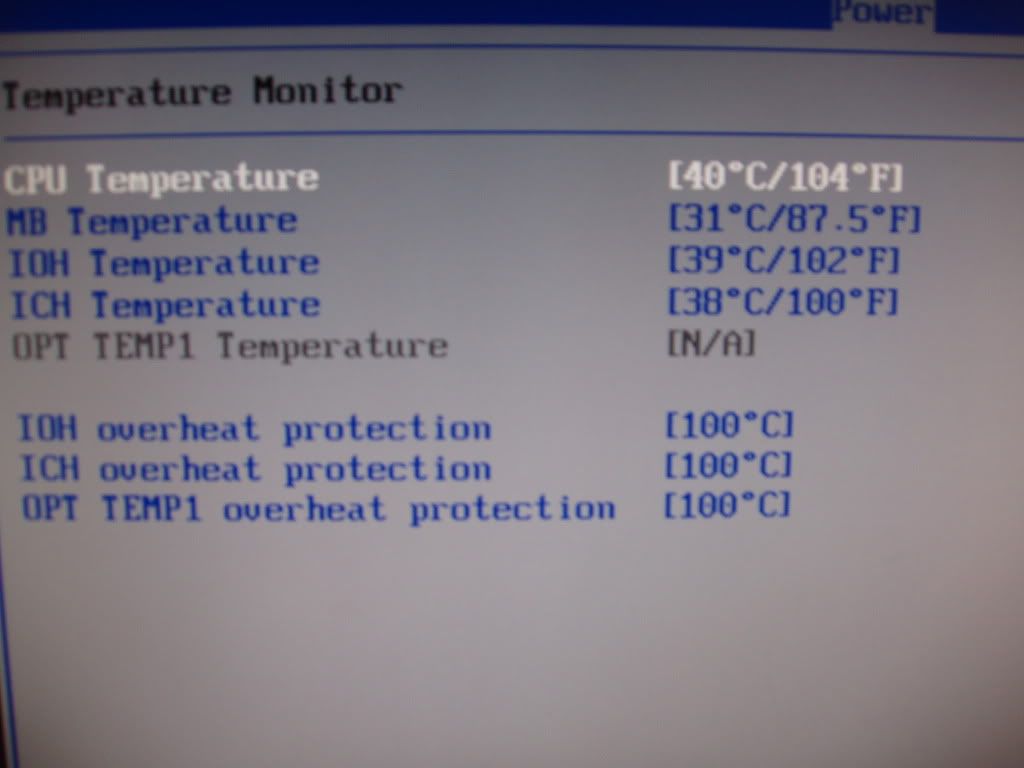
Sorry about that as well. I'm not touching both my systems since both are working with the Nickel/Acetal R3Gene blocks. I'm leaving them alone and not pulling out the boards anymore. I've tested both my PCI-E slots on both boards and they are both working fine. But now I'm too scared to touch it anymore. Here is a pic of the R3Gene bios Monitoring the temps(Artic Silver 3 has not set in yet):
Psygnosi
Last edited by psygnosi; 12-05-2010 at 06:24 AM. Reason: spelling
|Asus Rampage III Gene Bios 805|i7 980X|12GB Corsair Dominator 1600C8 w/EK Nickel+Acetal Dominator Ram WB|XFX HD 5970 Black Edition+5870|OCZ 1010 GameStream|Windows 7 Ultimate(64bit)|Corsair F-60 SSD w/ 2TB Seagate HD|EK-FB R3Gene Nickel+Acetal(Fully working) & Asus-1 WB|EK Supreme HF Full Nickel Edition|EK 5970 Nickel+Acetal, XSPC 5870 FC w/ EK Backplate|XSPC RX360+Black Ice Stealth 120+MCR120, D655,XSPC Acrylic Dual 5.25 Res for D5 |Coolermaster Cosmos S w/Sidewindow|3 Samsung 205Bw LCDs in Eyefinity
dont apologise guys, i know its a risk like anything else. ive copped a brand new 4870 when they first came out and i fried that too.happens.
i dont think i'll
that's a serious post above for anyone that cares, Nickel Plexi block Im looking to sell, happy to sort out postage worldwide.
As much as I dislike giving up in this particular occasion I have to accept defeat and move on.
Surviving R3G stays on air for a different build (I'm putting together a less demanding system for my partner's family), block goes to the cupboard of unused parts and now I'm looking to the R3E for this build. It's going to be a bit of a tight squeeze (I never planned to use a full ATX board for this build) but don't like the rest of X58 Micro-ATX boards...
 Posting Permissions

 )
)


 Reply With Quote



Bookmarks