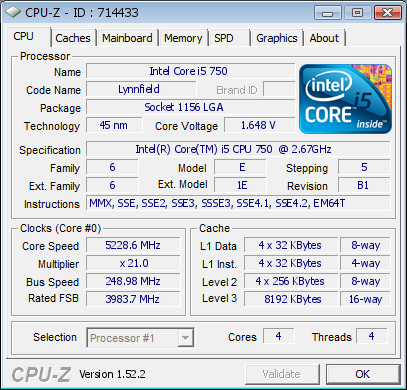
Just a heads up for anyone running the UD6 board: both SF3D and me have had an situation where the socket seems to be burned. My combo is still alive, but SF3D's might be dead.
I'm not pointing fingers or trying to make anyone look bad. Just a heads up; this might be an unfortunate coincidence.
__________________
Proud to be ignorant, ashamed to know it.
2008 - MOA EU #5
2009 - MOA Benelux #2 || GOOC Benelux/DACH #1 || GOOC EU #1 || GOOC WW #4 || Tweaking #1 (2/2) || AROS #QF
2010 - P55 OC Challenge EU #7 || MOA Benelux #1 || MOA EU #4 || GOOC EU #1
__________________ Asus Crosshair IV Formula | Phenom II X6 1090T | 2x2GB Dominator GT 1600 C6 | 2x ATI HD5870 Crossfire | Silverstone DA800 | Samsung F1 1TB
Watercooling: Heatkiller V3 LT | EK 5870 Delrin fullcover | PA120.2 & PA120.3 | DDC2+ Delrin top | EK 200mm res | Tygon R3400 3/8 tubing
Wow how the hack is still working, i mean it's burn quite bad, you've checked the performance issues may be you've lost some bandiwitdhy, or some FPS in games, i mean the pins might be for IMC or DMI..
Still it's "ULTRA DURABLE", it burns and it still works..
Good to know combo still works, but will it burn even more while running now ???
I had the burn a couple of days ago when I used my single stage cooling. Re-ran the setup yesterday evening under LN2 and it didn't got worse. As long as it works, I'll keep using the platform ;-).
Btw, I'm not saying this is a general UD6 error. Maybe it's a end-user up, maybe I did something that caused this. I just posted this because apparently SF3D has had the same issue.
__________________
Proud to be ignorant, ashamed to know it.
2008 - MOA EU #5
2009 - MOA Benelux #2 || GOOC Benelux/DACH #1 || GOOC EU #1 || GOOC WW #4 || Tweaking #1 (2/2) || AROS #QF
2010 - P55 OC Challenge EU #7 || MOA Benelux #1 || MOA EU #4 || GOOC EU #1
I had the same problem with an Asus MF3 during a compo. Motherboard is dead, cpu is still working though. Is now also missing some "contact pads" might be something with bad contact or nog enough power pins to supply enough power when running the cpu overclocked. (Mine died during 3dmark06)
I've knocked a pad off one of my CPU's as well same kind of location - just looking at the land diagram to see which section it is from. I suspect VTT, but not sure.
I got the same problem, but my CPU is working just like before. Mobo does look bad, but maybe it can be fixed. Setup worked just fine until I shutted it down myself for other reasons.
My Vcore was not even that high. 1.57V maximum. Maybe the issue is load calibration or something reltated to that.
Or it might be bad set of sockets, where current is simply burning the pins down.
Well.. I hope this is just these two boards
__________________ You are as good as your samples are! AOCC2008 WW #5, MOA2008 EU #5, GOOC2008 WW #1, GOOC2009 WW #3, MOA2009 EU #4, MOA2009 WW #4, GB TweaKing #"5" (4,10), Ditech International OC #2 / #2, ASUS ROG OC Showdown # semifinals
since its the edge of the socket it could very well be insulation... you do use the socket metal thing to clamp down the cpu, right? its leg is right next to those pins, and condensation will form on that metal and then possibly run down into the socket, bam... im not convinced thats what happended, but if you guys had the same thing happen at the same location of the socket... thats not a coincidence... and i doubt vcore is any diferent on those pins then on other vcore and vss pins... so i dont think its some electrical anomally that causes this...
and yeah, modern cpus are really beefy on vcore pins, vtt is their achilles heel, on vcore pins you can roast them for a while before they give up, the only nehalem cpu i heard of that died from vcore for sure was in foxconns labs and it was with 2.4v on air
instant shutdown and dead...
since its the edge of the socket it could very well be insulation... you do use the socket metal thing to clamp down the cpu, right? its leg is right next to those pins, and condensation will form on that metal and then possibly run down into the socket, bam... im not convinced thats what happended, but if you guys had the same thing happen at the same location of the socket... thats not a coincidence... and i doubt vcore is any diferent on those pins then on other vcore and vss pins... so i dont think its some electrical anomally that causes this...
and yeah, modern cpus are really beefy on vcore pins, vtt is their achilles heel, on vcore pins you can roast them for a while before they give up, the only nehalem cpu i heard of that died from vcore for sure was in foxconns labs and it was with 2.4v on air
instant shutdown and dead...
yeah mine was clamped properly. I had thought about non contacting pins but that can't be right as only one pin has gone on mine while the surrounding ones are blemish free (no visibly bent pins either). I will try to take a macro pic if I can, there is very little pad left. Looks like some i5 CPU's can have issues when pushed. Mine was not even pushed that hard, I just about got it to 4.8. No moisture anywhere as the whole socket and CPU were completely sealed from the air with eraser. Just one of those things.